Freedom251 › Pixel Art Software

Pix2D
What Pix2D is
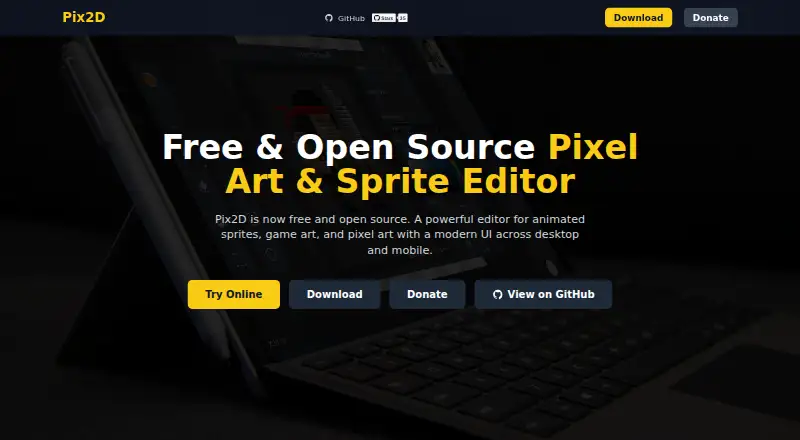
Pix2D is a pixel art, sprite, and animation editor for game art. Its tools include palette and brush controls, layers, blend modes, custom grids, pixel-perfect shapes, text, and onion skinning. An animation timeline and sprite-sheet export are available. Pix2D runs in a browser without installation, saving work locally in that browser, and it also has versions for Windows, macOS, Linux, and Android. Projects use the .pix2d format, and exports include PNG, JPG, SVG, GIF, sprite-sheet PNG and JSON, Aseprite JSON, Godot .tres, Unity .png.meta, and libGDX .atlas. The editor is free and open source under the MIT License, and no free trial is offered. Pix2D describes its intended users as game developers and digital artists. Public APIs and the plugin system are under development. Desktop and Android versions send anonymous usage events without project files, image content, or identifying information; those builds also offer opt-in anonymous fatal crash reporting through Sentry. The web version reports crashes locally. The macOS app is unsigned and unnotarized, so Gatekeeper may show a warning on first launch.
Who it suits
Pix2D suits game developers and digital artists who need pixel-art, sprite, or animation tools. The browser version may suit people who want to work without installing an app.
What it does well
- Includes an animation timeline and onion skinning.
- Exports sprite sheets and multiple art formats.
- Browser version requires no installation.
- Free and open source under the MIT License.
What to know first
- A free trial is not offered.
- Public APIs and plugins are still under development.
- macOS Gatekeeper may warn on first launch.
Plans
| Plan | Billed and limits | Price |
|---|---|---|
| Pix2D | Free and open source; features and limits not stated | Free |
As pix2d.com lists them, read 5 Oct 2026. The maker's own page has the final word.
Getting started
- Open the web app in a browser, or get a release for Windows, macOS, Linux, or Android.
- Create or open a project using the .pix2d format.
- Use the drawing and animation tools to make game art.
- Export in a supported image, sprite-sheet, or game-tool format.
- Report bugs or request features through GitHub; the repository also lists a Telegram support channel.
Overview
Pix2D is a free, open-source editor for pixel art, sprites, and animation, aimed at game developers and digital artists. Its combination of frame-based tools, drawing controls, and game-oriented exports makes it a practical option for creating and moving sprite work between workflows; it is less compelling if you need a finished plugin ecosystem or a signed macOS app.
You can work in a browser without installing software, or use releases for Windows, Linux, macOS, and Android. The browser saves work locally, so it suits a device where you want to avoid installation, but do not assume that browser projects sync with the other versions.
For more options, browse Pixel Art Software.
Key features
Drawing and animation
Pix2D combines palette control, adjustable brushes, layers, blend modes, and custom grids with pixel-perfect shapes and text. That gives artists useful control over both individual pixels and more structured compositions. An animation timeline and onion skinning support frame-based work, letting an artist compare adjacent frames while drawing rather than treating Pix2D as a still-image editor alone. Sprite-sheet export rounds out the workflow for game assets.
Project and export formats
The native .pix2d format is available for project files. Exports include PNG, JPG, SVG, and GIF, plus sprite-sheet PNG with JSON metadata and Aseprite JSON. Game-oriented choices include Godot .tres, Unity .png.meta, and libGDX .atlas. This breadth is useful when assets need to leave the editor for different pipelines, though public APIs and the plugin system remain under development, limiting extensibility for now.
Privacy and support
Android, desktop, and web builds send anonymous usage events, without project files, image content, or identifying information. Desktop and Android fatal-crash reporting is opt-in and anonymous through Sentry; web crashes are reported locally. Users can report bugs or request features through GitHub, with a Telegram channel also available for support.
Pricing
Pix2D costs free under the Pix2D plan. It is free and open source under the MIT License, and there is no free trial because the product is already offered free. No paid tiers are part of this plan; however, the plan's feature and usage limits are not defined, so it is difficult to assess any ceilings beyond the stated capabilities.
Platforms
Pix2D supports web, Windows, macOS, Linux, and Android. The web version runs in a browser without installation and stores work locally in that browser. The macOS app is unsigned and unnotarized, so Gatekeeper may warn on first launch; users who prefer an app that opens without that warning may want another platform or editor.
Who it's for
Pix2D fits digital artists and game developers who want a free pixel-art editor with animation and exports aimed at sprite workflows. It is particularly suitable for someone who values a browser option or needs output such as sprite-sheet metadata, Godot resources, Unity metadata, or libGDX atlases. It is a weaker fit for teams relying on a mature plugin system or public APIs, or for Mac users who do not want to navigate a Gatekeeper warning.
Pros and cons
- Pros: Free and MIT-licensed, with drawing controls, layers, animation timeline, onion skinning, and sprite-sheet export in one editor.
- Pros: Broad export selection spans common image formats, sprite-sheet metadata, and several game-development formats.
- Pros: Browser access avoids installation, while releases cover desktop and Android as well.
- Cons: Public APIs and plugins are still in development, which limits customization and integration options.
- Cons: Browser work is saved locally, not described as synchronized across platforms.
- Cons: macOS distribution can prompt a Gatekeeper warning because the app is unsigned and unnotarized.
Alternatives
Choose Pixelc if you want another free, open-source option across web, desktop, and Android; Android Premium is a separate purchase. Pixelorama is another free and open-source choice across Windows, Linux, macOS, and Android, with optional payment on itch.io. PixelPen suits someone looking for a free, MIT-licensed editor offered either as a Godot addon or standalone application.
LibreSprite is a free, open-source alternative under GPL-2. Pixel Studio may suit users who want its separate PRO option, priced at $12.99, paid once; its free plan contains ads and some features require PRO. PixelWall is worth considering for a free studio plan that includes animation, scripting, API and CLI tools, tilemap editing, and image exports.
Pro Motion NG offers a free edition with limited features and commercial use allowed, plus a full version for $19 a month. Pixilart is a browser, Android, and iOS option with an always-free plan capped at 15 stamps and a PRO plan at $4.99 a month, including a three-day free period.
Verdict
Pix2D is a strong choice for artists and game developers who want a free pixel-art editor that covers both animation and game-ready exports across browser, desktop, and Android. Its main advantage is that breadth without a price barrier; look elsewhere if you need established APIs and plugins, synchronized browser work, or a macOS app without a Gatekeeper warning.
Verdict
Pix2D brings pixel-art tools, animation, and a range of export formats to browser, desktop, and Android versions. Be aware that macOS may display a Gatekeeper warning, and the public APIs and plugin system are not yet complete.
Questions
Does Pix2D cost anything?
Pix2D is free and open source under the MIT License. Its listed plan is free.
Which platforms does Pix2D support?
Pix2D is available on the web, Windows, macOS, Linux, and Android.
Can I use Pix2D without installing it?
Yes. The web app runs in a browser and saves work locally in that browser.
What file formats can Pix2D export?
Exports include PNG, JPG, SVG, GIF, sprite sheet PNG and JSON, Aseprite JSON, Godot .tres, Unity .png.meta, and libGDX .atlas.
Is Pix2D open source?
Yes. Pix2D is released under the MIT License.
What should macOS users know before opening Pix2D?
The macOS app is distributed unsigned and unnotarized, so Gatekeeper may show a warning on first launch.
Facts from Pix2D's own pages
- Analytics
- The repository says Android, desktop, and web builds send anonymous usage events without project files, image content, or identifying information. · github.com, 5 Oct 2026
- Crash reporting
- The repository says desktop and Android builds offer opt-in anonymous fatal crash reporting through Sentry, while the web build reports crashes locally. · github.com, 5 Oct 2026
- Desktop and mobile
- The repository lists releases for Windows, Linux, and macOS, plus an Android app and web version. · github.com, 5 Oct 2026
- Drawing features
- The site lists palette control, brush settings, layers, blend modes, custom grids, pixel-perfect shapes, text, and onion skin. · pix2d.com, 5 Oct 2026
- Formats
- The repository describes a custom .pix2d project format and support for multiple export formats. · github.com, 5 Oct 2026
- Integrations
- The repository says public APIs and the plugin system are under development. · github.com, 5 Oct 2026
- Intended users
- The repository describes Pix2D as an editor designed for game developers and digital artists. · github.com, 5 Oct 2026
- License
- Pix2D is released under the MIT License. · pix2d.com, 5 Oct 2026
- macOS limitation
- The macOS app is distributed unsigned and unnotarized, so Gatekeeper may show a warning on first launch. · github.com, 5 Oct 2026
- Purpose
- Pix2D is a pixel art, sprite, and animation editor for game art. · pix2d.com, 5 Oct 2026
- Support
- The site directs users to GitHub to report bugs or request features, and the repository lists a Telegram channel for support. · pix2d.com, 5 Oct 2026
- Web app
- Pix2D can be used in a browser without installation, and work is saved locally in the browser. · pix2d.com, 5 Oct 2026
Where Pix2D stands on Freedom251
- Pixel Art Software#11 of 70