Freedom251 › Animation Software
Wick Editor
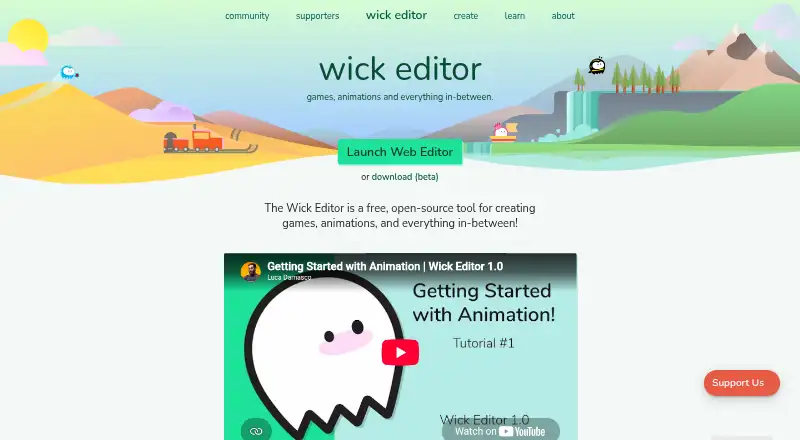
What Wick Editor is
Wick Editor is a free, open-source tool for making games, animations, and other multimedia projects on the web. Its drawing tools include a cursor, brush, pencil, eraser, rectangle, ellipse, line, path cursor, and text tool. Animation features include onion skinning, timeline frames, preview playback, and zoom controls; the welcome screen also lists a code editor. The project documents desktop releases for Mac, Windows, and Linux, and downloadable apps have been released for iPhone and Android. Export formats listed include HTML, .wickobj, MP4, GIF, PNG image sequences, and SVG. A forum help post also lists WAV and interactive HTML or ZIP exports. The official site links tutorials on animation, scripting interactive projects, and keyboard interactions, and points users to its forums for questions and tutorial suggestions. Wick Editor is licensed under GNU GPL version 3. Its plan is listed as free, and it does not offer a free trial.
Who it suits
It suits people creating web-based animations, games, or multimedia projects who want drawing and timeline tools. It may also suit learners using the linked tutorials on animation and interactive scripting.
What it does well
- Free, open-source project licensed under GNU GPL version 3.
- Includes drawing tools and animation timeline features.
- Exports include MP4, GIF, SVG, and PNG sequences.
- Desktop releases cover Mac, Windows, and Linux.
What to know first
- No free trial is listed.
- Privacy policy says prevention of every unauthorized access attempt cannot be guaranteed.
Plans
| Plan | Billed and limits | Price |
|---|---|---|
| Wick Editor | Free and open-source tool | Free |
As wickeditor.com lists them, read 4 Oct 2026. The maker's own page has the final word.
Getting started
- Open the Wick Editor website and use the web editor.
- Alternatively, use a desktop build documented for Mac, Windows, or Linux.
- Use the linked tutorials for animation, interactive scripting, or keyboard interactions.
- Create a project with the drawing, animation, or code editor tools.
- Export the project in a supported format.
Wick Editor is a free, open-source workspace for making animations, games, and other multimedia projects. It suits creators who want to combine drawing and frame-based animation with code, especially for interactive work. Its strongest case is breadth without a subscription; readers seeking a specialized animation workflow may be better served elsewhere.
Overview
Wick Editor brings visual tools, a timeline, playback, and a code editor into one environment. That combination can serve projects that move between artwork and interactivity, rather than requiring a purely visual animation workflow. Its GNU GPL version 3 license and free plan make it an appealing option for creators who want open-source software without a purchase decision.
The official site links tutorials on animation, scripting interactive projects, and keyboard interactions. These are relevant starting points for users progressing from drawing into interactive work. Questions and tutorial suggestions can be posted on the Wick Editor forums.
Key features
Drawing and animation
The web editor’s tools include cursor, brush, pencil, eraser, rectangle, ellipse, line, path cursor, and text. Together with onion skinning, timeline frames, preview playback, and zoom controls, they cover a useful path from making assets to arranging and reviewing animated sequences. This suits creators building 2D scenes and multimedia projects; the toolset is less compelling if the need is only static illustration.
Code and exports
A code editor is among the editor’s features, supporting Wick Editor’s focus on games and interactive projects as well as animation. Export choices include HTML, .wickobj, MP4, GIF, PNG image sequences, and SVG; interactive HTML or ZIP and WAV are also listed as project export options. The mix accommodates both interactive output and common video or image formats, giving creators flexibility in how to share a project.
Pricing
Wick Editor is free and open source: its Wick Editor plan costs nothing. There is no free-trial period to weigh against a paid subscription, and no paid plan is needed to access this free offering. That makes it a straightforward fit for individual creators and learners who want to work without a software budget, though the available plan facts do not establish paid tiers or seat-based options for teams.
Platforms
Wick Editor is available on the web, Windows, macOS, and Linux, with downloadable iPhone and Android apps also released. That range lets users choose a browser, desktop, or mobile route. The drawing and animation tools described are specifically the web editor’s feature set.
Who it's for
Choose Wick Editor if you want a no-cost, open-source tool that brings drawing, timeline animation, and code editing together, particularly for interactive projects. Its tutorials are useful for people learning scripting alongside animation. It is a weaker fit for users who only need a narrow drawing tool or want an alternative centered on a different animation workflow.
Pros and cons
Pros
- Free and open source under GNU GPL version 3, so the core choice does not require a software budget.
- Combines drawing tools, timeline animation, preview playback, and code editing for projects that mix visual and interactive work.
- Exports include HTML, MP4, GIF, SVG, and PNG image sequences, plus project formats including .wickobj and interactive HTML or ZIP.
- Web, desktop, and mobile availability gives users several ways to access the editor.
Cons
- The described drawing and animation toolset is centered on the web editor, so its feature scope should not be assumed identical across desktop and mobile releases.
- Its mix of visual and code-oriented tools may be unnecessary for creators who only want to make static artwork.
- The privacy policy says Wicklets may collect information users provide, device or browser data, and third-party information; it also says security measures cannot guarantee prevention of every unauthorized access attempt.
Alternatives
Cartoon Maker Software and Animation Software are useful category lists for comparing other options.
- Powtoon is worth considering if its free plan’s 720p output, three-minute limit, screen recording, watermark, and basic templates and characters fit your needs, or if you want its paid Lite plan at $15 a month.
- Animaker is a freemium alternative with a free plan that includes basic animation tools, limited premium assets, and watermarked exports; choose it if that combination suits your project.
- Animation Desk is a mobile-oriented alternative for Android, iOS, and Windows, with an iOS basic plan described as including five brushes, three sketch layers, three sequences, and one animatic storyboard.
- Doratoon offers a free plan with 150+ templates, free stock assets, a watermark, 720p output, and 10 downloads per month; it may fit creators whose work suits those limits.
- Krikey AI has a free plan with 20 one-time credits, which may suit users looking for a credit-based free option.
- OpenToonz is another free, open-source option for commercial and non-commercial projects; consider it if you want a dedicated alternative to Wick Editor.
- Pencil2D is free and open source, including for commercial use, and is an alternative to consider for animation work.
- Tahoma2D is open-source software for 2D and stop-motion animation, making it an alternative for creators seeking that focus.
Verdict
Wick Editor is a strong choice for creators who want free, open-source drawing, animation, and code tools in one place, especially when a project involves interactivity. Its broad export options add practical flexibility. Look elsewhere if you need a narrowly focused animation workflow or prefer an alternative whose specific approach better matches your project.
Verdict
Wick Editor offers drawing, animation, and code-editing features for multimedia projects, with multiple export formats. Users can consult the linked tutorials and forums for guidance.
Questions
How much does Wick Editor cost?
The listed plan costs nothing. The tool is free and open source.
Is there a free trial?
No. Wick Editor has no free trial.
Which platforms are available?
The editor is available on the web, and desktop builds are documented for Mac, Windows, and Linux. Downloadable apps have also been released for iPhone and Android.
What export formats are supported?
Listed formats include HTML, .wickobj, MP4, GIF, PNG image sequences, SVG, WAV, and interactive HTML or ZIP.
What license does Wick Editor use?
The project is licensed under GNU GPL version 3.
What does its privacy policy say it may collect?
It may collect information users provide, device or browser data, and information from third parties. It describes technical, physical, and organizational security measures, while saying it cannot guarantee prevention of every unauthorized access attempt.
Facts from Wick Editor's own pages
- Animation tools
- The editor includes onion skinning, timeline frames, preview playback, and zoom controls. · editor.wickeditor.com, 4 Oct 2026
- Code editor
- The editor’s welcome screen lists a new code editor among its features. · editor.wickeditor.com, 4 Oct 2026
- Desktop platforms
- The project’s desktop release documentation covers Mac, Windows, and Linux builds. · github.com, 4 Oct 2026
- Drawing tools
- The web editor lists cursor, brush, pencil, eraser, rectangle, ellipse, line, path cursor, and text tools. · editor.wickeditor.com, 4 Oct 2026
- Export formats
- HTML,.wickobj,MP4,GIF,PNG image sequence,SVG · wickeditor.com, 21 Sept 2026
- Export options
- A forum help post lists project export options including MP4, GIF, interactive HTML or ZIP, WAV, SVG, and PNG image sequences. · forum.wickeditor.com, 4 Oct 2026
- Free plan
- Yes · wickeditor.com, 21 Sept 2026
- Information collection
- The privacy policy says Wicklets may collect information users provide, device or browser data, and information from third parties. · forum.wickeditor.com, 4 Oct 2026
- Learning resources
- The official site links tutorials on animation, scripting interactive projects, and keyboard interactions. · wickeditor.com, 4 Oct 2026
- Mobile platforms
- A Wick Editor team forum post says downloadable apps were released for iPhone and Android. · forum.wickeditor.com, 4 Oct 2026
- Open source license
- The project repository says Wick Editor is licensed under GNU GPL version 3. · github.com, 4 Oct 2026
- Supported platforms
- web,Windows,macOS,Linux · wickeditor.com, 21 Sept 2026
- Privacy practices
- The privacy policy says Wicklets uses technical, physical, and organizational security measures, while noting it cannot guarantee prevention of every unauthorized access attempt. · forum.wickeditor.com, 4 Oct 2026
- Purpose
- Wick Editor is a free, open-source tool for creating games, animations, and other multimedia projects on the web. · wickeditor.com, 4 Oct 2026
- Support
- The official site directs users to post tutorial suggestions and questions on the Wick Editor forums. · wickeditor.com, 4 Oct 2026
- 2D animation tools
- Yes · wickeditor.com, 21 Sept 2026
Where Wick Editor stands on Freedom251
- Animation Software#20 of 106
- Cartoon Maker Software#17 of 31