Freedom251 › Animation Software

Pencil2D
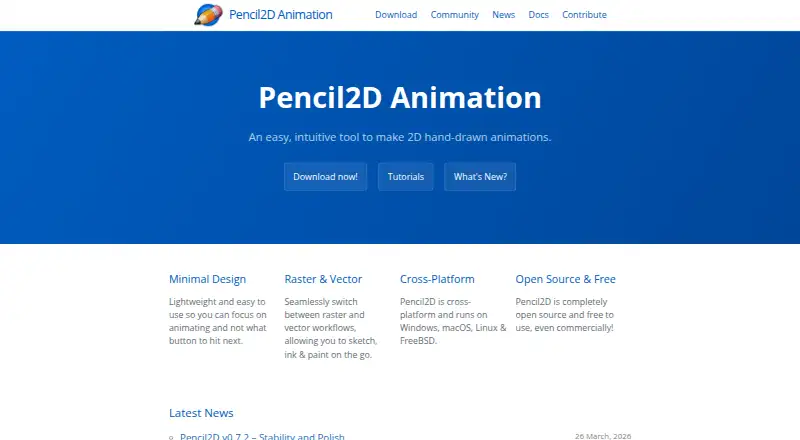
What Pencil2D is
Pencil2D is free, open-source software for making hand-drawn 2D animations, including for commercial use. It supports raster and vector workflows for sketching, inking, and painting, and has a timeline for keyframes. Dockable tool and color windows accompany an unlimited canvas with a camera field. Onion skin can display previous and next keyframes, with controls for the number of drawings shown and their transparency. Sound can be imported through a sound layer, although waveform display is pending implementation. Listed export formats include MP4, WEBM, AVI, GIF, APNG, and PNG image sequences. Pencil2D runs on Windows, macOS, and Linux; its homepage also names FreeBSD. Stable downloads are listed for Windows 7 and later, macOS 10.14 and later on Intel, and 32-bit and 64-bit Linux. The FAQ says video importing, a text tool, and a shape tool have not been implemented. The project points users to a forum, Discord, tutorials, an FAQ, and a user manual for help and learning. Its download page warns that legacy builds lack the latest security fixes and may receive less support.
Who it suits
Pencil2D suits people making hand-drawn 2D animations who want raster and vector workflows. It is available at no cost for commercial as well as other use.
What it does well
- Free and open source, including for commercial use.
- Supports raster and vector workflows.
- Onion skin can show previous and next keyframes.
- Exports video, GIF, and image-sequence formats.
What to know first
- Video importing has not been implemented.
- Text and shape tools are not implemented.
- Legacy builds lack the latest security fixes.
Limits
Pencil2D is free to use, including commercially. Video importing, text, and shape tools have not been implemented; waveform display for imported sound is pending implementation.
Plans
| Plan | Billed and limits | Price |
|---|---|---|
| Pencil2D | Free to use, even commercially · Open source | Free |
| Free | Open source · Free for commercial use · Windows, macOS, Linux and FreeBSD | Free |
As pencil2d.org lists them, read 2 Oct 2026. The maker's own page has the final word.
Getting started
- Visit the Pencil2D website.
- Choose a stable download for Windows, macOS, or Linux.
- Install the build that matches your operating system.
- Use the timeline and drawing tools to create an animation.
- Import sound through a sound layer or export the animation in a supported format.
Pencil2D is a free, open-source desktop application for frame-by-frame 2D animation. It is best suited to independent artists, students and small teams who want a focused drawing-and-timeline workflow on a desktop computer. Its strongest case is the combination of raster and vector drawing with no licence cost; its narrow toolset matters if your production needs video import, text or shape layers.
Overview
Pencil2D concentrates on hand-drawn animation rather than trying to be a full video editor. You can sketch, ink and paint in either raster or vector mode, then build movement with keyframes. The unlimited canvas and camera field give scenes room to develop, while dockable tool and colour windows keep the drawing workspace configurable.
The current stable release is 0.7.2. It is open source and free for commercial as well as personal work. Help is available through the forum, Discord, tutorials, FAQ and user manual, giving newcomers several ways to learn the application.
Key features
Frame-by-frame workflow
The timeline is the centre of the application: add and manage keyframes, then inspect neighbouring drawings with onion skin. You can choose how many previous and next frames appear and adjust their transparency, which makes spacing and motion easier to judge during hand-drawn work. This is a useful core for animators who prefer drawing each pose rather than building scenes from complex rigs.
Drawing, sound and export
Switching between raster and vector workflows lets you use pixel-based sketching alongside scalable line work and painting. Audio can be imported through a sound layer, but a waveform display is still pending, so precise visual syncing is less convenient inside Pencil2D. Animated GIF export is documented, and the supported output formats include MP4, WEBM, AVI, GIF, APNG and PNG image sequences. External video editors may be needed for audio-sync adjustments after export; built-in editor integrations are not described.
Important limits
Video importing, a text tool and a shape tool have not been implemented. Those omissions are significant for productions that combine animation with titles, geometric artwork or existing footage. Pencil2D is therefore a drawing-first application, not an all-purpose compositing or editing suite.
Pricing
| Plan | Price | Includes |
|---|---|---|
| Pencil2D | free | Free to use, including commercially; open source |
There is no paid tier, seat allowance, usage quota or trial period to weigh against the free plan. The single plan is a strong fit for learners, hobbyists, educators and commercial artists who need the included desktop tools without subscription commitments.
Platforms
Stable builds support Windows 7 and later, macOS 10.14 and later on Intel, and both 32-bit and 64-bit Linux. The homepage also lists FreeBSD support. Pencil2D is consequently a practical choice for desktop users across the major open and proprietary operating systems. The download page warns that legacy builds lack the latest security fixes and may receive less support, so current stable packages are the safer choice.
Who it's for
Choose Pencil2D for hand-drawn 2D exercises, storyboards, short cartoons and independent projects where direct control of every frame matters. Its free commercial licence also removes a common barrier for freelancers and small studios. Look elsewhere if your workflow starts with video footage, depends on on-canvas text and shape objects, or requires waveform-guided audio editing inside the animation program.
Pros and cons
- Pro: Free and open source, including for commercial use, with no subscription or trial deadline.
- Pro: Raster and vector modes cover sketching, inking and painting in one focused workspace.
- Pro: Keyframes, adjustable onion skin, an unlimited canvas and camera field provide the essential frame-by-frame tools.
- Pro: Windows, macOS, Linux and FreeBSD coverage suits mixed desktop environments.
- Con: Video import, text and shape tools are not implemented, limiting mixed-media and title-heavy projects.
- Con: Audio waveform display is pending, making timing review less immediate even though sound-layer import is supported.
- Con: Legacy builds may lack current security fixes and receive less support.
Alternatives
For a broader shortlist, see 2D Character Animation Software, Animation Software and Cartoon Maker Software.
- Animaker is a freemium Android, iOS, API and web option; its free plan includes basic animation tools but limits premium assets and adds watermarked exports.
- Animation Desk suits mobile and Windows users wanting a basic iOS plan with five brushes, three sketch layers, three sequences and one animatic storyboard.
- Animaze is a freemium cross-platform choice focused on avatar-oriented content, with a paid Plus tier removing the watermark and enabling 60 FPS streaming.
- FlipaClip is a freemium mobile-first alternative whose free plan allows three layers and includes ads.
- OpenToonz is another free, open-source Windows, macOS and Linux application for commercial or non-commercial projects.
- SkelForm is a free, open-source 2D skeletal animator for Linux, macOS, web and Windows.
- Synfig Studio is free, open source and licensed under GNU GPL v3 for Linux, macOS and Windows.
- Tahoma2D is a free, open-source, full-featured 2D and stop-motion animation application for Linux, macOS and Windows.
Verdict
Pencil2D is the right recommendation for anyone who wants straightforward, frame-by-frame hand-drawn animation with raster/vector flexibility and no software fee. Choose it for focused drawing work and educational or independent projects; choose another application when video import, text and shape creation, or more developed audio-sync tooling is central to the job.
Verdict
Pencil2D provides core drawing and timeline tools for hand-drawn 2D animation without a software fee. Note its unimplemented video, text, and shape tools when deciding whether it fits your workflow.
Questions
How much does Pencil2D cost?
Pencil2D is free to use, including for commercial work.
Is Pencil2D open source?
Yes. Pencil2D is open source.
Which platforms does it support?
Pencil2D runs on Windows, macOS, and Linux. Its homepage also names FreeBSD; stable downloads are listed for Windows 7+, macOS 10.14+ on Intel, and 32-bit and 64-bit Linux.
What formats can Pencil2D export?
Listed formats are MP4, WEBM, AVI, GIF, APNG, and PNG image sequences.
Can I import audio?
The FAQ documents importing sound through a sound layer. It says waveform display is pending implementation.
Where can I get help using Pencil2D?
The project points users to its forum, Discord, tutorials, FAQ, and user manual.
Facts from Pencil2D's own pages
- Additional platforms
- The homepage says Pencil2D runs on Windows, macOS, Linux and FreeBSD. · pencil2d.org, 2 Oct 2026
- Animation tools
- The manual describes a timeline for keyframes, dockable tool and color windows, and an unlimited canvas with a camera field. · pencil2d.org, 2 Oct 2026
- Audio import
- The FAQ documents importing sound through a sound layer and says a waveform display is pending implementation. · pencil2d.org, 2 Oct 2026
- Canvas
- The manual describes an unlimited canvas with a configurable camera field that defaults to 800x600 pixels. · pencil2d.org, 14 Oct 2026
- Command-line export
- GetApp describes movie export through a command line as an automation capability. · getapp.es, 14 Oct 2026
- Cross-platform support
- The official site lists Windows, macOS, Linux and FreeBSD support. · pencil2d.org, 14 Oct 2026
- Current release
- The download page lists version 0.7.2 as the current stable release, updated 13 March 2026. · pencil2d.org, 14 Oct 2026
- Custom shortcuts
- Keyboard shortcuts for tools and commands can be edited in Preferences. · pencil2d.org, 14 Oct 2026
- Desktop platforms
- The stable download page provides builds for Windows 7+, macOS 10.14+ (Intel), and 32-bit and 64-bit Linux. · pencil2d.org, 2 Oct 2026
- Developer documentation
- Developer documentation targets contributors using C++ and Qt and includes build instructions for macOS, Linux and Windows. · github.com, 14 Oct 2026
- Documentation
- Official documentation includes a user guide, tutorials, FAQ, user manual and a reference manual described as an initial work in progress. · pencil2d.org, 14 Oct 2026
- Export
- The FAQ gives instructions for exporting animated GIFs. · pencil2d.org, 2 Oct 2026
- Export formats
- MP4,WEBM,AVI,GIF,APNG,PNG image sequence · pencil2d.org, 21 Sept 2026
- Feature limits
- The FAQ says video importing, a text tool and a shape tool have not been implemented. · pencil2d.org, 2 Oct 2026
- Free and open source
- The software is open source and free to use, including for commercial use. · pencil2d.org, 2 Oct 2026
- Free plan
- Yes · pencil2d.org, 21 Sept 2026
- Integrations
- GetApp reports that no integrations were found for Pencil2D. · getapp.es, 14 Oct 2026
- Known vector limitation
- The 0.7.2 release notes call the vector engine a work in progress and advise against using it for serious projects. · pencil2d.org, 14 Oct 2026
- Legacy-build warning
- The site warns that legacy builds may lack the latest security fixes and may receive less support. · pencil2d.org, 14 Oct 2026
- Licence
- The GitHub repository identifies the project licence as GPL-2.0. · github.com, 14 Oct 2026
- Limit: advanced timing
- Creative Bloq reports that Pencil2D lacks advanced tools for retiming and adjusting keyframe speeds. · creativebloq.com, 14 Oct 2026
- Limit: feature depth
- Reviewers say Pencil2D has fewer features than competing animation software and needs better beginner UX. · getapp.es, 14 Oct 2026
- Limit: frame-by-frame workflow
- GetApp reviewers say frame-by-frame animation requires substantial time and patience. · getapp.es, 14 Oct 2026
- Limit: lacks 3D
- GetApp reviewers note that Pencil2D supports only 2D animation and has no 3D support. · getapp.es, 14 Oct 2026
Where Pencil2D stands on Freedom251
- Animation Software#2 of 106
- 2D Character Animation Software#1 of 48
- Cartoon Maker Software#1 of 31