Freedom251 › Animation Software
Synfig Studio
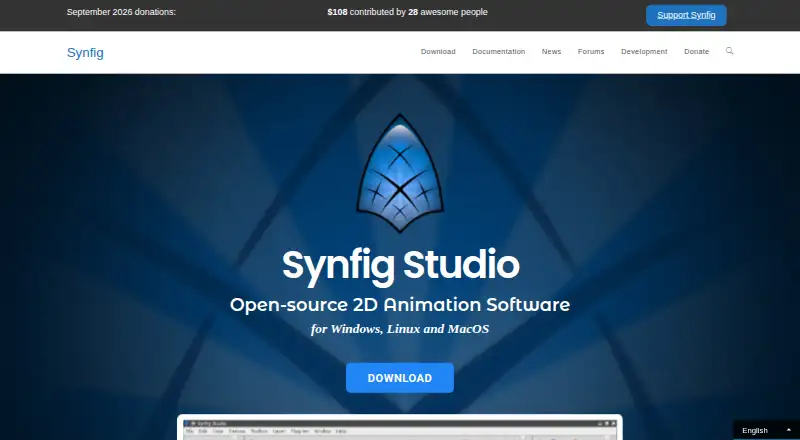
What Synfig Studio is
Synfig Studio is free, open-source software for making 2D animation from vector and bitmap artwork. Its tweening tools calculate the frames between key positions, and its bone system supports cutout animation with bitmap images and control of vector artwork. The software includes more than 50 layer types, including geometric, gradient, filter, distortion, transformation, and fractal layers. Layer parameters can be linked directly or through mathematical expressions. Synfig runs on Windows, Linux, and macOS, with listed minimum requirements of a dual-core 2 GHz-or-better CPU and 2 GB of RAM. Exports include bitmap images, video formats, animated GIF, MPG, and PNG image sequences. The project offers stable builds and development builds with experimental features and bug fixes. Documentation and video training are linked in English, Russian, German, and French, alongside user forums. Synfig is licensed under GNU GPL v3, and its source code is available on GitHub. The free plan costs nothing.
Who it suits
Synfig Studio suits people creating 2D animation with vector or bitmap artwork who want rigging and tweening tools. It runs on Windows, Linux, and macOS.
What it does well
- Free and open-source under GNU GPL v3
- Tweening calculates frames between key positions
- More than 50 layer types
- Bone system supports cutout animation
- Exports animated GIF and PNG sequences
What to know first
- Requires a dual-core 2 GHz-or-better CPU
- Requires at least 2 GB of RAM
- No free trial is listed
Plans
| Plan | Billed and limits | Price |
|---|---|---|
| Synfig Studio | Free and open-source software · GNU GPL v3 | Free |
As synfig.org lists them, read 7 Oct 2026. The maker's own page has the final word.
Getting started
- Visit the Synfig website.
- Choose a stable build for everyday use or a development build with experimental features and bug fixes.
- Install it on Windows, Linux, or macOS.
- Use the documentation, video training courses, or user forums to get started.
Synfig Studio is a free, open-source 2D animation application for artists who combine vector artwork with bitmap assets. It suits independent animators, educators, and small teams that want desktop production without a subscription, provided they are comfortable building a workflow around a broad feature set rather than third-party integrations.
Its automatic tweening, bone rigging, and extensive layer system can reduce repetitive frame work, while the GNU GPL v3 license keeps the software and source code accessible. The trade-off is a desktop-focused tool with no published integrations and a choice between stable and experimental builds.
Overview
Synfig generates in-between frames after you set key positions, so vector tweening can make repeated motion less labor-intensive than drawing every frame. The same project can use vector and bitmap artwork, letting illustrators preserve scalable shapes while incorporating raster elements.
More than 50 layer types cover geometric, gradient, filter, distortion, transformation, and fractal work. That breadth gives technically inclined artists room to construct effects and procedural compositions, but it also creates a denser environment than a narrowly focused cartoon tool. Layer parameters can connect directly or through mathematical expressions, which is useful for coordinated animation controls and advanced setups.
Key features
Tweening and rigging
The interpolation system calculates frames between key positions, making it a practical choice for motion that follows clear poses or transformations. A bone system supports cutout animation with bitmap images and can control vector artwork, so character rigs are possible without limiting projects to one asset type.
Layers, builds, and learning
The combination of many layer categories, filters, distortions, and mathematical links supports elaborate 2D scenes and reusable controls. Stable builds target everyday work; development builds add experimental features and bug fixes, giving adventurous users a way to follow active development while production users can favor stability.
Documentation and video courses are available in English, Russian, German, and French. User forums provide a route for community help, and donations through Open Collective or Patreon support feature and bug-fix development.
Pricing
| Plan | Price | Includes |
|---|---|---|
| Synfig Studio | free | Free and open-source software under GNU GPL v3 |
There is no trial period because the complete application is free. The GPL v3 license and public source code suit users who want to inspect, modify, or redistribute software within that license. There are no paid tiers, seat quotas, renewal charges, or export up-sells described for this plan. Donations are optional funding rather than a subscription requirement.
Platforms
Synfig supports Windows, Linux, and macOS. The stated baseline for all three is a dual-core processor at 2 GHz or better and at least 2 GB of RAM. Export targets include bitmap images, video formats, animated GIF, MPG, and PNG image sequences, covering common still, sequence, and video delivery needs.
Who it's for
Choose Synfig for freeform 2D production when automatic vector tweening, cutout rigs, and parameter-driven layers matter more than a turnkey interface or cloud collaboration. It is particularly sensible for open-source advocates, learners who want multilingual training resources, and creators working across Windows, Linux, or macOS.
Look elsewhere if your workflow depends on named third-party integrations, because Synfig's homepage does not identify any. Teams seeking a commercial support contract, seat management, or a hosted editor may also need a different category of product.
Pros and cons
Pros
- Completely free and open source: there is no purchase barrier, trial deadline, or recurring license fee, and the code is available under GPL v3.
- Efficient motion construction: automatic in-between frames reduce manual drawing for pose-based vector animation.
- Flexible asset and rig support: bitmap cutouts, vector control, and bone rigs accommodate mixed 2D character workflows.
- Deep compositing controls: more than 50 layer types and mathematical parameter links support complex effects and reusable animation logic.
- Broad desktop coverage: Windows, Linux, and macOS builds share a modest stated minimum of 2 GB RAM.
Cons
- No published integrations: projects that must connect directly to external services will need another tool or a manual handoff.
- Build choice requires judgment: development builds trade experimental features and fixes for less production certainty than stable builds.
- Desktop-only scope: the supported operating systems are desktop platforms, not mobile or browser environments.
- Feature density can raise the learning burden: extensive layers and expression-based controls favor users willing to learn a technical animation model.
Alternatives
Blender is the stronger free, open-source choice when you need a 3D creation suite, offline use, and cross-platform desktop support alongside animation.
Rive fits interactive, collaborative work in a multi-platform editor; its free tier permits three collaborative files and one project.
Houdini is the option for procedural 3D production and a commercial licensing structure rather than Synfig's entirely free 2D focus.
OpenToonz is another free, open-source desktop animation application for commercial and non-commercial projects.
Cascadeur suits users who want animation and rigging with a free-forever non-commercial tier, though that tier exports only .casc files.
Pencil2D is a free, open-source alternative for straightforward 2D work, including commercial use.
Powtoon is better for browser-based, template-led videos; its free plan caps output at 720p and three minutes and adds a watermark.
Animaker is a web-oriented option with basic animation tools, limited premium assets, and watermarked exports on its free tier.
For broader discovery, compare the Animation Software, 2D Character Animation Software, and Cartoon Maker Software directories.
Verdict
Synfig Studio is a strong recommendation for budget-conscious 2D animators who want vector tweening, bitmap-and-vector rigging, and deep layer controls under a genuinely free GPL license. Choose it when desktop flexibility and ownership matter most; look elsewhere when you need integrations, a browser workflow, or a simpler, more narrowly guided animation experience.
Verdict
Synfig Studio combines vector and bitmap animation tools with tweening, rigging, and many layer types. Check its listed system requirements and available export formats against your project needs.
Questions
Is Synfig Studio free?
Yes. The Synfig Studio plan is free, and the software is free and open source under GNU GPL v3.
Does Synfig offer a free trial?
No free trial is listed; Synfig Studio is available as free software.
Which operating systems does it support?
The maker lists Windows, Linux, and macOS.
What can Synfig export?
Export formats include bitmap images, video formats, animated GIF, MPG, and PNG image sequences.
Is Synfig open source?
Yes. It is licensed under GNU GPL v3, and its source code is available on GitHub.
What are the listed system requirements?
The homepage lists a dual-core CPU at 2 GHz or better and at least 2 GB of RAM for Windows, OS X, and Linux.
Facts from Synfig Studio's own pages
- Advanced controls
- Layer parameters can be linked directly or through mathematical expressions. · synfig.org, 7 Oct 2026
- Build channels
- The site offers stable builds for everyday use and development builds with experimental features and bug fixes. · synfig.org, 7 Oct 2026
- Character rigging
- Yes · synfig.org, 21 Sept 2026
- Community support
- The site links to user forums and accepts donations to fund developer work on features and bug fixes. · synfig.org, 7 Oct 2026
- Export formats
- bitmap images,video formats,animated GIF,MPG,PNG image sequences · synfig.org, 21 Sept 2026
- Frame interpolation
- Its vector tweening tools calculate in-between frames after users set key positions. · synfig.org, 7 Oct 2026
- Free plan
- Yes · synfig.org, 21 Sept 2026
- Funding model
- The maker describes one-time and recurring donations through Open Collective and recurring donations through Patreon. · synfig.org, 7 Oct 2026
- Integrations
- The maker's homepage does not list third-party integrations. · synfig.org, 7 Oct 2026
- Layers and filters
- Synfig provides 50+ layers, including geometric, gradient, filter, distortion, transformation, and fractal types. · synfig.org, 7 Oct 2026
- Learning resources
- The site links to documentation and video training courses in English, Russian, German, and French. · synfig.org, 7 Oct 2026
- License
- Synfig is licensed under GNU GPL v3, and its source code is available on GitHub. · synfig.org, 7 Oct 2026
- Supported platforms
- windows,linux,macos · synfig.org, 21 Sept 2026
- Purpose
- Synfig Studio is free, open-source 2D animation software for creating animation with vector and bitmap artwork. · synfig.org, 7 Oct 2026
- Rigging
- Its bone system supports cutout animation with bitmap images and control of vector artwork. · synfig.org, 7 Oct 2026
- Supported systems
- The maker lists Windows, Linux, and macOS as supported operating systems. · synfig.org, 7 Oct 2026
- System requirements
- The homepage lists dual-core 2 GHz-or-better CPU and at least 2 GB RAM requirements for Windows, OS X, and Linux. · synfig.org, 7 Oct 2026
- 2D animation tools
- Yes · synfig.org, 21 Sept 2026
Where Synfig Studio stands on Freedom251
- Animation Software#10 of 106
- 2D Character Animation Software#17 of 48
- Cartoon Maker Software#15 of 31