Freedom251 › 3D modeling software

Houdini
by Houdini
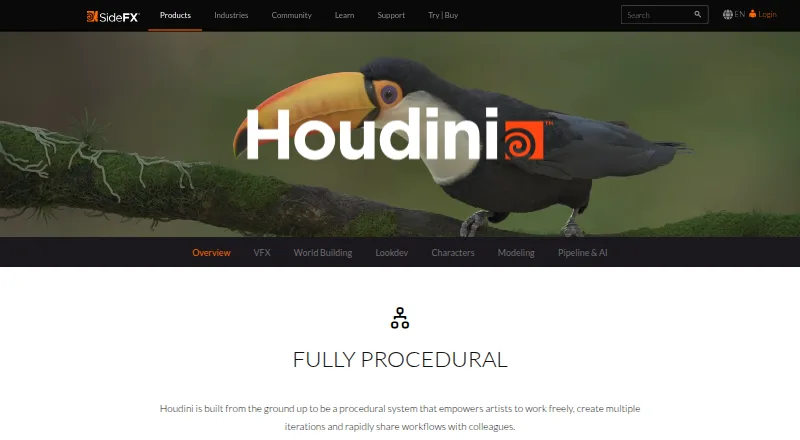
What Houdini is
Houdini is a procedural 3D creation system developed by SideFX for film, television, games, motion graphics, virtual reality and synthetic data work. Its node-based workflow stores actions in connected networks that users can share with colleagues along with custom digital assets. The software includes modeling, sculpting, animation, parametric modeling, rendering and 3D-print export. Houdini FX provides simulations for fluids, destruction, pyro effects, grains and cloth. KineFX supports character rigging and animation, with tools for hair, fur, feathers, muscles and cloth. Karma renders images within Houdini’s Solaris look-development workflow, while PDG distributes tasks, manages dependencies and creates datasets for machine-learning and AI applications. Houdini runs on Windows, macOS and Linux. The free Apprentice edition is for non-commercial learning and personal projects; its renders are limited to 1920×1080 and include a watermark. Licensing options include perpetual licenses, annual upgrades, rentals, subscriptions and education licenses. Listed paid plans include annual rentals, annual upgrades and monthly rentals; the pricing note says paid plans start at $299/yr.
Who it suits
Houdini suits 3D artists and teams working in film, TV, games, motion graphics, virtual reality or synthetic data. Apprentice offers a non-commercial option for learning and personal projects, with render limits and a watermark.
What it does well
- Node-based procedural workflow supports sharing networks.
- Includes simulation tools for fluids, destruction, grains and cloth.
- KineFX supports character rigging and animation.
- Available for Windows, macOS and Linux.
- Free Apprentice edition supports learning and personal projects.
What to know first
- Apprentice is limited to non-commercial use.
- Apprentice renders are limited to 1920×1080.
- Apprentice renders include a watermark.
Limits
Houdini Apprentice is non-commercial and intended for learning and personal projects. Its renders are limited to 1920x1080 and include a watermark.
Plans
| Plan | Billed and limits | Price |
|---|---|---|
| Houdini Core — Workstation perpetual | Workstation [Node Locked] · 5 workstation licenses per facility | $1,995 a month |
| Houdini Core — Annual Upgrade Plan, workstation | Annual Upgrade Plan · 5 workstation licenses per facility | $1,095 a year |
| Houdini Core — Local Access perpetual | Local Access [Floating] | $2,995 a month |
| Houdini Core — Annual Upgrade Plan, local access | Annual Upgrade Plan; Local Access [Floating] | $1,639 a year |
| Houdini Core — Annual rental, workstation | Annual | Workstation · 5 workstation licenses per facility | $1,475 a year |
| Houdini Core — Annual rental, local access | Annual | Local Access | $2,195 a year |
| Houdini Core — Monthly rental, local access | Monthly | Local Access | $370 a month |
| Houdini FX — Workstation perpetual | Workstation [Node Locked] · 5 workstation licenses per facility | $4,495 a month |
The first 8 of 21 plans, as sidefx.com lists them, read 21 Sept 2026. The maker's own page has the final word. Every plan
Getting started
- Open the SideFX Houdini product website.
- Choose Houdini Apprentice for non-commercial learning or personal projects.
- For paid use, choose among perpetual, annual upgrade, rental, subscription, or education licenses.
- Install Houdini on Windows, macOS, or Linux.
- Use SideFX tutorials, learning paths, documentation, or support resources to get started.
Overview
Houdini is a desktop 3D production system for artists and technical teams building work across film, television, games, motion graphics, virtual reality, and synthetic data. Its procedural approach makes it a strong fit when projects benefit from repeatable, shareable workflows; it is a less natural choice for work that does not need that breadth or for commercial use on the free Apprentice edition.
Key features
Houdini treats actions as nodes connected into networks. That structure can make workflows and custom digital assets easier to share with colleagues, and it suits productions that need reusable processes rather than isolated modeling steps. The trade-off is that this procedural system is central to the product, so its value is greatest for users whose work can make use of network-based workflows.
- Modeling and animation: 3D modeling, sculpting, parametric modeling, animation, character rigging, and motion graphics cover a broad range of production tasks. KineFX supports character rigging and animation, with tools for hair, fur, feathers, muscles, and cloth.
- Simulation: Houdini FX includes tools for fluids, destruction, pyro effects, grains, and cloth. This makes FX the relevant edition for effects-heavy work.
- Rendering: Karma renders photorealistic images in Houdini's Solaris look-development workflow. Path tracing, GPU rendering, animation rendering, and denoising support a substantial rendering pipeline.
- Pipeline and datasets: PDG distributes tasks, manages dependencies, and creates datasets for machine-learning and AI applications. That extends Houdini's usefulness beyond asset creation into production coordination and data work.
- Export: Supported formats include USD, FBX, Alembic, glTF, bgeo, OBJ, PIC, EXR, TIF, and JPG, giving projects several routes for moving assets and rendered images into other workflows.
SideFX provides customer support, a help desk, FAQ, documentation, and bug and RFE reporting. Tutorials, learning paths, and a progress-tracking My Learning page offer substantial learning support for people building skills in the software.
Pricing
Houdini has a free, non-commercial Apprentice edition for learning and personal projects. Its renders are capped at 1920x1080 and include a watermark, so it is not a route to unrestricted commercial production. Paid options include perpetual licenses, annual upgrade plans, and rentals; education licenses are also offered.
Houdini Core covers the general-purpose workstation and local-access options, while Houdini FX is the choice for its additional simulation toolset. Published options include:
- Houdini Core — Workstation perpetual: $1,995 a month, billed Workstation [Node Locked], with 5 workstation licenses per facility.
- Houdini Core — Annual Upgrade Plan, workstation: $1,095 a year, with 5 workstation licenses per facility.
- Houdini Core — Local Access perpetual: $2,995 a month, billed Local Access [Floating].
- Houdini Core — Annual Upgrade Plan, local access: $1,639 a year, billed Annual Upgrade Plan; Local Access [Floating].
- Houdini Core — Annual rental, workstation: $1,475 a year, with 5 workstation licenses per facility.
- Houdini Core — Annual rental, local access: $2,195 a year, billed Annual | Local Access.
- Houdini Core — Monthly rental, local access: $370 a month, billed Monthly | Local Access.
- Houdini FX — Workstation perpetual: $4,495 a month, billed Workstation [Node Locked], with 5 workstation licenses per facility.
- Houdini FX — Annual Upgrade Plan, workstation: $2,740 a year, with 5 workstation licenses per facility.
- Houdini FX — Local Access perpetual: $6,995 a month, billed Local Access [Floating].
- Houdini FX — Annual Upgrade Plan, local access: $4,385 a year, billed Annual Upgrade Plan; Local Access [Floating].
- Houdini FX — Annual rental, workstation: $3,505 a year, billed Annual | Workstation, with 5 workstation licenses per facility.
For individuals, Apprentice is the practical no-cost way to learn, but its non-commercial terms and render watermark matter. Teams choosing a paid license can weigh workstation access against floating local access, and rental against perpetual licensing or annual upgrades. FX costs more than Core in the corresponding listed options, so it makes sense when its simulation tools are needed rather than as a default upgrade.
Platforms
Houdini is a desktop application for Windows, macOS, and Linux. That broad operating-system support is useful for studios with mixed desktop environments, but it is not a mobile app.
Who it's for
Houdini suits production artists, technical directors, and teams in film, TV, games, motion graphics, virtual reality, and synthetic data who can benefit from procedural work, simulation, or an integrated 3D pipeline. The free Apprentice tier gives learners and personal-project creators a way to explore it, provided they can work within non-commercial use and the render cap. For work limited to simpler 3D tasks, or for anyone needing commercial output without a paid license, its scope and Apprentice restrictions make it a poor fit.
Pros and cons
- Pro: Procedural networks and shareable digital assets support reusable workflows and collaboration.
- Pro: Modeling, rigging, animation, simulation, rendering, and pipeline tools serve several stages of a production process.
- Pro: Windows, macOS, and Linux support helps teams working across desktop platforms.
- Con: Apprentice is non-commercial, caps render resolution at 1920x1080, and adds a watermark.
- Con: FX and floating local-access options carry substantially higher listed prices than Core workstation options, making edition and license type important budget decisions.
Alternatives
Choose DaVinci Resolve instead for a freemium option with a free plan and a Studio version at $295, paid once; its listed plan supports 60 fps and Ultra HD 3840 x 2160. Natron is a free option for users who want software they can use, modify, and share under the GNU GPL license.
Notch offers an Indie plan at $279 a year for non-commercial 1080p export, or a VFX plan at $117 a month with 16K x 16K export. For 2D animation, Cavalry has a free individual plan with no restrictions or payment required.
Mari offers a free non-commercial plan with exports limited to 4K and 16-bit per channel, and Python scripting disabled. Mistika Boutique has a free educational plan with all features, H264-only renders, and community support, as well as a Personal plan at €99 a month.
PopcornFX is another freemium option, with a free plan and support for desktop and mobile platforms. TouchDesigner offers a Non-Commercial plan with 1280x1280 resolution and 10 keys, or an Educational plan from $300 a month for users who are not using it for paid projects.
Browse more options in Visual Effects Software, 3D Rendering Software, 3D Rigging Software, Game Texture Software, 3D modeling software, and Animation Software.
Verdict
Choose Houdini when procedural workflows, simulation, and production-pipeline breadth are central to your 3D work. Its range across modeling, animation, rendering, and task management is the main reason to choose it; the cost of paid licenses and Apprentice's non-commercial, watermarked render limits are the reasons to look elsewhere.
Verdict
Houdini combines procedural modeling and animation with simulation, rendering and pipeline tools across several creative industries. Apprentice provides a free non-commercial route, while its render resolution and watermark are important constraints.
Questions
Is Houdini free?
Houdini Apprentice is a free version for non-commercial learning and personal projects.
What does Houdini Apprentice limit?
Apprentice renders are limited to 1920x1080 and include a watermark.
How much does Houdini cost?
The pricing note says paid access starts at $299/yr. Listed license plans include different prices and billing terms, such as Houdini Core annual upgrade at $1,095 a year.
Which platforms does Houdini support?
Houdini runs on Windows, macOS, and Linux.
What license types are available?
Houdini is offered through perpetual licenses, annual upgrades, rentals, subscriptions, and education licenses.
Who develops Houdini?
Houdini is developed by SideFX, founded in 1987 and headquartered in Toronto, Ontario, Canada.
Facts from Houdini's own pages
- Animation tools
- Yes · sidefx.com, 21 Sept 2026
- Apprentice Render Limit
- Apprentice render resolution is limited to 1920x1080 and includes a render watermark. · sidefx.com, 27 Sept 2026
- Apprentice Watermark
- Houdini Apprentice includes a render watermark. · sidefx.com, 27 Sept 2026
- Character Creation
- KineFX supports character rigging and animation, with additional tools for hair, fur, feathers, muscles, and cloth. · sidefx.com, 27 Sept 2026
- Company Name
- Houdini is developed by SideFX. · sidefx.com, 27 Sept 2026
- Founded
- 1987 · sidefx.com, 28 Sept 2026
- Free plan
- Yes · sidefx.com, 21 Sept 2026
- Free Apprentice Tier
- Houdini Apprentice is a non-commercial version available for learning and personal projects. · sidefx.com, 27 Sept 2026
- Headquarters
- Toronto, Ontario, Canada · sidefx.com, 28 Sept 2026
- Learning Resources
- Houdini offers thousands of hours of tutorials, learning paths, and a progress-tracking My Learning page. · sidefx.com, 27 Sept 2026
- Parametric modeling
- Yes · sidefx.com, 21 Sept 2026
- Pipeline And AI
- PDG distributes tasks, manages dependencies, and creates datasets for machine learning and AI applications. · sidefx.com, 27 Sept 2026
- Platform access
- desktop · sidefx.com, 21 Sept 2026
- Multiple License Types
- Houdini is offered through perpetual licenses, annual upgrades, rentals, subscriptions, and education licenses. · sidefx.com, 27 Sept 2026
- 3D print export
- Yes · sidefx.com, 21 Sept 2026
- Procedural Workflow
- Houdini is built as a procedural system where actions are stored in nodes and connected into networks. · sidefx.com, 27 Sept 2026
- Render engine
- both · sidefx.com, 21 Sept 2026
- Karma Rendering
- Karma is used to render photorealistic images within Houdini's Solaris lookdev workflow. · sidefx.com, 27 Sept 2026
- Sculpting tools
- Yes · sidefx.com, 21 Sept 2026
- Dynamic Simulation
- Houdini FX includes tools for fluids, destruction, pyro effects, grains, and cloth. · sidefx.com, 27 Sept 2026
- Support Resources
- SideFX provides customer support, a help desk, FAQ, documentation, and bug/RFE reporting. · sidefx.com, 27 Sept 2026
- Target Industries
- Houdini targets film, TV, game development, motion graphics, virtual reality, and synthetic data work. · sidefx.com, 27 Sept 2026
- Workflow Sharing
- The procedural system supports rapidly sharing workflows with colleagues and sharing custom digital assets. · sidefx.com, 27 Sept 2026
Where Houdini stands on Freedom251
- 3D modeling software#10 of 147
- Animation Software#8 of 106
- Visual Effects Software#5 of 37
- Game Texture Software#6 of 34
- Vfx Tools#4 of 21
- 3D Design Software#5 of 26
- 3D Character Animation Software#6 of 29
- 3D Rigging Software#7 of 27
- Game 3D Modeling Software#7 of 26
- 3D Animation Software#9 of 32
- Motion Tracking Software#12 of 40
- Multimedia Software#13 of 28