Freedom251 › Video Editing Software

DaVinci Resolve
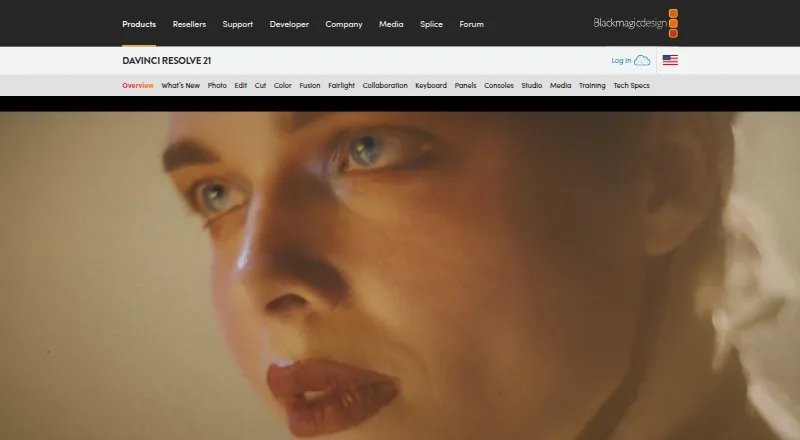
What DaVinci Resolve is
DaVinci Resolve combines video editing, color correction, visual effects, motion graphics, audio post, and photo editing in software for Mac, Windows, and Linux. Its free version supports editing and finishing at up to Ultra HD 3840 x 2160 and 60 fps. DaVinci Resolve Studio costs $295 once and supports resolutions up to 32K and frame rates up to 120 fps. Studio also includes temporal and AI spatial noise reduction, over 45 additional GPU- and CPU-accelerated Resolve FX, and Python and LUA scripting with developer APIs. AI tools include facial recognition, object detection, smart reframing, and speed warp retiming. Fairlight can handle up to 2,000 audio tracks with real-time effects, EQ, and dynamics processing. Blackmagic Cloud can host projects and media and provide access from anywhere. The software supports third-party Open FX and audio plugins, titles, and motion graphics templates. It works with direct-attached drives, NAS, and SAN systems, and supports major file formats and transfers between Final Cut Pro, Media Composer, and Premiere Pro. A Photo page for still-photo work is introduced in DaVinci Resolve 21.
Who it suits
DaVinci Resolve suits people who want editing, effects, color, audio, and photo workflows in one desktop application. The free version covers work up to Ultra HD and 60 fps; Studio supports higher listed limits and adds tools.
What it does well
- Free version available for download.
- Combines editing, color, effects, motion graphics, and audio.
- Free version supports Ultra HD at up to 60 fps.
- Studio supports resolutions up to 32K and 120 fps.
- Fairlight handles up to 2,000 audio tracks.
What to know first
- Studio costs $295 once.
- Free version is limited to Ultra HD and 60 fps.
- Studio is required for resolutions above Ultra HD.
Limits
The free version supports editing and finishing up to 60 fps and Ultra HD 3840 x 2160. Studio supports up to 120 fps and 32K resolution and is listed at $295, paid once.
Plans
| Plan | Billed and limits | Price |
|---|---|---|
| DaVinci Resolve | 60 fps · Ultra HD 3840 x 2160 | On request |
| DaVinci Resolve | 60 fps · Ultra HD 3840 x 2160 | On request |
| DaVinci Resolve Studio | Buy online now $295 · 120 fps · 32K resolution | $295, paid once |
| DaVinci Resolve Free | — | On request |
As blackmagicdesign.com lists them, read 20 Sept 2026. The maker's own page has the final word.
Getting started
- Open the DaVinci Resolve website.
- Choose the free version or DaVinci Resolve Studio.
- Download the software for Linux, macOS, or Windows.
- Install and launch the desktop application.
- For Studio, purchase the listed $295, paid once plan.
Overview
DaVinci Resolve is a desktop post-production suite for video, audio, effects and still-photo work. It is best suited to creators and teams who want those stages in one workflow; the free edition is unusually capable, while Studio is the step up for higher-resolution, higher-frame-rate projects and additional tools.
Key features
A broad post-production workflow
Resolve combines editing, color correction, visual effects, motion graphics, audio post and photo editing. DaVinci Resolve 21 adds a Photo page for still images. Bringing these tasks together can simplify work that would otherwise move between specialized applications, but the breadth may be more than a narrowly focused editing job needs.
Its effects toolkit includes node-based compositing, keying, rotoscoping, 3D camera tracking and simulation, with GPU rendering. AI tools cover facial recognition, object detection, smart reframing and Speed Warp retiming. Third-party Open FX, audio plugins, titles and motion-graphics templates extend the workflow.
Audio, storage and collaboration
Fairlight supports up to 2,000 audio tracks with real-time effects, EQ and dynamics processing, as well as surround mixing and live audio input. That capacity makes Resolve relevant to substantial audio post-production, not just picture editing. The software works with directly attached drives, NAS and SAN storage, and supports major file formats and project transfers involving Final Cut Pro, Media Composer and Premiere Pro.
Blackmagic Cloud can host projects and media for access from anywhere, supporting distributed collaboration. Studio adds Python and LUA scripting, developer APIs, temporal and AI spatial noise reduction, and more than 45 additional GPU- and CPU-accelerated Resolve FX. These additions matter most to users with demanding finishing, effects or automation needs.
Pricing
DaVinci Resolve has a free version for download. It supports editing and finishing up to 60 fps at resolutions up to Ultra HD 3840 x 2160, a useful ceiling for many projects. Choose it if those limits and its included tools meet your delivery needs.
DaVinci Resolve Studio costs $295, paid once. It raises the limits to 120 fps and 32K and adds the Studio noise-reduction tools, additional Resolve FX, scripting and APIs. Studio is the fit for work beyond the free edition's resolution or frame-rate caps, or for users who need its extra finishing tools. The trade-off is a one-time purchase rather than a free starting point.
Platforms
Resolve is available as a desktop app for macOS, Windows and Linux. A mobile app is also indicated. Its range of desktop platforms makes it a practical option for teams working across those operating systems.
Who it's for
Resolve suits editors, colorists, effects artists and audio professionals who value a combined workflow, along with teams that use shared storage or cloud collaboration. The free edition is a strong place to start when Ultra HD and 60 fps are sufficient. Users who need a focused tool for only one part of post-production may find its breadth unnecessary; projects requiring 32K, 120 fps or Studio-only tools call for the paid edition.
Pros and cons
- Pro: Editing, color, effects, motion graphics, audio and photo work share one application, reducing the need to divide a project among separate tools.
- Pro: The free edition supports up to Ultra HD and 60 fps, giving users a substantial starting point without a purchase.
- Pro: Broad storage, format-transfer and collaboration support can accommodate varied production workflows.
- Con: The free edition stops at Ultra HD and 60 fps, so higher-resolution or higher-frame-rate delivery requires Studio.
- Con: Studio's $295 as a one-time purchase is necessary for its additional tools and expanded limits.
- Con: Its wide range of capabilities may be unnecessary for users seeking only a specialized editor or post-production tool.
Alternatives
For a narrower or different workflow, consider fylm.ai, which has a free plan for one user and three cloud projects with access to its tools and the ability to save graded images. Assimilate Live Looks is another option, with a monthly subscription at $89 a month that includes support and updates during the subscription. Baselight offers a 14-day fully functioning Baselight M trial and free licence options.
Dolby Vision Professional Tools provides command-line tools for Dolby Vision processing and QC, with a separate trims licence priced at $1,000, paid once. Mistika Boutique has an educational plan with all features, H.264-only renders and community support, as well as a personal plan at €99 a month. Hance is a free option for macOS and Linux.
Colorfront Transkoder is a paid alternative with custom pricing; Dolby Vision encoding requires a Dolby licence. Autodesk Lustre is another alternative.
Readers comparing tools by workflow can also browse Video Color Grading Software, Audio Mixing Software, Visual Effects Software, Video Editing Software, 360 Video Software and Disk Benchmark Software.
Verdict
Choose DaVinci Resolve if you want editing, color, effects and audio work in one application, with a free edition that reaches Ultra HD and 60 fps. Its central advantage is the breadth of the workflow; look elsewhere if you need only a specialized tool, and choose Studio when your delivery requirements exceed the free limits or call for its additional tools.
Verdict
DaVinci Resolve covers a wide range of post-production work, with a free tier and a $295 Studio edition. Compare the resolution, frame-rate, and Studio feature limits against the needs of your projects.
Questions
Is DaVinci Resolve free?
Yes. A free version is available for download.
How much does DaVinci Resolve Studio cost?
Studio is listed at $295, paid once.
Which platforms does DaVinci Resolve support?
It is available for Linux, macOS, and Windows.
What resolution does the free version support?
The free version supports editing and finishing up to Ultra HD 3840 x 2160 at up to 60 fps.
What does Studio add?
Studio supports up to 32K resolution and 120 fps. It also includes temporal and AI spatial noise reduction, over 45 additional Resolve FX, and Python and LUA scripting with developer APIs.
Can DaVinci Resolve work with other editing applications?
It supports major file formats and transfers between Final Cut Pro, Media Composer, and Premiere Pro.
Facts from DaVinci Resolve's own pages
- AI Features
- AI tools include facial recognition, object detection, smart reframing, and speed warp retiming. · blackmagicdesign.com, 27 Sept 2026
- Audio Track Capacity
- Fairlight can handle up to 2,000 tracks with real-time effects, EQ, and dynamics processing. · blackmagicdesign.com, 27 Sept 2026
- Cloud Collaboration
- Blackmagic Cloud can host and provide access to projects and media from anywhere. · blackmagicdesign.com, 27 Sept 2026
- Core Workflows
- It combines editing, color correction, visual effects, motion graphics, audio post, and photo editing. · blackmagicdesign.com, 27 Sept 2026
- Desktop app
- Yes · blackmagicdesign.com, 20 Sept 2026
- File Interoperability
- It supports major file formats and transfers between Final Cut Pro, Media Composer, and Premiere Pro. · blackmagicdesign.com, 27 Sept 2026
- 4K export
- Yes · blackmagicdesign.com, 20 Sept 2026
- Free Frame Rate
- The free version supports editing and finishing up to 60 fps. · blackmagicdesign.com, 27 Sept 2026
- Free plan
- Yes · blackmagicdesign.com, 20 Sept 2026
- Free Resolution Limit
- The free version supports resolutions up to Ultra HD 3840 x 2160. · blackmagicdesign.com, 27 Sept 2026
- Free Tier
- A free version is available for download. · blackmagicdesign.com, 27 Sept 2026
- Mobile app
- Yes · blackmagicdesign.com, 20 Sept 2026
- Photo Editing
- DaVinci Resolve 21 introduces a Photo page for still-photo work. · blackmagicdesign.com, 27 Sept 2026
- Plugin Support
- It supports third-party Open FX, audio plugins, titles, and motion graphics templates. · blackmagicdesign.com, 27 Sept 2026
- Storage Support
- It works with direct-attached drives, NAS, and SAN systems. · blackmagicdesign.com, 27 Sept 2026
- Studio Frame Rate
- Studio supports frame rates up to 120 fps. · blackmagicdesign.com, 27 Sept 2026
- Studio Noise Reduction
- Studio includes temporal and AI spatial noise-reduction tools. · blackmagicdesign.com, 27 Sept 2026
- Studio Price
- DaVinci Resolve Studio is listed at $295. · blackmagicdesign.com, 27 Sept 2026
- Studio Resolution
- Studio supports resolutions up to 32K. · blackmagicdesign.com, 27 Sept 2026
- Studio Resolve FX
- Studio includes over 45 additional GPU- and CPU-accelerated Resolve FX. · blackmagicdesign.com, 27 Sept 2026
- Studio Scripting
- Studio supports Python and LUA scripting plus developer APIs. · blackmagicdesign.com, 27 Sept 2026
- Supported Platforms
- The software is available for Mac, Windows, and Linux. · blackmagicdesign.com, 27 Sept 2026
- Team Collaboration
- Projects support real-time local and remote collaboration among multiple users. · blackmagicdesign.com, 27 Sept 2026
Where DaVinci Resolve stands on Freedom251
- Video Editing Software#6 of 155
- Video editors#4 of 71
- Video Color Grading Software#3 of 25
- AI Video Editors#11 of 81
- Video Making Software#5 of 31
- Video Creation And Editing Software#5 of 31
- 360 Video Software#5 of 30
- AI Video Stabilization Software#6 of 33
- Visionos App#3 of 16
- Motion Tracking Software#8 of 40
- Content Creation tools#9 of 31
- Free Tools#12 of 31
- Multimedia Software#11 of 28
- PC benchmark tools#57 of 70