Freedom251 › Video Color Grading Software
fylm.ai
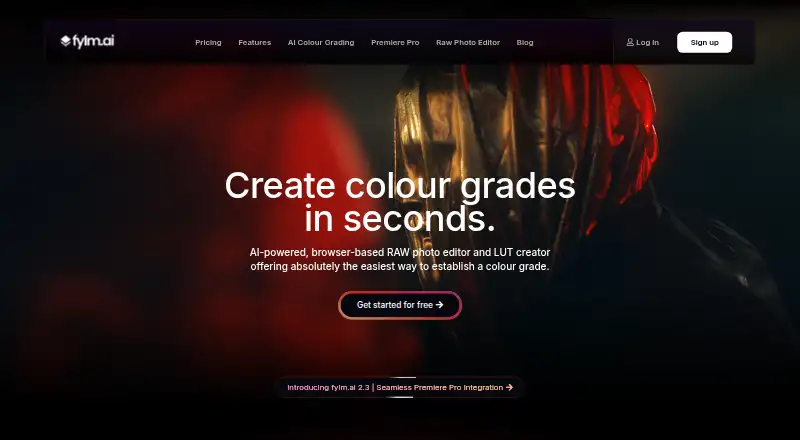
What fylm.ai is
fylm.ai is a browser-based RAW photo editor and LUT creator for colour grading, with AI tools that shape grades from image context or colour information. NeuralToneAI creates cinematic grades based on image context; NeuralFilmAI makes film looks using image colour information. Grades can be exported as 3D LUTs, XMP profiles, or Capture One styles, or saved as graded images. The maker says it supports RAW files from DSLRs, mirrorless cameras, smartphones, and digital backs, along with non-RAW formats. Exported LUTs or profiles support workflows with DaVinci Resolve, Photoshop, Affinity, Capture One, Lightroom, After Effects, Final Cut Pro, Vegas, and ON1. A Premiere Pro extension uploads timelines and syncs grades back, and is included with Pro and Team. Teams and clients can share work and leave comments alongside grades. The Free plan costs nothing for one user and three cloud projects, with a 2048 px maximum for saving a graded image. Lite is $7 a month, Pro $15 a month, and Team $30 a month, all billed annually.
Who it suits
fylm.ai suits photographers and colour graders working with RAW or non-RAW images who want AI-assisted grading and exportable LUTs or profiles. Its collaboration and Premiere Pro features may also suit teams working with clients.
What it does well
- AI grades use image context or colour information.
- Exports 3D LUTs, XMP profiles, and Capture One styles.
- Supports a range of RAW and non-RAW formats.
- Team and client collaboration includes comments.
- Available on web, Windows, macOS, and Linux.
What to know first
- Free plan is limited to one user and three cloud projects.
- Free saved graded images have a 2048 px maximum.
- Premiere Pro extension is limited to Pro and Team.
- Paid plans are billed annually; sales are final.
Limits
The free plan allows one user and three cloud projects, and its feature comparison sets a 2048 px maximum for saved graded images. Lite stores files locally in one default browser project without extra bins or folders; very large projects may have performance issues.
Plans
| Plan | Billed and limits | Price |
|---|---|---|
| Free | single user · 3 cloud projects · all tools · save graded images | Free |
| Pro | billed annually · starts at 1 user · maximum 5 users · 10 GB cloud storage · Premiere Pro extension · NeuralToneAI · collaboration · client sharing | $15 a month |
| Team | billed annually · starts at 3 users · maximum 10 users · 25 GB cloud storage · team-only comments · extra roles · client statuses · priority support | $30 a month |
| Lite | billed annually · single user · unlimited local storage · unlimited LUT creation · NeuralFilmAI · AI Auto Correct · AI Colour Extract · AI Colour Match | $7 a month |
| Enterprise | custom user quota · custom storage quotas · multiple organisations · member groups · dedicated support · API access | On request |
As fylm.ai lists them, read 15 Oct 2026. The maker's own page has the final word.
Getting started
- Open https://fylm.ai/ in a browser.
- Choose Free, Lite, Pro, Team, or Enterprise based on the listed plan features.
- Use the browser editor on a supported platform: Windows, macOS, or Linux.
- Import a RAW or non-RAW image and create a grade.
- Export a LUT or profile, save a graded image, or use the Premiere Pro extension on Pro or Team.
fylm.ai is a browser-based RAW photo editor and colour-grading tool for photographers and colourists who want to move grades between applications. It suits solo creators and small teams especially well; the trade-off is that cloud projects, saved-image size and Premiere Pro syncing depend on the plan.
Overview
Two AI tools give the workflow different starting points: NeuralToneAI builds cinematic grades using image context, while NeuralFilmAI creates film looks from image colour information. Grades can be saved as images or exported in formats that carry them into other editing tools. That combination makes fylm.ai more compelling as a grading and handoff workspace than as a reason to replace every application in a production workflow.
The maker says it handles RAW files from DSLRs, mirrorless cameras, smartphones and digital backs, as well as non-RAW formats. HDR finishing, camera RAW support and managed colour are supported. The browser-based workflow is listed for web, Windows, macOS and Linux. For a broader category view, see Video Color Grading Software.
Key features
AI grading and export
NeuralToneAI and NeuralFilmAI offer different ways to develop a look: one considers image context, the other the image’s colour information. Users can export grades as 3D LUTs, XMP profiles or Capture One styles, or save the graded image. Export is the practical strength here: it gives users a route to continue work in software that supports those formats instead of making the browser editor the final stop. The free plan’s saved-image limit is 2048 px, which may rule it out for full-resolution delivery.
Application workflows
Exported LUTs or profiles support workflows involving DaVinci Resolve, Photoshop, Affinity, Capture One, Lightroom, After Effects, Final Cut Pro, Vegas and ON1. Premiere Pro has a more direct integration: its extension uploads timelines to fylm.ai and syncs grades back with one click. That convenience is reserved for Pro and Team, so Premiere users on Free or Lite must rely on exports instead.
Collaboration
Private team or client collaboration, comments alongside grades and shared work for client feedback make the higher tiers relevant beyond individual editing. Team adds team-only comments, user roles and client-assignable statuses, giving it a clearer review-and-approval role than Pro. Enterprise adds multiple organisations, teams and API access.
Pricing
There is no free trial. Paid subscriptions are billed annually, and the pricing FAQ says sales are final because LUTs, XMP profiles and Capture One styles can be exported. That policy makes it sensible to confirm the storage model and plan limits before paying.
- Free — free: one user, three cloud projects, access to all tools and graded-image saving. It is a useful way to explore the workflow, but the three-project cap and 2048 px image limit restrict ongoing or high-resolution work. Community support is included.
- Lite — $7 a month, billed annually: one user, unlimited local storage, unlimited LUT creation, NeuralFilmAI, AI Auto Correct, Colour Extract and Colour Match. This is the lower-cost fit for a solo user focused on local projects and LUT creation. It gives up the listed cloud storage, NeuralToneAI and Premiere Pro extension of Pro. Files stay in one default browser project, with no extra bins or folders; very large projects may perform poorly. Email support is included.
- Pro — $15 a month, billed annually: starts at one user and includes 10 GB cloud storage, the Premiere Pro extension, NeuralToneAI, comments and collaboration. It is the more suitable solo plan for cloud work, Premiere syncing or the context-based grading tool. Email support is included.
- Team — $30 a month, billed annually: starts at three users and includes 25 GB cloud storage, team-only comments, additional user roles, client-assignable statuses and priority support. It is aimed at teams coordinating client feedback; the three-seat starting point is unnecessary overhead for a solo editor.
- Enterprise — custom pricing: custom user quota, multiple organisations, teams, dedicated support and API access. It fits organisations that need those administrative or integration capabilities rather than a fixed small-team setup.
Platforms
fylm.ai is browser-based and supports web, Windows, macOS and Linux. Lite’s local storage lives in the user’s browser, so unlimited local storage should not be confused with cloud storage or a flexible project library.
Who it's for
fylm.ai is a good fit for photographers and colourists who want AI-assisted grading, reusable LUTs or profiles, and a browser-based route between image work and other editing applications. Pro makes the strongest case for a solo Premiere Pro user; Team is better suited to shared client review. It is less attractive to someone who needs unrestricted high-resolution saving on a free plan, a more elaborate local project structure on Lite, or a subscription that can be tried before purchase.
Pros and cons
- Pro: LUT, XMP and Capture One style export lets users carry grades into a range of named applications.
- Pro: Two AI grading approaches provide distinct context-based and colour-information-based starting points.
- Pro: Team comments, roles and client statuses support a shared feedback process.
- Con: Free limits cloud work to three projects and saved images to 2048 px.
- Con: Lite is local-only in a single default browser project, and very large projects may have performance issues.
- Con: Premiere Pro timeline syncing requires Pro or Team, while paid plans are annual and sales are final.
Alternatives
Colourlab Ai is worth considering for someone who wants a free public beta or a free trial rather than fylm.ai’s no-trial setup; its beta requires an Apple Silicon Mac, with Windows support coming in October.
DaVinci Resolve is a relevant alternative for users seeking a free plan on Linux, macOS or Windows, with a Studio version priced at $295, paid once.
Baselight offers a 14-day fully functioning Baselight M trial and free licence options for users comparing a trial-based grading tool.
Dolby Vision Professional Tools may suit users specifically seeking command-line tools for Dolby Vision processing and QC.
Mistika Boutique is another option with a free educational plan that includes all features, H264-only renders and community support.
ColourSpace has a free ZRO option for manual calibration and display verification, but that tier has no LUT capability.
Hance is a free Linux and macOS option with built-in looks and H.264/H.265 export, limited to one file at a time.
Assimilate Live Looks is a paid alternative with a monthly recurring subscription priced at $89 a month.
Verdict
Choose fylm.ai if you want AI-assisted RAW grading that can travel as LUTs or profiles, especially if you work in Premiere Pro or need client collaboration. Its strongest paid fit is Pro for a solo editor and Team for a review group. Look elsewhere if the free plan’s three-project and 2048 px caps are too restrictive, you need a richer local project structure, or you want a trial before committing to an annual subscription.
Verdict
fylm.ai combines RAW editing, AI grading, and LUT or profile export in a browser-based workflow. Check the free plan's project and image-size limits, and note that the Premiere Pro extension requires Pro or Team.
Questions
Is fylm.ai free?
Yes. The Free plan costs nothing and includes one user and three cloud projects.
How much do the paid plans cost?
Lite is $7 a month, Pro is $15 a month, and Team is $30 a month; each is billed annually. Enterprise pricing is custom.
Which platforms does it support?
The listed platforms are web, Windows, macOS, Linux, and extension.
Can grades be used in other editing tools?
Grades can be exported as 3D LUTs, XMP profiles, or Capture One styles. Named workflows include DaVinci Resolve, Photoshop, Affinity, Capture One, Lightroom, After Effects, Final Cut Pro, Vegas, and ON1.
Does fylm.ai include a Premiere Pro extension?
Yes. It uploads timelines and syncs grades back with one click; it is available on Pro and Team.
Who makes fylm.ai?
The privacy policy identifies the company as G.T. Colord LTD, in Petah Tikva, Israel.
Facts from fylm.ai's own pages
- AI grading
- NeuralToneAI generates colour grades using image context as a virtual colourist assistant. · fylm.ai, 15 Oct 2026
- AI tools
- The maker lists AI Colour Extract, AI Colour Match and AI Auto Correct among its core tools. · fylm.ai, 15 Oct 2026
- API
- The documented API uses user-created API keys and supports listing or creating projects, listing bins and LUTs, downloading LUTs and uploading assets. · fylm.ai, 15 Oct 2026
- API status
- An older plan document describes external API access as coming soon, while current pricing lists API access for Enterprise. · fylm.ai, 15 Oct 2026
- Changelog
- The documentation archive records releases through version 2.3, including Premiere Pro integration and ACES 2.0 support. · fylm.ai, 15 Oct 2026
- Collaboration
- Team features include private comments, client sharing, roles, statuses and shared project workflows. · fylm.ai, 15 Oct 2026
- Company
- The privacy policy identifies the company as G.T. Colord LTD at Yatkovski Achim St. 36, Petah Tikva, and names Israel as the country. · fylm.ai, 29 Sept 2026
- Company legal name
- The maker identifies the operator as G.T. GradeVision AI d.o.o. · fylm.ai, 15 Oct 2026
- Director
- The company page names Goran Ljubunčić as director. · fylm.ai, 15 Oct 2026
- Documentation
- The help center lists sections for getting started, accounts, troubleshooting, colour management, DaVinci Resolve, Premiere Pro and Baselight. · fylm.ai, 15 Oct 2026
- Exports
- Grades can be exported as 3D LUTs, Adobe XMP profiles and Capture One styles or ICC profiles. · fylm.ai, 15 Oct 2026
- Film emulation
- NeuralFilmAI provides colour-aware AI film emulation. · fylm.ai, 15 Oct 2026
- Formats
- The maker says fylm.ai works with just about any RAW file from DSLRs, mirrorless cameras, smartphones, or digital backs, as well as non-RAW formats. · fylm.ai, 29 Sept 2026
- Founder
- A 2021 company announcement describes Goran Ljubunčić as founder and CEO of Fylm.ai and Lutify.me. · fylm.ai, 15 Oct 2026
- Free plan limit
- The free plan allows 3 cloud projects and one user; its feature comparison lists a 2048 px maximum for saving a graded image. · fylm.ai, 29 Sept 2026
- Funding
- The opened company pages do not state funding, investors or ownership beyond the operating company. · fylm.ai, 15 Oct 2026
- Headquarters
- The registered address is Novi Goljak 7/C, 10000 Zagreb, Croatia. · fylm.ai, 15 Oct 2026
- Independent security criticism
- Scam Detector assigned fylm.ai a 12.9 out of 100 trust score and labeled it untrustworthy, risky and dangerous based on its automated assessment. · scam-detector.com, 15 Oct 2026
- Integrations
- The maker shows workflows for DaVinci Resolve, Photoshop, Affinity, Capture One, Lightroom, After Effects, Final Cut Pro, Vegas and ON1 through exported grades. · fylm.ai, 15 Oct 2026
- Licence
- The terms state that the service and its original content, features and functionality remain the company’s exclusive property, indicating proprietary rather than open-source software. · fylm.ai, 15 Oct 2026
- Limit: backups
- The terms say backups are performed but data loss or successful restoration is not guaranteed. · fylm.ai, 15 Oct 2026
- Limit: connectivity
- The browser-only approach means editing is unavailable when a reliable internet connection is not available. · shotkit.com, 15 Oct 2026
- Limit: RAW consistency
- Shotkit found fylm.ai RAW rendering does not exactly match Lightroom and advised avoiding mixed-platform editing. · shotkit.com, 15 Oct 2026
- Limit: refunds
- The pricing page says paid purchases are generally non-refundable because exported digital products can be retained. · fylm.ai, 15 Oct 2026
Where fylm.ai stands on Freedom251
- Video Color Grading Software#4 of 25