Freedom251 › Video Color Grading Software

Baselight
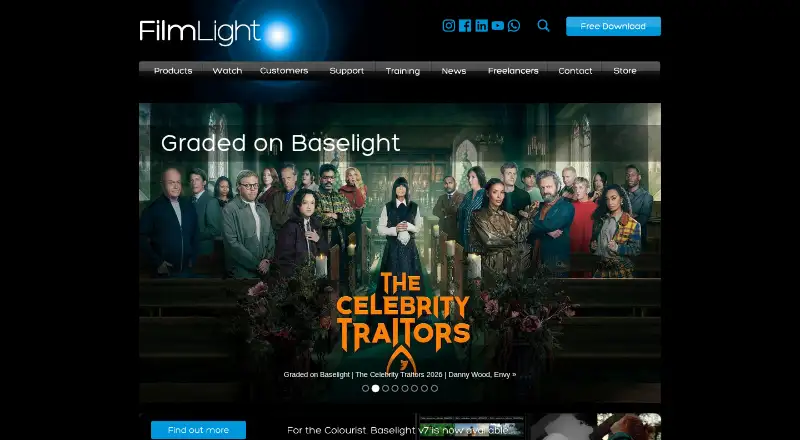
What Baselight is
Baselight is a colour grading and finishing system for film, television, commercials and broadcast, available for Linux and macOS. Its layered timeline supports implicit alpha handling and multiple tracks. In Baselight 6.0, X Grade allows several localized colour corrections within one layer without building a key or matte, while Chromogen is designed for scene-referred looks from wide-dynamic-range camera material. Face Track uses machine learning to locate and follow faces and can copy corrections along a timeline. Version 7 adds matte creation and refinement, a channel system for hundreds of mattes, and Transform Matching for scaling, rotation and translation. On macOS, Baselight S is intended for single freelancers and lacks advanced collaboration tools; Baselight M targets facilities needing multi-user links and connects with Baselight CONFORM and ASSIST. The maker recommends macOS 14–15 or macOS 26 Tahoe, at least 64GB unified memory and an external Thunderbolt NVMe enterprise SSD with at least 8TB reserved for cache. Options include a 14-day Baselight M trial, an unspecified free licence, custom-duration S licences and subscriptions. The S licence starts at $90 for one day; macOS subscriptions are listed from $2500pq per quarter and $7500pa per year.
Who it suits
Baselight S is aimed at single freelancers, while Baselight M suits facilities that need multi-user interconnectivity. Its stated system recommendations point to users with substantial memory and cache-storage capacity.
What it does well
- Supports Linux and macOS.
- Includes tools for grading, finishing and matte work.
- Face Track can copy corrections across a timeline.
- Baselight M connects with CONFORM and ASSIST.
- Mac support is listed as 24/7.
What to know first
- Baselight S lacks advanced collaboration tools.
- The maker recommends at least 64GB unified memory.
- The recommended external cache SSD has at least 8TB reserved.
- Custom-duration S licensing costs $90 for one day.
Limits
The free licence options are listed without features or duration. The Baselight M trial lasts 14 days. Baselight S licences are custom-duration, with a maximum of 365 days, and do not include advanced collaboration tools.
Plans
| Plan | Billed and limits | Price |
|---|---|---|
| Baselight M 14-day trial | Fully functioning Baselight M · 14 days | Free |
| Baselight free licence | The page lists free licence options but does not specify their features or duration | Free |
| Baselight for macOS quarterly subscription | $2500pq (per quarter) · Baselight S and M options · S excludes advanced collaboration tools · M includes multi-user interconnectivity | $2,500 a month |
| Baselight for macOS annual subscription | from $7500pa · Baselight S and M options · S excludes advanced collaboration tools · M includes multi-user interconnectivity | $7,500 a year |
| Baselight S custom-duration licence | Custom duration; 1 day = $90, 10 days = $510, 100 days = $2850; maximum 365 days · Full grading features · no advanced collaboration tools · price per day decreases with longer licence duration | $90, paid once |
As filmlight.ltd.uk lists them, read 30 Sept 2026. The maker's own page has the final word.
Getting started
- Open the FilmLight Baselight product page.
- Choose Linux or macOS based on the platform you use.
- Select a 14-day Baselight M trial, a listed free licence, a custom-duration Baselight S licence, or a macOS subscription.
- For macOS, review the recommended operating system, memory, and cache storage requirements.
- For a macOS system, connect supported AJA or Blackmagic hardware if needed.
- Contact FilmLight support for installation or training assistance.
Overview
Baselight is a colour-grading and finishing system for film, television, commercials and broadcast. It suits freelancers and facilities handling demanding finishing work. Its strongest case is depth across grading and mattes; the trade-off is a specialised workflow and, on macOS, substantial recommended hardware.
Key features
A multitrack timeline with layered architecture and implicit alpha handling gives complex finishing projects room to develop. X Grade in version 6.0 supports multiple localized corrections within one layer without creating a key or matte, which can reduce setup for targeted adjustments. Chromogen is designed for scene-referred looks from modern wide-dynamic-range camera data.
Face Track uses machine learning to find and track faces, with the option to copy corrections across a timeline. Version 7 adds matte creation and refinement tools, a channel system for hundreds of mattes, and Transform Matching for scaling, rotation and translation. HDR finishing, camera RAW support, managed colour and plugin support broaden its use in finishing pipelines, though output is capped at 4K.
Baselight M connects with Baselight CONFORM and Baselight ASSIST, making it the relevant macOS edition for facilities that need those links and multi-user interconnectivity. Mac hardware support includes specified AJA Kona, Io4k/Plus and T-Tap/Pro devices, plus Blackmagic Ultrastudio and Decklink devices. Connections over 10/25/100GbE to other Baselight systems or FLUX Store support facility workflows. FilmLight also includes 24/7 user support for Baselight for macOS, alongside phone and email help, project advice, training, installation and consultancy.
Pricing
The free Baselight M trial runs for 14 days and is fully functioning, making it the clearest way to evaluate the facility edition. Baselight also offers a free licence, but its scope and duration are not defined, so it is not a dependable basis for planning a workflow.
The Baselight S custom-duration licence costs $90 for 1 day, $510 for 10 days or $2850 for 100 days, with a maximum term of 365 days. It includes full grading features but excludes advanced collaboration tools; the falling daily rate favours longer bookings, while short-term users can limit their commitment.
The macOS quarterly subscription is $2500 per quarter, and the annual subscription starts at $7500 per year. Both offer S and M: S omits advanced collaboration, while M includes multi-user interconnectivity. Choose S for solo work; facilities needing connected users should budget for M. The $50 starting price in the pricing note does not identify an edition or term, so the listed licence and subscription terms are more useful for comparing options.
Platforms
Baselight runs on Linux and macOS, with the stated hardware integrations and system requirements applying to its macOS system. FilmLight recommends macOS 14–15 or macOS 26 Tahoe on Intel or Apple Silicon, at least 64GB unified memory, and an external Thunderbolt NVMe enterprise SSD with at least 8TB reserved for cache. That is a serious infrastructure commitment, particularly for an individual considering Baselight S. Windows is not a supported platform.
Who it's for
Baselight S is the better match for a single freelancer who needs full grading features without advanced collaboration. Baselight M is for facilities that need multi-user interconnectivity and connections to CONFORM or ASSIST. The toolset and hardware guidance make Baselight a poor fit for casual grading or anyone seeking a low-spec system.
Pros and cons
- Pro: X Grade can make localized work more direct by avoiding separate keys or mattes for multiple corrections in a layer.
- Pro: Face tracking, extensive matte tools and Transform Matching support detailed finishing tasks.
- Pro: M connects multi-user workflows with CONFORM and ASSIST.
- Con: The recommended macOS configuration calls for 64GB unified memory and 8TB of cache storage, a substantial entry requirement.
- Con: S lacks advanced collaboration tools, so connected facility workflows require M.
- Con: Output is limited to 4K, which may rule it out for work requiring higher resolution.
Alternatives
Compare video color grading software if you want to consider a wider set of tools. Colourlab AI is worth considering if Windows support or a free trial matters; its public beta is free but requires an Apple Silicon Mac. DaVinci Resolve is a fit for readers seeking a free-plan option across Linux, macOS and Windows, with a paid Studio edition at $295 once.
fylm.ai suits readers who want a free plan with three cloud projects and access to all tools. Dolby Vision Professional Tools is a more focused option for command-line Dolby Vision processing and QC. Mistika Boutique may appeal to readers who want a free educational plan with all features, H264-only renders and community support. ColourSpace is an alternative for manual calibration and display verification on its free ZRO plan, which does not include LUT capability. Hance offers a free option with built-in looks and one-file-at-a-time export. Assimilate Live Looks is another paid alternative with a monthly subscription.
Verdict
Choose Baselight if your work depends on detailed grading and finishing, and you need either a solo S licence or M's facility connections. Its layered workflow and focused correction tools are compelling strengths, but the recommended macOS setup is demanding and S cannot provide advanced collaboration. Look elsewhere if your priority is Windows support, output above 4K or a lighter hardware commitment.
Verdict
Baselight offers grading and finishing tools across Linux and macOS, with distinct S and M options for solo users and facilities. Check the recommended hardware and collaboration differences, as well as the licence structure, before choosing an edition.
Questions
What does Baselight do?
It is a colour grading and finishing system for film, television, commercials, and broadcast.
Which platforms does it support?
The listed platforms are Linux and macOS.
Is there a free option?
The plans list a Baselight M 14-day trial and free licence options. The free licence page entry does not specify its features or duration.
How much does Baselight cost?
Baselight S custom-duration licences are $90 for one day, $510 for 10 days, and $2,850 for 100 days, with a 365-day maximum. macOS quarterly subscriptions are $2,500 per quarter, and annual subscriptions start at $7,500 per year.
What is the difference between Baselight S and M on macOS?
Baselight S is aimed at single freelancers and lacks advanced collaboration tools. Baselight M is designed for facilities needing multi-user interconnectivity and supports connections with Baselight CONFORM and ASSIST.
Who makes Baselight?
FilmLight makes Baselight. The company was founded in 2002 and is headquartered in London, UK.
Facts from Baselight's own pages
- Colour correction
- Baselight 6.0's X Grade enables multiple localized corrections in one layer without creating a key or matte. · filmlight.ltd.uk, 30 Sept 2026
- Current version features
- Baselight v7 includes tools for creating and refining mattes, a channel system for hundreds of mattes, and Transform Matching for scaling, rotation and translation. · baselight.filmlight.ltd.uk, 30 Sept 2026
- Face tracking
- Face Track uses a machine-learning model to find and track faces and supports copying corrections across a timeline. · filmlight.ltd.uk, 30 Sept 2026
- Founded
- 2002 · filmlight.ltd.uk, 28 Sept 2026
- Hardware integrations
- Baselight for macOS lists supported AJA Kona, Io4k/Plus and T-Tap/Pro devices, plus Blackmagic Ultrastudio and Decklink devices. · filmlight.ltd.uk, 30 Sept 2026
- Headquarters
- London, United Kingdom · filmlight.ltd.uk, 28 Sept 2026
- Intended users
- The product range describes Baselight S as a budget-friendly option for a single freelancer and Baselight M as suited to facilities needing multi-user interconnectivity. · filmlight.ltd.uk, 30 Sept 2026
- Layered timeline
- Its layer architecture includes implicit alpha handling and a multitrack timeline. · baselight.filmlight.ltd.uk, 30 Sept 2026
- Look development
- Chromogen is designed to create scene-referred looks for modern wide-dynamic-range camera data. · filmlight.ltd.uk, 30 Sept 2026
- macOS editions
- Baselight S is aimed at single freelancers and lacks advanced collaboration tools; Baselight M is designed for facilities needing multi-user interconnectivity. · filmlight.ltd.uk, 30 Sept 2026
- Purpose
- Baselight is a colour grading and finishing system for film, television, commercials and broadcast. · baselight.filmlight.ltd.uk, 30 Sept 2026
- Storage and networking
- The macOS system can connect over 10/25/100GbE to other Baselight systems or FLUX Store. · filmlight.ltd.uk, 30 Sept 2026
- Support
- FilmLight says Baselight for macOS includes 24/7 user support; its product overview describes global follow-the-sun phone and email support, project advice, training, installation and consultancy. · filmlight.ltd.uk, 30 Sept 2026
- System requirements
- The maker recommends macOS 14–15 or macOS 26 Tahoe on Intel or Apple Silicon, at least 64GB unified memory, and an external Thunderbolt NVMe enterprise SSD with at least 8TB reserved for cache. · filmlight.ltd.uk, 30 Sept 2026
- Workflow connections
- Baselight M supports interconnectivity with Baselight CONFORM and Baselight ASSIST. · filmlight.ltd.uk, 30 Sept 2026
Where Baselight stands on Freedom251
- Video Color Grading Software#2 of 25