Freedom251 › Video Color Grading Software

Assimilate Live Looks
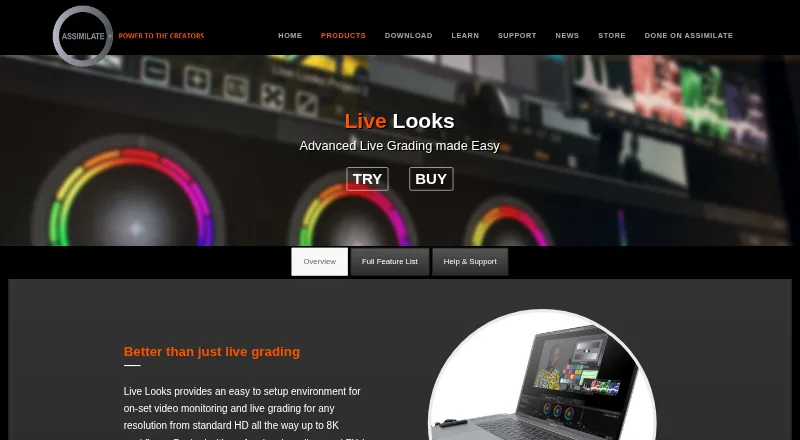
What Assimilate Live Looks is
Assimilate Live Looks is on-set video monitoring and live grading software for production workflows from standard HD through 8K. A local webserver lets users review grades and looks in a browser on or near set, while streaming can send one or more camera feeds to YouTube, SetStream.io or another online platform. Color tools include Lift, Gamma, Gain, CDL controls, curves, a color remapper, texture effects, skin retouch and a chroma keyer. The software records graded QuickTime snippets and Apple ProRes formats, with available camera metadata included in clips. Looks can be matched in Assimilate SCRATCH, and CDL-EDL files can be moved to DaVinci Resolve. Listed hardware support includes AJA, Bluefish444, Blackmagic and Newtek NDI. Live Looks runs on Windows 10 and macOS 10.15 or later; minimum RAM is 8 GB, with 32 GB or more preferred. A watermarked Personal Learning Edition is free with no time limit. Paid options include a subscription at $89 a month, a one-year rental at $595 a year, and a permanent license at $995, paid once.
Who it suits
Live Looks suits production teams that need on-set monitoring, grading or camera-feed streaming. It may also suit users who want to try the tools through the free watermarked edition.
What it does well
- Supports monitoring and grading through 8K
- Reviews looks through a local browser interface
- Streams one or multiple camera feeds
- Records graded QuickTime and Apple ProRes clips
- Free watermarked edition has no time limit
What to know first
- Free edition adds a watermark
- Requires Windows 10 or macOS 10.15 or later
- Listed minimum RAM is 8 GB
- Permanent license is $995, paid once
Limits
The free Personal Learning Edition is watermarked. The listed monthly subscription is $89 a month, the one-year rental is $595 a year, and the permanent license is $995, paid once; the site license price is available by contacting sales.
Plans
| Plan | Billed and limits | Price |
|---|---|---|
| Support renewal with a permanent license | Not stated · For permanent license holders seeking further support and updates | $450, paid once |
| 1 year rental | 1 year · Live Looks license · Support and updates included during rental | $595 a year |
| Monthly automatic recurring subscription | Automatic recurring monthly payments · Live Looks license · Support and updates included during subscription | $89 a month |
| Permanent license | Permanent license · Includes 1 year of support and updates | $995, paid once |
| Site license | Contact sales · Unlimited licenses within your facility | On request |
As assimilateinc.com lists them, read 28 Sept 2026. The maker's own page has the final word.
Getting started
- Visit the Assimilate Live Looks product website.
- Choose the free watermarked Personal Learning Edition or a paid license.
- Install on Windows 10 or macOS 10.15 or later, with at least 8 GB of RAM.
- Connect supported video I/O or router hardware if your workflow uses it.
- Use the local webserver to review looks, or stream camera feeds to an online platform.
Verdict
Live Looks combines on-set monitoring, grading, streaming and recording, with workflows that connect to Assimilate SCRATCH and DaVinci Resolve. The free edition is watermarked; paid licensing ranges from a monthly subscription to a permanent license.
Questions
Is Assimilate Live Looks free?
Yes. Assimilate offers a watermarked Personal Learning Edition with no time limit. Paid plans are also available.
How much does a paid license cost?
The monthly automatic recurring subscription is $89 a month. A one-year rental is $595 a year, and a permanent license is $995, paid once.
Which operating systems does it support?
Live Looks supports Windows and macOS. Listed operating systems are Windows 10 and macOS 10.15 or later.
What hardware integrations are listed?
Video I/O support includes AJA, Bluefish444, and Blackmagic. It also lists AJA KUMO and Blackmagic Smart Videohub routers, plus Newtek NDI capture and output.
Can Live Looks send grades to other software?
Looks can be matched in Assimilate SCRATCH, and CDL-EDL files can be transferred to DaVinci Resolve.
Who makes Live Looks?
Assimilate Inc. makes Live Looks. The company says it was founded in 2004 and gives its address as San Jose, California.
Facts from Assimilate Live Looks's own pages
- Browser review
- Its integrated local webserver lets users review grades and looks on set or near set through a browser interface. · assimilateinc.com, 28 Sept 2026
- Company
- Assimilate Inc. says it was founded in 2004 and gives its address as San Jose, California. · assimilateinc.com, 28 Sept 2026
- Founded
- 2004 · assimilateinc.com, 28 Sept 2026
- Free edition
- Assimilate offers a free, fully functional, watermarked Personal Learning Edition with no time limit and lists Live Looks among its products. · register.assimilateinc.com, 28 Sept 2026
- Grading and effects
- Features include Lift, Gamma, Gain, CDL tools, curves, a color remapper, texture effects, skin retouch, and a chroma keyer. · assimilateinc.com, 28 Sept 2026
- Hardware integrations
- The product lists support for AJA, Bluefish444, and Blackmagic video I/O; AJA KUMO and Blackmagic Smart Videohub routers; and Newtek NDI capture and output. · assimilateinc.com, 28 Sept 2026
- Headquarters
- San Jose, California, United States · assimilateinc.com, 28 Sept 2026
- Post workflow
- Looks can be matched in Assimilate SCRATCH and CDL-EDL files can be transferred to DaVinci Resolve. · assimilateinc.com, 28 Sept 2026
- Purpose
- Live Looks provides on-set video monitoring and live grading for workflows from standard HD through 8K. · assimilateinc.com, 28 Sept 2026
- Recording
- It can record graded QuickTime snippets and Apple ProRes formats, with available camera metadata included in recorded clips. · assimilateinc.com, 28 Sept 2026
- Streaming
- It can live-stream one or multiple camera feeds to YouTube, SetStream.io, or another online streaming platform. · assimilateinc.com, 28 Sept 2026
- Support
- The product page links to a user manual and tutorials and lists support by email at [email protected]. · assimilateinc.com, 28 Sept 2026
- System requirements
- The listed minimum RAM is 8 GB, with 32 GB or more preferred; the operating systems listed are Windows 10 and macOS 10.15 or later. · assimilateinc.com, 28 Sept 2026
Where Assimilate Live Looks stands on Freedom251
- Video Color Grading Software#1 of 25