Freedom251 › Social Media Template Libraries

CapCut
What CapCut is
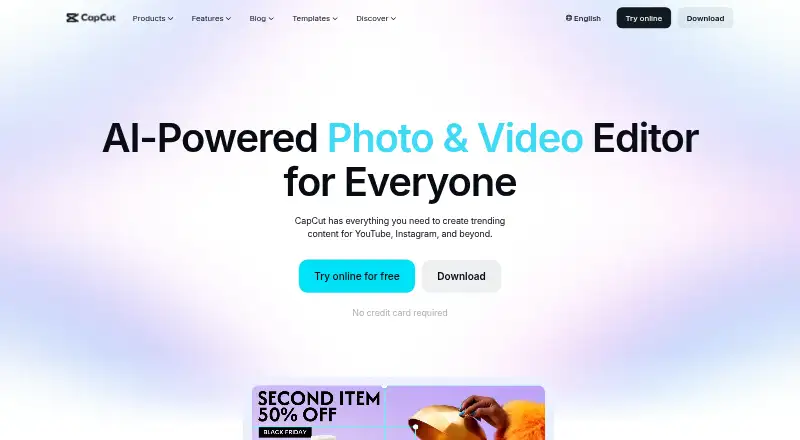
CapCut is an all-in-one video editing app for creators, available on Android, iOS, macOS, Windows, and the web. It combines templates, transitions, animations, filters, and AI-generated effects with tools for generating video, images, and music, as well as auto edits, clipping, transcription, translation, avatars, and background removal. The online editor can create subtitles from speech and convert text to speech. CapCut supports 4K export and team collaboration, and users can import media from Google Drive and Dropbox. It describes export options for TikTok, YouTube, and Instagram. A free plan is available. The Standard plan lists basic editing, free templates, mobile-focused editing, and cloud storage; the Pro plan lists 100 GB of cloud storage. CapCut's plan comparison also describes Pro as including cross-platform editing, collaboration, commercial-use assets, and up to 1TB of cloud storage. Pro pricing varies by region, device, and promotion, with the amount shown on the payment page. Some AI features may not be available in every region.
Who it suits
CapCut suits creators who want video editing across mobile, desktop, and web, including AI-assisted media tools and 4K export. Teams needing collaboration or users sharing to TikTok, YouTube, or Instagram may also find its listed capabilities relevant.
What it does well
- Available on Android, iOS, macOS, Windows, and web
- Includes AI video, image, and music generation
- Supports 4K export and team collaboration
- Imports media from Google Drive and Dropbox
What to know first
- Some AI features vary by region
- Pro price varies by region, device, and promotion
Plans
| Plan | Billed and limits | Price |
|---|---|---|
| CapCut Standard | Basic editing and free templates · mobile editing · around 100GB cloud storage · essential AI tools | Free |
| CapCut Pro | Monthly subscription; price varies by region, device, and promotions and is shown at checkout. · Premium templates and commercial-use assets · advanced AI tools · cross-platform editing · cloud storage | On request |
| CapCut Pro | Yearly subscription; price varies by region, device, and promotions and is shown at checkout. · Premium templates and commercial-use assets · advanced AI tools · cross-platform editing · cloud storage | On request |
As capcut.com lists them, read 30 Sept 2026. The maker's own page has the final word.
Getting started
- Visit the CapCut website.
- Choose the web editor or a version for Android, iOS, macOS, or Windows.
- Start with the free plan or review Pro in the payment flow.
- Import media from your device, Google Drive, or Dropbox.
Overview
CapCut is a video editor for creators who want conventional editing and AI tools across phone, desktop, and browser. Its wide feature range, cross-platform options, and 4K export make it a strong fit for social video workflows; regional AI access and variable Pro pricing are important caveats.
Templates, transitions, animations, filters, and AI-generated effects cover common editing tasks, while its AI suite reaches into generating and adapting video, images, and music. The breadth is useful for creators who want several stages of production in one app, but those relying on a particular AI feature should first check whether it is available in their region.
Key features
Editing, AI, and captions
CapCut combines standard editing tools with AI video, image, and music generation, auto edits, clipping, transcription, translation, avatars, and background removal. That range can help with both assembling footage and creating or adapting assets. The online editor also offers speech-to-text auto subtitles and text-to-speech, giving browser users tools for adding captions and generated speech.
Cloud, collaboration, and sharing
CapCut supports team collaboration and imports from Google Drive and Dropbox; Google Drive collaboration can open files in CapCut Online. Export options include TikTok, YouTube, and Instagram, which makes the app a natural candidate for creators preparing work for those platforms. Pro includes cross-platform editing, collaboration features, commercial-use assets, and cloud storage described as up to 1TB in CapCut's plan comparison, although the listed Pro plan detail gives 100 GB.
Privacy and support
CapCut says it uses encryption, secure servers, and regular security audits. Account settings let users access, update, or delete personal data; users can also download it in JSON or TXT and request access, correction, or limits on its use. Subscription questions go to CapCut's support team.
Pricing
CapCut uses a freemium model with a free plan. The Standard plan has no listed price and includes basic editing features, free templates, mobile-focused editing, and cloud storage. It suits users whose needs are primarily mobile and who can work within basic editing tools; the mobile focus makes it a less obvious fit for a workflow that depends on broader cross-platform Pro features.
Pro also has no listed price. Its plan detail specifies 100 GB of cloud storage, while CapCut's comparison describes Pro as including cross-platform editing, collaboration, commercial-use assets, and up to 1TB of storage. CapCut is therefore the stronger fit for creators who need those capabilities, but users should confirm the storage allowance and price shown for their purchase before subscribing. Pro pricing varies by region, device, and promotions, and the final price appears on the payment page.
CapCut does not give a trial length or renewal terms for these plans. Some AI features may also be unavailable in certain regions, so access to the full toolset is not assured everywhere.
Platforms
CapCut has apps for Android, iOS, macOS, and Windows, plus a web app. This gives users a choice of mobile, desktop, or browser editing, with Pro cross-platform editing intended for work that moves between devices. It supports 4K export, a useful option for creators who need that output resolution.
Who it's for
CapCut suits creators making social video who want templates and effects alongside AI-assisted editing, captions, and tools for generating media. The free plan is a sensible starting point for basic, mobile-focused editing; Pro is more relevant when collaboration, commercial-use assets, or cross-platform editing matter. It is a weaker choice for anyone who needs guaranteed access to every AI feature or a predictable Pro price across regions and devices.
Pros and cons
- Pros: Editing, AI generation, transcription, translation, and background removal sit in one toolset, covering more than basic assembly.
- Pros: Android, iOS, desktop, and web support, plus 4K export, accommodate a range of workflows and output needs.
- Pros: Google Drive and Dropbox imports and exports for TikTok, YouTube, and Instagram connect the editor to common media and publishing workflows.
- Cons: Some AI features are region-dependent, which can limit access to tools a creator expects to use.
- Cons: Pro pricing varies by region, device, and promotions, so the cost is not consistent for every buyer.
- Cons: The plan comparison describes up to 1TB of Pro storage, while the Pro plan detail gives 100 GB; buyers should verify the allowance that applies to them.
Alternatives
For a design-first rather than video-first workflow, Pixlr is a freemium option on Android, iOS, and web, with Plus offering one concurrent AI generation and 80 monthly AI Credits, and Premium offering four concurrent generations and 1,000 monthly credits; choose it when those stated AI-generation allowances better match the task.
Visme is another freemium option, available on web, Windows, macOS, and iOS. Its Basic plan provides 500MB storage and 50 slides or pages per project, making it the alternative to consider when those project and storage limits suit your work.
Adobe Express Video has a free plan with 25 generative credits per month, more than 155,000 templates, and 5 GB storage; choose it when those stated free-plan resources are a better fit.
Desygner offers a free plan with three users, 100 projects, 20 AI credits per month, and 5GB storage; consider it when that mix of team size, projects, and storage fits your needs.
Poster App Lab is a free alternative when poster design and print-ready PNG, JPG, PDF, or SVG output are the priority.
PosterMyWall is another option for poster and social-media design.
Simplified is a freemium alternative when its free plan's 1GB storage is a better fit.
Design.com is a web-based alternative for users seeking free AI logo generation and downloadable brand assets.
Browse Poster Maker Software, Social Media Video Makers, AI Video Editors, Video Thumbnail Makers, Poster Design Software, and AI Video Editing Software for more options by category.
Verdict
Choose CapCut if you want a broad video-editing and AI toolkit with mobile, desktop, and web access, 4K export, and a free starting point. Its main advantage is the range of work it can support in one editor; look elsewhere if your workflow depends on regionally unavailable AI features or you need a fixed Pro price before reaching the payment page.
Verdict
CapCut brings a broad set of editing and AI tools to mobile, desktop, and web, with a free plan and 4K export. Check regional AI availability and the payment page for the Pro price that applies to you.
Questions
Does CapCut have a free plan?
Yes. CapCut lists a free plan.
Which platforms does CapCut support?
CapCut is available on Android, iOS, macOS, Windows, and the web.
Can CapCut export 4K video?
Yes, 4K export is listed.
How much does CapCut Pro cost?
The Pro price varies by region, device, and promotions; the final price appears on the payment page.
How much cloud storage does Pro include?
The listed Pro plan shows 100 GB. CapCut's plan comparison describes Pro as offering up to 1TB.
Can I import media from cloud storage?
CapCut says users can import media from Google Drive and Dropbox.
Facts from CapCut's own pages
- AI tools
- CapCut's AI suite includes video, image, and music generation, auto edits, clipping, transcription, translation, avatars, and background removal. · capcut.com, 30 Sept 2026
- Auto captions
- CapCut's online editor offers AI speech-to-text auto subtitles and text-to-speech tools. · capcut.com, 30 Sept 2026
- Cloud and collaboration
- Pro includes cross-platform editing, collaboration features, commercial-use assets, and up to 1TB of cloud storage, according to CapCut's plan comparison. · capcut.com, 30 Sept 2026
- Included cloud storage
- 100 · capcut.com, 20 Sept 2026
- Desktop app
- Yes · capcut.com, 20 Sept 2026
- Editing tools
- Its video editor features templates, transitions, animations, filters, and AI-generated effects. · capcut.com, 30 Sept 2026
- 4K export
- Yes · capcut.com, 20 Sept 2026
- Free plan
- Yes · capcut.com, 20 Sept 2026
- Integrations
- CapCut says users can import media from Google Drive and Dropbox, and its Google Drive collaboration supports opening files in CapCut Online. · capcut.com, 30 Sept 2026
- Mobile app
- Yes · capcut.com, 20 Sept 2026
- Platforms
- CapCut lists desktop, online, Pad, and mobile products; its product pages identify Windows, macOS, iOS, and Android downloads. · capcut.com, 30 Sept 2026
- Pricing variability
- CapCut says the Pro subscription price varies by region, device, and promotions, with the final price shown on the payment page. · capcut.com, 30 Sept 2026
- Privacy and security
- CapCut says it uses encryption, secure servers, and regular security audits, and that users can access, update, or delete personal data through account settings. · capcut.com, 30 Sept 2026
- Privacy requests
- CapCut says users can download personal data in JSON or TXT format and submit requests to access, correct, or limit its use. · capcut.com, 30 Sept 2026
- Product
- CapCut describes itself as an all-in-one video editing app for creators of all levels. · capcut.com, 30 Sept 2026
- Regional availability
- CapCut notes that some AI features may not be available in all regions. · capcut.com, 30 Sept 2026
- Sharing
- CapCut describes export options for platforms including TikTok, YouTube, and Instagram. · capcut.com, 30 Sept 2026
- Support
- CapCut directs users with subscription questions to its support team. · capcut.com, 30 Sept 2026
- Team collaboration
- Yes · capcut.com, 20 Sept 2026
- Web app
- Yes · capcut.com, 20 Sept 2026
Where CapCut stands on Freedom251
- Social Media Template Libraries#1 of 41
- AI Mascot Generators#1 of 40
- Video Editing Software#4 of 155
- AI Video Editing Software#1 of 32
- Social Media Video Makers#1 of 29
- Video editors#3 of 71
- Video Thumbnail Makers#2 of 46
- AI Video Editors#4 of 81
- Podcast Cover Maker Software#2 of 35
- Video Creation And Editing Software#2 of 31
- Video Making Software#2 of 31
- AI Video Generation & Editing Software#2 of 30
- Poster Maker Software#3 of 41
- Motion Tracking Software#3 of 40
- Poster Design Software#3 of 39
- AI Video-to-Video Tools#2 of 23
- Monogram Makers#2 of 23
- AI Video Stabilization Software#3 of 33
- YouTube Banner Makers#2 of 20
- Iphone Apps#2 of 17
- Video Collage Maker Software#3 of 22
- Logo Animation Makers#3 of 21
- Content Creation tools#7 of 31