Freedom251 › Graphic Design Software

Visme
by Visme
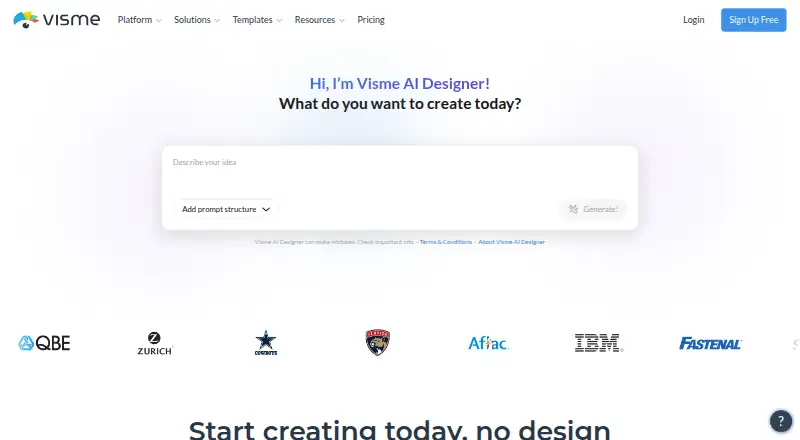
What Visme is
Visme is a design platform for creating presentations and illustrations. Its template library, brand kit, and illustration tools support the design process, while real-time collaboration lets people work together. It is available on the web, Windows, macOS, and iOS, with desktop and mobile apps. Visme offers a free Basic plan with 500MB of storage and a limit of 50 slides or pages per project. Starter costs $12.25 per user per month when billed annually ($147 per year); it includes 1GB of storage and unlimited projects and slides or pages per project. Pro costs $24.75 per user per month when billed annually ($297 per year), with 10GB of storage and the same unlimited project and page allowances. Enterprise is listed for teams of 10 or more users and includes 25GB of storage per user; no price is listed for that plan. Visme, the maker, was founded in 2013 and is headquartered in Rockville, Maryland, United States.
Who it suits
Visme suits people creating presentations or illustrations who want templates, brand tools, and real-time collaboration. Its free plan offers a way to start, while paid plans provide more storage and remove the per-project slide or page cap.
What it does well
- Template library supports design work.
- Includes presentation design and illustration tools.
- Brand kit helps keep materials consistent.
- Real-time collaboration is available.
- Web, desktop, and mobile apps are offered.
What to know first
- Basic limits storage to 500MB.
- Basic caps projects at 50 slides or pages.
- Starter and Pro require annual billing for listed monthly prices.
- Enterprise has no listed price.
Limits
Basic includes 500MB of storage and allows up to 50 slides or pages per project. Starter includes 1GB of storage, while Pro includes 10GB; both allow unlimited projects and slides or pages per project.
Plans
| Plan | Billed and limits | Price |
|---|---|---|
| Basic | $0/year · Unlimited projects · 500MB storage · 50 slides/pages · limited templates/assets · JPG/PNG/PDF downloads | Free |
| Starter | $147/year billed annually · 1GB storage · unlimited slides/pages · premium assets · JPG/PNG/PDF downloads · email and chat support | $12.25 a month |
| Pro | $297/year billed annually · 10GB storage · PPTX/HTML5/video/GIF downloads · Brand Kit · analytics · privacy controls · most integrations | $24.75 a month |
| Enterprise | Custom price from 10 users · 25GB per user · custom subdomain · approvals · custom roles · SSO and 2FA · dedicated customer success manager | On request |
As visme.co lists them, read 14 Oct 2026. The maker's own page has the final word.
Getting started
- Visit the Visme website.
- Choose the free Basic plan or a paid plan.
- Use Visme on the web, Windows, macOS, or iOS.
- Create a presentation or illustration using the template library and design tools.
- Invite collaborators to work together in real time.
Overview
Visme is a visual design platform for presentations and illustrations, with templates, brand kits and real-time collaboration. It suits individuals and teams who want those tools across web and app platforms. Its main trade-off is capacity: the free plan caps storage at 500MB and each project at 50 slides or pages.
Made by Visme, founded in 2013 and headquartered in Rockville, Maryland, the product combines several kinds of visual creation rather than focusing only on presentations. That breadth is useful for people working across formats, but the Basic plan’s project limit may quickly become a constraint for larger pieces.
Key features
Design and brand tools
A template library, presentation design and illustration tools cover core visual-creation tasks. Brand kits add a way to bring brand assets into that work. These features make Visme a fit for users creating more than slide decks, though the available tools alone do not establish how extensive the template selection or illustration controls are.
Real-time collaboration
Visme supports real-time collaboration, which makes it relevant to teams working on visual projects together. Enterprise is sized for 10+ users, but the other plans’ collaboration limits are not clear, so smaller teams should weigh the feature against the plan limits they can confirm.
Pricing
Visme uses a freemium model. Basic costs nothing; Starter and Pro are billed annually, so their monthly figures come with a full-year commitment.
| Plan | Price | Capacity | Best suited to |
|---|---|---|---|
| Basic | free | 500MB storage; 50 slides/pages per project | Trying Visme or handling smaller projects |
| Starter | $12.25 a month, billed annually; $147/year | 1GB storage; unlimited projects and slides/pages per project | Individuals who need more room than Basic |
| Pro | $24.75 a month, billed annually; $297/year | 10GB storage; unlimited projects and slides/pages per project | Users whose work needs substantially more storage |
| Enterprise | Custom pricing | 10+ users; 25GB storage per user | Larger teams needing per-user storage |
Basic is a useful no-cost starting point, but its storage and per-project cap make it a poor fit for extensive work. Starter removes the project and slide/page caps, but offers only 1GB of storage. Pro raises that to 10GB at a higher annual cost; the published plan details do not distinguish it from Starter on project capacity. Enterprise is the team-scale option, though custom pricing means buyers need a quote to assess its cost.
Platforms
Visme runs on the web and has Windows, macOS and iOS apps. The combination gives users desktop and mobile access alongside the browser experience.
Who it's for
Visme is best suited to people making presentations or illustrations who also want templates, brand kits and collaboration in one platform. Starter fits users ready to pay annually to remove Basic’s project-level cap; Pro is more appropriate when 1GB is not enough. Those with large projects should consider whether Basic’s 50-slide/page ceiling is workable before relying on the free tier.
Pros and cons
- Pros: Presentation design, illustration tools, templates and brand kits serve multiple visual-creation needs in one product.
- Pros: Real-time collaboration and web, desktop and iOS platforms support shared work across devices.
- Pros: Starter and Pro both provide unlimited projects and slides/pages per project.
- Cons: Basic allows only 500MB of storage and 50 slides/pages per project, limiting heavier free use.
- Cons: Starter and Pro pricing is tied to annual billing, and Pro costs more while retaining the same stated project limits.
- Cons: Enterprise uses custom pricing, making it harder to judge cost before seeking a quote.
Alternatives
For infographic-focused work, MilleMots is a mobile option with a free plan allowing three infographics and one free edit per month, across 14 layout styles and six languages. Datastory is worth considering for web-based data visualizations: its free Starter tier includes 10 visualizations, up to three team members and 100 AI credits per month. GetInfographic offers a free tier with starting credits and access to try every tool, with API and browser-extension platforms as well as web.
Infogiph may suit users who want a free infographic editor with 106 templates and unlimited exports, though its free plan is limited to five lifetime AI generations and adds a watermark. Infogram is another option for interactive charts and maps, with its Basic plan including 35+ chart types and 13 map types. InfographicMaker.org offers a free Starter plan with five infographic drafts, community templates and PNG export.
Jeda.ai is an alternative to consider. MakeInfographic.ai has a free plan with 20 monthly credits and five 1K infographics per month, but does not support custom watermarks or PNG/PDF downloads on that tier.
For broader category browsing, see AI Infographic Makers, Banner Design Software, Infographic Makers, Poster Maker Software, Graphic Design Software and Map Creation Software.
Verdict
Choose Visme if you need presentation or illustration design with templates, brand kit tools and collaboration across web and app platforms. Its strongest case is the mix of creation tools and project capacity on paid plans. Look elsewhere if Basic’s storage or project page limit is too restrictive, or if you need a listed Enterprise price before evaluating that plan.
Verdict
Choose Visme if you need presentation or illustration design with templates, brand kit tools, and collaboration across web and app platforms. Look elsewhere if the Basic plan’s storage or project page limit is too restrictive, or if you need a listed Enterprise price before evaluating that plan.
Questions
Is Visme free?
Yes. The Basic plan is free and includes 500MB of storage and up to 50 slides or pages per project.
How much do the paid plans cost?
Starter is $12.25 per user per month billed annually ($147 per year). Pro is $24.75 per user per month billed annually ($297 per year).
What platforms does Visme support?
Visme is available on the web, Windows, macOS, and iOS, with desktop and mobile apps.
What can I create with Visme?
Its listed features include presentation design, illustration tools, and a template library.
Does Visme support collaboration and brand tools?
Yes. It includes real-time collaboration and a brand kit.
Who makes Visme?
Visme is made by Visme, founded in 2013 and headquartered in Rockville, Maryland, United States.
Facts from Visme's own pages
- AI features
- Visme lists AI tools for presentations, documents, images, text, image editing and brand design. · visme.co, 14 Oct 2026
- API and extensibility
- An independent review states that Visme offers an API and Zapier connectivity; Visme also documents webhooks and HTML, URL and iframe embeds. · thedigitalprojectmanager.com, 14 Oct 2026
- Brand kit
- Yes · visme.co, 20 Sept 2026
- Brand management
- Brand Kit and Brand Wizard store logos, fonts and colors and apply them across designs and templates. · visme.co, 14 Oct 2026
- Collaboration
- Teams can co-edit projects, comment, annotate, assign permissions and use approval workflows. · visme.co, 14 Oct 2026
- Company facts
- LinkedIn lists Visme as privately held, founded in 2014, headquartered in Rockville, Maryland, with 51–200 employees. · linkedin.com, 14 Oct 2026
- Company identity
- The service is owned and operated by Easy WebContent, LLC, which also uses the DBA Visme. · visme.co, 14 Oct 2026
- Data visualization
- Charts and tables can connect to live Google Sheets data and update when the source changes after a page refresh. · visme.co, 14 Oct 2026
- Design features
- The product provides drag-and-drop design tools, templates, charts, graphs, maps, flowcharts, widgets and interactive animation features. · visme.co, 14 Oct 2026
- Desktop and mobile availability
- Visme provides downloadable Mac and Windows desktop apps plus an iOS app; its download page says Android tablet support is coming soon. · visme.co, 14 Oct 2026
- Desktop app
- Yes · visme.co, 20 Sept 2026
- Developer documentation
- Visme provides a searchable help center with tutorials, integration guides, embedding instructions, account documentation and enterprise administration articles. · support.visme.co, 14 Oct 2026
- Founded
- 2013 · visme.co, 23 Sept 2026
- Free plan
- Yes · visme.co, 20 Sept 2026
- Headquarters
- Rockville, Maryland, United States · visme.co, 23 Sept 2026
- Hosting
- Visme automatically hosts published microsites on its secure servers; Enterprise users can use a custom subdomain. · visme.co, 14 Oct 2026
- Illustration tools
- Yes · visme.co, 20 Sept 2026
- Integrations
- Official integrations include Mailchimp, HubSpot, Zapier, YouTube, Vimeo, Wistia, Loom, Vidyard, Google Drive, Dropbox, OneDrive, Slack, monday.com, Salesforce, Typeform, Jotform, SurveyMonkey and Google Analytics. · visme.co, 14 Oct 2026
- Licence
- Visme's terms identify all service materials as company or licensor property and reserve rights not expressly granted, indicating proprietary software rather than an open-source licence. · visme.co, 14 Oct 2026
- Limit: customization
- Reviewers report generic templates, difficult alignment or resizing and less customization than advanced designers may want. · trustradius.com, 14 Oct 2026
- Limit: performance and bugs
- Independent reviews mention slow loading, crashes, formatting errors, unreliable text editing and occasional functions requiring a restart. · softwareadvice.com, 14 Oct 2026
- Limit: pricing and free tier
- Reviewers report that advanced features are expensive, the free version is limited or watermarked, and full export capabilities require a subscription. · getapp.com, 14 Oct 2026
- Limit: subscription complaints
- Trustpilot reviewers report unexpected renewals, billing disputes, difficult cancellation and support that did not resolve some cases. · trustpilot.com, 14 Oct 2026
- Microsites
- The no-code microsite builder supports landing pages, interactive blocks, hotspots, popups, embedded videos and clickable buttons. · visme.co, 14 Oct 2026
Where Visme stands on Freedom251
- Graphic Design Software#8 of 150
- Design tools#8 of 146
- Product Label Makers#2 of 25
- Brochure Makers#6 of 20
- Letterhead Makers#10 of 26
- Banner Design Software#10 of 25
- Flyer Makers#8 of 20
- Video Thumbnail Makers#19 of 46
- AI Business Card Makers#11 of 25
- AI Infographic Makers#12 of 24
- Banner Maker#10 of 20
- Video Intro Maker Software#16 of 30
- Infographic Software#23 of 42
- Designing Solutions#16 of 29
- AI Presentation Software#48 of 84
- AI Graphic Design Software#18 of 31
- Social Media Post Maker Software#14 of 23
- Poster Maker Software#25 of 41
- Infographic Makers#16 of 26
- Presentation Recording Software#16 of 26
- Print Design Template Libraries#18 of 28
- YouTube Banner Makers#13 of 20
- Google Workspace Creative Tools#18 of 27
- Poster Design Software#27 of 39
- Map Creation Software#18 of 26