Freedom251 › UI/UX Design Tools
Figma
by Figma
What Figma is
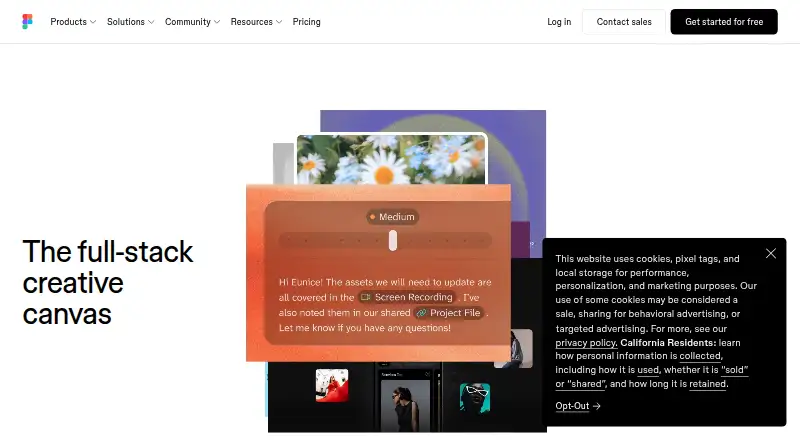
Figma is a collaborative design platform for teams creating digital products, whiteboards and presentations. Figma Design supports exploration, iteration and prototyping in a shared workspace, while Dev Mode helps connect design files with code. Figma Make turns written descriptions or existing designs into prototypes or apps, FigJam provides an online whiteboard, and Figma Slides supports interactive presentations. Teammates can comment, give feedback and branch work without changing the main file; links can be shared with viewing or editing access. Figma lists integrations including Google Workspace, Slack, Zoom, Microsoft Teams, Notion and Jira, and supports imports such as Sketch, PNG and JPG. It offers cloud storage and runs on web, macOS, Windows, iOS and Android. Starter is free with limited access, unlimited drafts and 150 AI credits per day, up to 500 per month. It allows co-editing on up to three files, with three pages per file. Professional billed annually is $12 a month. Figma also lists Organization at $55 a month and Enterprise at $90 a month, both billed annually.
Who it suits
Figma suits product teams that need collaborative design, prototyping and developer handoff in a shared workspace. It also serves teams making whiteboards or presentations alongside design work.
What it does well
- Design, prototyping, whiteboarding and slides share one workspace.
- Share links with viewing or editing controls.
- Imports Sketch, PNG and JPG files.
- Offers desktop and mobile apps as well as web access.
What to know first
- Starter limits co-editing to three files and three pages per file.
- Starter access to Figma products is limited.
- Subscription payments are non-refundable.
Limits
Starter is free with limited access to Figma products. It allows unlimited Drafts files and viewers, but co-editing is limited to 3 files with up to 3 pages per file; its AI credits are 150 per day, up to 500 per month.
Plans
| Plan | Billed and limits | Price |
|---|---|---|
| Starter | Unlimited drafts · UI kits and templates · 150 AI credits/day, up to 500 AI credits/mo | Free |
| Professional | Billed monthly · Unlimited files and projects · Team libraries · Advanced prototyping | $16 a month |
| Professional (annual) | Billed annually · Unlimited files and projects · Team libraries · Advanced prototyping | $12 a month |
| Organization | Billed annually · Organization-wide design systems · Centralized administration | $55 a month |
| Enterprise | Billed annually · Enterprise administration · Advanced security and controls | $90 a month |
| Professional Dev seat | Monthly · Dev Mode, FigJam, Figma Slides and view/comment access · 500 AI credits/mo | $12 a month |
| Professional Full seat | Monthly · Unlimited files and projects · Team-wide design libraries · Advanced Dev Mode inspection and MCP Server · 3,000 AI credits/mo | $16 a month |
| Organization Dev seat | Annually · Dev Mode, FigJam, Figma Slides and view/comment access · 500 AI credits/mo | $25 a month |
The first 8 of 14 plans, as figma.com lists them, read 28 Sept 2026. The maker's own page has the final word. Every plan
Getting started
- Open Figma on the web or download an app for macOS, Windows, iOS, or Android.
- Start with the free Starter tier or choose a paid plan.
- Create a design file, FigJam board, or Figma Slides presentation.
- Share a file or prototype link and set viewing or editing access.
- Connect supported tools such as Slack, Google Workspace, Jira, or Notion if needed.
Figma is a shared workspace for digital product design, prototyping, development handoff, whiteboarding, and presentations. It suits teams that need several roles to work around the same files; solo users focused on one narrow creative task may find its broader workflow less relevant. The strongest reason to choose it is the combination of collaboration and connected design tools, though Starter’s editing caps and paid seat choices need attention.
Overview
Figma brings product work into a cloud-based workspace. Figma Design supports exploration, iteration, and prototyping of digital products; Dev Mode connects design files with development; FigJam is for brainstorming and meetings; and Figma Slides supports interactive presentations. Unlimited cloud storage and share links with view or edit controls help teams keep work accessible and manage who can change it.
Files can be imported from Sketch, PNG, and JPG formats. Figma says 95% of Fortune 500 companies used it, based on March 2025 data; that signals broad adoption, but the practical fit still depends on whether a team needs its shared workflow.
Key features
Design, feedback, and handoff
Figma Design combines collaborative design and prototyping in the same files. Comments, feedback, and branching let teammates discuss and develop changes without altering the main file. Team libraries and advanced prototyping are paid-plan features, so teams that need those capabilities should account for the move beyond Starter.
Dev Mode helps developers bridge design and code, and can run directly in VS Code through an extension. That keeps handoff close to the design files, while Dev seats offer Dev Mode alongside FigJam, Slides, and view/comment access. Full seats add advanced Dev Mode inspection and MCP Server.
Whiteboards, slides, and AI prototyping
FigJam covers collaborative whiteboarding. Figma Slides supports live prototypes, polls, transitions, and PowerPoint import and export, making it more interactive than a presentation-only workflow. Figma Make turns written prompts or existing designs into working prototypes or apps, can be used on mobile, and can connect to Supabase and external tools for product documentation.
Starter’s AI allowance is 150 credits per day, capped at 500 per month. Teams that exceed it can buy additional credits through pay-as-you-go or subscriptions, so AI use can introduce an extra cost beyond the base plan.
Integrations and security
Official integrations include Google Workspace, Slack, Zoom, Microsoft Teams, Notion, Jira, Confluence, Zapier, Asana, Linear, Dropbox, Trello, and Productboard. Figma maintains SOC 2 Type 2 and SOC 3 reports and says its product and services are certified to ISO/IEC 27001:2022 and ISO/IEC 27018:2019; its AI management system is certified to ISO/IEC 42001:2023. Enterprise is aimed at businesses needing enterprise-level security, with Governance+ as an optional add-on for advanced access, sharing, and compliance tools.
Pricing
Starter is free, with limited access to Figma products, unlimited drafts, UI kits and templates, and the stated AI-credit allowance. It allows unlimited Drafts files and viewers, but co-editing is limited to three files and three pages per file. That is useful for trying the workflow or handling lighter collaboration, but a team regularly editing more files will quickly need a paid plan. Eligible students and educators can access Professional-team functionality free through Figma Education.
Professional costs $16 a month when billed monthly, or $12 a month when billed annually. It includes unlimited files and projects, team libraries, and advanced prototyping. The annual rate lowers the monthly price but commits the buyer to annual billing. Professional Collab seats cost $3 a month, billed monthly, and provide FigJam, Slides, view/comment access, and 500 AI credits per month. Professional Dev seats cost $12 a month, billed monthly, adding Dev Mode to FigJam, Slides, and view/comment access, also with 500 monthly AI credits. The Professional Full seat costs $16 a month, billed monthly, and includes unlimited files and projects, team-wide design libraries, advanced Dev Mode inspection and MCP Server, and 3,000 monthly AI credits. Seat type matters: collaborators and developers can pay less than full editors, but with narrower access.
Organization costs $55 a month, billed annually, and adds organization-wide design systems and centralized administration. Organization Dev seats cost $25 a month, billed annually, and provide Dev Mode, FigJam, Slides, view/comment access, and 500 monthly AI credits; Organization Collab seats cost $5 a month, billed annually, for FigJam and Slides, view/comment access, and the same monthly credit allowance.
Enterprise costs $90 a month, billed annually, with enterprise administration, advanced security, and controls. Enterprise Dev seats cost $35 a month, billed annually, for Dev Mode, FigJam, Slides, view/comment access, and 500 monthly AI credits; Enterprise Collab seats cost $5 a month, billed annually, for FigJam and Slides, view/comment access, and 500 monthly credits. Governance+ is an optional Enterprise add-on. Subscription payments are non-refundable; users seeking support can contact Figma in-app or at [email protected].
Platforms
Figma supports web, macOS, Windows, iOS, and Android, with desktop applications for macOS and Windows and mobile apps for iOS and Android. Cloud storage is unlimited and accessible from anywhere. Figma Make can be accessed and used on a mobile device.
Who it's for
Figma is a strong fit for product teams coordinating designers, developers, and stakeholders across shared files, especially when design, prototyping, handoff, whiteboards, and presentations belong in one workflow. Organizations that need centralized administration or advanced security have higher-tier plans to consider. It is a weaker fit for a small team that needs unrestricted co-editing on Starter, or for an individual seeking only a standalone illustration tool.
Pros and cons
- Connected team workflow: design, handoff, whiteboarding, and interactive presentations sit in one workspace, reducing the need to separate those activities across tools.
- Flexible participation: Collab and Dev seats offer lower-cost ways to include people who need viewing, comments, slides, FigJam, or handoff rather than full editing access.
- Starter has real constraints: co-editing stops at three files and three pages per file, so free access is a limited team trial rather than an unrestricted shared workspace.
- Costs can stack: annual commitments apply to Organization and Enterprise and some of their seats, while AI credit add-ons may add spending for teams that exceed the included allowance.
- Security options scale up: Enterprise includes advanced security and controls, with Governance+ available for more access and compliance tools, but these sit above the free and Professional tiers.
Alternatives
Choose Adobe Creative Cloud if you want a suite with a free plan and trial and need to select among individual apps; its Single App plan includes one app, 25 monthly generative credits, and 100GB cloud storage. Choose Canva for a free one-person design editor with templates and a content library, rather than Figma’s team-centered product workflow. Krita is a free, open-source option for someone who wants a standalone creative application without subscriptions or trials.
Visme is an alternative with a free Basic plan that caps storage at 500MB and projects at 50 slides or pages. ibisPaint is a freemium choice for mobile-focused drawing, with a free version that has unlimited usage time, 64MB cloud storage, and advertisements. Affinity offers a free plan covering vector design, pixel photo editing, page layout, and export tools. Inkscape is a free, open-source vector graphics editor for desktop platforms. Sketchbook is another alternative, with a free mobile application.
Browse the Graphic Design Software category to compare more tools.
Verdict
Choose Figma if your team needs product design and prototyping to connect directly with developer handoff and collaborative team work. Its range of seat types can fit different contributors, but check Starter’s file and page caps and the billing term for every paid seat before committing. Look elsewhere if your need is a narrow drawing or graphics task rather than a shared product workflow.
Verdict
Figma covers several collaborative product and presentation workflows, with free and paid options. Check Starter's file and page limits and the billing terms for the plan or seat you need.
Questions
Is Figma free?
Yes. Starter is free with limited access to Figma products, unlimited drafts, and up to 500 AI credits per month.
How much does Professional cost?
Professional costs $16/user/mo billed monthly or $12/user/mo billed annually.
Which platforms does Figma support?
Figma supports web, macOS, Windows, iOS, and Android.
Can teams collaborate in Figma?
Yes. Teams can comment, give feedback, branch work, and share links with viewing or editing controls.
What integrations are listed?
Listed integrations include Google Workspace, Slack, Zoom, Microsoft Teams, Notion, Jira, Confluence, Zapier, Asana, Linear, Dropbox, Trello, and Productboard.
Is Figma open source?
The provided facts do not describe Figma as open source.
Facts from Figma's own pages
- AI credit add-ons
- Teams can purchase additional AI credits with pay-as-you-go or subscriptions. · figma.com, 28 Sept 2026
- Brand kit
- Yes · figma.com, 23 Sept 2026
- Cloud storage
- Figma provides unlimited cloud storage with access from anywhere. · figma.com, 28 Sept 2026
- Real-time collaboration
- Multiple editors can work in the same file and edit live together. · figma.com, 28 Sept 2026
- Desktop app
- Yes · figma.com, 23 Sept 2026
- VS Code support
- Dev Mode can run directly in VS Code through an extension. · figma.com, 28 Sept 2026
- Dev Mode
- Dev Mode helps designers and developers bridge the gap between design and code in the same files. · figma.com, 28 Sept 2026
- Education
- Eligible students and educators can access the functionality of the Professional team for free through Figma Education. · figma.com, 28 Sept 2026
- Enterprise governance
- Governance+ is an optional add-on available only on Enterprise and provides advanced access, sharing, and compliance tools. · figma.com, 28 Sept 2026
- Enterprise security
- Enterprise is intended for businesses needing enterprise-level security. · figma.com, 28 Sept 2026
- FigJam
- FigJam is an online whiteboard for brainstorming, meetings, and collaborative work. · figma.com, 28 Sept 2026
- Figma Design
- Figma Design lets teams explore, iterate, and prototype digital products in a collaborative workspace built for the Web. · figma.com, 28 Sept 2026
- Figma Make
- Figma Make is an AI-powered prompt-to-code tool that turns written descriptions or existing designs into working prototypes or apps. · figma.com, 28 Sept 2026
- Figma Slides
- Figma Slides lets professional designers and collaborators co-create and deliver interactive presentations. · figma.com, 28 Sept 2026
- File imports
- Figma supports imports including Sketch and PNG or JPG files. · figma.com, 28 Sept 2026
- Fortune 500 usage
- Figma says 95% of the Fortune 500 uses Figma, based on March 2025 data. · figma.com, 28 Sept 2026
- Founded
- 2012 · figma.com, 19 Oct 2026
- Free plan
- Yes · figma.com, 23 Sept 2026
- Governance add-on
- Governance+ provides advanced access, sharing, and compliance tools on Enterprise. · figma.com, 28 Sept 2026
- Headquarters
- San Francisco, California, United States · figma.com, 19 Oct 2026
- Illustration tools
- Yes · figma.com, 23 Sept 2026
- External integrations
- Figma Make can connect to Supabase and external tools for product documentation. · figma.com, 28 Sept 2026
- ISO certifications
- Figma says its product and services are certified against ISO/IEC 27001:2022 and ISO/IEC 27018:2019, and its AI management system against ISO/IEC 42001:2023. · figma.com, 28 Sept 2026
- Mobile app
- Yes · figma.com, 23 Sept 2026
Where Figma stands on Freedom251
- UI/UX Design Tools#1 of 26
- Interface Design Tools#1 of 26
- Graphic Design Software#6 of 150
- Design tools#6 of 146
- Wireframe Tools#1 of 22
- Browser Based#6 of 34
- Web App#6 of 32
- Content Creation tools#8 of 31
- Free Tools#10 of 31