Freedom251 › Portfolio Website Builders

Framer
by Framer
What Framer is
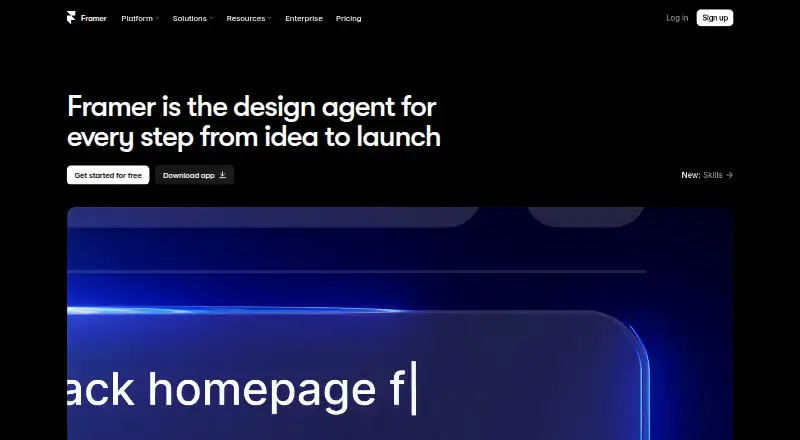
Framer is a no-code website builder for teams that want visual design control, responsive layouts, CMS content, SEO tools, analytics, and managed hosting. Its AI agent can create editable pages, sections, copy, and visuals inside a project. Teams can collaborate in real time and use branching, staging, and previews. Framer also supports custom components, integrations, and code-based extensions. Its integration guides cover tools such as Meta Pixel, Typeform, webhooks, Loom, Google Analytics, and Google Tag Manager; third-party plugins add content generation, asset management, integrations, and automation. The Canvas requires an internet connection and runs in a supported browser on Windows, macOS, Linux, or ChromeOS. Desktop apps are available for macOS and Windows, while published sites support major desktop and mobile operating systems through supported browsers. The free plan includes a Framer domain, 10 CMS collections, and 1,000 pages, but a custom domain requires a paid plan. Basic costs $10 per month; Pro costs $30 per month. Framer does not offer code export.
Who it suits
Framer suits teams building and managing websites that want visual design, CMS, collaboration, and managed hosting in one tool. Its team workflows include real-time collaboration, branching, staging, and previews.
What it does well
- AI agent creates editable project content
- Includes CMS, SEO tools, analytics, and hosting
- Supports real-time collaboration and previews
- Integrates with analytics and other tools
- Published sites support desktop and mobile systems
What to know first
- Canvas requires an internet connection
- Custom domain requires a paid plan
- Code export is not available
Limits
The Free plan uses a Framer domain rather than a custom domain and includes 1 GB bandwidth, 10 CMS collections, 1,000 pages, 5 MB file uploads, and one free locale. Workspaces without a subscription support up to three editors.
Plans
| Plan | Billed and limits | Price |
|---|---|---|
| Free | 500 AI credits to try · Free Framer domain · 1 GB bandwidth · Design pages · 10 CMS collections · 1,000 pages · 5 MB file uploads · 1 free locale | Free |
| Basic | per month · Free custom domain · 2 CMS collections · 50 GB bandwidth · Built-in SEO · Localization add-on | $10 a month |
| Pro | per month · Free custom domain · 10 CMS collections · 100 GB bandwidth · Site redirects · Staging environment · Branching with previews | $30 a month |
| Enterprise | Custom limits · Unlimited editors · Enterprise-grade security · Uptime guarantee · SCIM · SSO · Dedicated support | On request |
As framer.com lists them, read 28 Sept 2026. The maker's own page has the final word.
Getting started
- Open Framer in a supported browser with an internet connection, or use its macOS or Windows desktop app.
- Start with the Free plan or choose Basic at $10 a month or Pro at $30 a month.
- Create pages in the Canvas and use the AI agent to generate editable project content if useful.
- Add CMS content, integrations, or third party plugins as needed.
- Publish the site; use a paid plan if you need a custom domain.
Overview
Framer is a visual website builder for people who want close control over a site’s design as well as its content and publishing workflow. It is best suited to design-led teams and portfolio or content sites; its main trade-off is that the Canvas requires an internet connection and finished sites cannot be exported as code.
Real-time collaboration, CMS tools and managed hosting make Framer more than a page-design tool, while editable AI-generated pages and content can help teams get a project started. The free plan is useful for trying the workflow, but a custom domain requires a paid plan.
Key features
Design, content and publishing
Framer combines responsive visual design with CMS collections, SEO tools and hosting. Blogging is supported, and published sites can be crawled and indexed unless a page is set to noindex. Analytics and video hosting broaden its usefulness for sites that need to publish and measure content, while the absence of e-commerce makes it a poor choice for a store that needs built-in commerce.
Its AI agent creates editable pages, sections, copy and visuals inside a project, giving users material they can continue to shape. Custom components, integrations and code-based extensions provide further flexibility, and Framer components can be reused in React environments outside the product. That extensibility does not remove a key limitation: code export is not offered.
Team workflows and extensions
Real-time collaboration, branching, staging and previews support teams working through changes before publication. Workspaces without a subscription are limited to three editors, so the free plan is less suitable for larger teams. Integration guides cover services including Meta Pixel, Typeform, webhooks, Loom, Google Analytics and Google Tag Manager; third-party plugins extend the product with tools for content, assets, integrations and automation.
The Framer Canvas needs an internet connection and a recent Chrome, Safari, Firefox or Edge browser on Windows, macOS, Linux or ChromeOS. Desktop apps are available for Windows and macOS. Published sites support macOS, Windows, Linux, Android and iOS, subject to supported browser versions.
Pricing
Framer has a free plan and paid plans. The plan details make the trade-offs clear: free is a capable way to begin designing, but it uses a Framer domain, has limited bandwidth and upload size, and restricts collaboration in unsubscribed workspaces.
| Plan | Price | What it includes | Best fit |
|---|---|---|---|
| Free | free | 500 AI credits to try, a free Framer domain, 1 GB bandwidth, design pages, 10 CMS collections, 1,000 pages, 5 MB file uploads and 1 free locale. No custom domain; unsubscribed workspaces support up to three editors. | Individuals exploring the builder or making a small site without a custom domain. |
| Basic | $10 a month (billed per month) | Free custom domain, 2 CMS collections, 50 GB bandwidth, built-in SEO and a localization add-on. | A smaller live site that needs its own domain and more bandwidth; the two-collection cap is restrictive for content-heavy projects. |
| Pro | $30 a month (billed per month) | Free custom domain, 10 CMS collections, 100 GB bandwidth, site redirects, staging environment and branching with previews. | Teams that need a larger CMS allowance and a more controlled publishing workflow. |
| Enterprise | Custom pricing | Custom limits. | Organizations that need limits tailored to their needs. |
The pricing note gives a paid starting point of $10/mo (annual), while the Basic plan is also priced at $10 a month billed monthly. Compare the billing term that applies to the plan you choose.
Platforms
Framer’s Canvas runs in a recent desktop browser and requires an internet connection; desktop apps are available for macOS and Windows. Published sites can be viewed on supported browsers across desktop and mobile operating systems, including Android and iOS. That broad visitor reach does not make the authoring experience mobile-first.
Who it's for
Framer is a strong fit for design-focused individuals and teams building portfolios, marketing sites or editorial projects that benefit from visual control, CMS content and collaborative review. Its staging and branching features make Pro more compelling for teams with active publishing workflows, while the free tier gives solo users room to experiment.
Look elsewhere if your work depends on offline site design, exporting the finished site’s code, or built-in e-commerce. The free plan’s domain and editor limits also make it a trial tier rather than a straightforward option for a larger team’s public site.
Pros and cons
- Pros: Visual design, CMS, SEO and managed hosting sit in one workflow, reducing the need to assemble a site from separate tools.
- Pros: Editable AI output and real-time collaboration, branching, staging and previews support both rapid starts and team review.
- Pros: Components can be reused in React projects, and integrations and plugins extend the product beyond its core builder.
- Cons: A custom domain requires a paid plan, and free workspaces without a subscription support no more than three editors.
- Cons: Code export and e-commerce are absent, limiting its fit for developers who need portable site code or merchants building a shop.
- Cons: The Canvas requires an internet connection, and Basic’s two CMS collections may not stretch far for content-rich sites.
Alternatives
Consider Webflow if its free Starter plan’s Webflow.io domain and two static pages suit an exploratory project, or if you want its Basic plan at $15 a month. Choose Tilda instead when a one-site free plan or a Personal plan at $15 a month with a custom domain better matches the project.
Silex is a free alternative whose Cloud plan includes GitLab Pages hosting, a custom domain, CMS integrations, collaboration and versioning. For a lower paid starting point, Webador has a free plan and a Lite plan priced at $3 a month, though the available plan detail only establishes that its free tier has no domain name and includes essential website features.
For a simple multi-page site with a clearly stated yearly plan, Strikingly offers Limited at $8 a month billed yearly, with up to five pages per site, 1 GB storage and 50 GB bandwidth. GoDaddy Websites + Marketing is another freemium option; its Basic plan includes 100 monthly email marketing sends, while Commerce includes 100,000 monthly sends and unlimited products and services.
Wix Logo Maker is a logo-making alternative rather than a direct website-builder substitute. For more options by category, browse No-Code Website Builders, Personal Website Builders, Portfolio Website Builders, Agency Website Builders, Dental Website Builders and Design Collaboration Software.
Verdict
Choose Framer for a design-led site where visual control, CMS publishing and team collaboration matter more than portability or commerce. Its free plan is useful for building and evaluating a project, but a custom domain requires a paid plan; teams should also weigh the modest Basic CMS allowance against Pro’s higher cost and workflow tools. If offline authoring, code export or a built-in shop is central, look elsewhere.
Verdict
Framer combines visual site creation with CMS, collaboration, and managed hosting. The free plan uses a Framer domain, while custom domains require a paid plan; code export is not offered.
Questions
Who makes Framer?
Framer is made by Framer, whose headquarters are in Amsterdam, Netherlands.
Is there a free plan or free trial?
Yes. Framer lists a Free plan and says a free trial is available.
How much do the paid plans cost?
Basic costs $10 a month and Pro costs $30 a month. Enterprise has custom limits and no listed price.
Can I use a custom domain on the free plan?
No. The Free plan includes a free Framer domain; a custom domain requires a paid plan.
Which platforms can I use?
Framer lists Android, iOS, Linux, macOS, web, and Windows. The Canvas requires an internet connection and a recent supported browser; desktop apps are available for macOS and Windows.
Can I export the site code?
No. Framer lists code export as unavailable.
Facts from Framer's own pages
- AI creation
- Framer’s AI agent creates editable pages, sections, copy, and visuals directly in a project. · framer.com, 28 Sept 2026
- Code export
- No · framer.com, 23 Sept 2026
- Collaboration
- Framer supports real-time collaboration, branching, staging, and previews for teams. · framer.com, 28 Sept 2026
- Selling tools
- Yes · framer.com, 23 Sept 2026
- Custom code
- Framer supports custom components, integrations, and code-based extensions. · framer.com, 28 Sept 2026
- Custom domain
- Yes · framer.com, 23 Sept 2026
- Founded
- 2014 · framer.com, 23 Sept 2026
- Free plan
- Yes · framer.com, 23 Sept 2026
- Free-plan limit
- A custom domain requires a paid plan, and workspaces without a subscription support collaboration with up to three editors. · framer.com, 28 Sept 2026
- Headquarters
- Amsterdam, Netherlands · framer.com, 23 Sept 2026
- Integrations
- Framer’s integration guides cover Meta Pixel, Typeform, webhooks, Clay, Loom, Trustpilot, Google Analytics, and Google Tag Manager. · framer.com, 28 Sept 2026
- Plugins
- Plugins are third-party tools that extend Framer with content generation, asset management, integrations, and automation. · framer.com, 28 Sept 2026
- Portfolio analytics
- Yes · framer.com, 23 Sept 2026
- Product
- Framer is a no-code website builder for teams with visual design control, responsive layouts, CMS content, SEO tools, analytics, and managed hosting. · framer.com, 28 Sept 2026
- Published projects
- 30 · framer.com, 23 Sept 2026
- Published-site support
- Published Framer sites support operating systems including macOS, Windows, Linux, Android, and iOS, subject to supported browser versions. · framer.com, 28 Sept 2026
- React reuse
- Framer components can be used in any React environment outside Framer through a copied import. · framer.com, 28 Sept 2026
- Search indexing
- Framer sites are crawlable and indexable by search engines and bots unless a page is set to noindex. · framer.com, 28 Sept 2026
- Security compliance
- Framer states that it has ISO 27001 compliance, completed a SOC 2 Type 2 audit, and is committed to GDPR and CCPA compliance. · framer.com, 28 Sept 2026
- Security controls
- Framer requires TLS 1.2 or higher, uses HSTS, performs regular penetration tests, and applies code review and security scanning. · framer.com, 28 Sept 2026
- Paid from
- 10 · framer.com, 23 Sept 2026
- Support
- Framer directs users to its support team through its contact page for product guidance. · framer.com, 28 Sept 2026
- Supported systems
- The Framer Canvas requires an internet connection, Windows, macOS, Linux, or ChromeOS, and a recent Chrome, Safari, Firefox, or Edge browser; desktop apps are available for macOS and Windows. · framer.com, 28 Sept 2026
- Video hosting
- Yes · framer.com, 23 Sept 2026
Where Framer stands on Freedom251
- Portfolio Website Builders#1 of 81
- Music Website Builders#2 of 52
- AI Website Builders#4 of 95
- No-Code Website Builders#2 of 44
- Personal Website Builders#2 of 36
- Website Templates#1 of 16
- Law Firm Website Builders#3 of 40
- Landing Page Builders#5 of 57
- Dental Website Builders#4 of 43
- Game UI Design Software#3 of 32
- Website Design Software#3 of 31
- Website Development tools#3 of 30
- Design Collaboration Software#3 of 28
- Front End Tools#3 of 28
- Agency Website Builders#4 of 30
- UI/UX Design Tools#4 of 26
- Low Code No Code Software#5 of 26
- Browser Based#7 of 34
- Cms No Code#6 of 28
- Website Template Marketplaces#7 of 31
- Designing Solutions#7 of 29
- Website builders#28 of 70