Freedom251 › Law Firm Website Builders
Wix Logo Maker
What Wix Logo Maker is
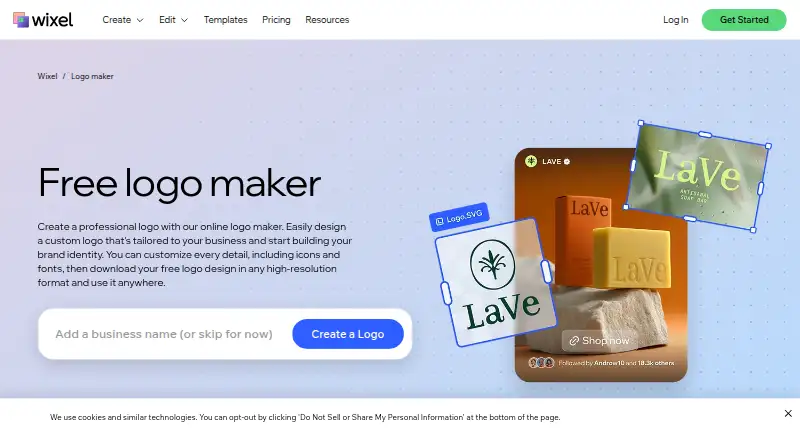
Wix Logo Maker creates custom business logos from AI-generated designs or templates. Users can change colors, fonts, icons, and layout, and an AI tagline generator is included. Wixel, Wix's AI-powered design platform, can create a brand theme from a logo for use in other Wixel designs. Logo files can be used on websites, social profiles, and documents; listed formats include PNG, SVG, and JPG, with vector and transparent export available. Wixel's mobile app is available on Android and iOS, and projects stay in sync across devices. A Wix account is required. The older Wix Logo Maker remains available, with limited AI support and fewer creation assets than Wixel. The free plan provides 120 AI credits per month, with a maximum of 30 per day, and AI actions consume credits. Paid plans start at $90 a year. On Wix's legacy plan, Basic includes PNG files, while SVG is included with Advanced and certain higher plans.
Who it suits
It suits individuals and businesses making a logo and related brand designs for websites, social profiles, or documents. Users should consider the Wix account requirement and the daily cap on free AI credits.
What it does well
- Generates logos from AI designs or templates.
- Users can customize colors, fonts, icons, and layout.
- Includes an AI tagline generator.
- Supports PNG, SVG, and JPG formats.
- Mobile projects sync across devices.
What to know first
- Requires a Wix account.
- Free AI use is capped at 30 credits per day.
- Legacy Basic includes PNG, while SVG requires a higher plan.
Limits
The free Wixel plan provides 120 AI credits monthly, with no more than 30 per day, and AI actions consume credits. On the legacy maker, Basic includes PNG; SVG is included with Advanced and certain higher plans.
Plans
| Plan | Billed and limits | Price |
|---|---|---|
| Free | 120 AI credits per month · max 30 per day · up to 20 logos (estimate) | Free |
| Basic | one-time purchase · 1 logo design · 8 PNG files (3000×3000) · commercial usage rights | $20, paid once |
| Pro | per year; 850 AI credits per month · Up to 180 logos (estimate) · up to 140 images · up to 35 videos · up to 130 docs · up to 7 presentations · Wix Light plan and free domain for 1 year | $290 |
| Advanced | one-time purchase · 1 logo design · PNG and resizable SVG files · social-media files · email signature · watermark · app-store files | $50, paid once |
| Max | per year; 2,000 AI credits per month · Up to 440 logos (estimate) · up to 330 images · up to 80 videos · up to 280 docs · up to 15 presentations · Wix Light plan and free domain for 1 year | $590 |
As wix.com lists them, read 3 Oct 2026. The maker's own page has the final word.
Getting started
- Open the Wix Logo Maker page.
- Sign in or create a Wix account to use Wixel.
- Choose AI logo generation or customize a template.
- Use available AI credits for AI actions.
- Download the logo in an available file format.
Wix Logo Maker is a logo creation tool for small businesses, freelancers, and others who want to build a brand identity without leaving Wix’s design ecosystem. It is strongest when you want to adapt a logo into other branded materials; less suited if you only need a simple logo and do not want a Wix account.
Overview
You can begin with AI-generated designs or templates, then adjust colors, fonts, icons, and layout. The maker offers 50 logo concepts, and supports PNG, SVG, and JPG files, including vector and transparent exports. Commercial use is supported, so the output can serve across websites, social profiles, and documents.
Wixel extends logo creation into broader design work: it can turn a logo into a brand theme for other Wixel designs and generate taglines with AI. Downloaded logos can be uploaded to Wix and saved in Media Manager for use on a Wix site. That integration is useful for Wix site owners, but Wixel requires a Wix account. Wix’s older Logo Maker remains available, though its AI support and asset selection are more limited.
Key features
Logo design and export
Editable designs make the generated concepts a starting point rather than a finished, fixed mark. Vector and transparent exports help when a logo needs to sit on different backgrounds or scale across uses. Wixel says high-resolution PNG and SVG downloads are free, but the legacy Logo Maker’s Basic plan includes PNG only; SVG files come with Advanced and certain higher plans. Confirm which maker you are using before choosing a plan around vector output.
Branding beyond the logo
Wixel’s brand themes carry a logo’s visual identity into other designs, while its AI tagline generator can help produce a matching line of copy. The wider platform can also create images, videos, documents, and presentations, with project estimates tied to each subscription tier. This breadth is valuable if you need multiple branded assets, but the credit system makes the plan’s monthly allowance relevant to more than logo generation alone.
Credits and account requirements
The free Wixel tier provides 120 AI credits per month, capped at 30 per day, and AI actions consume credits. The monthly and daily ceilings may constrain bursts of work even when credits remain. Projects sync across Wixel’s iOS and Android apps and the web, but a Wix account is required to use Wixel.
Pricing
Wixel is freemium. Its free plan costs nothing and includes 120 monthly AI credits, a 30-credit daily maximum, and up to 20 logos (estimate). It is a sensible way to try the workflow or make a small number of projects, but the daily cap can slow concentrated AI use.
| Plan | Price | Included capacity |
|---|---|---|
| Basic | $90 a year, billed per year | 350 AI credits per month; estimated limits of 50 logos, 40 images, 10 videos, 40 documents, and 3 presentations |
| Pro | $290 a year, billed per year | 850 AI credits per month; estimated limits of 180 logos, 140 images, 35 videos, 130 documents, and 7 presentations; Wix Light plan and free domain for 1 year |
| Max | $590 a year, billed per year | 2,000 AI credits per month; estimated limits of 440 logos, 330 images, 80 videos, 280 documents, and 15 presentations; Wix Light plan and free domain for 1 year |
Basic is the lower-cost paid option for users who need more monthly credits and room for several kinds of output, but it does not include the Wix Light plan or free domain. Pro and Max raise both credits and estimated project capacity and add those Wix extras; they make more sense for sustained cross-format production than for a one-off logo. The creation counts are estimates, so they are better treated as planning guides than guaranteed quotas.
The platform also includes an AI customer care assistant and support tickets. Wix states that its website security certificates include PCI DSS Level 1, SOC 2 Type 2, and ISO certifications, and that it complies with GDPR, CCPA, and LGPD.
Platforms
Wixel is available on web, iOS, and Android, with projects kept in sync across devices. That makes it practical to move between desktop and mobile, while the required Wix account remains a condition of using the platform.
Who it's for
Choose Wix Logo Maker if you want an editable logo plus a path to matching designs, and especially if you already use Wix for a website. The free tier can suit experimentation or modest needs; Basic fits users who need a larger credit pool without Wix’s site-plan extras. Pro and Max are better aligned with people producing substantial volumes across images, video, documents, and presentations. If your need is only a single logo, the broader paid tiers may be more capacity than you need.
Pros and cons
- Pro: AI and template-based starting points can both be customized across colors, typography, icons, and layout, rather than locking users into a single design route.
- Pro: PNG, SVG, JPG, transparent and vector output, plus commercial use, support varied placements and business use.
- Pro: Brand themes, tagline generation, synced mobile projects, and Wix Media Manager integration extend the workflow beyond logo creation.
- Con: Wixel requires a Wix account, which is an unnecessary dependency for users who want a standalone logo tool.
- Con: Free AI use is limited by both a monthly credit pool and a daily cap; AI actions consume credits.
- Con: Legacy Logo Maker users on Basic do not get SVG, despite Wixel’s free high-resolution PNG and SVG downloads.
Alternatives
- BrandCrowd Logo Maker is worth considering if you want a web-based freemium option with selected free logos and free editing and downloads.
- Design.com may suit users seeking a free web option with AI logo generation, full customization, a brand kit, commercial rights, and vector formats including EPS, SVG, and PDF.
- Logo Diffusion offers a free web tier with 24 credits per month and about 12 logos, but its downloads are watermarked at 512x512 and do not include commercial rights.
- LOGO.com is another web-based freemium choice, with a free plan limited to one logo, PNG, and 100 MB of media storage.
- Zoviz is a paid option with a free plan and trial; its Starter plan costs $29 a month and includes one brand, 10 GB cloud storage, 300 monthly AI credits, and one team member.
- Brandmark has a free tier and one-time paid plans, including a $35 a month Basic plan with PNG and vector logo files.
- Looka offers web-based logo packages and a brand kit subscription.
- Turbologo offers web-based Lite, Standard, and Business plans.
- AI Logo Makers is a broader category to explore if you want to compare logo-generation tools.
- AI Vector Generators may be useful if your priority is vector-focused creation rather than a broader brand workflow.
- Law Firm Website Builders, Nonprofit Website Builders, No-Code Website Builders, and Dental Website Builders are relevant when the larger decision is choosing a website builder for one of those needs.
Verdict
Wix Logo Maker is a strong fit for small businesses and solo operators who want a customizable commercial logo and expect to build a broader visual identity around it. Its best reason to choose it is the link between logo creation, brand themes, other Wixel designs, and Wix website assets. Look elsewhere if you want a standalone workflow without a Wix account, or if you are relying on SVG output from the legacy Basic plan.
Verdict
Wix Logo Maker provides logo generation and customization, with Wixel adding brand themes and synced mobile projects. Review the credit limits and legacy-plan format restrictions if they affect your workflow.
Questions
Is there a free plan?
Yes. The Free plan costs nothing and includes 120 AI credits per month, capped at 30 per day.
How much do paid plans cost?
The listed annual prices are 90.00 USD for Basic, 290.00 USD for Pro and 590.00 USD for Max.
Which platforms are available?
The listed platforms are Android, iOS and web. Wixel says its mobile app is available on iOS and Android and syncs projects across devices.
What file formats can I download?
Listed formats are PNG, SVG and JPG. Vector and transparent export are also available.
Does it require a Wix account?
Yes. Wixel requires a Wix account.
Who makes the platform?
Wixel is an AI-powered design platform created by Wix. Wix was founded in 2006 and is headquartered in Tel Aviv, Israel.
Facts from Wix Logo Maker's own pages
- AI support
- The current Wix Logo Maker remains available but has less AI support and fewer asset types than Wix's newer Wixel product. · wix.com, 15 Oct 2026
- AI tools
- The maker offers AI logo generation and an AI tagline generator. · wix.com, 3 Oct 2026
- Animated logos
- Wix states that animated logos cannot currently be created. · support.wix.com, 15 Oct 2026
- API documentation
- Wix documents REST APIs and a typed JavaScript SDK, installable with the @wix/sdk npm package and authenticated with OAuth. · dev.wix.com, 15 Oct 2026
- API extensibility
- Developers can use REST, JavaScript SDK, legacy Velo APIs and a limited GraphQL API; Velo is no longer receiving new additions. · dev.wix.com, 15 Oct 2026
- API scope
- Wix APIs cover business solutions, CMS data, media assets, CRM, payments, account settings and site configuration. · dev.wix.com, 15 Oct 2026
- App-store assets
- Advanced and higher plans include logo files optimized for Android and iOS app stores. · support.wix.com, 15 Oct 2026
- Brand Kit
- Brand Kit plans provide unlimited logo changes plus social posts, social covers and printable business-card designs. · support.wix.com, 15 Oct 2026
- Brand themes
- Users can generate a brand theme from their logo and apply it to other Wixel designs. · wix.com, 3 Oct 2026
- Commercial rights
- Paid logo plans provide full commercial usage rights for the purchased logo. · support.wix.com, 15 Oct 2026
- Company founded
- Wix says it was founded in 2006 by Avishai Abrahami, Nadav Abrahami and Giora Kaplan. · wix.com, 15 Oct 2026
- Current status
- On October 15, 2026, Wix's status page showed Logo Maker operational and no incidents reported that day. · status.wix.com, 15 Oct 2026
- Customization
- Users can adjust logo colors, fonts, icons, and layout. · wix.com, 3 Oct 2026
- Dashboard brand limit
- The dashboard Logo Maker currently allows only one brand per site; multiple brands require the standalone maker. · support.wix.com, 15 Oct 2026
- File downloads
- Wixel says users can download high-resolution logo files, including PNG and SVG, for free. · wix.com, 3 Oct 2026
- Founded
- 2006 · wix.com, 28 Sept 2026
- Free sample
- Every created logo includes a single low-resolution JPG sample at no charge. · support.wix.com, 15 Oct 2026
- Free tier limit
- The free Wixel plan provides 120 monthly AI credits with a maximum of 30 per day, and AI actions consume credits. · wix.com, 3 Oct 2026
- Headquarters
- Tel Aviv, Israel · wix.com, 28 Sept 2026
- Integrations
- Wixel says downloaded logos can be uploaded to Wix and saved in Media Manager for use on a Wix website. · wix.com, 3 Oct 2026
- Legacy maker availability
- Wix says its older Logo Maker remains available with limited AI support and fewer assets to create than Wixel. · wix.com, 3 Oct 2026
- Legacy plan limitation
- Wix's legacy Logo Maker plan page says its Basic plan includes PNG files, while SVG vector files are included with Advanced and certain higher plans. · support.wix.com, 3 Oct 2026
- Licence
- Wix terms describe Wix services, source code, designs and documentation as Wix-owned or licensed intellectual property, with a limited revocable use licence. · wix.com, 15 Oct 2026
- Limit: integrations and support
- TrustRadius reviewers cited integrations, forms/pop-ups and support as weaknesses, alongside limited custom-code access and editor quirks. · trustradius.com, 15 Oct 2026
Where Wix Logo Maker stands on Freedom251
- Law Firm Website Builders#9 of 40
- Dental Website Builders#11 of 43
- Nonprofit Website Builders#10 of 32
- Music Website Builders#20 of 52
- No-Code Website Builders#20 of 44
- AI Logo Makers#31 of 65
- Logo Generator#11 of 22
- Logo Design Software#23 of 45
- Logo Designing Softwares Software#12 of 23
- Graphic Design Software#93 of 150
- AI Vector Generators#17 of 26