
Logo Diffusion
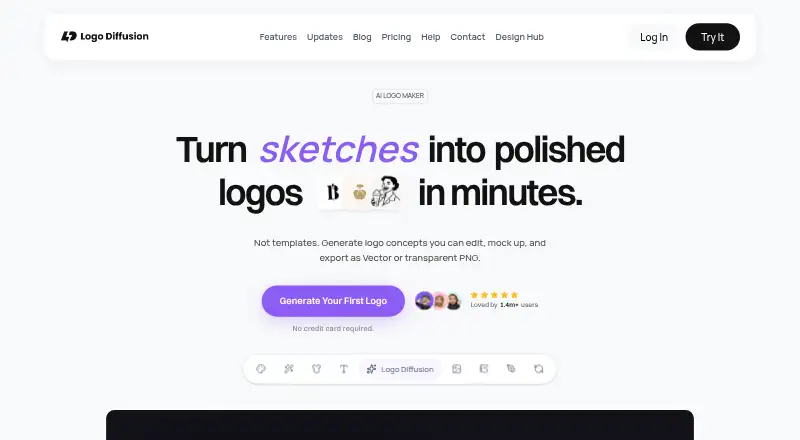
What Logo Diffusion is
Logo Diffusion is a web tool for generating logos, marketing materials, and brand visuals from text prompts, sketches, existing logos, or images. Its editor includes brushes, shapes, and fonts, with controls for colors and palettes. Users can remove backgrounds to create transparent PNG files, export vector designs such as SVG, and convert images into vectors for vector-editing software. The maker says exported vector files can be opened in Illustrator, Figma, or Affinity Designer. The free plan provides 24 credits per month, but downloads are watermarked and fixed at 512 × 512; it does not include vector export or commercial rights. Paid plans with commercial licenses start at $24 a month. Pro adds 2× and 4× upscales, and Elite includes 6,000 monthly credits. A one-time Starter Pack costs $59.00 USD and includes 1,500 credits and six downloads, valid for 90 days. Monthly credits reset on renewal, and unused credits do not carry over. Payment details are handled by a third-party processor rather than stored directly by Logo Diffusion.
Who it suits
Logo Diffusion suits people creating logos and other brand visuals from prompts or existing material. Its Pro and Elite plans are described for designers and freelancers, and for agencies and teams with high-volume output.
What it does well
- Generates visuals from prompts, sketches, and existing images
- Exports vector files including SVG
- Creates transparent PNGs through background removal
- Paid plans include commercial-use licenses
What to know first
- Free downloads are watermarked and fixed at 512 × 512
- Free plan excludes vector export and commercial rights
- Unused monthly credits do not carry over
Limits
The free plan has 24 credits per month, approximately 12 logos, and one concurrent generation. Its downloads are watermarked and limited to 512 × 512, with no vector export or commercial rights. Monthly credits reset at renewal and unused credits do not carry over.
Plans
| Plan | Billed and limits | Price |
|---|---|---|
| Free | $0 / month · 24 credits/mo · ~12 logos · 1 concurrent generation · watermarked 512x512 downloads · no commercial rights | Free |
| Basic | $24 / month · 1,000 credits/mo · ~500 logos · 2 concurrent generations · commercial license · private generation | $24 a month |
| Pro | $49 / month · 2,500 credits/mo · ~1,250 logos · 3 concurrent generations · 2× and 4× upscales · commercial license | $49 a month |
| Starter Pack | one-time · 1,500 credits · 6 downloads · all tools · valid 90 days | $59, paid once |
| Elite | $99 / month · 6,000 credits/mo · ~3,000 logos · 4 concurrent generations · 2× and 4× upscales · commercial license | $99 a month |
As logodiffusion.com lists them, read 2 Oct 2026. The maker's own page has the final word.
Getting started
- Open https://logodiffusion.com/ in a web browser
- Choose the Free plan or a paid plan
- Create visuals from a text prompt, sketch, existing logo, or image
- Edit the result with the in-app tools and export it
Overview
Logo Diffusion is a web-based generator for logos, marketing materials, and other brand visuals from text prompts, sketches, or existing images. It is best suited to designers, freelancers, and teams that need both rapid concepts and exportable brand assets. The free tier is a credible way to explore the workflow, but production use depends on paid rights and higher-quality downloads.
Key features
You can begin with a written prompt, a sketch, an existing logo, or another image. The in-app editor then provides brushes, shapes, fonts, and controls for colors and palettes. That makes Logo Diffusion more useful than a generator that stops at its first output: you can develop a direction inside the same workspace, while a brand kit helps organize the resulting identity.
Vector handling is a major strength. The service exports PNG, SVG, and EPS, and can convert raster images into vectors for further editing. Logo Diffusion says those vector files open in Illustrator, Figma, and Affinity Designer, which suits workflows that move from exploration into professional design tools. Background removal creates transparent PNG files for placing marks and graphics on other materials.
The product advertises 500 logo concepts, although the practical volume you can create depends on your plan's credits. Free downloads are watermarked and fixed at 512 × 512, and Free does not include vector export, so that tier is for evaluation rather than final delivery. Commercial licenses are included with Basic, Pro, and Elite, but Free has no commercial rights.
Pricing
Logo Diffusion uses a freemium model. Every paid subscription resets its monthly credit allowance on the renewal date, and unused credits do not roll over. That makes the service most economical when you can use the allowance consistently rather than in occasional bursts.
| Plan | Price | What you get |
|---|---|---|
| Free | free | 24 credits per month (about 12 logos), one concurrent generation, watermarked 512 × 512 downloads, and no commercial rights |
| Basic | $24 a month | 1,000 credits per month (about 500 logos), two concurrent generations, private generation, and a commercial license |
| Pro | $49 a month | 2,500 credits per month (about 1,250 logos), three concurrent generations, 2× and 4× upscales, and a commercial license |
| Starter Pack | $59, paid once | 1,500 credits, six downloads, all tools, and 90-day validity |
| Elite | $99 a month | 6,000 credits per month (about 3,000 logos), four concurrent generations, 2× and 4× upscales, and a commercial license |
Basic is the sensible entry point for commercial work that needs substantial volume without Pro's upscaling features. Pro is aimed at designers and freelancers handling three to five client projects monthly, while Elite targets agencies and teams with high-volume output. Starter Pack suits a defined, short project: it avoids a subscription but limits you to six downloads and expires after 90 days. Free is limited to non-commercial experimentation. The pricing page directs questions to the Help Section or contact page.
Platforms
Logo Diffusion runs on the web, so it does not require a particular desktop or mobile operating system. Exported vectors can continue in Illustrator, Figma, or Affinity Designer.
Who it's for
It is particularly well matched to independent designers and client-service freelancers who can use monthly credits, and to agencies that need Elite's larger allowance and four concurrent generations. It is a poor fit when you need unrestricted free commercial downloads: Free remains watermarked, low resolution, non-commercial, and without vector export.
Pros and cons
Pros
- Prompt, sketch, and image inputs: supports several starting points for developing a logo direction.
- Practical editing controls: brushes, shapes, fonts, colors, and palettes allow refinement after generation.
- Professional file workflow: SVG and EPS export, raster-to-vector conversion, and stated compatibility with Illustrator, Figma, and Affinity Designer.
- Commercial licensing on paid tiers: Basic, Pro, and Elite cover business use.
- Transparent output: background removal produces PNGs without a background.
Cons
- Free output is heavily restricted: watermarks, 512 × 512 downloads, no vectors, and no commercial rights prevent final client delivery.
- Credits expire monthly: unused subscription credits do not carry forward.
- Starter Pack is download-limited: six downloads and a 90-day validity window may not suit ongoing work.
Alternatives
For a broader shortlist of generation tools, see AI Logo Makers; for traditional logo applications and workflows, compare Logo Design Software.
Rocket is worth considering if Android or iOS access, a free trial, and separate workspace and creation plans matter. Wix Logo Maker fits users who want mobile apps and a yearly Basic option with a defined monthly AI-credit allowance. BrandCrowd Logo Maker is the alternative when unlimited edits and high-resolution or vector downloads are the priority on its Starter plan. Clearly Logo Maker is another freemium web option for readers who prefer a macOS-compatible service. Design.com includes AI generation, a brand kit, high-resolution raster downloads, vector files, and commercial rights in its Free plan. Emblemiq suits readers seeking a logo concept and guided identity direction before a one-time paid package. LOGO.com is an alternative for a free single-logo workflow with PNG output and media storage. logotype.ai is a lighter option for small, credit-based experiments with watermarked SVG previews.
Verdict
Logo Diffusion is a strong choice for designers, freelancers, and agencies that need generated concepts to become editable, vector-ready brand assets, with paid commercial licensing. Choose Basic for regular client work, Pro for heavier freelance production and upscaling, or Elite for agency volume. Look elsewhere if you need generous free commercial exports, carry-over credits, or a less download-constrained trial.
Verdict
Logo Diffusion offers logo generation and vector-export tools, with commercial rights on paid plans. Consider the free-plan download limits and monthly credit reset when choosing a plan.
Questions
Is Logo Diffusion free?
Yes. The Free plan costs nothing and includes 24 credits per month, approximately 12 logos, and one concurrent generation.
What do paid plans cost?
Basic is $24 a month, Pro is $49 a month, and Elite is $99 a month. The Starter Pack costs $59.00 USD one-time.
Can I use free-plan work commercially?
No. Commercial use licenses are included with Basic, Pro, and Elite; the Free plan has no commercial rights.
What platforms does it support?
Logo Diffusion is available on the web.
Which file formats can it export?
Listed formats are PNG, SVG, and EPS. Free plan downloads do not include vector export.
Which other design tools can open its vector files?
The maker says exported vector files can be opened in Illustrator, Figma, or Affinity Designer.
Facts from Logo Diffusion's own pages
- Background removal
- The background removal tool creates transparent PNG files. · logodiffusion.com, 2 Oct 2026
- Commercial rights
- The pricing page says commercial use licenses are included with Basic, Pro, and Elite, while Free has no commercial rights. · logodiffusion.com, 2 Oct 2026
- Credit limits
- Monthly credits reset on the renewal date and unused monthly credits do not carry over. · faq.logodiffusion.com, 2 Oct 2026
- Editing
- Its in-app editor includes sketching tools such as brushes, shapes, and fonts, plus controls for colors and palettes. · logodiffusion.com, 2 Oct 2026
- Free plan limits
- Free downloads are watermarked and fixed at 512 × 512, and the free plan does not include vector export. · logodiffusion.com, 2 Oct 2026
- Integrations
- The maker says exported vector files can be opened in Illustrator, Figma, or Affinity Designer. · logodiffusion.com, 2 Oct 2026
- Intended users
- The pricing page describes Pro as suited to designers and freelancers doing 3–5 client projects monthly, and Elite as suited to agencies and teams with high-volume output. · logodiffusion.com, 2 Oct 2026
- Privacy
- The privacy policy says payment details are handled by a third-party processor and are not stored directly by Logo Diffusion. · logodiffusion.com, 2 Oct 2026
- Product
- Logo Diffusion generates logos, marketing materials, and brand visuals from text prompts, sketches, or existing logos and images. · logodiffusion.com, 2 Oct 2026
- Security
- The privacy policy says Logo Diffusion uses commercially reasonable security practices but cannot guarantee absolute security. · logodiffusion.com, 2 Oct 2026
- Support
- The pricing page directs users to the Help Section or contact page for questions. · logodiffusion.com, 2 Oct 2026
- Vector export
- The product exports vector designs, including SVG files, and can convert images into vectors for use in vector editing software. · logodiffusion.com, 2 Oct 2026
Where Logo Diffusion stands on Freedom251
- AI Logo Makers#28 of 65
- Logo Design Software#21 of 45