
Clearly Logo Maker
What Clearly Logo Maker is
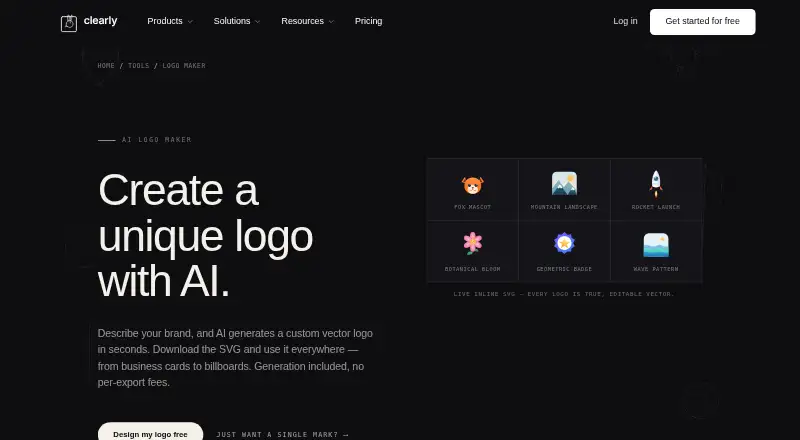
Clearly Logo Maker turns a description of a brand into a custom, editable vector logo. Its listed styles include minimalist, hand-drawn, geometric, wordmark, mascot and abstract designs. Logos are generated as SVG vectors that can scale without losing quality. SVG is the default download, and the page says SVGs can be opened in vector editors and exported to PNG, PDF or EPS. Listed uses include startups, small businesses, social media, business cards, websites and merchandise. The free plan costs nothing, billed forever, and limited to personal use; it includes one brand, one seat, generation via Monet, PNG export, SVG download and basic Smart Cutout. Commercial use requires a paid plan or a 10.00 USD one-time Single mark purchase, which includes a clean SVG and non-exclusive commercial license. Monthly options include Creator at $29 a month, Pro at $69 a month and Studio at $79 a month per editor. Clearly says it does not currently produce full brand guideline documents.
Who it suits
Clearly Logo Maker suits people who need an editable logo for personal projects or commercial use, with the appropriate plan. Listed use cases include small businesses, websites, merchandise and social media.
What it does well
- Creates editable SVG vector logos.
- Offers six listed logo styles.
- SVGs can be exported to PNG, PDF or EPS.
- Free plan includes PNG export and SVG download.
- Commercial licensing is available with paid options.
What to know first
- Free plan is for personal use only.
- Commercial use requires payment.
- Full brand guideline documents are not produced.
Limits
The Free plan is limited to personal use, one brand, and one seat. Commercial use requires a paid plan or the 10.00 USD one-time Single mark purchase; full brand guideline documents are not currently produced.
Plans
| Plan | Billed and limits | Price |
|---|---|---|
| Free | $0 forever · Personal use only · 1 brand · 1 seat · generation included · PNG export · SVG download · basic Smart Cutout | Free |
| Single mark | $10 once · Clean watermark-free SVG · non-exclusive commercial licence · no attribution · no subscription | $10, paid once |
| Creator | $29/mo · Commercial licence · 5 brands · 25 GB · 1 editor · 100 AI credits/month · full Smart Cutout · press-ready PDF | $29 a month |
| Pro | $69/mo · Commercial licence · 220 AI credits/month · 5 brands · 100 GB · 1 editor · CLI + MCP · multi-up sheets · batch press-ready | $69 a month |
| Studio | $79/mo per editor · Agency licence · unlimited brands · 500 GB · purchased editor seats · white-label · client workspaces · free viewers/commenters | $79 a month |
| Enterprise | Custom · Everything in Studio · custom contract terms · unlimited seats | On request |
As clearly.sh lists them, read 14 Oct 2026. The maker's own page has the final word.
Getting started
- Open Clearly Logo Maker on the web or use its macOS platform.
- Describe your brand and choose a logo style.
- Start with the Free plan for personal use, or choose a paid plan for commercial use.
- Download the logo as SVG, or open the SVG in a vector editor to export PNG, PDF, or EPS.
- For commercial use without a subscription, purchase Single mark for 10.00 USD once.
Overview
Clearly Logo Maker turns a written brand description into an editable vector logo, making it a fit for founders and small businesses that need a usable mark for digital or print projects. Its appeal is the combination of scalable SVG output and a free personal-use option; commercial work requires a paid license.
Key features
Describe a brand and the AI generates a logo in one of six styles: minimalist, hand-drawn, geometric, wordmark, mascot or abstract. SVG output stays sharp at different sizes and can be opened in vector editors, then exported to PNG, PDF or EPS. That makes it adaptable for websites, social media, business cards and merchandise. The gap is meaningful for businesses building a broader identity: Clearly does not produce full brand guideline documents or a brand kit.
Clearly names Claude, Cursor, Claude Code and Shopify as integrations, with Clearly MCP and Beehveen CLI connection options. Pro includes CLI and MCP, while other plans do not include those capabilities. Clearly says it does not train AI models on workspace content or read canvas content for analytics or training. Canvas content is encrypted at rest with AES-256; uploaded images are sent to its tracing provider and are not published in its gallery. Clearly says it asks before accessing a canvas to debug an issue.
Pricing
The Free plan costs nothing, billed forever, and is restricted to personal use. It includes one brand, one seat, generation via Monet, PNG export, SVG download and basic Smart Cutout. The one-brand and personal-use caps make it suitable for trying ideas or producing a noncommercial mark, not for a business that needs commercial rights.
Single mark costs $10, paid once, billed one-time. It buys a clean, watermark-free SVG, a non-exclusive commercial license and no attribution requirement or subscription. This is the economical choice for a single logo, but it does not include the broader monthly plan allowances.
Creator costs $29 a month, billed monthly. It adds a full commercial license, five brands, 25 GB, one editor, 100 AI credits a month, full Smart Cutout and press-ready PDF. It fits a solo creator or small business managing several brands and needing print-ready output.
Pro costs $69 a month, billed monthly, for a full commercial license, 220 AI credits a month, five brands, 100 GB, one editor, CLI and MCP, multi-up sheets and batch press-ready output. The higher allowance and production tools suit heavier work, but it remains a one-editor plan.
Studio costs $79 a month per editor. It includes an agency license for client work, unlimited brands, 500 GB, seats purchased by editor, white-labeling, client workspaces, and free viewers and commenters. It is the relevant tier for agencies collaborating with clients; the per-editor price means costs rise with each editor seat. A separate paid option is the $10 one-time purchase for a clean SVG with a non-exclusive commercial license.
Platforms
Clearly Logo Maker is available on macOS and the web, giving users a desktop or browser-based route to logo creation.
Who it's for
Clearly suits individuals who need a personal-use logo, and small businesses or creators who want editable vector artwork with a straightforward path to commercial rights. Agencies needing client workspaces and white-labeling have a specific Studio tier. It is a weaker fit for anyone seeking complete brand guidelines or a full brand kit.
Pros and cons
- Pros: Editable SVGs can be resized without losing quality and converted to PNG, PDF or EPS, supporting both digital and print use.
- Pros: The one-time $10 option provides a clean commercial-use SVG without a subscription, useful when only one mark is needed.
- Pros: Studio includes client workspaces and free viewer and commenter access, which supports agency collaboration without charging for every participant.
- Cons: The free plan is personal-use only and capped at one brand and one seat, so business use requires buying a commercial option.
- Cons: Clearly does not create brand guideline documents or a brand kit, leaving broader identity needs unmet.
- Cons: Creator and Pro each allow one editor, so teams needing multiple editors must consider Studio's per-editor pricing.
Alternatives
AI Logo Makers is a useful place to compare other tools in the same category. Choose AI Vector Generators when the priority is vector generation beyond logo work. AI Fashion Design Generators is the more relevant category for fashion-focused design, while Podcast Cover Maker Software targets cover artwork. For collaborative whiteboarding rather than logo generation, consider AI Whiteboard Software.
For fashion try-ons, Catwalk.AI offers a free download with in-app purchases, plus one-time packs of 10 try-ons for 9.99 USD and 100 try-ons for 99.99 USD. Style3D AI is a web and macOS option with 50 free credits, roughly 50 images, one image generation at a time and 15-day asset storage; choose it when those image-generation allowances suit the task.
AIT AI Tools offers web-based tools with 20 free credits per day, though free accounts are limited to one or two uses per tool in a rolling four-hour window. Fabra is a web option for apparel design work, with 300 yearly updated free AI credits and up to three replaceable designs; its free plan excludes tech pack and high-resolution design exports.
Mew Design AI Product Mockup Maker is aimed at product mockups and offers 50 signup credits, five to seven designs, 100 MB of storage and standard downloads on its free plan. Pattern Weaver suits pattern creation, with three free credits and PNG/JPG export; choose it for patterns rather than logo marks.
Resleeve is another web-based option, starting with $25 in free credits and offering a Basic plan with a $19 monthly balance. Styls.ai offers up to 75 free AI credits on its Starter plan and is a candidate for users comparing design tools with credit-based plans.
Verdict
Choose Clearly Logo Maker if you need an editable vector mark and want a low-cost route to commercial use, especially for a single logo or a small set of brands. Look elsewhere if your project depends on a complete brand identity system, or if your team needs multiple editors without paying per seat.
Verdict
Clearly Logo Maker focuses on generating editable vector marks and exporting them in several formats. Check the personal-use limit on the free plan and choose a paid commercial option if needed.
Questions
Is Clearly Logo Maker free?
Yes. Free costs nothing, billed forever, for personal use with one brand and one seat.
What does the 10.00 USD Single mark purchase include?
It is a one-time purchase for a clean, watermark-free SVG with a non-exclusive commercial license and no attribution or subscription.
Which platforms are available?
Clearly Logo Maker is listed for macOS and web.
What file formats can I use?
SVG is the default download. The page says SVGs can be opened in vector editors and exported to PNG, PDF, or EPS.
Can I use a logo commercially?
Commercial use requires a paid plan or the 10.00 USD one-time Single mark purchase.
Does it make brand guidelines?
No. Clearly says it does not currently produce full brand guideline documents.
Facts from Clearly Logo Maker's own pages
- AI-training policy
- Clearly says it does not train models on workspace content and deletes request bodies after completion, with operational log fragments removed within seven days. · clearly.sh, 14 Oct 2026
- API limitation
- The integrations page says no separate REST API is required when using the hosted MCP endpoint. · clearly.sh, 14 Oct 2026
- Brand-guideline limit
- The FAQ says Clearly does not currently produce complete brand-guideline documents. · clearly.sh, 14 Oct 2026
- Changelog: SVG editor
- Version 3.2.0 on March 27, 2026 added an interactive SVG editor with selection, transforms, styling controls and multi-element selection. · clearly.sh, 14 Oct 2026
- CLI
- The Beehaven CLI is the preferred terminal or CI connection for the full workspace and canvas action catalog. · clearly.sh, 14 Oct 2026
- Commercial rights
- Free exports are personal-use only; paid tiers provide commercial licences, while raw editable SVG resale is prohibited. · clearly.sh, 14 Oct 2026
- Commercial use
- The page says commercial use requires a paid plan or a $10 one-time purchase for a clean SVG with a non-exclusive commercial license. · clearly.sh, 8 Oct 2026
- Company location
- The privacy policy says the software is operated from Virginia, USA by a single operator rather than a corporation. · clearly.sh, 14 Oct 2026
- Company structure
- Clearly describes itself as a lean, self-funded, distributed studio. · clearly.sh, 14 Oct 2026
- Credit rollover
- Unused subscription credits carry forward for up to three months, while purchased top-up credits never expire. · clearly.sh, 14 Oct 2026
- Credit usage
- One simple generation uses one credit; styled traces use two credits, while illustrations and brand books use three. · clearly.sh, 14 Oct 2026
- Data handling
- The privacy policy says canvas content is encrypted at rest with AES-256 and uploaded images are sent to its tracing provider and never published in its gallery. · clearly.sh, 8 Oct 2026
- Data rights
- Users can download account and canvas data as JSON and request account deletion through Settings. · clearly.sh, 14 Oct 2026
- Desktop availability
- Clearly states that it ships a macOS desktop app and local daemon. · clearly.sh, 14 Oct 2026
- Documentation depth
- Docs cover MCP clients, CLI actions, scripting, agents, permissions, canvas editing, exports, troubleshooting and Shopify setup. · clearly.sh, 14 Oct 2026
- Export formats
- SVG is the default logo download; the site says files can be opened in Illustrator, Figma or Canva and exported to PNG, PDF or EPS. · clearly.sh, 14 Oct 2026
- Formats
- SVG is the default download format; the page says SVGs can be opened in vector editors and exported to PNG, PDF, or EPS. · clearly.sh, 8 Oct 2026
- Generation workflow
- The documented workflow is describe the brand, let AI generate a design, then download the SVG. · clearly.sh, 14 Oct 2026
- Image processing
- Uploaded PNG, JPG and WebP files are sent to Replicate's Recraft tracing model; temporary copies are deleted automatically within two days. · clearly.sh, 14 Oct 2026
- Integrations
- Clearly lists Claude, Cursor, Claude Code and Shopify integrations. · clearly.sh, 14 Oct 2026
- Licence status
- The official pages provide a proprietary commercial-use licence policy but do not state that the software is open source. · clearly.sh, 14 Oct 2026
- Limit: brand guidelines
- Clearly says it does not currently produce full brand guideline documents. · clearly.sh, 8 Oct 2026
- Logo styles
- The maker lists minimalist, hand-drawn, geometric, wordmark, mascot and abstract styles. · clearly.sh, 14 Oct 2026
- Maker
- Clearly describes itself as a lean, self-funded, distributed studio; the privacy policy says the software is operated from Virginia by a single operator. · clearly.sh, 8 Oct 2026
Where Clearly Logo Maker stands on Freedom251
- AI Logo Makers#1 of 65
- AI Fashion Design Generators#1 of 28
- AI Vector Generators#1 of 26
- AI Whiteboard Software#2 of 27
- Podcast Cover Maker Software#3 of 35