Freedom251 › Graphic Design Software

Krita
by Krita
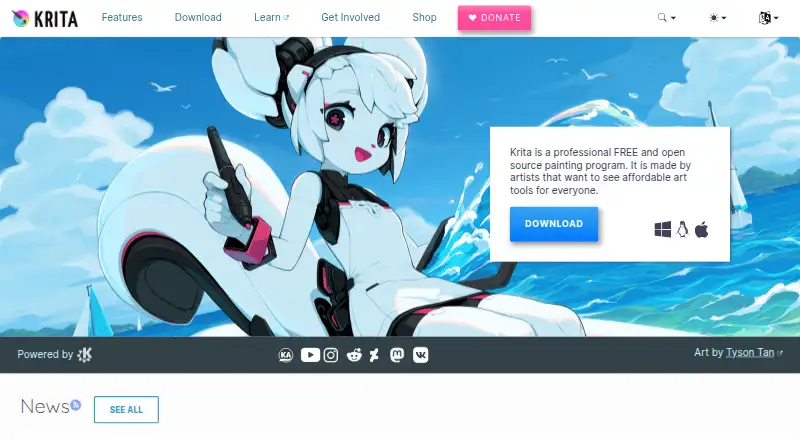
What Krita is
Krita is a free, open-source digital painting program for creating artwork. Its tools serve comic artists, illustrators, concept artists, matte and texture painters, and people in digital visual effects. It includes more than 100 brushes and over nine brush engines for customization. The 2D animation tools support audio, onion skinning, thousands of timeline frames, and export to video or still images. Color features include ICC management through LCMS, OpenColorIO for EXR, HDR painting, and OpenEXR. Krita can load and save PSD files and uses SVG for vector work. C++ and Python plugins can extend the program, though distributed Krita plugins must be shared under the GNU GPL. The maker says registration and an internet connection are not needed to use it, and commercial artwork is permitted under the GPL. Downloads are listed for Windows, macOS, Linux, and Android. Minimum RAM is 4 GB, with 16 GB recommended; iPads and iPhones are not supported. The listed plan costs nothing.
Who it suits
Krita suits artists working in illustration, comics, concept art, matte or texture painting, and digital visual effects. It also offers animation tools and plugin support for users who want to extend a painting program.
What it does well
- Includes more than 100 brushes.
- Supports 2D animation and audio.
- Can load and save PSD files.
- Supports HDR painting and OpenEXR.
- Commercial artwork is permitted under the GPL.
What to know first
- iPads and iPhones are not supported.
- Minimum listed RAM is 4 GB.
- Distributed plugins must use the GNU GPL.
Plans
| Plan | Billed and limits | Price |
|---|---|---|
| Krita | Free and open source · no subscriptions or trials | Free |
As krita.org lists them, read 29 Sept 2026. The maker's own page has the final word.
Getting started
- Visit the Krita website.
- Choose a download for Windows, macOS, Linux or Android.
- Install and open Krita; registration and an internet connection are not required for use.
- Create artwork with the painting tools, or use the 2D animation tools.
- Optionally obtain a paid store edition through Microsoft Store, Steam, Epic Games Store or Mac App Store.
Overview
Krita is a free, open-source program for digital painting and artwork creation. It is a strong fit for illustrators, comic and concept artists, and painters working on matte art, textures, or digital visual effects. Its breadth of painting and animation tools is compelling, though the lack of iPad and iPhone support rules it out for some mobile workflows.
The project began in the KDE community in 1998, and the Krita Foundation is an independent nonprofit created by the community in 2012. Krita can be used offline without registration, which suits artists who want a standalone desktop tool rather than a connected service.
Readers comparing art tools can browse Digital Painting Software and Graphic Design Software.
Key features
- Brushes: More than 100 preloaded brushes and over nine brush engines give artists both a ready-made selection and ways to customize brush behavior. That range is useful for varied painting styles without relying on external brush packs; for additional collections, see Digital Brush Libraries.
- 2D animation: Audio support, onion skinning, timelines that can hold thousands of frames, and export to video or still images make Krita useful for animation as well as static art.
- Color management and HDR: LCMS supports ICC color management, while OpenColorIO supports EXR workflows. HDR painting and OpenEXR support broaden its fit for production-oriented work.
- File compatibility: Krita can load and save PSD files, and uses SVG for vector graphics. This helps when exchanging work with PSD-based workflows, though SVG is the stated vector format.
- Extensions: C++ and Python plugins can extend the program, and its Python API supports custom widgets and extensions. Distributed Krita plugins must use the GNU GPL, although creators may charge for downloads.
- Commercial use and privacy: The GPL permits commercial artwork, and the maker says users retain ownership of their creations. Registration and internet access are not required; the optional startup news feature downloads news without tracking.
Pricing
Krita — free: The free and open-source plan has no subscription or trial. It is the straightforward choice for individuals who want the full program without a recurring software fee. The maker also sells editions through Microsoft Store, Steam, Epic Games Store, and Mac App Store; those purchases support development and include automatic updates.
The free option is not described with a seat limit or usage quota. Store editions are the paid route for users who want automatic updates through a store, rather than a separate subscription tier.
Platforms
Krita supports Android, Linux, macOS, and Windows. The download page gives Windows 8.1 or higher, macOS 10.15, and Linux as supported systems; iPads and iPhones are not supported. Android builds are linked through Google Play and as individual APKs.
Minimum memory is 4 GB of RAM, with 16 GB recommended. Graphics support requires OpenGL 3.0 or higher or Direct3D 11. These requirements are worth checking before choosing Krita for an older machine or a mobile workflow.
Who it's for
Krita is best suited to artists who want a free desktop painting program with customizable brushes, animation, color-management options, and extensibility. It can serve comic artists, illustrators, concept artists, matte and texture painters, and digital VFX artists, including those producing commercial work.
It is less suitable for people who need an iPad or iPhone app, or who want user support through the foundation email: the foundation directs questions to the Krita Artists forum and says its email is not for user support.
Pros and cons
- Pros: Free and open source, with no subscription or trial; useful breadth across painting, 2D animation, HDR, and PSD exchange; offline use without registration; plugins can be written in C++ or Python.
- Cons: No iPad or iPhone support; 16 GB of RAM is recommended, which may be a consideration on lower-memory systems; distributed plugins must follow the GNU GPL, which constrains plugin creators' licensing choices.
Alternatives
- Drawpile is another free, GPLv3 option, with Android, iOS, web, desktop, API, and self-hosted platform support; choose it if those platform options better fit your needs.
- ibisPaint offers Android, iOS, macOS, and Windows versions, plus a free plan with unlimited usage time, 64MB of cloud storage, and advertisements; consider it if iOS support is essential.
- Sketchbook has a free mobile application with brushes, layers, guides, rulers, and stroke tools, alongside macOS and Windows support; it may suit someone prioritizing those listed mobile drawing tools.
- FireAlpaca is free on Linux, macOS, and Windows, with customizable brushes, layered artwork, animation tools, and CMYK display; consider it if that feature set better matches your workflow.
- MyPaint is a free option for Linux, macOS, and Windows if you want another desktop painting program.
- Artweaver is a freemium option for macOS and Windows.
- Infinite Painter is a freemium Android and iOS option; its free plan is limited to three layers at device resolution and selected tools and features.
- KolourPaint is a free desktop application for Linux and macOS if you want a different desktop option.
Verdict
Krita is an excellent choice for artists who want a capable, extensible painting and animation program without a subscription, especially when offline use and commercial artwork matter. Look elsewhere if you need iPad or iPhone support, or if your device falls short of its memory and graphics requirements.
Verdict
Krita combines painting, animation, color-management, and plugin tools in a free, open-source program. Check the platform and memory requirements, particularly if you need an iPad or iPhone app.
Questions
Is Krita free?
Yes. Krita is free and open source, with no subscriptions or trials.
Which platforms does Krita support?
Downloads are listed for Windows, macOS, Linux and Android. iPads and iPhones are not supported.
Can Krita be used for commercial artwork?
Yes. The maker says the GPL permits commercial artwork and users retain sole ownership of what they create with Krita.
Does Krita work offline?
Yes. The maker says it can be installed and used without an internet connection, and no registration is needed.
What are the listed system requirements?
The minimum RAM is 4 GB, with 16 GB recommended. The listed graphics requirement is OpenGL 3.0 or higher or Direct3D 11.
Can users add plugins?
Yes. Krita supports C++ and Python plugins. Distributed Krita plugins must be shared under the GNU GPL, though creators may charge for downloads.
Facts from Krita's own pages
- Android
- The download page links to Google Play and individual Android APK builds. · krita.org, 29 Sept 2026
- Animation
- Its 2D animation tools support audio, onion skinning, thousands of timeline frames, and export to video or still images. · krita.org, 29 Sept 2026
- Artists served
- The maker says Krita is used by comic artists, illustrators, concept artists, matte and texture painters, and people in the digital VFX industry. · krita.org, 29 Sept 2026
- Brushes
- Krita includes more than 100 preloaded brushes and over nine brush engines for customizing brushes. · krita.org, 29 Sept 2026
- Color and HDR
- Krita supports color management through LCMS for ICC and OpenColorIO for EXR, as well as HDR painting and OpenEXR. · krita.org, 29 Sept 2026
- Commercial use
- The GPL permits commercial artwork, and the maker says users retain sole ownership of what they create with Krita. · krita.org, 29 Sept 2026
- Desktop app
- Yes · krita.org, 23 Sept 2026
- Extensions
- Krita can be extended with C++ or Python plugins, and its Python API supports custom widgets and extensions. · krita.org, 29 Sept 2026
- File compatibility
- Krita can load and save PSD files and uses SVG for its vector format. · krita.org, 29 Sept 2026
- Founded
- 1998 · krita.org, 23 Sept 2026
- Free plan
- Yes · krita.org, 23 Sept 2026
- Headquarters
- Deventer, Netherlands · krita.org, 23 Sept 2026
- Illustration tools
- Yes · krita.org, 23 Sept 2026
- Maker and origin
- The Krita Foundation is an independent nonprofit public organization created by the Krita community in 2012; the project began in the KDE community in 1998. · krita.org, 29 Sept 2026
- Mobile app
- Yes · krita.org, 23 Sept 2026
- Paid store editions
- Paid editions are offered through Microsoft Store, Steam, Epic Games Store, and Mac App Store; the maker says store proceeds support Krita development and store editions get automatic updates. · krita.org, 29 Sept 2026
- Plugin license
- Distributed Krita plugins must be shared under the GNU GPL, though creators may charge for downloads. · krita.org, 29 Sept 2026
- Presentation design
- Yes · krita.org, 23 Sept 2026
- Privacy
- The maker says no registration is needed and Krita can be installed and used without an internet connection; its optional startup news feature downloads news without tracking. · krita.org, 29 Sept 2026
- Purpose
- Krita is a free, open-source digital painting program for creating professional artwork. · krita.org, 29 Sept 2026
- Requirements
- The listed minimum RAM is 4 GB, with 16 GB recommended, and the listed graphics requirement is OpenGL 3.0 or higher or Direct3D 11. · krita.org, 29 Sept 2026
- Support
- The Krita Foundation directs users with questions to the Krita Artists forum and says its foundation email is not for user support. · krita.org, 29 Sept 2026
- Supported systems
- The download page lists Windows 8.1 or higher, macOS 10.15, and Linux, and says iPads and iPhones are not supported. · krita.org, 29 Sept 2026
- Template library
- Yes · krita.org, 23 Sept 2026
Where Krita stands on Freedom251
- Graphic Design Software#7 of 150
- Design tools#7 of 146
- Digital Painting Software#9 of 46
- Sketching Software#6 of 20
- Digital Brush Libraries#7 of 23
- Designing Solutions#10 of 29
- Content Creation tools#14 of 31
- Multimedia Software#14 of 28
- Free Tools#17 of 31