Freedom251 › Ui Ux Designing Software

Justinmind
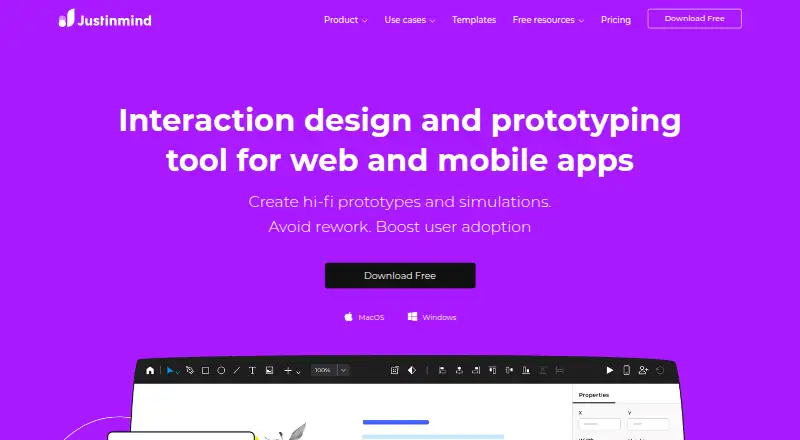
What Justinmind is
Justinmind is an interaction design and prototyping tool for web and mobile apps, covering wireframes, detailed prototypes, and simulations. Users can create web interactions, mobile gestures, action sequences, and conditions without code, and model interactive forms, data lists, and data grids. Multiple users can edit the same prototype simultaneously, while version control tracks changes. Teams can create UI kits, share and synchronize components, and reuse content through templates and masters. Prototypes export as interactive HTML, while assets can be exported as SVG or PNG; the API can generate specification assets. Deployment options include cloud, self-hosted, desktop, and mobile, with integrations such as Figma, Adobe XD, Sketch, JIRA, and Azure DevOps. The Free plan costs nothing and permits unlimited screens but only one project. Standard is $19 per editor per month; Professional is 29.00 USD and Enterprise is $59 per editor per month. A 10-day trial is listed. The company describes the tool for design teams, business analysts, and developers supporting design handoff.
Who it suits
Justinmind suits design teams, business analysts, and developers who need to build, share, and hand off interactive app prototypes. Its plans cover individual project limits through enterprise features such as SAML single sign-on and requirements management.
What it does well
- Prototypes support interactions without writing code.
- Multiple users can edit a prototype simultaneously.
- Version control tracks prototype changes.
- Free plan includes unlimited screens.
What to know first
- Free plan is limited to one project.
- Standard costs $19 per editor per month.
- Enterprise costs $59 per editor per month.
- The listed trial lasts 10 days.
Limits
The Free plan is limited to one project, though it includes unlimited screens and viewers. Standard, at $19 per editor/month, includes unlimited projects; Professional and Enterprise cost $29 and $59 per editor/month respectively.
Plans
| Plan | Billed and limits | Price |
|---|---|---|
| Free | $0 per editor/month; $0 per editor · UI design and wireframing · interactive input forms · vector and pen tools · PNG/JPG/SVG export · slices · unlimited screens · 1 project | Free |
| Standard | per editor/month · Advanced interactions and forms · collaboration and team management · mobile testing · variables · shared UI libraries · unlimited projects | $19 a month |
| Professional | per editor/month · Masters · smart templates · data simulation · user flows · HTML export · user-testing integration · custom branding | $29 a month |
| Enterprise | per editor/month; enterprise quote available · SAML single sign-on · shared fonts · document export · requirements management · Jira/Azure DevOps integration · priority support · internal-server collaboration | $59 a month |
| Standard perpetual | per editor · Standard feature set with a one-time per-editor license | $295, paid once |
| Professional perpetual | per editor · Professional feature set with a one-time per-editor license | $455, paid once |
As justinmind.com lists them, read 15 Oct 2026. The maker's own page has the final word.
Getting started
- Go to justinmind.com.
- Choose cloud, self-hosted, desktop or mobile deployment.
- Start with the Free plan, or choose a paid plan: Standard, Professional or Enterprise.
- Use the listed 10-day trial if you want to try a plan.
Justinmind is a prototyping and interaction-design tool for web and mobile app teams, with wireframes, simulations and developer handoff in one workflow. It is best suited to teams that need to model interface behavior and keep reusable UI assets in sync. The one-project Free plan is useful for trying the workflow, but sustained or collaborative work points toward a paid tier.
Overview
Justinmind lets designers, business analysts and developers move from wireframes to high-fidelity prototypes without coding interactions. Web actions, mobile gestures, sequences and conditions make it possible to show how an interface should behave, not just how it should look. Interactive forms, data lists and grids add useful detail for product flows that depend on input or structured data.
Multiple users can edit a prototype simultaneously, and version control tracks changes. UI kits, synchronized components, templates and masters support reuse across projects. That combination is valuable for teams working on a shared design system, though the Free plan's single-project cap limits how far it can serve as a standing team workspace.
Key features
- Interaction design: Build web interactions, mobile gestures, action sequences and conditions without code. This suits teams validating behavior early, rather than teams seeking a coding environment.
- Forms and data: Simulate interactive forms, lists and grids, making prototypes more representative of data-driven screens.
- Team editing and change tracking: Simultaneous editing and version control help keep collaboration in the prototype itself.
- Reusable UI assets: UI kits, shared synchronized components, templates and masters can reduce duplicated design work across a team.
- Export and handoff: Interactive HTML prototypes and SVG or PNG assets support sharing and handoff. The API can generate specification assets.
- Integrations and support: Integrations include Figma, Adobe XD, Sketch, JIRA, Azure DevOps and user-testing tools. Support channels include email, tickets, community and documentation; Enterprise adds priority support.
- Privacy: Justinmind says it takes reasonable steps to protect personal data and will notify materially affected users of a breach within 72 hours. It says payment data goes directly to Braintree and that it does not collect credit-card information.
Pricing
Justinmind is freemium, with a 10-day trial and paid plans starting at $19/mo. The editor-based monthly prices and their trade-offs are:
- Free — free: Billed $0 per editor/month, with one project, unlimited screens and viewers, UI design and wireframing, interactive input forms, vector design, and PNG, JPG and SVG export. It is a credible way to explore the tool or maintain a small prototype, but the one-project ceiling is restrictive for ongoing work.
- Standard — $19 a month: Billed $19 per editor/month. Unlimited projects, advanced interaction design and collaboration, mobile device testing, and shared UI libraries make this the practical step up for teams needing multiple prototypes and shared assets.
- Professional — $29 a month: Billed $29 per editor/month. It adds data simulation, user flows, HTML export, user-testing integration and custom branding to unlimited projects. Choose it when those simulation and presentation capabilities matter; otherwise Standard covers the core multi-project and collaboration needs.
- Enterprise — $59 a month: Billed $59 per editor/month. SAML single sign-on, shared fonts, document export, requirements management, JIRA and Azure DevOps integration, and priority support target larger or more controlled team deployments.
Paid pricing is per editor, so team costs rise with editor seats. The Free plan includes unlimited viewers, but no paid viewer quotas are stated.
Platforms
Justinmind supports Android, iOS, macOS, Windows, web, API and self-hosted environments. Deployment options include cloud, self-hosted, desktop and mobile, giving teams flexibility in how they access or deploy the product. GDPR and PCI DSS are listed as compliance areas.
Who it's for
Justinmind is a strong fit for design teams, business analysts and developers who need to communicate interactive behavior, collaborate on prototypes and hand off work with reusable assets. Small and mid-market teams can start with Free or move to per-editor plans as project and collaboration needs grow; Enterprise adds identity, requirements and priority-support capabilities for larger teams. It is less compelling for someone who only needs a static wireframing tool or who wants multiple ongoing projects without paying.
Pros and cons
- Pro: Interactions, gestures, conditions, forms and data grids let teams model behavior beyond static layouts.
- Pro: Simultaneous editing, change tracking and shared UI libraries support coordinated team work.
- Pro: Unlimited screens and viewers on Free allow broad review of a single project.
- Con: Free is limited to one project, so it is not a roomy long-term option for a multi-project portfolio.
- Con: Paid plans charge per editor; team collaboration therefore increases the monthly bill as seats are added.
- Con: HTML export and data simulation start at Professional, so users needing those features must go beyond Standard.
Alternatives
Consider ProtoPie if its free plan's cap of two cloud prototypes, eight scenes per prototype and 50MB cloud storage matches a tightly bounded evaluation. UXPin may suit someone comparing a limited free option after its 14-day trial, with two prototypes and 50 AI credits. Choose Google Web Designer if a no-cost tool intended for business use is the priority.
Marvel offers another freemium option, with a free plan limited to one user and one project. Proto.io is another prototyping alternative. Wondershare Mockitt, Zeplin Flows and Plasmic are also options to compare.
Browse more options in Web Design Software, UI design tools, Prototyping Software, Wireframing Software, Developer Handoff Software and Game UI Design Software.
Verdict
Justinmind is a good choice for teams that need interactive prototypes, shared UI assets and a clear path to developer handoff, especially when forms or data behavior must be represented. Its strongest reason to choose it is the breadth from wireframes through simulated interactions and export. Look elsewhere if one project is not enough for a free workflow or if per-editor pricing makes team growth unattractive.
Verdict
Justinmind combines interactive prototyping, collaboration, reusable UI assets, and export options. The free tier permits unlimited screens but restricts users to one project; paid tiers add further project and team capabilities.
Questions
Is Justinmind free?
Yes. Its Free plan costs $0 per editor/month and includes one project with unlimited screens and viewers.
How much do the paid plans cost?
Standard is $19 per editor/month, Professional is $29 per editor/month, and Enterprise is $59 per editor/month. A 10-day trial is listed.
What platforms does Justinmind support?
Listed platforms are Android, iOS, macOS, web and Windows, as well as API and self-hosted. Deployment options include cloud, self-hosted, desktop and mobile.
Which tools does it integrate with?
Listed integrations include Figma, Adobe XD, Sketch, JIRA, Azure DevOps and user testing tools.
Can teams collaborate in Justinmind?
Yes. Multiple users can edit the same prototype simultaneously, and version control tracks changes.
Who makes Justinmind?
The product is Justinmind, and its website is justinmind.com.
Facts from Justinmind's own pages
- API and SDK
- The API provides programmatic access to prototype information so plugins can generate deliverables, framework UI code and internal-tool integrations. · justinmind.com, 15 Oct 2026
- Chromebook support
- Justinmind support states that the desktop editor supports Windows and Mac but not Chromebook. · justinmind.com, 15 Oct 2026
- Collaboration
- Teams can co-edit prototypes, use comments and chats, review version history and manage users, roles and permissions. · justinmind.com, 15 Oct 2026
- Company facts
- LinkedIn describes Justinmind as a privately held software-development company founded in 2005 with headquarters in San Francisco and 11–50 employees. · linkedin.com, 15 Oct 2026
- Company reach
- Justinmind says it serves customers in more than 180 countries and its team works across Europe and the Americas. · justinmind.com, 30 Sept 2026
- Company size fit
- small, mid market, enterprise · justinmind.com, 21 Sept 2026
- Compliance
- GDPR, pci dss · justinmind.com, 21 Sept 2026
- Deployment
- cloud, self hosted, desktop, mobile · justinmind.com, 21 Sept 2026
- Design systems
- Users can create UI kits, share and synchronize UI components, and reuse content through templates and masters. · justinmind.com, 30 Sept 2026
- Developer handoff
- Developer mode exposes dimensions, assets and CSS information from prototypes for implementation handoff. · justinmind.com, 15 Oct 2026
- Documentation and support
- The help center contains getting-started material, training videos, user guides, advanced tutorials and Q&A forums; ticket support is reserved for Professional and Enterprise plans. · justinmind.com, 15 Oct 2026
- Export and API
- Prototypes can be exported as interactive HTML and assets as SVG or PNG, and the site says its API can generate specification assets. · justinmind.com, 30 Sept 2026
- Exports
- The product exports interactive HTML and JavaScript, image assets and specification documents in Word or PDF formats. · justinmind.com, 15 Oct 2026
- Extensibility
- Plugins use Java and the Eclipse RCP plugin system; the documentation includes tutorials, an HTML API reference, a developer PDF and source-code examples. · justinmind.com, 15 Oct 2026
- Forms and data
- Users can simulate interactive forms, data grids and lists, including importing CSV data into Data Masters. · justinmind.com, 15 Oct 2026
- Free plan
- Yes · justinmind.com, 21 Sept 2026
- Free tier limit
- The Free plan includes unlimited screens but is limited to one project. · justinmind.com, 30 Sept 2026
- Hosting
- The privacy policy identifies AWS as the backend storing personal data and names Braintree and Verisign SSL for payment processing. · justinmind.com, 15 Oct 2026
- Integrations
- Official integrations include Sketch, Adobe Creative Cloud applications, Photoshop, Illustrator, Adobe XD, Figma, Jira, Confluence, Azure DevOps and user-testing services. · justinmind.com, 15 Oct 2026
- Intended users
- The company describes use by design teams, business analysts and developers to share UI assets and support design handoff. · justinmind.com, 30 Sept 2026
- Interaction design
- The product supports web interactions, mobile gestures, animations, transitions, sequences and conditional logic without coding. · justinmind.com, 15 Oct 2026
- Interactions
- Users can create web interactions, mobile gestures, action sequences and conditions without writing code. · justinmind.com, 30 Sept 2026
- Legal entity and funding
- Crunchbase lists the legal name as justInMind SL, founders Pablo Navarro and Xavier Renom, San Francisco and Barcelona locations, and Series A backing from Criteria Venture Tech. · crunchbase.com, 15 Oct 2026
- Licence
- Justinmind's terms reserve ownership of the service, interface, features and documentation and prohibit copying, modification and reverse engineering, indicating a proprietary product. · justinmind.com, 15 Oct 2026
Where Justinmind stands on Freedom251
- Ui Ux Designing Software#1 of 22
- Prototyping tools#2 of 30
- Wireframing Software#2 of 29
- Prototyping Software#3 of 30
- UI design tools#4 of 37
- Interface Design Tools#3 of 26
- Developer Handoff Software#3 of 25
- Web Design Software#5 of 41
- Game UI Design Software#4 of 32
- Wireframe Tools#3 of 22
- UI/UX Design Tools#5 of 26