Freedom251 › Prototyping tools

ProtoPie
by ProtoPie
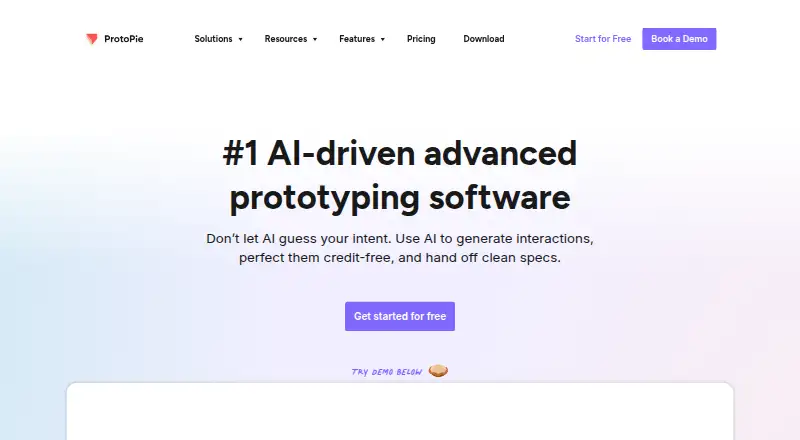
What ProtoPie is
ProtoPie is a high-fidelity prototyping platform for building and testing interactive digital experiences. Its Studio apps for macOS and Windows support interactions driven by logic, variables, and formulas, along with multi-touch gestures, text input, media, voice, camera access, and sensors such as gyroscopes and compasses. Plugins import designs from Figma, Sketch, and Adobe XD. Prototypes can connect phones, tablets, TVs, and wearables, with interactions synchronized across devices. The ecosystem also includes Player for mobile devices, Cloud for sharing, and Connect for connected experiences; Player is available for iOS, iPadOS, Android, and HarmonyOS. The free plan costs nothing and allows two cloud-saved prototypes, eight scenes per prototype, and 50MB of cloud storage. Basic costs $25 a month billed yearly; Pro costs $47 a month billed yearly. The free plan excludes local file saving, share links, and Handoff. Prototype exports are limited to .pie files.
Who it suits
ProtoPie suits designers and teams creating interactive prototypes across devices, including organizations that need enterprise SSO. Its plans cover solo users through enterprise teams.
What it does well
- Imports designs from Figma, Sketch, and Adobe XD.
- Prototypes can synchronize interactions across devices.
- Supports voice, camera, and device-sensor interactions.
- Free plan includes two cloud-saved prototypes.
- Enterprise supports SAML 2.0 and OpenID Connect.
What to know first
- Free plan excludes local file saving, share links, and Handoff.
- Free plan is limited to eight scenes per prototype.
- Exports are .pie files only.
- Basic costs $25 a month billed yearly.
Limits
Free allows two prototypes saved in Cloud, eight scenes per prototype and 50MB of storage. It excludes Team Libraries, local file saving, share links and Handoff.
Plans
| Plan | Billed and limits | Price |
|---|---|---|
| Free | 2 prototypes saved in Cloud · 8 scenes per prototype · 50MB Cloud storage · personal libraries | Free |
| Basic | yearly · 1 seat · 20 prototypes saved in Cloud · 10 scenes per prototype · 500MB Cloud storage · 1 handoff recording · shareable links · no watermark | $25 a month |
| Pro | yearly · per editor · unlimited prototypes · unlimited handoff recordings · 5GB Cloud storage per team · local prototype saving · team libraries · ProtoPie MCP beta | $47 a month |
| Enterprise | custom · minimum 3 seats · custom hardware integrations · private server and admin rights · custom fonts · ISO-compliant security and SSO · dedicated training and support | On request |
As protopie.io lists them, read 28 Sept 2026. The maker's own page has the final word.
Getting started
- Visit the ProtoPie website.
- Choose the Free plan or a paid plan; Basic is $25 a month billed yearly.
- Install Studio for macOS or Windows.
- Import designs from Figma, Sketch or Adobe XD using plugins.
- Build interactions, then use Player on a supported mobile device or Cloud to share.
Overview
ProtoPie is a high-fidelity prototyping tool for designers building interactive digital experiences. It is best suited to teams that need prototypes to respond to realistic inputs or coordinate across devices; its free plan offers a way to start, but cloud caps and .pie-only exports narrow who will find it a fit.
Studio, available for macOS and Windows, is the authoring app; Player brings prototypes to mobile devices, Cloud handles sharing, and Connect supports advanced connected experiences. That structure makes ProtoPie more than a screen-transition tool, but it also means the listed platform coverage does not mean every component runs everywhere: Player supports iOS, iPadOS, Android, and HarmonyOS, while Studio is for desktop macOS and Windows. Designs can be imported through plugins for Figma, Sketch, and Adobe XD. ProtoPie was founded in 2014 and is headquartered in Seoul, South Korea.
Key features
Interactions that respond to input
Multi-touch gestures, conditional logic, text input, media playback, voice prototyping, camera access, and sensors such as gyroscopes and compasses let a prototype represent richer device behavior than a static click-through. Logic, variables, and formulas support dynamic interactions. That makes ProtoPie a strong fit when a design depends on changing values or device context; teams only mapping basic screen flows may not need this depth.
Design imports and connected devices
Plugins import designs from Figma, Sketch, and Adobe XD, which gives design teams a path from existing screens into an interactive prototype. ProtoPie can connect phones, tablets, TVs, and wearables in one prototype and synchronize interactions across them. That is a distinctive advantage for concepts involving multiple screens or devices, though the export restriction means the resulting prototype remains tied to ProtoPie rather than becoming a general-purpose document or web artifact.
Sharing and handoff
Cloud sharing and developer handoff support collaboration beyond the authoring app. Team Libraries are excluded from Free, and share links and Handoff are also unavailable there, so the free tier is better for exploring Studio than for a full sharing workflow. Pro adds local prototype saving and team libraries, useful for teams that need those capabilities alongside cloud storage.
Pricing
ProtoPie uses a freemium model. The Free plan costs nothing and includes personal libraries, two prototypes saved in Cloud, eight scenes per prototype, and 50MB of Cloud storage. Studio features are available except Team Libraries, local file saving, share links, and Handoff. The two-prototype and storage caps make Free a constrained starting point rather than a broad team plan.
Basic costs $25 a month (billed yearly) for one seat, 20 cloud-saved prototypes, 10 scenes per prototype, 500MB of Cloud storage, one handoff recording, shareable links, and no watermark. It is the lower-cost paid choice for a solo user who can work within its scene, storage, and recording limits. Pro costs $47 a month (billed yearly), per editor, and removes the prototype and handoff-recording limits; it includes 5GB of Cloud storage per team, local prototype saving, team libraries, and ProtoPie MCP beta. For multiple editors or heavier collaboration, those additions may justify the higher per-editor price, while the storage allowance remains finite.
Enterprise has custom pricing, requires a minimum of three seats, and is sold through contact with sales. It adds enterprise identity and security provisions: SSO through SAML 2.0 and OpenID Connect, including Okta, Auth0, and OneLogin; Palo Alto Web Firewall protections for Enterprise Cloud; and annual penetration tests. ProtoPie states that it maintains ISO 27001 and ISO 27701 compliance and complies with GDPR. ProtoPie AI is opt-in for Basic and Pro users and disabled by default for Enterprise organizations.
Platforms
Deployment options include cloud, self-hosted, desktop, and mobile. Studio runs on macOS and Windows, while Player is available for iOS, iPadOS, Android, and HarmonyOS. The broader platform listing also includes web, API, and self-hosted, but those labels should not be mistaken for a claim that Studio or Player runs on each one. Support channels are community and documentation.
Who it's for
ProtoPie suits product and interaction designers who need to model realistic inputs, sensor-driven behavior, or synchronized experiences across phones, tablets, TVs, and wearables. Its Figma, Sketch, and Adobe XD imports are useful when the screens already exist in those tools, and its handoff and collaboration features serve teams moving prototypes toward implementation. Solo designers can begin free or choose Basic; teams needing libraries, local saving, or broader quotas will need Pro or Enterprise. It is a weaker choice for anyone who needs prototypes exported as PDF, JPEG, or HTML code: ProtoPie exports exclusively as .pie files.
Pros and cons
- Rich interaction modeling: gestures, conditions, variables, formulas, voice, camera, and device sensors can express behaviors a basic click-through cannot.
- Cross-device synchronization: one prototype can link phones, tablets, TVs, and wearables, a useful capability for multi-device concepts.
- Design-tool imports: plugins for Figma, Sketch, and Adobe XD provide a direct route from existing designs into prototypes.
- Meaningful free entry: Studio features are available without charge, but cloud saving is capped at two prototypes and 50MB, with eight scenes per prototype and no share links or Handoff.
- Paid tiers impose distinct trade-offs: Basic is one seat with 10 scenes per prototype and 500MB storage; Pro is priced per editor and provides 5GB per team rather than unlimited storage.
- Narrow export portability: .pie is the only export format, so teams needing PDF, JPEG, or HTML output should choose another workflow.
Alternatives
Justinmind is worth considering for a free wireframing and UI-design option that permits one project with unlimited screens and viewers; ProtoPie is stronger when the priority is the specific interaction and cross-device capabilities described above.
UXPin may suit readers who want to try a limited free plan after a 14-day trial, with two prototypes and 50 AI credits; ProtoPie is the clearer choice when connected-device prototyping is central.
Google Web Designer is a free tool intended for business use, making it a candidate for readers who want a no-cost business-use option instead of ProtoPie's capped cloud plan.
Marvel offers a free one-user, one-project plan and a Pro plan at $12 a month (billed yearly) for one user and unlimited projects; it may suit an individual who values that project allowance over ProtoPie's richer stated interaction set.
Proto.io offers a free plan for one user and one active project, capped at five screens and 10 MB of storage, so it is an alternative for a very small prototype rather than a substitute for ProtoPie's multi-device capabilities.
Wondershare Mockitt is another freemium prototyping option.
Zeplin Flows has a free plan with one project, 100 screens, unlimited members, and no Flow Boards; it may appeal to teams whose priority is screen capacity and membership rather than ProtoPie's sensor-rich interactive prototypes.
Plasmic offers a free plan with three collaborators and unlimited projects, a possible fit when those collaboration and project allowances matter more than ProtoPie's specialized interaction modeling.
Explore more options in Prototyping Software, UI design tools, Web Design Software, Developer Handoff Software, and Game UI Design Software.
Verdict
Choose ProtoPie if your design work calls for realistic interactions, device sensors, or synchronized prototypes across different screens, and you can work within its cloud quotas or pay for a higher tier. Its interaction depth and connected-device support are the main reasons to choose it; the .pie-only export format and paid-plan limits are the main reasons to look elsewhere.
Verdict
ProtoPie combines detailed interaction options with cross-device prototyping and a free starting plan. Check the free-plan limits and .pie-only export format against your workflow.
Questions
Is there a free plan?
Yes. Free includes two prototypes saved in Cloud, up to eight scenes per prototype and 50MB of storage.
How much do the paid plans cost?
Basic is $25 a month billed yearly. Pro is $47 a month billed yearly.
Which platforms does ProtoPie support?
Listed platforms include Android, iOS, macOS, web and Windows, as well as API and self-hosted. Studio is for macOS and Windows; Player is available for iOS, iPadOS, Android and HarmonyOS.
Which design tools does it integrate with?
It imports designs from Figma, Sketch and Adobe XD through plugins. Listed integrations also include hardware and APIs.
Can ProtoPie export prototypes as PDF or HTML?
No. Prototypes export exclusively as .pie files; PDF, JPEG and HTML code exports are unavailable.
What security and privacy compliance does ProtoPie state?
ProtoPie states that it maintains ISO 27001 and ISO 27701 compliance and complies with GDPR. Enterprise supports SSO through SAML 2.0 and OpenID Connect.
Facts from ProtoPie's own pages
- AI controls
- ProtoPie AI is opt-in for Basic and Pro users and disabled by default for Enterprise organizations. · protopie.io, 28 Sept 2026
- Company size fit
- solo, small, mid market, enterprise · protopie.io, 21 Sept 2026
- Compliance
- iso27001, GDPR, pci dss, sso saml · protopie.io, 21 Sept 2026
- Cross-device
- ProtoPie can connect phones, tablets, TVs, and wearables in one prototype and synchronize interactions across devices. · protopie.io, 28 Sept 2026
- Deployment
- cloud, self hosted, desktop, mobile · protopie.io, 21 Sept 2026
- Design imports
- ProtoPie imports designs from Figma, Sketch, and Adobe XD through plugins. · protopie.io, 28 Sept 2026
- Dynamic interactions
- ProtoPie supports dynamic interactions using logic, variables, and formulas. · protopie.io, 28 Sept 2026
- Ecosystem
- The ProtoPie ecosystem includes Studio for macOS and Windows, Player for mobile devices, Cloud for sharing, and Connect for advanced connected experiences. · protopie.io, 28 Sept 2026
- Enterprise SSO
- ProtoPie Enterprise supports SSO through SAML 2.0 and OpenID Connect, including Okta, Auth0, and OneLogin. · protopie.io, 28 Sept 2026
- Export limitation
- ProtoPie prototypes export exclusively as .pie files and do not export as PDF, JPEG, or HTML code. · protopie.io, 28 Sept 2026
- Founded
- 2014 · protopie.io, 23 Sept 2026
- Free plan
- Yes · protopie.io, 21 Sept 2026
- Free-plan limits
- The Free plan provides Studio features except Team Libraries, local file saving, share links, and Handoff, with up to 8 scenes per Pie and two cloud uploads. · protopie.io, 28 Sept 2026
- Integrations
- Figma, Sketch, Adobe XD, hardware, APIs · protopie.io, 21 Sept 2026
- Native interactions
- ProtoPie supports multi-touch gestures, conditional logic, text input, media playback, voice prototyping, camera access, and smart-device sensors such as gyroscopes and compasses. · protopie.io, 28 Sept 2026
- Player platforms
- ProtoPie Player is available for iOS, iPadOS, Android, and HarmonyOS devices. · protopie.io, 28 Sept 2026
- Privacy compliance
- ProtoPie states that it is fully compliant with the General Data Protection Regulation. · protopie.io, 28 Sept 2026
- Purpose
- ProtoPie is a high-fidelity prototyping platform for creating and testing interactive digital experiences. · protopie.io, 28 Sept 2026
- Security compliance
- ProtoPie states that it maintains ISO 27001 and ISO 27701 compliance. · protopie.io, 28 Sept 2026
- Security controls
- ProtoPie Enterprise Cloud uses Palo Alto Web Firewall protections and conducts annual penetration tests. · protopie.io, 28 Sept 2026
- Support channels
- community, docs · protopie.io, 21 Sept 2026
Where ProtoPie stands on Freedom251
- Prototyping tools#3 of 30
- Web Design Software#11 of 41
- Interface Design Tools#9 of 26
- Prototyping Software#12 of 30
- Developer Handoff Software#10 of 25
- UI design tools#15 of 37
- Game UI Design Software#16 of 32
- UI/UX Design Tools#13 of 26
- Ui Ux Designing Software#11 of 22