Freedom251 › Graphic Design Software

Inkscape
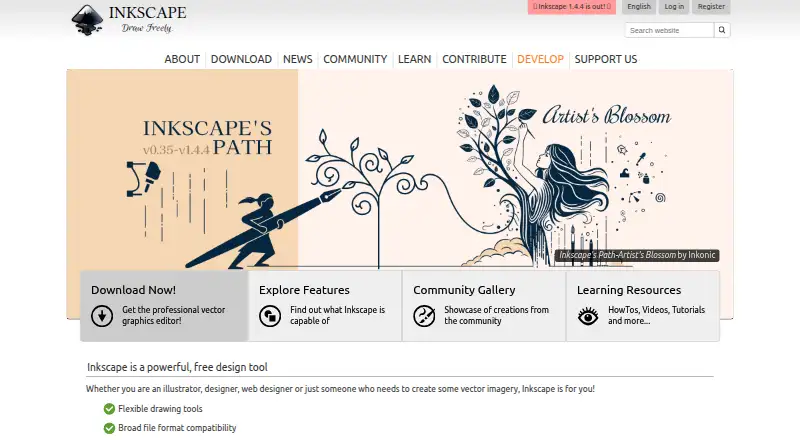
What Inkscape is
Inkscape is a free, open-source vector graphics editor for making artistic and technical illustrations such as logos, typography, diagrams, and flowcharts. Its vector approach supports resolution-independent rendering and sharp printouts. SVG is its main format, and it can import and export SVG, AI, EPS, PDF, PS, and PNG files. Drawing tools include Bézier and spiro curves, and add-ons let users customize the program. The project also publishes community-created extensions, including tools for automating the creation or modification of drawing objects. Inkscape is intended for illustrators, designers, web designers, and others who need vector imagery. The desktop application is available for Linux, macOS, and Windows; no mobile app is listed. Community help is available through project channels such as RocketChat and the Inkscape Forum. The program is GPL-licensed and provided without warranty to the extent permitted by law. Files created or exported belong to their creators, subject to rights in any derivative works.
Who it suits
It suits illustrators, designers, web designers, and others who need to create vector imagery. Its desktop versions run on Linux, macOS, and Windows.
What it does well
- Free and open source under the GPL license.
- SVG is the main format, with several import and export options.
- Bézier and spiro curve drawing tools are included.
- Users can customize it with add-ons and extensions.
- Artwork files belong to their creators, subject to derivative-work rights.
What to know first
- No mobile app is listed.
- The program is provided without warranty to the extent permitted by law.
- Help is community-provided.
Plans
| Plan | Billed and limits | Price |
|---|---|---|
| Inkscape | Free and open source vector graphics editor · GPL-licensed | Free |
| Free | desktop vector editor · GPL software · no subscription | Free |
As inkscape.org lists them, read 3 Oct 2026. The maker's own page has the final word.
Getting started
- Visit https://inkscape.org/.
- Choose the desktop app for Linux, macOS, or Windows.
- Install Inkscape and begin creating vector artwork.
- Explore add-ons or project-published extensions to customize the editor.
Inkscape is an open-source vector editor for creating everything from logos and type treatments to diagrams and flowcharts. It best fits illustrators, designers, web designers, and technically minded creators who work on a computer. The no-cost license is compelling, provided you can work without a mobile app, warranty, or vendor-run support desk.
Overview
Vector construction keeps edges clean when artwork is enlarged or reduced, making Inkscape suitable for assets that move between screen layouts and printed output. SVG is the native working format, and the editor can import and export SVG, AI, EPS, PDF, PS, and PNG. That combination gives a project a durable master file while still allowing handoffs in common graphics formats.
The scope is broader than freehand illustration. Inkscape is intended for artistic and technical work, so the same desktop application can handle branding, typography, schematics, diagrams, and flowcharts. It is distributed under the GPL and is open source. Files you save or export remain yours, unless incorporated derivative work carries rights belonging to its original authors. The GPL also makes clear that the software is supplied without warranty to the extent the law allows.
Key features
Flexible drawing controls include Bézier and spiro curves, giving users precise ways to build and refine paths. These are valuable for custom lettering, logos, and illustrations where controlled geometry matters more than paint-based brushwork. A template library can shorten the time needed to start recurring design tasks.
Customization is a notable strength. Add-ons can adapt the editor to individual workflows, and community extensions include utilities that automatically create or alter drawing objects. That extensibility can make Inkscape more productive for repeatable technical jobs, although it also means users may need to evaluate and maintain third-party additions themselves.
Help is provided by the community through project-maintained channels such as RocketChat and the Inkscape Forum. This suits independent users who are comfortable searching discussions and asking peers; organizations that require contractual response times should not treat those channels as a substitute for commercial support.
Pricing
| Plan | Price | What it includes |
|---|---|---|
| Inkscape | free | Free and open-source vector graphics editor, GPL-licensed |
There is one plan, with no subscription charge and no free-trial period to manage. The absence of paid tiers, seat limits, or usage quotas makes it practical for students, freelancers, hobbyists, and teams that can adopt desktop software independently. The trade-off is equally clear: there is no commercial tier promising extra services, and the warranty disclaimer remains part of the GPL terms.
Platforms
Inkscape has desktop applications for Linux, macOS, and Windows. It has no mobile app, so tablet- or phone-first workflows are a poor fit. Users who need to move between desktop operating systems can choose among the three supported platforms, but work remains centered on a computer rather than a browser or mobile device.
Who it's for
Choose Inkscape for logo systems, typography, diagrams, flowcharts, and other vector imagery when resolution-independent output and broad file exchange matter. It is particularly well suited to creators who value open-source software, want to customize their tools, or need a zero-cost option without a paid upgrade path.
Look elsewhere if mobile creation is essential, if you need provider-backed support or warranty coverage, or if your preferred process depends on a web application. Community assistance and extensions reward self-directed users more than teams seeking formal service commitments.
Pros and cons
Pros
- No purchase cost: The sole GPL-licensed plan is free, with no subscription or trial expiry.
- Scalable artwork: Vector output stays sharp across sizes, useful for both print and screen deliverables.
- Broad format exchange: AI, EPS, PDF, PS, PNG, and SVG import/export supports varied handoff requirements.
- Adaptable workflow: Add-ons and community extensions can automate or modify drawing-object tasks.
- Wide desktop coverage: Linux, macOS, and Windows versions serve the major desktop operating systems.
Cons
- No mobile application: Phone and tablet users cannot use a native Inkscape app.
- Community-only help: RocketChat and the forum do not provide the assurances of a paid support contract.
- No warranty: GPL terms disclaim warranty to the extent permitted by law, which may concern risk-sensitive organizations.
- Extension upkeep: Customization depends partly on community-created add-ons that users must select and manage.
Alternatives
Figma is the better pick when you need web access plus Android and iOS apps, a freemium model, and a Starter plan with unlimited drafts, UI kits, templates, and daily AI credits.
Canva suits users who want a free plan with a core design editor, templates, and content library, along with a free trial and macOS or Windows support.
Krita is another free, open-source choice with no subscriptions or trials, and it adds Android support alongside Linux, macOS, and Windows.
Visme is worth choosing for a web-based workflow and a Basic plan capped at 500MB storage and 50 slides or pages per project, with paid annual tiers available.
ibisPaint is aimed at users who prefer Android or iOS access and can accept advertisements and 64MB of cloud storage on its free version.
Affinity offers a free plan for individuals combining vector design, pixel photo editing, page layout, export tools, and Canva integration on macOS and Windows.
VistaCreate is a mobile and web alternative whose free Starter plan includes more than 100,000 templates, one million royalty-free assets, basic editing, and social scheduling.
Adobe Fresco fits drawing and painting workflows with pixel, live, and vector brushes plus animation tools on iOS and Windows.
For broader comparisons, see Graphic Design Software and Vector Graphics Software.
Verdict
Inkscape is an excellent choice for desktop-based illustrators and designers who need capable vector construction, SVG-centered files, and extensive format compatibility without paying. Choose it when open-source flexibility and zero cost outweigh the need for mobile access, formal support, or warranty protection; otherwise, a cross-platform or commercially supported alternative will be a safer fit.
Verdict
Inkscape offers vector illustration tools and broad listed file compatibility at no cost. It is a desktop-only option in the listed platforms, with community-provided help and no warranty.
Questions
How much does Inkscape cost?
The Inkscape plan is free. It is free and open source.
Is there a free trial?
No. Inkscape has a free plan and no free trial.
Which platforms does Inkscape support?
The desktop app runs on Linux, macOS, and Windows. There is no mobile app.
What file formats can it use?
SVG is its main format. It can import and export SVG, AI, EPS, PDF, PS, and PNG.
Is Inkscape open source, and who owns exported artwork?
It is GPL-licensed. Saved or exported files belong to their creators, subject to rights in any derivative work.
Where can users get help?
Community help is available through project-maintained channels, including RocketChat and the Inkscape Forum.
Facts from Inkscape's own pages
- Artwork ownership
- The licensing page says files saved or exported from Inkscape belong to their creators or, where derivative works are used, the original authors. · inkscape.org, 3 Oct 2026
- Chrome extension privacy
- The Chrome extension states that it scans browsed URLs on its servers to detect image and vector files, with an option to disable scanning. · chromewebstore.google.com, 15 Oct 2026
- Command-line API
- The command-line interface supports geometry queries, PNG/PDF and other exports, chained actions, stdin/stdout pipes, batch processing and shell mode. · wiki.inkscape.org, 15 Oct 2026
- Desktop app
- Yes · inkscape.org, 20 Sept 2026
- Documentation
- Official learning resources include interactive basic, shapes, advanced, bitmap tracing, calligraphy, interpolate and design tutorials plus videos, books and keyboard references. · inkscape.org, 15 Oct 2026
- Drawing tools
- The editor provides pencil, Bézier pen, calligraphy, rectangle, ellipse, star, polygon and spiral tools. · chromewebstore.google.com, 15 Oct 2026
- Extensibility
- The project says users can customize Inkscape with add-ons. · inkscape.org, 3 Oct 2026
- Extensions
- Inkscape supports script extensions, including Python and Perl, and maintains an inkex API for extension authors. · wiki.inkscape.org, 15 Oct 2026
- File compatibility
- Documented import and export formats include SVG, PDF, DXF, EPS, PNG, JPEG, AI, CDR, EMF, WMF, HPGL and HTML5 Canvas. · wiki.inkscape.org, 15 Oct 2026
- Founded
- The project began as a fork of Sodipodi in late 2003. · en.wikipedia.org, 15 Oct 2026
- Free plan
- Yes · inkscape.org, 20 Sept 2026
- Funding and ownership
- Inkscape operates as a community project fiscally sponsored by the Software Freedom Conservancy, a New York nonprofit public-benefit corporation. · alpha.inkscape.org, 15 Oct 2026
- Illustration tools
- Yes · inkscape.org, 20 Sept 2026
- inkex API
- The inkex extension API includes style and units APIs, multipage-document support and GTK-based extension user interfaces. · wiki.inkscape.org, 15 Oct 2026
- Installation
- Stable installers are provided as macOS DMGs, Linux packages or AppImages, and Windows archives or installers; development builds are available from GitLab. · wiki.inkscape.org, 15 Oct 2026
- Integration mention
- GetApp user analysis identifies GIMP as a commonly mentioned Inkscape integration, rated 4.6 from 12 mentions. · getapp.com, 15 Oct 2026
- Intended users
- The site describes Inkscape as a tool for illustrators, designers, web designers, and anyone who needs to create vector imagery. · inkscape.org, 3 Oct 2026
- Latest release listed
- The release history lists version 1.4.4 dated May 6, 2026, with crash fixes, performance improvements, a new palette, upright star and polygon rotation and Windows-on-Arm installation support. · en.wikipedia.org, 15 Oct 2026
- License
- The application, packages, extensions and source code are released under the GNU General Public License version 2 or later. · inkscape.org, 15 Oct 2026
- Limit: export crashes
- A Trustpilot reviewer reported repeated crashes and slowdowns when exporting SVG files to PNG or JPEG. · trustpilot.com, 15 Oct 2026
- Limit: learning curve
- Reviewers describe the interface and tutorials as unintuitive for beginners and say advanced tools take time to master. · getapp.com, 15 Oct 2026
- Limit: performance
- Reviewers report slowdowns or occasional lockups with complex or high-resolution files. · getapp.com, 15 Oct 2026
- Limit: professional features
- Reviewers cite missing advanced vector controls, gradient mesh, refined navigation and professional print features such as CMYK workflows. · g2.com, 15 Oct 2026
- Maker identity
- LinkedIn lists The Inkscape Project as a nonprofit software-development organization headquartered in Boston, Massachusetts, with 51–200 employees. · linkedin.com, 15 Oct 2026
Where Inkscape stands on Freedom251
- Graphic Design Software#1 of 150
- Design tools#1 of 146
- Vector Graphics Software#1 of 51
- Designing Solutions#1 of 29
- Logo Designing Softwares Software#1 of 23
- Multimedia Software#2 of 28
- Free Tools#3 of 31