Freedom251 › Photo Metadata Editors
Photini
What Photini is
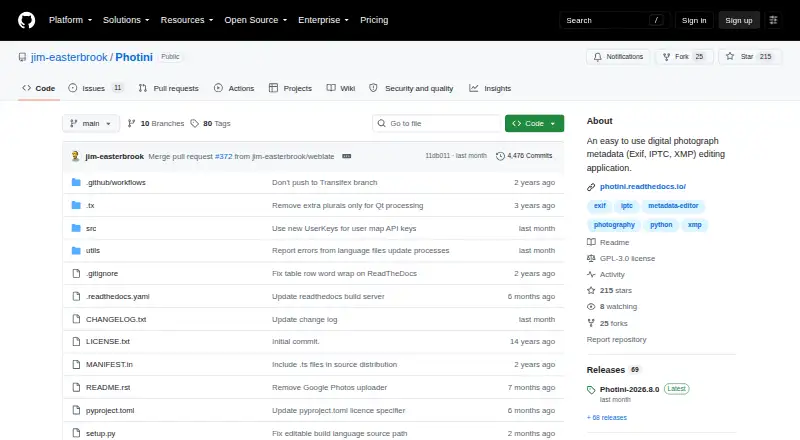
Photini is a desktop application for editing photo metadata in Exif, IPTC, and XMP formats, with tools for geotagging and batch updates. It can apply metadata to multiple images together and adjust their dates, times, and time zones. You can save metadata in image files or XMP sidecars, and write all three formats for compatibility. Map tabs provide place search, satellite imagery, and controls for setting photo locations, using Google, Azure, or Mapbox/OpenStreetMap services. Photini can copy photos from a camera or computer directory. Direct camera import requires python-gphoto2, which is unavailable on Windows. It can upload photos to Flickr, Ipernity, and Pixelfed using their metadata; the Flickr uploader can also synchronize metadata. Users can mark and label regions in photos. Photini supports RAW files and runs on Linux, macOS, and Windows. It is free software under GPL-3.0-or-later, with a listed price of $0. The developer warns that bugs may damage photographs and recommends making backups before use.
Who it suits
Photini suits people who want desktop tools for editing metadata across photo collections, including location data and labeled image regions. It is available on Linux, macOS, and Windows, though direct camera import is unavailable on Windows.
What it does well
- Batch-edit metadata and adjust dates, times, and time zones.
- Write Exif, IPTC, and XMP to files or sidecars.
- Map tabs support place search and photo geotagging.
- Upload photos to Flickr, Ipernity, and Pixelfed.
- Supports RAW files on Linux, macOS, and Windows.
What to know first
- Direct camera import is unavailable on Windows.
- Map and address lookup rely on commercial online services.
- Address lookup has a small per-lookup charge.
- Bugs may damage photos; backups are recommended.
Limits
Map access is free up to usage limits, and address lookup has a small charge per lookup. Direct camera import requires python-gphoto2, which is unavailable on Windows.
Plans
| Plan | Billed and limits | Price |
|---|---|---|
| Free | Free software under GPL-3.0-or-later | Free |
As github.com lists them, read 30 Sept 2026. The maker's own page has the final word.
Getting started
- Open the Photini project on GitHub.
- Choose the version for Linux, macOS, or Windows.
- Install and open Photini on a desktop computer.
- Copy photos from a computer directory or camera; direct camera import requires python-gphoto2 and is unavailable on Windows.
- Use its metadata editor or map tabs to update photos; use an uploader for Flickr, Ipernity, or Pixelfed if needed.
- Back up photographs before editing, as the developer recommends.
Photini is a free desktop application for editing Exif, IPTC and XMP metadata, with batch tools, geotagging, image regions and selected photo-service uploads. It suits photographers who manage many images on Linux, macOS or Windows. Its broad workflow is useful, but online map charges and the risk of file damage mean it rewards careful, backed-up use.
Overview
Photini puts descriptive metadata, dates, locations and sharing tools in one graphical application. It can edit RAW photographs, write data directly into image files or use XMP sidecars, and write Exif, IPTC and XMP together for wider software compatibility. That breadth is a practical advantage for mixed-library workflows, although users who only need to strip metadata or change one field may find the scope unnecessary.
It is free software under GPL-3.0-or-later, with no trial or subscription. Before making changes, create backups: the project warns that bugs can damage photographs.
Key features
Batch editing and time correction
Photini applies metadata to multiple images at once and can adjust dates, times and time zones. This is valuable for correcting a shoot or standardizing an archive, rather than repeatedly editing files individually. Metadata templates are supported, giving recurring descriptive work a reusable basis.
Storage and compatibility
Metadata can be embedded in image files or kept in XMP sidecars. Writing Exif, IPTC and XMP together helps when files move between applications that favor different standards. Sidecars also provide an option when preserving the original image file is important.
Maps and geotagging
Map tabs use Google, Azure and Mapbox/OpenStreetMap services. Place search, satellite imagery and location-setting tools make it possible to geotag without leaving the editor. Map access is free only up to service usage limits, while address lookup carries a small charge per lookup, so frequent geocoding can add cost and depends on third-party availability.
Import, regions and uploads
Photini can copy photographs from a camera or computer directory. Direct camera import needs python-gphoto2, which is unavailable on Windows, making folder-based import the practical Windows route. Users can mark and label image regions; region data is stored in XMP using IPTC, MWG and Microsoft Photo formats.
Upload support covers Flickr, Ipernity and Pixelfed. The Flickr uploader reuses Photini metadata for titles, descriptions and tags and can synchronize that data with Flickr, reducing duplicate entry for users already using the service.
Privacy and support
Photini says it does not directly collect user information, but map and uploader services may collect it. OAuth tokens for uploaders are stored locally through Python keyring. Help is offered by email, a Google Groups forum and GitHub issues.
Pricing
| Plan | Price | Includes |
|---|---|---|
| Free | free | Free GPL-3.0-or-later desktop software |
There is no free trial because the application is free software rather than a time-limited service. The software itself has no paid tier, but address lookups can incur a small per-lookup charge and map usage is subject to service limits.
Platforms
Photini runs on Linux, macOS and Windows as a desktop application. RAW support, GPS metadata tools and Exif/IPTC/XMP editing make it suitable for camera-file workflows. Windows users should note that direct camera import is unavailable because python-gphoto2 is not available there.
Who it's for
Choose Photini if you need batch metadata changes, date and time-zone corrections, reusable templates, geotagging and region labels in one free desktop tool. It is particularly suited to photographers maintaining large or mixed-format libraries and to Flickr users who want metadata reused during upload.
Look elsewhere if your priority is a minimal metadata-cleaning utility, a mobile-first workflow, or editing without any dependence on commercial map and address services. Anyone handling irreplaceable originals should also be comfortable maintaining backups before edits.
Pros and cons
- Pro: Batch metadata and date/time-zone editing reduce repetitive archive work.
- Pro: Exif, IPTC and XMP output, including sidecars, improves interoperability across applications.
- Pro: Geotagging offers place search, satellite views and several map providers.
- Pro: Flickr, Ipernity and Pixelfed uploads extend the workflow beyond local files.
- Con: Address lookup can cost per request and map access has usage limits.
- Con: Direct camera import is unavailable on Windows.
- Con: The project warns that bugs may damage photographs, so backups are essential.
- Con: Third-party upload and map services may collect information despite Photini's own no-direct-collection statement.
Alternatives
For a broader category comparison, browse Photo Metadata Editors.
FREE Browser is a free, open-source Android browser, so choose it only when browsing on Android—not for desktop photo metadata work.
ExifTool is free software for API, Linux, macOS, self-hosted and Windows environments; it is the better fit when scripting or self-hosting matters.
EXIF Magic is a free download for Android, iOS and macOS with no in-app purchases, subscription or account, suited to those platforms and a simpler no-account model.
ExifCleaner is a free desktop app for Linux, macOS and Windows, a focused alternative for supported desktop systems.
Metadata Stripper is free, open-source and native on Linux, macOS and Windows, with JPEG, PNG and WebP support.
Simple Photo Meta is a free GPLv3 alpha desktop application for Linux and macOS.
Exif Lens is an iOS freemium app: its free tier views, filters and sorts metadata, while Pro costs $0.99 a month for date and time editing.
Exif Pilot is a Windows freemium option with a free basic EXIF editor.
Verdict
Photini is a strong choice for photographers who want comprehensive, batch-oriented metadata management with geotagging, region labels and social uploads at no software cost. Choose it for that unusually broad desktop workflow; look elsewhere if service-dependent maps, Windows camera-import limits or the need for a simpler, lower-risk utility outweigh the convenience.
Verdict
Photini combines broad metadata editing with geotagging, image-region labels, and social uploads in a free desktop application. Account for its online-service charges and make backups before editing photos.
Questions
Is Photini free?
Yes. Photini is free software under GPL-3.0-or-later.
Which operating systems does Photini support?
Photini is available for Linux, macOS, and Windows.
Which metadata formats can it edit?
Photini edits Exif, IPTC, and XMP metadata. It can write metadata into image files or XMP sidecar files.
Does Photini support RAW files?
Yes. Photini supports editing metadata on RAW files.
Can Photini import directly from a camera?
Yes, when python-gphoto2 is available. That dependency is unavailable on Windows; Photini can also copy photos from a computer directory.
Which photo services can Photini upload to?
Photini supports uploading to Flickr, Ipernity, and Pixelfed. Its Flickr uploader can use descriptive metadata and synchronize metadata with Flickr.
Facts from Photini's own pages
- Batch editing
- It can set metadata for multiple images simultaneously and adjust their dates, times and time zones. · github.com, 30 Sept 2026
- Flickr integration
- The Flickr uploader reuses Photini’s descriptive metadata for titles, descriptions and tags, and can synchronize metadata with Flickr. · photini.readthedocs.io, 30 Sept 2026
- Geotagging
- Its map tabs support Google, Azure and Mapbox/OpenStreetMap, place search, satellite imagery and setting photo locations. · photini.readthedocs.io, 30 Sept 2026
- Image regions
- Users can mark and label regions of a photo, with region data stored in IPTC, MWG and Microsoft Photo formats within XMP. · photini.readthedocs.io, 30 Sept 2026
- Limitations
- The project warns that bugs may damage photographs and recommends backing them up before use. · github.com, 30 Sept 2026
- Metadata storage
- Photini writes metadata to image files or XMP sidecar files and can write Exif, IPTC and XMP to maximize compatibility. · github.com, 30 Sept 2026
- Online service requirements
- Map and address lookup features rely on commercial online services; map access is free up to usage limits and address lookup has a small per-lookup charge. · photini.readthedocs.io, 30 Sept 2026
- Photo import
- Photini can copy photos from a camera or computer directory, while direct camera import requires python-gphoto2, which is unavailable on Windows. · photini.readthedocs.io, 30 Sept 2026
- Purpose
- Photini is a graphical application for editing digital photograph metadata in Exif, IPTC and XMP formats. · github.com, 30 Sept 2026
- Security and privacy
- Photini says it does not directly collect user information; map and uploader services may collect information, and uploader OAuth tokens are stored locally using Python keyring. · github.com, 30 Sept 2026
- Social integrations
- Photini supports uploading to Flickr, Ipernity and Pixelfed using photo metadata. · github.com, 30 Sept 2026
- Support
- The developer lists email support, a Google Groups forum and GitHub issues for problems and bug reports. · github.com, 30 Sept 2026
Where Photini stands on Freedom251
- Photo Metadata Editors#12 of 31