Freedom251 › Photo Metadata Editors

GeoSetter
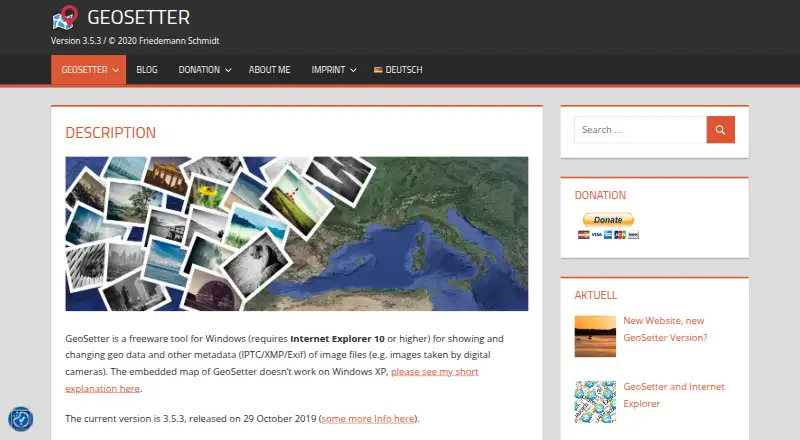
What GeoSetter is
GeoSetter is a free Windows desktop tool for viewing and editing image geodata and IPTC, XMP and Exif metadata. It reads and writes JPEG, TIFF and camera RAW formats including DNG, CR2, NEF, ARW, RAF, RW2 and RWL, and uses ExifTool to write data. Add coordinates and altitude by placing them on an embedded Google Maps display or entering them directly. GeoSetter can also synchronize images with NMEA, GPX, PLT, Sony LOG, IGC and other track files, fill location fields and altitude automatically, and export to Google Earth. Batch editing and metadata templates are supported. Map display and automatic location data need an internet connection. The interface is available in 13 languages, including English, French, Japanese and Chinese. The listed current version is 3.5.3, released on 29 October 2019. GeoSetter requires Internet Explorer 10 or higher; its embedded map does not work correctly on Windows XP. The free plan is listed as free, with no usage restrictions.
Who it suits
GeoSetter suits Windows users who manage geodata and metadata for digital-camera images, including RAW files. It is useful for people who need batch editing, track synchronization or Google Earth export.
What it does well
- Free with no usage restrictions
- Reads and writes JPEG, TIFF and RAW formats
- Supports batch editing and metadata templates
- Synchronizes images with multiple track file types
- Offers 13 interface languages
What to know first
- Windows only
- Requires Internet Explorer 10 or higher
- Map and automatic location data need internet
- Embedded map does not work correctly on Windows XP
Limits
The free plan has no usage restrictions. GeoSetter requires Windows and Internet Explorer 10 or higher; map display and automatic location data need an internet connection.
Plans
| Plan | Billed and limits | Price |
|---|---|---|
| GeoSetter | Windows only · Internet Explorer 10+ · no usage restrictions | Free |
As geosetter.de lists them, read 30 Sept 2026. The maker's own page has the final word.
Getting started
- Open the GeoSetter website.
- Choose the installation executable or ZIP archive from the official download page.
- Use a Windows computer with Internet Explorer 10 or higher.
- Install or unpack GeoSetter, then open image files to view or edit their metadata.
Verdict
GeoSetter brings geodata editing, metadata tools and track synchronization into a free Windows application. Check its Internet Explorer requirement and internet-dependent map features against your setup.
Questions
How much does GeoSetter cost?
GeoSetter is free, with a listed plan price of $0.
Which platforms does GeoSetter support?
GeoSetter is available for Windows desktop.
Which image formats does it support?
It reads and writes JPEG and TIFF, along with camera RAW formats including DNG, CR2, NEF, ARW, RAF, RW2, and RWL.
Does GeoSetter have a usage limit?
The free plan has no usage restrictions.
Does GeoSetter need an internet connection?
Its embedded Google Maps display and automatic location data require an internet connection.
What does GeoSetter use to write metadata?
It uses ExifTool by Phil Harvey.
Facts from GeoSetter's own pages
- Automatic location data
- The software can automatically fill location IPTC fields and altitude values, requiring an internet connection. · geosetter.de, 30 Sept 2026
- Current version
- The listed current version is 3.5.3, released on 29 October 2019. · geosetter.de, 30 Sept 2026
- Downloads
- The official download page provides a 24 MB installation executable and a 26 MB ZIP archive. · geosetter.de, 30 Sept 2026
- Geotagging
- Users can set geodata on the embedded map or enter coordinates and altitude directly. · geosetter.de, 30 Sept 2026
- Google Earth
- GeoSetter supports Google Earth export. · geosetter.de, 30 Sept 2026
- Image formats
- It reads and writes JPEG, TIFF and multiple camera RAW formats including DNG, CR2, NEF, ARW, RAF, RW2 and RWL. · geosetter.de, 30 Sept 2026
- Intended users
- The software is aimed at managing geodata and metadata for images such as those taken by digital cameras. · geosetter.de, 30 Sept 2026
- Interface languages
- The interface is available in English, German, French, Italian, Swedish, Czech, Spanish, Danish, Dutch, Russian, Japanese, Chinese and Norwegian. · geosetter.de, 30 Sept 2026
- Maps
- It displays coordinates, image directions and tracks on an embedded Google Maps map, which requires an internet connection. · geosetter.de, 30 Sept 2026
- Metadata engine
- GeoSetter uses ExifTool by Phil Harvey for writing data. · geosetter.de, 30 Sept 2026
- Security
- The website states that it uses SSL or TLS encryption for confidential data transmission and has activated IP anonymization. · geosetter.de, 30 Sept 2026
- Support
- Users can submit bug reports and feature requests through a Mantis account or contact [email protected], with responses dependent on the developer's spare time. · geosetter.de, 30 Sept 2026
- Track synchronization
- It synchronizes images with NMEA, GPX, PLT, Sony LOG, IGC and other track files. · geosetter.de, 30 Sept 2026
- What it does
- GeoSetter is a freeware Windows tool for viewing and changing geodata and IPTC/XMP/Exif metadata in image files. · geosetter.de, 30 Sept 2026
- Windows dependency
- GeoSetter requires Internet Explorer 10 or higher, and its embedded map does not work correctly on Windows XP. · geosetter.de, 30 Sept 2026
Where GeoSetter stands on Freedom251
- Photo Metadata Editors#14 of 31