Freedom251 › Photo Metadata Editors
MetaFix: EXIF Editor
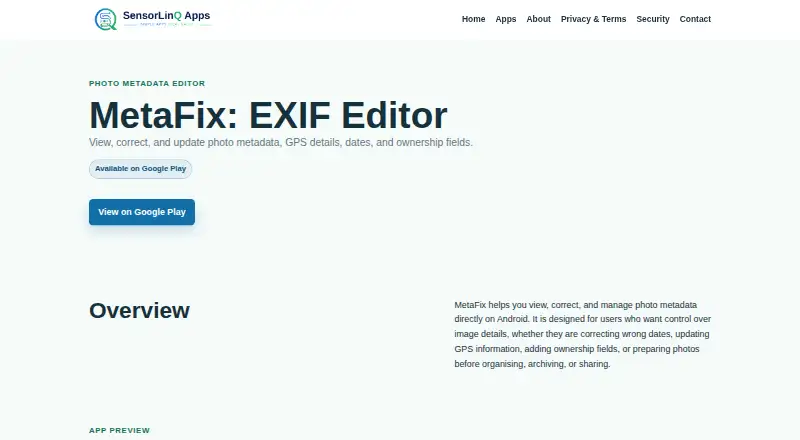
What MetaFix: EXIF Editor is
MetaFix: EXIF Editor is an Android app for viewing and changing EXIF details on photos. It lets you edit fields such as the date taken or digitized, camera and lens information, author, copyright, and description. For location data, you can enter GPS coordinates manually, choose them from a map, or clear GPS metadata from an edited copy. You can also process multiple photos together and use templates to reuse metadata settings.
MetaFix processes only photos you select, on your device; SensorLinQ Apps says it does not upload, store, or process those photos on its servers. Changes are saved as new photo copies, leaving the originals unchanged. The app does not require an account. Its free plan provides basic single-photo editing, with banner ads and a daily edit limit. Pro adds unlimited edits, batch editing, presets, supported metadata fields, and direct photo capture and sharing. A separate Remove Ads plan removes banner ads while keeping the free plan’s basic editing limits.
Who it suits
MetaFix suits Android users who want to inspect or edit EXIF details, including GPS coordinates, on selected photos. It may also fit people who want to preserve originals or apply metadata settings across multiple photos.
What it does well
- Edits GPS coordinates manually or from a map, and can clear GPS metadata.
- Supports dates, camera and lens details, author, copyright, and description.
- Saves edited photos as copies, leaving original files unchanged.
- Processes selected photos locally without automatically scanning the library.
- Batch editing and metadata templates are available.
What to know first
- The free plan has a daily edit limit and only basic single-photo editing.
- The free plan includes banner ads.
- The listed platform is Android.
Limits
The free plan allows basic single-photo editing, includes banner ads, and has a daily edit limit. Remove Ads keeps the same basic editing limits; Pro offers unlimited edits and batch editing.
Plans
| Plan | Billed and limits | Price |
|---|---|---|
| Free | Basic single-photo editing · banner ads · daily edit limit | Free |
| Pro | Unlimited edits · supported metadata fields · batch editing · presets · direct photo capture and sharing | On request |
| Remove Ads | Removes banner ads · same basic editing limits as free | On request |
As sensorlinqapps.com lists them, read 8 Oct 2026. The maker's own page has the final word.
Getting started
- Open the MetaFix website for the app.
- Use the Android app and select the photos you want to edit.
- Choose the free plan for basic single-photo editing, or select Pro or Remove Ads for their listed options.
- Edit the EXIF fields you need and save the result as a new copy.
Verdict
Choose MetaFix if you want an Android tool for managing EXIF data, especially GPS details, while keeping originals unchanged. Look elsewhere if you need a platform beyond Android or want unlimited edits without the Pro plan; Pro pricing is not provided here.
Questions
What platforms does MetaFix support?
MetaFix is listed for Android and mobile use.
Is there a free plan?
Yes. The Free plan costs nothing and includes basic single-photo editing, banner ads, and a daily edit limit.
Does MetaFix change the original photo?
Edited photos are saved as new copies, and the original files remain unchanged.
Does MetaFix upload selected photos?
Selected photos are processed locally. SensorLinQ Apps says it does not upload, store, or process photos on its own servers.
Is an account required?
No account is required to use MetaFix.
Facts from MetaFix: EXIF Editor's own pages
- Account and payment data
- MetaFix does not require an account, and SensorLinQ Apps says it does not directly collect payment card details through the app. · sensorlinqapps.com, 8 Oct 2026
- Advertising and purchases
- The app may use Google AdMob for ads, Google Play Billing for purchases, Google User Messaging Platform for consent, and RevenueCat for entitlements. · sensorlinqapps.com, 8 Oct 2026
- Audience
- The privacy policy describes the app as intended for general users who want to view and edit photo metadata. · sensorlinqapps.com, 8 Oct 2026
- Developer identity
- SensorLinQ Apps describes itself as a personal developer brand and says it is not a separate registered company. · sensorlinqapps.com, 8 Oct 2026
- Editable fields
- Supported fields include date taken and date digitized, camera and lens details, author, copyright, and description. · play.google.com, 8 Oct 2026
- GPS editing
- Users can set GPS coordinates manually or from a map, or clear GPS metadata from edited copies. · play.google.com, 8 Oct 2026
- Local processing
- Selected photos are processed locally, and SensorLinQ Apps says it does not upload, store, or process photos on its own servers. · sensorlinqapps.com, 8 Oct 2026
- Original files
- Edited photos are saved as new copies, and original files remain unchanged. · sensorlinqapps.com, 8 Oct 2026
- Permissions
- Camera access is used for Pro direct photo capture, and location access is used only if the user chooses current location for GPS editing. · play.google.com, 8 Oct 2026
- Photo access
- The app processes only photos selected by the user and does not automatically scan the full photo library. · sensorlinqapps.com, 8 Oct 2026
- Purpose
- MetaFix lets users view, edit, clear, and manage EXIF metadata on photos directly on their device. · play.google.com, 8 Oct 2026
- Security
- The Google Play listing states that data is encrypted in transit; the privacy policy says reasonable technical measures are used but absolute security cannot be guaranteed. · play.google.com, 8 Oct 2026
- Support
- The listed support email is [email protected]. · play.google.com, 8 Oct 2026
Where MetaFix: EXIF Editor stands on Freedom251
- Photo Metadata Editors#16 of 31