Freedom251 › Photo Metadata Editors
ExifToolGUI
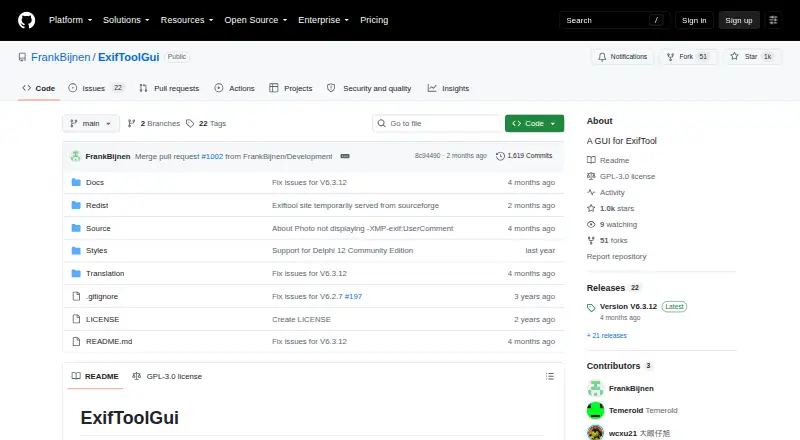
What ExifToolGUI is
ExifToolGUI is a Windows graphical interface for viewing and editing image metadata with ExifTool. It aims to display all metadata tags ExifTool recognizes, while its editing tools cover frequently used tags and can apply changes to multiple selected files where appropriate. Metadata can be exported to TXT, MIE, XMP, EXIF, and HTML files. The app also includes an OpenStreetMap view and geocoding through Overpass API or geocode.maps.co; these features need an internet connection. MapTiler registration and an API key are required to add map base layers beyond the standard choices. ExifTool is required, and the installer can handle required components; some features need a recent ExifTool version. A portable edition is available and saves settings under APPDATA by default. The project lists EXIF, IPTC, and XMP metadata, RAW file support, batch editing, GPS tools, and metadata templates. It is free and open source under GPL-3.0. The listed release is V6.3.12, updated May 8, 2026.
Who it suits
ExifToolGUI suits Windows users who want to inspect and edit metadata across image files, including RAW files, with batch editing and GPS tools. It may also suit users who want a portable option or a map view alongside metadata.
What it does well
- Displays metadata tags recognized by ExifTool.
- Edits frequently used tags across selected files.
- Exports metadata to five file formats.
- Supports RAW files, GPS tools, and templates.
- Portable edition is available.
What to know first
- Requires ExifTool; some features need a recent version.
- Map and geocoding features require internet access.
- Extra map layers require MapTiler registration and an API key.
- Windows XP and earlier are excluded.
Limits
ExifTool is required, and some features require a recent version. Maps and geocoding require internet access; additional map base layers require MapTiler registration and an API key.
Plans
| Plan | Billed and limits | Price |
|---|---|---|
| ExifToolGUI | GPL-3.0 · Windows desktop application | Free |
As github.com lists them, read 11 Oct 2026. The maker's own page has the final word.
Getting started
- Open the ExifToolGUI GitHub project page.
- Choose the installer or the portable version from the release download.
- Use the installer to handle required components, or provide the required ExifTool.
- Enable internet access for maps and geocoding.
- Register with MapTiler and add an API key to choose additional map base layers.
Verdict
ExifToolGUI combines broad metadata viewing with editing, batch changes, export, and GPS-related features in a Windows app. Check the ExifTool requirement and online map needs against your setup.
Questions
How much does ExifToolGUI cost?
The listed plan is free, under the GPL-3.0 license.
Which platforms does it support?
It is a Windows desktop application. The documentation says it should run on 32-bit or 64-bit Windows 7 and 8, recommends Windows 10 or 11 for maps and geocoding, and excludes Windows XP or earlier.
Does it have a portable version?
Yes. The portable version does not need installation and saves settings under the user's APPDATA directory by default.
What metadata can it handle?
The listed scope includes EXIF, IPTC, and XMP, and the project also lists RAW file support, batch editing, GPS tools, and metadata templates.
Is ExifToolGUI open source?
Yes. It is licensed under GPL-3.0, and the project says its source code is on GitHub.
Who makes ExifToolGUI?
The project README says Frank revived the ExifToolGUI project in 2023.
Facts from ExifToolGUI's own pages
- ExifTool dependency
- ExifTool is a requirement, and the installer can take care of required components; some features require a recent ExifTool version. · github.com, 11 Oct 2026
- GPS and maps
- The app includes an OpenStreetMap map feature and geocoding using Overpass API or geocode.maps.co; internet access must be enabled for map and geocoding features. · github.com, 11 Oct 2026
- Image operations
- JPG rotation and cropping are handled in native Delphi code, without requiring Jhead.exe or Jpegtran.exe. · github.com, 11 Oct 2026
- Maker
- The project README says Frank revived the ExifToolGUI project in 2023; it does not state an HQ or founding year for a company. · github.com, 11 Oct 2026
- Map integration
- MapTiler registration and an API key are required to choose additional map base layers beyond the standard layers. · github.com, 11 Oct 2026
- Metadata editing
- The GUI supports editing frequently used metadata tags and modifying multiple selected files at once where appropriate. · github.com, 11 Oct 2026
- Metadata formats
- The documentation lists metadata export to TXT, MIE, XMP, EXIF, and HTML files. · github.com, 11 Oct 2026
- Metadata viewing
- The project describes its goal as viewing all metadata tags recognized by ExifTool. · github.com, 11 Oct 2026
- Portable option
- A portable version is available and does not need installation; it creates temporary files and saves settings under the user's APPDATA directory by default. · github.com, 11 Oct 2026
- Purpose
- ExifToolGUI is a graphical interface for viewing and editing metadata with ExifTool. · github.com, 11 Oct 2026
- Release
- The repository identifies V6.3.12, updated May 8, 2026, as its released version and links to a latest release download. · github.com, 11 Oct 2026
- Security and source
- The project states that all source code is on GitHub, uses no closed-source third-party libraries, and is licensed under GPL-3.0. · github.com, 11 Oct 2026
- Supported Windows
- The documentation says it should run on Windows 7 and 8 in 32-bit or 64-bit, recommends Windows 10 or 11 for map and geocoding, and excludes Windows XP or earlier. · github.com, 11 Oct 2026
- Windows integration
- Optional Windows features include Explorer context menu registration, single-instance mode, and minimizing to the system tray. · github.com, 11 Oct 2026
Where ExifToolGUI stands on Freedom251
- Photo Metadata Editors#13 of 31