Freedom251 › Photo Metadata Editors
Simple Photo Meta
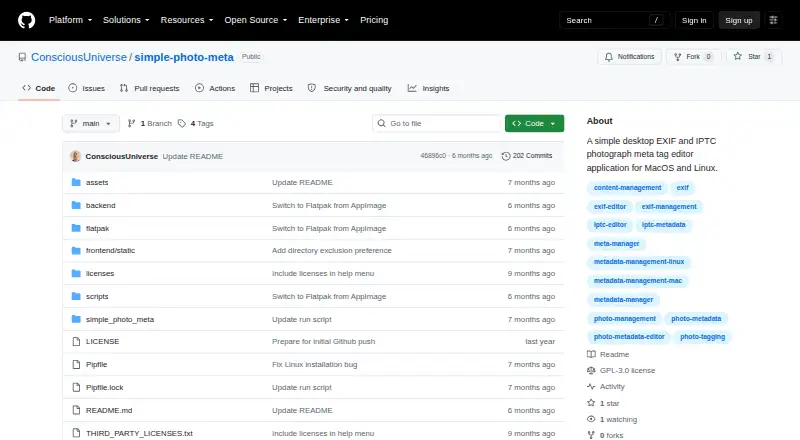
What Simple Photo Meta is
Simple Photo Meta is a free, GPLv3 desktop application for viewing and editing IPTC and EXIF metadata in image files. Its browser-based interface runs locally on the user’s machine without a remote server, and the maker lists macOS and Linux support. IPTC fields include keywords, captions, copyright, creator, city, and country; EXIF data includes camera details, exposure settings, GPS coordinates, and lens information.
The app opens directories, scans subdirectories, and displays thumbnails in pages of 25. Users can search by metadata tag value and catalog tags already present in a collection. Editing tools include tag autocomplete, deletion, automatic saving when tags are added or removed, and prompts for unsaved changes. An overlay can show dates, locations, and keywords, while offline reverse geocoding can convert GPS coordinates to place names. Supported formats are JPEG, PNG, TIFF, and HEIC/HEIF; the latter requires pillow-heif. The database is stored locally, thumbnails go in a .thumbnails folder in opened directories, and metadata is written directly to image files. The README labels the software alpha and warns it may destroy valuable images.
Who it suits
Simple Photo Meta may suit Linux and macOS users who want local tools for searching and editing image metadata. Its alpha warning is important for anyone handling valuable images.
What it does well
- Runs locally without a remote server.
- Edits IPTC and EXIF fields, including GPS data.
- Searches metadata and catalogs existing tags.
- Offline reverse geocoding can show place names.
What to know first
- The README warns it may destroy valuable images.
- HEIC/HEIF support requires pillow-heif.
- Windows is untested.
- The maker labels it alpha software.
Limits
The free GPLv3 application is alpha software, and the maker warns it may destroy valuable images. HEIC/HEIF handling requires pillow-heif.
Plans
| Plan | Billed and limits | Price |
|---|---|---|
| Simple Photo Meta | GPLv3-licensed alpha desktop application | Free |
As github.com lists them, read 11 Oct 2026. The maker's own page has the final word.
Getting started
- Open the project website on GitHub.
- Use the maker-described macOS Apple Silicon DMG or Linux Flatpak download route.
- Install pillow-heif if you need HEIC/HEIF support.
- Open a photo directory and browse its images and metadata.
Simple Photo Meta is a local desktop catalog and editor for EXIF and IPTC data in image files. It fits Linux users and Apple Silicon Mac owners who need collection-wide metadata search and editing without uploading photographs. Its feature range is promising, but the alpha warning and potential for file damage make it a tool for backed-up working copies, not irreplaceable originals.
Overview
The browser-style interface runs entirely on the user’s machine, with no remote server in the workflow. Open a directory, include subdirectories in a recursive scan, and browse thumbnails in pages of 25 images. Real-time searches work on metadata values, while tag discovery can catalog labels already present in a collection. That combination is more useful for organizing folders than a viewer limited to showing one image at a time.
The local architecture benefits photographers, archives, and organizations that cannot send images to a hosted service. A local database is paired with thumbnails stored in a .thumbnails folder inside opened photo directories; edits are written directly to the image files. Direct writes are convenient, but they also make backups essential. The maker explicitly describes the project as alpha testing software that may destroy valuable images.
Key features
Metadata editing
IPTC editing covers Keywords, Caption, Copyright, Creator, City, and Country. EXIF fields extend to camera and lens information, exposure settings, and GPS coordinates, giving both publishing metadata and shooting details a single editing surface. Tag autocomplete uses existing metadata, and one-click deletion simplifies cleanup. Adding or removing tags saves immediately, while the application prompts about other unsaved changes. Immediate saving reduces forgotten edits but leaves little room to reconsider a change before it reaches the file.
Browsing, search, and location context
Directory scanning and 25-image pagination provide a practical way to move through sizable folders. Searching by tag value helps locate photographs based on embedded descriptions rather than filenames. A metadata hover overlay can show date, location, and keywords; GPS coordinates are converted to place names through offline reverse geocoding. This is useful for travel and field collections where an internet connection is unavailable, although users handling sensitive location data should remember that the coordinates remain in the files unless they remove them.
Formats and metadata engine
JPEG, PNG, TIFF, and HEIC/HEIF files are supported. HEIC/HEIF requires the pillow-heif component, so that format has an extra dependency compared with the others. Metadata processing uses Exiv2 through custom C++ bindings; the wider technology stack includes FastAPI, SQLite, Pillow, and pywebview. The stack explains the application’s local, database-backed design, but does not remove the risks attached to alpha software.
Pricing
Simple Photo Meta costs nothing. It is GPLv3-licensed open-source software, with no paid tier, seat charge, quota, trial, or subscription term. That makes it accessible for personal collections and small teams alike, but the free price comes with the project’s current maturity rather than commercial support guarantees. Bug reports and pull requests are welcomed on GitHub.
Platforms
The application targets Linux and macOS Apple Silicon. The README describes Linux Flatpak and macOS Apple Silicon DMG downloads, while the GitHub releases page showed no releases. Windows is untested, so Windows users should not treat it as a supported deployment.
Who it's for
Choose it for a private, local workflow that combines collection browsing, metadata search, IPTC editing, EXIF inspection, and offline GPS place names. It is particularly suited to Linux photographers and Apple Silicon Mac users comfortable maintaining backups and accepting alpha-stage software. It is a poor fit for anyone needing a mature, low-risk production editor, tested Windows support, or confidence with unique originals.
Pros and cons
Pros
- Runs locally: images, the database, and thumbnail cache stay on the user’s machine rather than a remote service.
- Broad metadata coverage: practical IPTC publishing fields sit alongside camera, exposure, lens, and GPS EXIF data.
- Collection-oriented tools: recursive scanning, 25-image thumbnail pages, tag discovery, and real-time value search help manage folders at scale.
- Offline location lookup: GPS coordinates can produce place names without an internet connection.
- Free and open source: GPLv3 licensing removes purchase barriers and permits community contributions.
Cons
- Alpha risk: the maker warns that testing may destroy valuable image files, making backups and copies mandatory.
- Direct file writes: automatic saving is efficient but increases the consequence of an incorrect edit.
- Limited platform certainty: support is centered on Linux and Apple Silicon macOS; Windows is untested.
- HEIC/HEIF dependency: those files require pillow-heif, adding setup beyond the core application.
- Download uncertainty: documented DMG and Flatpak packages are described, but no releases appeared on the GitHub releases page.
Alternatives
Browse the Photo Metadata Editors list for a wider comparison. Pick ExifTool instead when you need free software spanning API, Linux, macOS, self-hosted, and Windows environments. ExifCleaner is the better choice for a free desktop app on Linux, macOS, or Windows. Choose Metadata Stripper for a native open-source desktop tool focused on JPEG, PNG, and WebP. Photini offers GPL-3.0-or-later software across Linux, macOS, and Windows. On Android, FREE Browser is a free open-source option; on iOS, Exif Lens provides free metadata viewing and a paid editing tier. EXIF Magic is a free download for Android, iOS, and macOS with no subscription or account. Windows users wanting a basic editor can consider Exif Pilot.
Verdict
Simple Photo Meta is a strong match for Linux and Apple Silicon Mac users who want private, collection-level EXIF/IPTC work, searchable tags, and offline GPS context at no cost. Its main reason to choose it is the unusually complete local workflow for an open-source free app. Its main reason to look elsewhere is the alpha-stage warning that image files may be destroyed, compounded by uncertain release availability and untested Windows support.
Verdict
Simple Photo Meta covers metadata browsing, search, and editing locally, including GPS-related information. Its alpha-stage warning makes caution especially important when working with valuable image files.
Questions
How much does Simple Photo Meta cost?
It is free; the listed plan is free.
Which operating systems does it support?
The maker says it was written for macOS Apple Silicon and Linux. Windows is untested.
Which image formats can it handle?
JPEG, PNG, TIFF, and HEIC/HEIF are supported; HEIC/HEIF requires pillow-heif.
Does it work without sending photos to a remote server?
Its browser-based interface runs on the user's machine and requires no remote server. The database is local, and metadata is written directly to image files.
Is Simple Photo Meta open source?
Yes. It is licensed under GPLv3.
Can it show a place name from GPS metadata?
Yes. Its metadata overlay can use offline reverse geocoding to convert GPS coordinates into place names.
Facts from Simple Photo Meta's own pages
- Browsing and search
- It can recursively scan directories, show paginated thumbnails at 25 images per page, and search image metadata values in real time. · github.com, 11 Oct 2026
- Data storage
- The app stores its database locally, keeps thumbnails in a .thumbnails folder within opened photo directories, and writes metadata directly to image files. · github.com, 11 Oct 2026
- Download availability
- The README describes macOS Apple Silicon DMG and Linux Flatpak downloads, while the GitHub releases page opened during this research showed no releases. · github.com, 11 Oct 2026
- Editing features
- The editor offers tag autocomplete, one-click tag deletion, immediate saving when tags are added or removed, and prompts for unsaved changes. · github.com, 4 Oct 2026
- Image browsing
- Users can open directories, recursively scan subdirectories, and browse thumbnails in pages of 25 images. · github.com, 4 Oct 2026
- Image formats
- The listed image formats are JPEG, PNG, TIFF, and HEIC/HEIF. · github.com, 11 Oct 2026
- Integrations and technology
- The metadata engine uses Exiv2 through custom C++ bindings; the app also lists FastAPI, SQLite, Pillow, and pywebview in its technology stack. · github.com, 11 Oct 2026
- License and support
- The project is licensed under GPLv3 and invites bug reports and pull requests on GitHub. · github.com, 11 Oct 2026
- Local operation
- The app uses a browser-based interface while running on the local machine, with no remote server required. · github.com, 11 Oct 2026
- Metadata editing
- It supports IPTC fields such as keywords, captions, copyright, creator, city, and country, along with EXIF fields including camera details, dates, exposure settings, GPS, and lens information. · github.com, 11 Oct 2026
- Metadata engine
- The app handles metadata through the Exiv2 library using custom C++ bindings. · github.com, 4 Oct 2026
- Offline location lookup
- The metadata overlay can show GPS coordinates as place names using offline reverse geocoding. · github.com, 11 Oct 2026
- Platform support
- The maker says the software was written for macOS Apple Silicon and Linux, and is untested on Windows. · github.com, 11 Oct 2026
- Purpose
- Simple Photo Meta is a local desktop application for viewing and editing IPTC and EXIF metadata in image files. · github.com, 11 Oct 2026
- Safety limitation
- The README describes the software as alpha testing software and warns that it may destroy valuable images. · github.com, 4 Oct 2026
- Search
- The app searches images by metadata tag value and can discover and catalog existing tags in a collection. · github.com, 4 Oct 2026
- Security and maturity
- The maker labels the software alpha and potentially unsafe for valuable images, warning that image files may be destroyed during testing. · github.com, 11 Oct 2026
- Tag tools
- The app discovers existing metadata tags for autocomplete and supports adding and deleting tags with automatic saving. · github.com, 11 Oct 2026
Where Simple Photo Meta stands on Freedom251
- Photo Metadata Editors#21 of 31