Freedom251 › HR Document Management Software
oneDox
What oneDox is
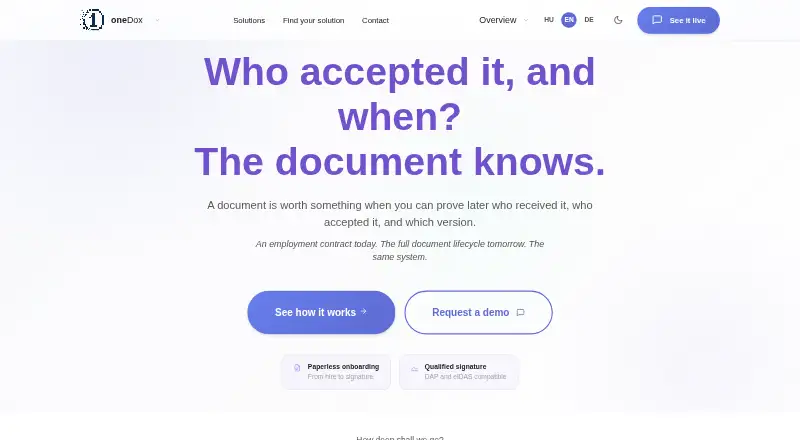
oneDox manages HR documents from onboarding through generation, acceptance, signing, validation, and archiving. Paperless onboarding collects new-hire information once, uses approved data to generate documents, and stores completed records in a digital employee folder. Employees and employers can confirm acceptance separately with unique one-time codes; each step is logged and produces an archived PDF receipt. Event records capture the parties, time, status, and document version. The product supports qualified electronic signatures (QES): employees can sign externally, while employer-side signing can use a connector after an SMS transaction code and signing PIN are provided. oneDox describes independent EU DSS validation, including qualification level, trust provider, certificate chain, and revocation status. Generated PDF pages receive QR codes identifying the document, company, employee, ID, timestamp, and page number. oneDoxPass assigns a document ID and adds two QR codes per page for content verification and lifecycle access. Audit reports can be filtered by status and date, searched by employee or event ID, and exported as CSV. The maker describes a fixed monthly fee independent of user count, with personalized quotes available on request. The FAQ says closed documents and acceptance records are not automatically deleted, and signed documents cannot be permanently deleted.
Who it suits
oneDox suits HR teams in manufacturing and office environments that need document workflows spanning onboarding, acceptance, signature, and archiving. Role-based folders let employees, HR administrators, and payroll staff see intended information.
What it does well
- Collects new-hire data once for document generation.
- Acceptance steps create archived PDF receipts.
- Supports qualified electronic signatures and EU DSS validation.
- Audit reports can be exported as CSV.
- Role-based permissions limit access to intended information.
What to know first
- Pricing requires a personalized quote.
- Closed documents and acceptance records are not automatically deleted.
- Signed documents cannot be permanently deleted.
Limits
The maker describes a fixed monthly fee that does not change with user count, but requires a personalized quote. Signed documents cannot be permanently deleted, and closed documents and acceptance records are not automatically deleted.
Plans
| Plan | Billed and limits | Price |
|---|---|---|
| oneDox | Personalized quote; fixed monthly fee that does not change with number of users | On request |
As onedox.eu lists them, read 8 Oct 2026. The maker's own page has the final word.
Getting started
- Visit the oneDox website.
- Request a demo from the maker.
- Choose cloud SaaS or on-site deployment.
- Configure role-based folders for employees, HR administrators and payroll staff.
- Use approved new-hire data to generate HR documents and store final files in employee folders.
- Set up acceptance and signing workflows, including the QES connector where employer-side signing is needed.
oneDox is a document-centered HR platform covering onboarding, acceptance, qualified signing, validation and archiving. It suits HR and payroll teams that need a defensible record of who approved which version and when, especially in regulated or distributed organizations. The fixed monthly model can make larger user populations easier to budget, while the inability to permanently delete signed documents may conflict with some retention policies.
Overview
Founded in 2004 and based in Budapest, One Learning’s oneDox is offered as cloud SaaS or on-site software. It is positioned for manufacturing and office HR environments and reports more than 10,000 active users. The workflow links employee data collection to document production, acceptance, signing, verification and storage rather than treating each task as a separate system.
Key features
Paperless onboarding collects new-hire information once, uses approved data to generate HR documents, and files the completed records in a digital employee folder. That reduces repeated entry and gives HR a single place for the resulting paperwork, although teams wanting a broader HR suite should compare its document focus with more general personnel systems.
Employees and employers can accept a document independently with unique one-time codes. Each action is logged and creates an archived PDF receipt; the event record preserves the parties, time, status and document version. This is useful when an acknowledgement must be demonstrated later, not merely asserted.
For formal execution, oneDox supports qualified electronic signatures. Employees may sign externally, while employer signing uses a connector after an SMS transaction code and signing PIN are entered. Independent EU DSS validation covers the qualification level, trust-service provider, certificate chain and revocation status. The workflow describes QES as eIDAS-compatible, making it a stronger fit than basic click-to-accept processes where qualified signatures are required.
Document identity is built into every page. Generated PDFs receive a QR code containing document, company, employee, identifier, timestamp and page information. oneDoxPass adds a unique document ID and two QR codes per page for content verification and lifecycle access. A verification code can point back to the original record and show status without a login, which helps recipients check a printed or forwarded page.
Audit reports can be filtered by status and date, searched by employee or event ID, and exported as CSV. Events are linked in a hash chain protected with HMAC-SHA256, providing an integrity mechanism for the log. Role-based folders restrict what employees, HR administrators and payroll staff can see. HR support, training, interim solutions and demo assistance are offered for implementation.
Pricing
oneDox uses custom pricing. The maker describes a fixed monthly fee that does not change with the number of users, so organizations with many employees avoid a per-seat increase; prospective buyers must request a personalized quote. The single listed oneDox plan has no published price, quotas or trial term. That model is less transparent for small teams comparing predictable self-serve subscriptions, but potentially attractive when broad employee access is needed.
Retention is a material term: closed documents and acceptance records are not automatically deleted, and signed documents cannot be permanently deleted. Buyers should confirm that this behavior matches their legal, privacy and records-management requirements before signing a contract.
Platforms
Deployment is available through cloud SaaS or on-site installation, with web access and self-hosted operation. Employer-side QES depends on the signing connector, SMS transaction code and signing PIN.
Who it's for
oneDox is a strong fit for HR departments that generate recurring employment documents, need separate employee and employer acceptance, and must produce audit evidence or validate qualified signatures. Manufacturing and office environments with substantial staff populations may benefit most from the user-count-independent monthly fee. It is less suitable for buyers who require permanent deletion of signed records, a free tier, or immediately visible subscription pricing.
Pros and cons
Pros
- End-to-end document workflow: onboarding data, generation, acceptance, signing, validation and archiving are connected.
- Strong evidence trail: one-time-code acceptance receipts, versioned event records, CSV reports and hash-chain protection support later review.
- Qualified-signature support: EU DSS checks and QES workflows address processes needing more than a basic acknowledgement.
- Page-level verification: QR codes and oneDoxPass can identify and check documents without a login.
- Flexible access and deployment: role-based folders plus SaaS or on-site installation suit separated HR responsibilities and infrastructure policies.
Cons
- Custom pricing only: prospects cannot compare a published plan price or trial before requesting a quote.
- No permanent deletion of signed documents: this may complicate deletion requests or retention schedules.
- Connector-dependent employer signing: QES execution requires an SMS code and signing PIN in the connector workflow.
Alternatives
Choose IceHrm if you want a freemium, self-hosted or mobile-capable HR system with a free open-source plan covering profiles, attendance, payroll, documents, projects and reports. Zoho People is the better starting point for a freemium web, iOS and Android service, including a free tier for five users. Pick SovoHR when a small team needs a free starter plan or a low-cost monthly tier for up to five employees. DutyDuke suits organizations seeking free, extensible, self-hosted open-source software. Consider Efalia HR ECM for a broader multi-platform enterprise ECM purchase with quote-based pricing. Dayforce Workforce Management, ServiceNow Event Management and UKG Document Manager are alternatives when you are evaluating larger paid enterprise suites with sales-led quotes.
Verdict
Choose oneDox when your priority is traceable HR document execution: logged acceptance, qualified signatures, independent validation and verifiable archived records in one workflow. Look elsewhere if you need a free or clearly priced subscription, or if signed records must be permanently erasable.
Verdict
oneDox brings HR document generation, acceptance, signing, validation, and recordkeeping into a single workflow. Buyers should consider the quote-based fee and the stated limits on document deletion.
Questions
What does oneDox manage?
It manages HR documents from onboarding and generation through acceptance, signing, validation and archiving.
What deployment options are available?
oneDox supports cloud SaaS and on-site deployment; its listed platforms are web and self-hosted.
How is pricing set?
The maker offers a personalized quote with a fixed monthly fee independent of user count.
Does oneDox support qualified electronic signatures?
Yes. Employees can sign externally, and employer-side QES can use a connector with an SMS transaction code and signing PIN.
Can audit reports be exported?
Yes. Reports can be filtered by status and date, searched by employee or event ID, and exported as CSV.
Can signed documents be permanently deleted?
No. The FAQ says signed documents cannot be permanently deleted; closed documents and acceptance records are not automatically deleted.
Facts from oneDox's own pages
- Acceptance
- Employees and employers can confirm acceptance separately using unique one-time codes, with each step logged. · onedox.eu, 8 Oct 2026
- Access controls
- The product provides folders with role-based permissions so employees, HR administrators and payroll staff see only the information intended for them. · onedox.eu, 8 Oct 2026
- Audience and scale
- The site describes use in manufacturing and office HR environments and reports more than 10,000 active users. · onedox.eu, 8 Oct 2026
- Audit evidence
- Each acceptance produces an archived PDF receipt, while the event log records the parties, time, status, and associated document version. · onedox.eu, 8 Oct 2026
- Audit reports
- Reports can be filtered by status and date, searched by employee or event ID, and exported as CSV. · onedox.eu, 8 Oct 2026
- Company
- The maker identifies One Learning Zrt. and lists its postal address in Budapest, Hungary. · onedox.eu, 8 Oct 2026
- Compliance validation
- The workflow includes independent EU DSS validation and describes QES signing as eIDAS-compatible for processes that require it. · onedox.eu, 8 Oct 2026
- Deployment
- oneDox supports cloud SaaS and on-site deployment. · onedox.eu, 8 Oct 2026
- Document identification
- Each generated PDF page receives a unique QR code that identifies the document, company, employee, ID, timestamp and page number. · onedox.eu, 8 Oct 2026
- Document passport
- oneDoxPass assigns each document a unique ID and places two QR codes on every page for content verification and lifecycle access. · onedox.eu, 8 Oct 2026
- Document verification
- Each page carries a verification code that can link it back to the original record and allow status checking without login. · onedox.eu, 8 Oct 2026
- Founded
- 2004 · onedox.eu, 28 Sept 2026
- Headquarters
- Budapest, Hungary · onedox.eu, 28 Sept 2026
- Integrations
- Employer-side integrated QES uses a connector that signs a PDF after an SMS transaction code and signing PIN are provided. · onedox.eu, 8 Oct 2026
- OTP acceptance
- Employees and employers can each confirm acceptance with a unique one-time code, with each confirmation logged. · onedox.eu, 8 Oct 2026
- Paperless onboarding
- The product collects new-hire data once, generates HR documents from approved data and stores final documents in a digital employee folder. · onedox.eu, 8 Oct 2026
- Pricing
- The maker describes a fixed monthly fee independent of user count and directs prospective customers to request a personalized quote. · onesolution.work, 8 Oct 2026
- Purpose
- oneDox manages HR documents from onboarding and document generation through acceptance, signature, validation and archiving. · onedox.eu, 8 Oct 2026
- Qualified signatures
- oneDox supports QES signing, including employee-side external signing and employer-side signing through a connector using an SMS transaction code and signing PIN. · onedox.eu, 8 Oct 2026
- Reports
- Audit reports can be filtered by status and date, searched by employee or event ID, and exported as CSV. · onedox.eu, 8 Oct 2026
- Retention limit
- The FAQ says closed documents and acceptance records are not automatically deleted and signed documents cannot be permanently deleted. · onedox.eu, 8 Oct 2026
- Security
- The page says events are linked in a hash chain and that HMAC-SHA256 protects the chain's integrity. · onedox.eu, 8 Oct 2026
- Security and integrity
- The technical background describes a hash-chained event log protected with HMAC-SHA256. · onedox.eu, 8 Oct 2026
- Signature validation
- The product describes independent EU DSS validation of signatures, including qualification level, trust service provider, certificate chain and revocation status. · onedox.eu, 8 Oct 2026
Where oneDox stands on Freedom251
- HR Document Management Software#20 of 25