Freedom251 › IT Problem Management Software

OMNITRACKER IT Service Management Center
Visit OMNITRACKER IT Service Management Center Alternatives Pricing
What OMNITRACKER IT Service Management Center is
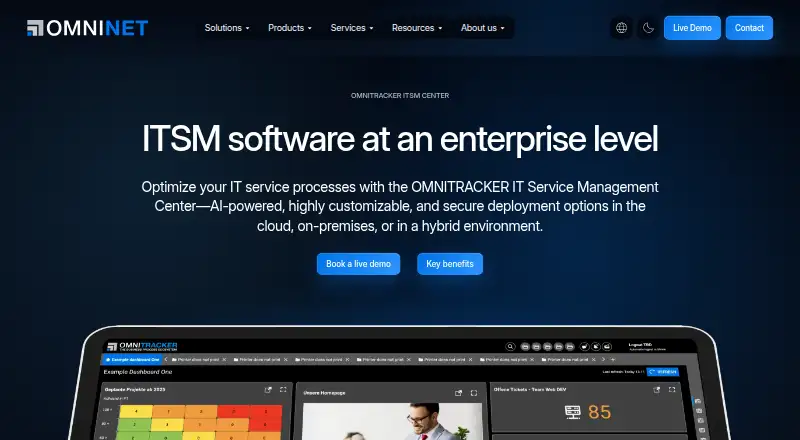
OMNITRACKER IT Service Management Center supports IT service processes across service desks and IT operations. Its 15 certified ITIL practices include incident, change, knowledge, problem, service request, and service configuration management. Teams can use the product for root-cause analysis, known-error records, and tracking workarounds and permanent fixes. A low-code platform lets users configure workflows, forms, and permissions. AI can automate routine tasks, and the product page says AI-supported automation can reduce ticket processing time. Deployment is available on-premises, in hybrid environments, or in the cloud. The vendor says AI models and services can run on-premises, with role-based access controls and auditable AI activity logs. Integrations include Microsoft Exchange Server, SharePoint Server, baramundi Management Suite, REST and SOAP services, telephony, email, inventory, and geoinformation systems. An Automation Interface connects external systems through scripts and automates tasks. OMNINET offers operations support, second-level support, and managed services. A live demo lasts about 30 minutes. The product is licensed exclusively to business customers and public institutions; pricing is available on request.
Who it suits
This product is for business customers and public institutions managing service desk and IT operations processes. It may suit teams seeking configurable ITIL workflows, multiple deployment options, and integrations with external systems.
What it does well
- Lists 15 certified ITIL practices.
- Supports on-premises, hybrid, and cloud deployment.
- Workflows, forms, and permissions are configurable.
- Offers a live demo of about 30 minutes.
- Includes root-cause and known-error tracking.
What to know first
- Pricing is available on request.
- Licensed only to businesses and public institutions.
- AI-supported automation claims a potential ticket-time reduction, not a stated measure.
Limits
Pricing is available on request, and licensing is for business customers and public institutions. The facts do not list a free plan or trial.
Plans
| Plan | Billed and limits | Price |
|---|---|---|
| OMNITRACKER ITSM Center | Business customers and public institutions · pricing available on request | On request |
As omnitracker.com lists them, read 7 Oct 2026. The maker's own page has the final word.
Getting started
- Visit the OMNITRACKER ITSM software website.
- Request the live demo, which lasts about 30 minutes.
- Discuss on-premises, hybrid, or cloud deployment with OMNINET.
- Request pricing for your business or public institution.
Verdict
OMNITRACKER combines service management processes with configurable workflows, integration options, and multiple deployment models. Business customers and public institutions should request pricing and review which deployment and support arrangements fit their needs.
Questions
How much does OMNITRACKER IT Service Management Center cost?
Pricing is available on request.
Which deployment options are available?
It is available on premises, in a hybrid environment, or in the cloud.
Which ITIL practices does it support?
The product page lists 15 certified practices, including incident, change, knowledge, problem, service request, and service configuration management.
Can it track known errors and fixes?
Yes. It supports root-cause analysis, a known-error database, and tracking for workarounds and permanent fixes.
Who is eligible to license the product?
The vendor says its solutions are licensed exclusively for business customers and public institutions.
Can I see a demo?
OMNINET offers a live demo lasting about 30 minutes.
Facts from OMNITRACKER IT Service Management Center's own pages
- AI automation
- AI can automate routine tasks, and the product page says AI-supported automation can reduce ticket processing time. · omnitracker.com, 7 Oct 2026
- APIs
- The platform provides an Automation Interface for connecting external systems with scripts and automating tasks. · omnitracker.com, 7 Oct 2026
- Certifications
- The product page lists ISO 9001 and ISO 27001 certifications, ITIL certification, EU hosting, and IDW PS 880 and IDW PS 951 audits. · omnitracker.com, 7 Oct 2026
- Company
- OMNINET GmbH was founded in 1995 by Dr. Joachim Lenzer and is headquartered in Eckental near Nuremberg, Germany. · omnitracker.com, 7 Oct 2026
- Customer segment
- The vendor says its solutions are licensed exclusively for business customers and public institutions. · omnitracker.com, 7 Oct 2026
- Customization
- Users can configure workflows, forms, and permissions through the low-code platform. · omnitracker.com, 7 Oct 2026
- Demo
- The vendor offers a live demo lasting about 30 minutes. · omnitracker.com, 7 Oct 2026
- Deployment
- It is available on-premises, in a hybrid environment, or in the cloud. · omnitracker.com, 7 Oct 2026
- Founded
- 1995 · omnitracker.com, 28 Sept 2026
- Headquarters
- Eckental near Nuremberg, Germany · omnitracker.com, 28 Sept 2026
- Integrations
- Interfaces support integrations including Microsoft Exchange Server, SharePoint Server, baramundi Management Suite, REST and SOAP web services, telephony, email, inventory, and geoinformation systems. · omnitracker.com, 7 Oct 2026
- ITIL practices
- The product page lists 15 certified ITIL practices, including incident, change, knowledge, problem, service request, and service configuration management. · omnitracker.com, 7 Oct 2026
- Purpose
- The ITSM Center supports IT service processes across the service desk and IT operations. · omnitracker.com, 7 Oct 2026
- Security
- The vendor says AI models and services can run on-premises, with role-based access controls and auditable AI activity logs. · omnitracker.com, 7 Oct 2026
- Support
- OMNINET offers operations support, second-level support, and managed services for OMNITRACKER applications. · omnitracker.com, 7 Oct 2026
Where OMNITRACKER IT Service Management Center stands on Freedom251
- IT Problem Management Software#23 of 39
- IT Change Management Software#30 of 43
- Business Process Management Software#38 of 52