Freedom251 › PC Overclocking Software

OCCT
What OCCT is
OCCT is a stability testing, stress testing, benchmarking, and monitoring tool for Windows and Linux PCs. Its tests cover CPUs, GPUs, memory, VRAM, and power supplies. CPU and memory benchmarks include memory latency and bandwidth measurements, while system monitoring and system information use HwInfo. The free Personal edition is for individual use, including PC enthusiasts, overclockers, and gamers; it cannot be used in a commercial or business environment. Personal users need one license per household. Supporter costs €4.50/mo and includes unlimited test duration, no wait time, test reports, and stability certificates. Supporter+ costs €7.00/mo and adds more certificate slots. Commercial users are directed to Pro, Enterprise, or Enterprise+, with prices available on request. Professional licenses are specific to Windows or Linux. Enterprise includes JSON, CSV, and PDF report exports and command-line switches for automating tests. Enterprise can run portably from a USB drive or network location on Windows and Linux without installation or internet access. Its On-Premise option keeps sensitive system and test data within the customer's infrastructure.
Who it suits
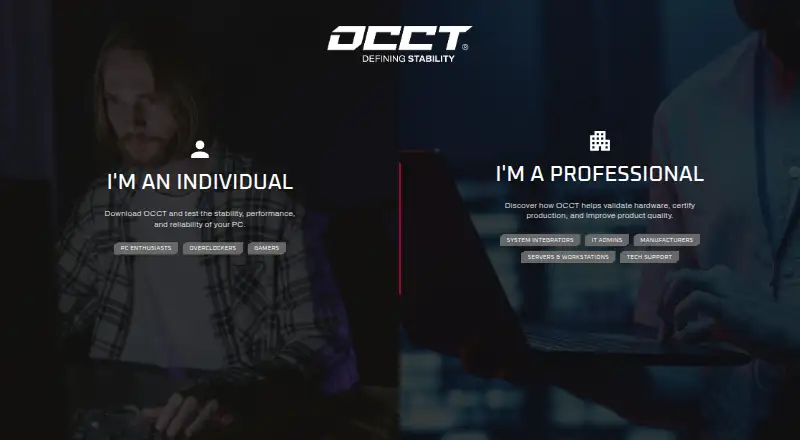
The Personal edition suits individual PC enthusiasts, overclockers, and gamers who need testing and monitoring. Businesses and hardware teams are directed to the professional editions, which have prices available on request.
What it does well
- Tests cover CPU, GPU, memory, VRAM, and power supplies.
- Includes CPU and memory benchmarks.
- Runs on Windows and Linux.
- Enterprise supports test automation and report exports.
What to know first
- Personal edition cannot be used commercially.
- Personal users are limited to one license per household.
- Professional edition prices are available only on request.
- Professional licenses are platform-specific.
Limits
The free Personal plan is for personal use and is limited to one license per household. Supporter costs €4.50 per month; Supporter+ costs €7.00 per month and adds more certificate slots.
Plans
| Plan | Billed and limits | Price |
|---|---|---|
| Personal | Free until the end of time · Personal use only · core features | Free |
| Supporter | Per Month · Personal use · unlimited test duration · no wait time · test reports · stability certificates | €4.50 a month |
| Supporter+ | Per Month · Personal use · all Supporter features · more certificate slots | €7 a month |
| Pro | Pricing on Request · Commercial use · Windows/Linux license is platform-specific | On request |
| Enterprise+ | Pricing on Request · Commercial use · Windows/Linux license is platform-specific | On request |
| Enterprise | Pricing on Request · Commercial use · Windows/Linux license is platform-specific | On request |
As ocbase.com lists them, read 30 Sept 2026. The maker's own page has the final word.
Getting started
- Visit the OCCT website.
- Choose Personal for individual use or request pricing for a professional edition.
- Select Windows or Linux.
- Use Enterprise portable deployment from a USB drive or network location if applicable.
Overview
OCCT brings stability and stress testing, benchmarking, and system monitoring into one PC utility. It suits enthusiasts who want to check several components in one place; its broad test coverage is a stronger draw than its CPU tuning, which does not extend to memory.
It runs on Windows and Linux and covers Intel hardware. For a broader category view, see PC Overclocking Software.
Key features
Component tests and benchmarks
OCCT tests CPUs, GPUs, memory, VRAM, and power supplies, so it can serve users checking system stability across multiple parts rather than just memory. CPU and memory benchmarks include latency and bandwidth measurements. CPU tuning is supported, but memory tuning is not; users who need to tune memory should look elsewhere.
Monitoring and business workflows
System monitoring and system information use HwInfo, complementing the tests with component data. Enterprise adds report exports in JSON, CSV, and PDF formats and command-line switches for running tests without the graphical interface. It can also run portably from a USB drive or network location on Windows and Linux, without installation or an internet connection. For organizations handling sensitive system or test data, the On-Premise option keeps that data within their infrastructure.
Pricing
Personal costs nothing and is for personal use only, with core features. It is aimed at individual enthusiasts, overclockers, and gamers; one license is required per household. It cannot be used in a commercial or business environment.
For personal users who want longer tests and documentation, Supporter costs €4.50 a month and adds unlimited test duration, no wait time, test reports, and stability certificates. Supporter+ costs €7 a month and includes Supporter features plus more certificate slots. Both remain personal-use plans, so paying does not make either appropriate for business use.
Pro, Enterprise, and Enterprise+ have custom pricing for commercial use. Professional licenses are platform-specific for Windows and Linux, and the maker advertises dedicated expert support for professional edition users. Businesses should choose a professional license rather than Personal; the plan descriptions do not establish which Enterprise features are included in Pro or Enterprise+.
Platforms
OCCT supports Windows and Linux. Its Enterprise portable deployment is useful for teams that need to run tests from removable or network storage without installation or internet access.
Who it's for
OCCT is a good fit for PC enthusiasts who want stress tests, benchmarks, and monitoring together, and for businesses or hardware teams that need professional licensing and enterprise workflows. It is not a memory-tuning tool, and Personal is not suitable for commercial environments.
Pros and cons
- Pros: Tests span CPU, GPU, memory, VRAM, and power supplies, making it useful for multi-component stability checks.
- Pros: CPU and memory benchmarks include latency and bandwidth measurements, while HwInfo-based monitoring and system information complement testing.
- Pros: Enterprise supports structured report exports, command-line automation, portable deployment, and an On-Premise option for data-sensitive teams.
- Cons: CPU tuning does not include memory tuning, limiting its appeal to users focused on memory adjustment.
- Cons: Personal cannot be used for business, and commercial users must obtain a professional license with custom pricing.
- Cons: Supporter and Supporter+ add duration, reports, certificates, and certificate slots, but remain personal-use plans.
Alternatives
For a focused memory-testing choice, consider HCI MemTest, which has a free Windows plan and a paid Pro plan at $5, paid once. MemTest86 may suit users wanting a memory tester across Windows, Linux, macOS, and self-hosted platforms; its free edition has no usage restrictions, while Pro Download costs $116, paid once and includes free upgrades for 12 months. MemTest86+ is a free, open-source standalone memory tester under GPLv2 for private or commercial use.
Prime95 is another free alternative. RyzenAdj is a free, LGPL-3.0 command-line tool for Linux and Windows. y-cruncher offers free non-commercial and academic use, including commercial technology reviews. For Windows GPU tuning, ASUS GPU Tweak III is free. Fan Control is free software for Windows.
Verdict
Choose OCCT if you want one Windows or Linux utility for stress tests, CPU and memory benchmarks, and monitoring across a range of PC components. Its broad coverage and business workflow options are compelling, but memory tuning is absent and Personal is strictly non-commercial; businesses should weigh the custom-priced professional licenses before committing.
Verdict
OCCT provides testing, benchmarking, and monitoring for Windows and Linux PCs. Personal use is free, while business use requires a professional license with pricing available on request.
Questions
Is OCCT free?
Yes. The Personal plan is free and includes core features for personal use.
How much do the paid personal plans cost?
Supporter costs €4.50 per month. Supporter+ costs €7.00 per month.
Which platforms does OCCT support?
OCCT runs on Windows and Linux. Professional licenses are specific to one of those platforms.
Can a business use the free Personal plan?
No. Personal cannot be used in a commercial or business environment. The maker directs those users to Pro, Enterprise, or Enterprise+.
What does Enterprise add?
Enterprise includes JSON, CSV, and PDF report exports, command-line test automation, and portable deployment without installation or internet access.
Who makes OCCT?
The maker is OCCT, at ocbase.com. The company was founded in 2003.
Facts from OCCT's own pages
- Automation
- Enterprise includes command-line switches for automating tests without the GUI. · ocbase.com, 30 Sept 2026
- Benchmarks
- OCCT includes CPU and memory benchmarks, including memory latency and bandwidth measurements. · ocbase.com, 30 Sept 2026
- Deployment
- Enterprise can run portably from a USB drive or network location on Windows and Linux, without installation or an internet connection. · ocbase.com, 30 Sept 2026
- Founded
- 2003 · ocbase.com, 28 Sept 2026
- Hardware tests
- Its tests cover CPU, GPU, memory, VRAM, and power supplies. · ocbase.com, 30 Sept 2026
- Intended users
- The maker presents the Personal edition to individuals such as PC enthusiasts, overclockers, and gamers, and professional editions to businesses and hardware teams. · ocbase.com, 30 Sept 2026
- Licensing limit
- Personal users need one license per household, while professional licenses are platform-specific for Windows and Linux. · ocbase.com, 30 Sept 2026
- Personal-use restriction
- OCCT Personal cannot be used in a commercial or business environment; the maker directs those users to a Pro, Enterprise, or Enterprise+ license. · ocbase.com, 30 Sept 2026
- Professional reports
- Enterprise can export reports in JSON, CSV, and PDF formats. · ocbase.com, 30 Sept 2026
- Purpose
- OCCT is a stability testing, stress testing, benchmarking, and monitoring tool for PCs. · ocbase.com, 30 Sept 2026
- Security and data handling
- The maker says Enterprise can be deployed offline, and its On-Premise option keeps sensitive system and test data within the customer's infrastructure. · ocbase.com, 30 Sept 2026
- Support
- The maker advertises dedicated expert support for professional edition users. · ocbase.com, 30 Sept 2026
- System monitoring
- The software provides system monitoring and system information using HwInfo. · ocbase.com, 30 Sept 2026
Where OCCT stands on Freedom251
- PC Overclocking Software#16 of 31