Freedom251 › PC benchmark tools

Novabench
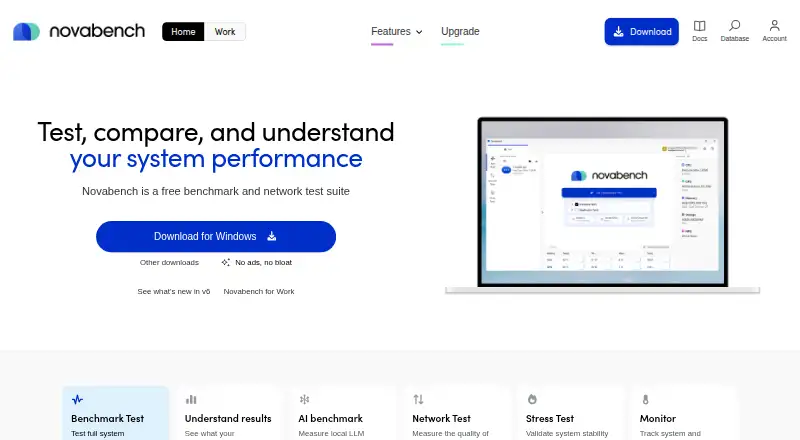
What Novabench is
Novabench is a desktop benchmarking application for Windows, macOS, and Linux. It measures CPU, GPU, memory, and disk workloads, then provides online result comparison through its comparison database. This gives users a way to review results across several parts of a computer within one application. The Free plan costs nothing and includes the desktop benchmark application, tests for CPU, GPU, memory, and disk, and online result comparison. Benchmark results can be exported as CSV, JSON, or PDF reports. Novabench also supports CLI or automation, which can fit workflows that run benchmarks through command-oriented processes. Its workload coverage spans four areas, while its supported operating systems cover three desktop platforms. The product is based in Vancouver, British Columbia, Canada. Novabench can serve users who want to assess multiple components, compare results online, save reports in common export formats, or incorporate benchmarks into an automated workflow, all under its listed free plan.
Who it suits
Novabench suits people who want to benchmark CPU, GPU, memory, and disk performance on a Windows, macOS, or Linux computer. Its online comparisons, report exports, and CLI or automation support also suit users who want to review or incorporate benchmark results into a repeatable workflow.
What it does well
- Tests CPU, GPU, memory, and disk workloads.
- Online result comparison is included in the Free plan.
- Exports results as CSV, JSON, and PDF reports.
- Supports CLI or automation.
- Available for Windows, macOS, and Linux.
What to know first
- The listed platforms are limited to Windows, macOS, and Linux.
Plans
| Plan | Billed and limits | Price |
|---|---|---|
| Free | Personal use · Full benchmark suite · Basic reporting · Optional result submission | Free |
| Pro | $216/year · For all computers you work on · Portable mode · CSV export · Parallel stress testing · Battery rundown testing | $216 a year |
| Plus | $36/year · For all your computers · Full reports · System monitoring · Performance trends | $36 a year |
| Plus Monthly | Billed monthly · Full Plus access · Cancel anytime | $6 a month |
As novabench.com lists them, read 11 Oct 2026. The maker's own page has the final word.
Getting started
- Visit the Novabench website.
- Choose the application for Windows, macOS, or Linux.
- Run tests for CPU, GPU, memory, and disk.
- Compare results online through the comparison database.
- Export reports as CSV, JSON, or PDF if needed.
- Use CLI or automation for a command-oriented benchmark workflow.
Verdict
Choose Novabench if you want a free desktop application that benchmarks CPU, GPU, memory, and disk and supports online comparisons. Its listed platform support is limited to Windows, macOS, and Linux, so it may not suit a workflow that needs a different operating system.
Questions
How much does Novabench cost?
Its Free plan costs nothing.
What does the Free plan include?
It includes the desktop benchmark application, CPU, GPU, memory, and disk tests, and online result comparison.
Which operating systems does Novabench support?
Novabench supports Windows, macOS, and Linux.
What can Novabench benchmark?
It covers CPU, GPU, RAM or memory, and disk workloads.
Can I export benchmark results?
Yes. Result export formats include CSV, JSON, and PDF reports.
Does Novabench support command-line or automated use?
Yes. CLI or automation is supported.
Facts from Novabench's own pages
- AI benchmark
- Its AI test measures local language model performance on compatible CPUs, GPUs, and NPUs. · novabench.com, 11 Oct 2026
- Company
- The maker identifies itself as Novabench Inc. and says it is registered in Canada with its registered office in Vancouver, British Columbia. · novabench.com, 11 Oct 2026
- Comparison
- Novabench provides comparison reports against millions of results, with more detailed comparison tools in Plus and Pro. · novabench.com, 11 Oct 2026
- Comparison database
- Yes · novabench.com, 24 Sept 2026
- Free plan
- Yes · novabench.com, 24 Sept 2026
- Hardware tests
- The benchmark suite tests CPU, GPU, memory, storage, and supported NPU performance. · novabench.com, 11 Oct 2026
- Headquarters
- Vancouver, British Columbia, Canada · novabench.com, 28 Sept 2026
- Intended users
- Novabench describes its free plan as for personal use and Novabench for Work as an endpoint performance suite for IT professionals. · novabench.com, 11 Oct 2026
- Monitoring
- Plus includes sensor and battery history logging and recurring benchmark and network tests. · novabench.com, 11 Oct 2026
- Network testing
- Network tests include speed measurements, traceroute, and DNS benchmarking. · novabench.com, 11 Oct 2026
- Offline use
- Novabench can operate in a fully offline mode. · novabench.com, 11 Oct 2026
- Operating systems
- Windows,macOS,Linux · novabench.com, 24 Sept 2026
- Platforms
- Novabench offers downloads for Windows 10 or 11, macOS 12 or higher, and most Linux distributions from 2022 onward. · novabench.com, 11 Oct 2026
- Privacy
- Novabench says it limits the data it collects, and Free testing does not require an account. · novabench.com, 11 Oct 2026
- Product
- Novabench is a benchmark and network test suite for testing, comparing, and understanding system performance. · novabench.com, 11 Oct 2026
- Security
- Novabench says it has completed a SOC 2 Type 2 audit covering Security, Confidentiality, and Availability. · novabench.com, 11 Oct 2026
- Security limitation
- The maker says Novabench is a testing tool that cannot configure or remotely manage systems. · novabench.com, 11 Oct 2026
- Stress testing
- Free includes CPU, GPU, and VRAM stress tests, while Pro adds parallel stress testing. · novabench.com, 11 Oct 2026
- Support
- Support is available through documentation, support chat, and [email protected]. · novabench.com, 11 Oct 2026
- Workload areas
- CPU,GPU,RAM,disk · novabench.com, 24 Sept 2026
Where Novabench stands on Freedom251
- PC benchmark tools#22 of 70
- PC Benchmark Software#28 of 73