Freedom251 › Secure File Shredding Software

Autoruns
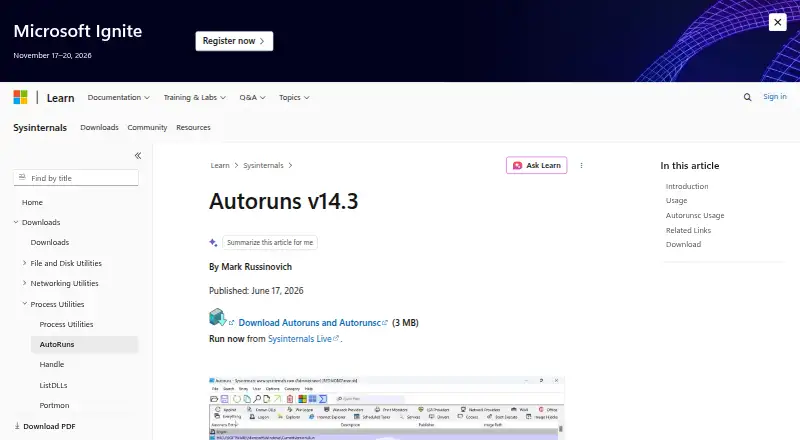
What Autoruns is
Autoruns is a free Windows utility for finding and managing programs and drivers set to run at startup, during login, or when certain built-in Windows applications launch. It reports entries from a range of system locations, including the Startup folder, Registry keys, Explorer extensions, services, scheduled tasks, and Winlogon. Users can hide signed Microsoft entries to bring third-party auto-starting items into focus, and inspect items configured for other user accounts on the same system. An entry can be disabled by unchecking it or removed by deleting its configuration entry. Scan options include digital signature verification and VirusTotal hash checks; files not previously scanned can be submitted when the upload option is specified, after accepting VirusTotal's terms. The download includes Autorunsc, a command-line version that can produce CSV or tab-delimited output, verify signatures, and scan an offline Windows system. The Autoruns and Autorunsc download is listed as 3 MB, and Microsoft also provides a Sysinternals Live option. The software is free to use on devices you own or support, with no installation or use limit, though redistribution requires a license. Microsoft provides the tools as is without official support and directs users to a community forum.
Who it suits
Autoruns suits Windows users who need to review what starts with the system, including entries associated with other user accounts. Its command-line companion and offline scanning support also fit users who want startup data in an exportable format or need to examine an offline Windows installation.
What it does well
- Reports startup entries across folders, Registry keys, services, tasks, and more.
- Can hide signed Microsoft entries to focus on third-party items.
- Supports disabling or deleting startup configuration entries.
- Autorunsc can export CSV or tab-delimited data and scan offline systems.
- Free to use on devices owned or supported, with no use limit.
What to know first
- Runs on Windows only.
- VirusTotal features require accepting VirusTotal's terms.
- Microsoft provides no official support for Sysinternals tools.
- Redistribution requires a license.
Limits
There is no limit on installations or use on devices you own or support. Redistribution is not covered; Microsoft does not offer distribution licenses.
Plans
| Plan | Billed and limits | Price |
|---|---|---|
| Free | Free to use · no limit on installs or use on your devices or devices you support · no redistribution license | Free |
As learn.microsoft.com lists them, read 12 Oct 2026. The maker's own page has the final word.
Getting started
- Open the Microsoft Autoruns page.
- Use the 3 MB Autoruns and Autorunsc download, or choose the Sysinternals Live option.
- Run Autoruns on Windows to review startup entries.
- Use Autorunsc for command-line output or to specify an offline Windows system.
- Accept VirusTotal's terms before using its VirusTotal features.
Overview
Autoruns is a free Windows utility for finding and managing software and drivers configured to launch automatically. It suits people who need to inspect startup behavior across Windows system locations, user accounts, or an offline installation. Its broad inventory and command-line companion make it a capable specialist tool, though it offers no junk cleanup and comes without official Microsoft support.
Key features
Autoruns covers more than the Startup folder: it reports entries from Registry keys, Explorer extensions, services, scheduled tasks, and Winlogon, as well as items that run when certain built-in Windows applications start. This wide view is useful when tracking down an unexpected launch point; users who only want a quick, simple startup toggle may find its scope excessive.
The Hide Signed Microsoft Entries option helps focus on third-party auto-starting images, and Autoruns can show entries configured for other accounts on the same computer. You can disable an entry by unchecking it or delete its configuration entry. Those controls support targeted review and management, but the lack of junk cleanup makes Autoruns a poor fit for anyone seeking a broader system-maintenance utility.
Scan options include digital-signature verification and VirusTotal hash checks. With the upload option specified, Autoruns can submit files that have not been scanned before; VirusTotal features require users to accept VirusTotal's terms of service. Sysinternals' license terms state that its tools do not collect data.
The download includes Autorunsc, a command-line companion that can produce CSV or tab-delimited output and verify digital signatures. It can also scan an offline Windows system, which is useful for scripted reporting or examining an installation that is not currently running. The Autoruns and Autorunsc download is listed as 3 MB, and Microsoft offers a Sysinternals Live option for running the tool.
Pricing
Autoruns is free: free. There is no limit on installations or use on your own devices or devices you support. That makes it practical for individual users and support work without a seat count or usage cap. Microsoft does not offer a distribution license, so this permission does not cover redistribution.
The free plan includes the startup inspection and management utility plus Autorunsc. There is no paid plan to unlock additional capabilities, but users who need official Microsoft support should look elsewhere: Sysinternals tools are provided as is, with Microsoft pointing users to a community support forum.
Platforms
Autoruns is for Windows. It is not a choice for people who need a startup manager on Linux or another platform.
Who it's for
Choose Autoruns if you are comfortable reviewing system configuration and need to trace auto-start entries across multiple Windows locations. Its account visibility and offline scanning also suit administrators and support staff investigating more than the active user's setup. If you only need a broad cleanup workflow, a simpler startup control, or official support, its specialized scope is a drawback.
Pros and cons
- Pros: Reports startup configuration across the Startup folder, Registry, services, scheduled tasks, Explorer extensions, and Winlogon, making it useful for locating entries a narrow startup list can miss.
- Pros: Can inspect other user accounts and offline Windows systems, giving administrators more reach than a view limited to the current session.
- Pros: Free with no installation or use limit on devices you own or support, and Autorunsc adds command-line output and signature verification.
- Cons: Windows only, so it cannot serve users managing startup behavior on other platforms.
- Cons: No junk cleanup, which limits its usefulness as an all-purpose maintenance tool.
- Cons: Sysinternals tools are provided without official Microsoft support, and redistribution is not licensed.
Alternatives
If you need a startup manager, see the Startup Manager Software directory. Autoruns is the relevant fit when you specifically need its broad Windows startup inventory and offline command-line scanning; the alternatives below focus on file deletion instead.
For secure file deletion on Windows, Cairo Secure Eraser is a free option with all listed features included, no paid upgrade stated, and a free account required to download. Eraser is another free Windows choice, with source code released under the GNU General Public License.
Free File Eraser is a Windows desktop utility described as freeware with no hidden cost or function limit stated. OW Shredder is a free Windows download. For Linux, Raider is a free app for permanent file deletion.
Crypto Shredder offers a free Windows edition, and its product page credits Seng Thao at ThugOn.com as its maker. DeleteOnClick is free for Windows 32-bit and 64-bit. File Shredder is a free GNU/GPL option with five shredding algorithms, file and folder shredding, and free-space wiping.
For other data-erasure and file-shredding options, browse Secure File Shredding Software, Data Erasure Software, or File Shredder Software. For disk defragmentation or system information tools, see Disk Defragmentation Software and System Information Software.
Verdict
Autoruns is a strong free choice for technically confident Windows users who need a detailed view of what launches automatically, including across accounts and offline systems. Its wide coverage and Autorunsc companion are the main reasons to choose it. Look elsewhere if you need junk cleanup, another operating system, or official Microsoft support.
Verdict
Choose Autoruns if you need a free Windows tool to inspect startup items across many system locations and manage their configurations. Its Autorunsc companion adds command-line output and offline scanning. Look elsewhere if you need a non-Windows platform or official Microsoft support.
Questions
How much does Autoruns cost?
The Free plan costs nothing.
Which platform does Autoruns support?
The listed platform is Windows.
Does Autoruns have a command-line version?
Yes. The download includes Autorunsc, which can output CSV or tab-delimited data and verify signatures.
Can Autoruns scan an offline Windows system?
Autorunsc supports specifying an offline Windows system to scan.
Does Autoruns use VirusTotal?
Scan options include VirusTotal hash checks. Users must accept VirusTotal's terms, and submitting files not previously scanned requires specifying the upload option.
Does Microsoft provide support?
Microsoft describes Sysinternals tools as provided as is without official Microsoft support and points users to a community support forum.
Facts from Autoruns's own pages
- Command-line tool
- The download includes Autorunsc, a command-line version that can output CSV or tab-delimited data and verify digital signatures. · learn.microsoft.com, 12 Oct 2026
- Data collection
- The Sysinternals software license terms state that Sysinternals tools do not collect data. · learn.microsoft.com, 12 Oct 2026
- Download and live use
- The Autoruns and Autorunsc download is listed as 3 MB, and Microsoft also provides a Sysinternals Live option to run it. · learn.microsoft.com, 12 Oct 2026
- Filter Microsoft entries
- The Hide Signed Microsoft Entries option helps focus on third-party auto-starting images. · learn.microsoft.com, 12 Oct 2026
- Free plan
- Yes · learn.microsoft.com, 20 Sept 2026
- Junk cleanup
- No · learn.microsoft.com, 20 Sept 2026
- Manage entries
- Users can disable an auto-start entry by unchecking it or delete its configuration entry. · learn.microsoft.com, 12 Oct 2026
- Multiple accounts
- Autoruns can show auto-starting images configured for other user accounts on the system. · learn.microsoft.com, 12 Oct 2026
- Offline scanning
- Autorunsc supports specifying an offline Windows system to scan. · learn.microsoft.com, 12 Oct 2026
- Purpose
- Autoruns shows programs and drivers configured to run during system boot, login, and when certain built-in Windows applications start. · learn.microsoft.com, 12 Oct 2026
- Signature and malware checks
- Scan options include signature verification and VirusTotal hash checks, and can submit files not previously scanned when the upload option is specified. · learn.microsoft.com, 12 Oct 2026
- Startup locations
- It reports startup items from locations including the Startup folder, Registry keys, Explorer extensions, services, scheduled tasks, and Winlogon entries. · learn.microsoft.com, 12 Oct 2026
- Startup manager
- Yes · learn.microsoft.com, 20 Sept 2026
- Support
- Microsoft says Sysinternals tools are provided as is without official Microsoft support and points users to a community support forum. · learn.microsoft.com, 12 Oct 2026
- Use limits
- The licensing FAQ says there is no limit on installations and use on your devices or devices you support, but Microsoft does not offer distribution licenses. · learn.microsoft.com, 12 Oct 2026
- VirusTotal terms
- Users must accept VirusTotal's terms of service before using Autoruns' VirusTotal features. · learn.microsoft.com, 12 Oct 2026
Where Autoruns stands on Freedom251
- Secure File Shredding Software#3 of 26
- Startup Manager Software#4 of 30
- Window Management Software#9 of 65
- Disk Defragmentation Software#3 of 20
- File Shredder Software#5 of 27
- System Information Software#7 of 34
- Data Erasure Software#4 of 17
- Remote Connection Manager Software#8 of 29
- PC Optimization Software#28 of 97
- PC optimisers#34 of 104
- Process Monitoring Software#9 of 26
- Disk Space Analyzers#83 of 105