Freedom251 › Secure File Shredding Software
Raider
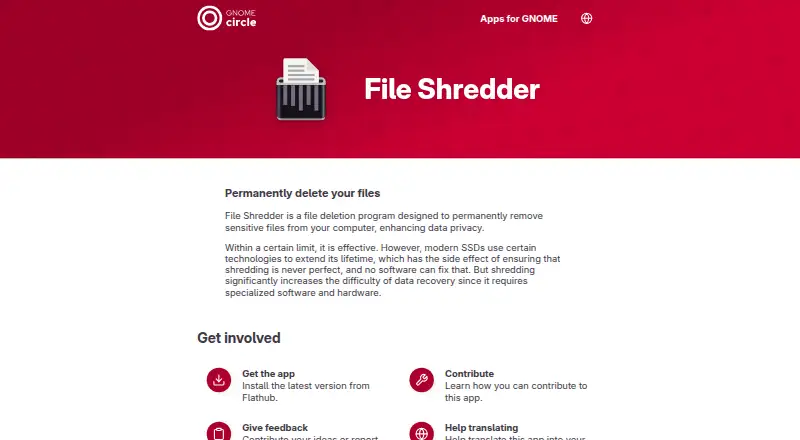
What Raider is
Raider, listed as File Shredder on its GNOME app page, is a free Linux app for making deleted sensitive files harder to recover. It is designed to permanently remove files from a computer and supports folder shredding with custom shredding standards. It does not provide free-space shredding or scheduled shredding.
The app cautions that modern SSD technology prevents shredding from being perfect, although it can make recovery more difficult. The GNOME page directs users to install the latest version from Flathub, which lists aarch64 and x86_64 architectures. The listed latest release is version 3.1.0, released May 18, 2025. Its changes include a GNOME 48 update, a modernized circular progress indicator, memory-leak fixes, and DBus launch support. Alan Beveridge is named as maintainer, with San Diego, California listed as the maintainer location. App-specific content is licensed GPL-3.0-or-later; the page links to GitHub for issues, feedback, and translation contributions.
Who it suits
Raider suits Linux users who want to make recovery of deleted sensitive files more difficult, including users who need to shred folders. It is not a guarantee of perfect deletion, particularly given the app’s stated SSD caveat.
What it does well
- Free Linux app.
- Supports folder shredding.
- Available for aarch64 and x86_64 architectures.
- Latest listed release includes DBus launch support.
What to know first
- Does not shred free space.
- Does not offer scheduled shredding.
- Modern SSD technology means shredding is never perfect.
- Does not support Windows or macOS.
Limits
The free plan is for Linux file deletion and includes folder shredding with custom standards. It does not include free-space or scheduled shredding, and the app cautions that modern SSD technologies prevent perfect shredding.
Plans
| Plan | Billed and limits | Price |
|---|---|---|
| Free | Linux app · permanent file deletion | Free |
As apps.gnome.org lists them, read 5 Oct 2026. The maker's own page has the final word.
Getting started
- Open the Raider page on GNOME Apps.
- Follow its direction to install the latest version from Flathub.
- Choose the Flathub build for aarch64 or x86_64, as applicable.
- Use the app to shred files or folders.
Raider is a free Linux utility for shredding sensitive files and folders so recovery becomes more difficult. It is best suited to Linux users who need targeted deletion rather than a broad disk-cleaning system. The focused feature set keeps it simple, but leaves important gaps for users who need free-space wiping, schedules or a defined shredding method.
Overview
Raider is designed to permanently remove selected files and make their recovery harder. Folder shredding means a directory of related material can be handled as one job, which is more practical than selecting individual files. This is a narrow privacy tool: it addresses items you choose, not every trace that may remain elsewhere on a drive.
Its scope also defines its limits. Raider does not shred free space, so it cannot target remnants left by files deleted through ordinary means. It has no scheduled shredding, making it unsuitable for workflows that require recurring, automatic cleanup.
Key features
File and folder shredding are the core functions. The app describes its shredding standards as custom rather than naming a recognized standard. That may be acceptable for routine disposal of selected documents, but readers who must specify or audit a particular method should choose a tool with a clearly identified standard.
Raider explicitly warns that modern SSD technology makes perfect shredding impossible. The operation can increase the difficulty of data recovery, yet it cannot provide certainty that deleted material is unrecoverable. Treat it as a risk-reduction measure, not proof of complete erasure.
Version 3.1.0, released on 2025-05-18, updates compatibility for GNOME 48, modernizes the circular progress indicator, fixes small memory leaks and adds DBus launch support. The GNOME app page directs installation through Flathub. The named maintainer is Alan Beveridge, and app-specific content is licensed GPL-3.0-or-later. Issue reports and translation contributions go through GitHub.
Pricing
| Plan | Price | Includes |
|---|---|---|
| Free | free | Linux app with permanent file deletion |
There is no paid tier, seat allowance or trial period to weigh. The free plan gives Linux users the complete stated product scope at no cost: file and folder shredding, with no free-space or scheduled mode.
Platforms
Raider supports Linux only; Windows and macOS are not supported. Flathub lists aarch64 and x86_64 architectures, giving users on those Linux systems a straightforward distribution route.
Who it's for
Choose Raider if you use Linux and occasionally need to dispose of sensitive files or folders while making recovery more difficult. It fits personal workstations and focused cleanup where a free, open-licensed utility is preferable to a larger suite.
Look elsewhere if you need free-space wiping, recurring schedules, Windows or macOS support, or a named shredding standard. The SSD caveat also rules it out as a sole control for requirements that demand guaranteed, demonstrable erasure.
Pros and cons
Pros
- Free permanently: the sole plan costs 0.00 USD and has no stated paid upgrade.
- Folder support: grouped sensitive material can be shredded in one operation.
- Linux architecture coverage: Flathub provides aarch64 and x86_64 builds.
- Current GNOME work: release 3.1.0 includes GNOME 48 support, memory-leak fixes and DBus launch support.
Cons
- No free-space shredding: previously deleted remnants are outside its scope.
- No scheduling: recurring cleanup must be done manually.
- Custom standards: there is no named method for readers who need a defined specification.
- SSD limitation: perfect erasure cannot be guaranteed on modern solid-state storage.
- Linux-only: Windows and macOS users need another product.
Alternatives
For a broader comparison, see Secure File Shredding Software.
- Autoruns is a free Windows utility when startup-management software, rather than shredding, is your requirement.
- Cairo Secure Eraser is a free Windows option with all listed features and a free account required for download.
- Eraser is free Windows software whose source code is released under the GNU General Public License.
- Free File Eraser is a free Windows desktop utility with no stated hidden cost or function limit.
- OW Shredder is a free Windows download.
- Crypto Shredder is a free Windows edition, version 2.0.1.
- DeleteOnClick is a free Windows 32-bit and 64-bit option.
- File Shredder is free software offering five shredding algorithms, file and folder shredding, free-space wiping and GNU/GPL licensing.
Verdict
Raider is a sensible choice for Linux users who want a free way to shred selected files and folders and raise the difficulty of recovery. Its main reason to choose it is focused, no-cost folder shredding; its main reason to look elsewhere is the combination of no free-space or scheduled operation and the inability to guarantee erasure on modern SSDs.
Verdict
Raider offers folder shredding for Linux, with the explicit limitation that it cannot guarantee perfect erasure on modern SSDs. Its lack of free-space and scheduled shredding may matter for some workflows.
Questions
Is Raider free?
Yes. Its Free plan is listed as free.
Which platforms does Raider support?
Linux is supported. Windows and macOS are not.
Can Raider shred folders?
Yes. Folder shredding is supported.
Can Raider shred free space or schedule shredding?
No. Neither free-space shredding nor scheduled shredding is supported.
Is shredded data guaranteed to be unrecoverable?
No. Raider says modern SSD technologies mean shredding is never perfect, though it increases the difficulty of recovery.
Where can I get Raider, and what is its license?
The GNOME app page directs users to install the latest version from Flathub. The app-specific content is licensed GPL-3.0-or-later.
Facts from Raider's own pages
- Architecture support
- Flathub lists aarch64 and x86_64 as available architectures. · flathub.org, 5 Oct 2026
- Deletion caveat
- The app says modern SSD technologies mean shredding is never perfect, though it increases the difficulty of data recovery. · apps.gnome.org, 5 Oct 2026
- Distribution
- The GNOME app page directs users to install the latest version from Flathub. · apps.gnome.org, 5 Oct 2026
- Intended use
- The app is for people seeking to make recovery of deleted sensitive files more difficult. · apps.gnome.org, 5 Oct 2026
- Issue reporting
- The app page links to GitHub for reporting issues and giving feedback. · apps.gnome.org, 5 Oct 2026
- Latest release
- The listed latest release is version 3.1.0, released on 2025-05-18. · apps.gnome.org, 5 Oct 2026
- License
- The app-specific content is licensed GPL-3.0-or-later. · apps.gnome.org, 5 Oct 2026
- Location
- The maintainer is listed in San Diego, California. · apps.gnome.org, 5 Oct 2026
- Maintainer
- The GNOME app page names Alan Beveridge as maintainer. · apps.gnome.org, 5 Oct 2026
- Purpose
- File Shredder is designed to permanently remove sensitive files from a computer to enhance data privacy. · apps.gnome.org, 5 Oct 2026
- Release changes
- Version 3.1.0 lists a GNOME 48 update, a modernized circular progress indicator, fixes for small memory leaks, and DBus launch support. · flathub.org, 5 Oct 2026
- Translations
- The GNOME app page links to GitHub to help translate the app. · apps.gnome.org, 5 Oct 2026
Where Raider stands on Freedom251
- Secure File Shredding Software#13 of 26