Freedom251 › Secure File Shredding Software
File Shredder
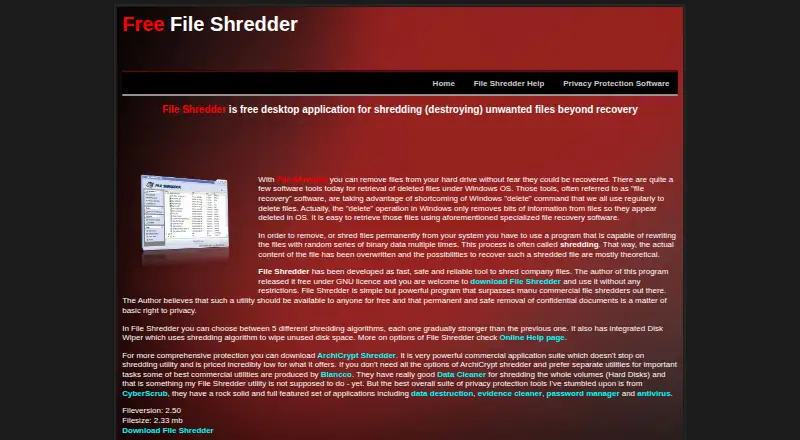
What File Shredder is
File Shredder is a free Windows desktop application for deleting unwanted files by overwriting them with random binary data multiple times. Users can choose from five shredding algorithms of increasing strength and queue individual files or folders, including their contents and subfolders. Its Disk Wiper targets unused disk space. An optional setting adds secure deletion, queueing, and launch commands to the Windows Explorer right-click menu. The program is released under the GNU/GPL General Public License and is free for personal and commercial use. The help page lists Windows NT, 2000, XP, 2003 Server, Vista, 7, 8, and 10. The maker says the application is not intended to shred entire disk volumes and cannot provide support. The help page also warns that shredding is permanent and cannot be undone, so check the items before adding them to the queue. The home page lists version 2.50.
Who it suits
File Shredder suits Windows users who want to overwrite selected files, folders, or unused disk space. It is available for personal and commercial use at no cost.
What it does well
- Five shredding algorithms to choose from
- Disk Wiper targets unused disk space
- Queues folders and their contents
- Free for personal and commercial use
What to know first
- Not intended to shred entire disk volumes
- Shredding is permanent and cannot be undone
- Maker says it cannot provide support
Limits
File Shredder is not intended to shred entire disk volumes. Its file shredding is permanent and cannot be undone.
Plans
| Plan | Billed and limits | Price |
|---|---|---|
| Free | Five shredding algorithms · File and folder shredding · Free-space wiping · GNU/GPL licensed | Free |
| File Shredder | Free for personal and commercial use · Windows desktop application | Free |
As fileshredder.org lists them, read 20 Sept 2026. The maker's own page has the final word.
Getting started
- Open the File Shredder website.
- Download the Windows desktop application.
- Add files or folders to the shredding queue.
- Choose one of the five shredding algorithms.
- Start shredding only after checking the queued items.
Overview
File Shredder is a free Windows desktop utility for overwriting selected files and folders and wiping unused disk space. It is best suited to people who want direct control over targeted deletion rather than a tool for erasing a whole drive. The five algorithm choices are useful flexibility, but permanent deletion and the absence of maker support warrant caution.
Key features
Users can queue files, folders, and their contents, including subfolders, for shredding. That makes it practical to remove groups of unwanted items in one operation rather than handling each separately. The optional Windows Explorer right-click integration adds secure-deletion, queueing, and launch commands, which can make those actions more convenient during file browsing.
Shredding rewrites files with random binary data multiple times, and users can choose from five algorithms with increasing strength. That choice gives users a way to select an approach rather than relying on a single method. The integrated Disk Wiper also overwrites unused disk space, addressing a different need from shredding selected files.
There is an important boundary: File Shredder is not intended to shred entire disk volumes. It is therefore a poor fit for someone preparing to wipe a whole drive. Shredding is also permanent and cannot be undone, so users should check the queue carefully before starting. The maker says it cannot provide support, which may make this a less suitable choice for anyone who needs assistance if something goes wrong.
Pricing
File Shredder is free: both its Free plan and its File Shredder plan cost nothing. The Free plan includes five shredding algorithms, file and folder shredding, free-space wiping, and a GNU/GPL license. The File Shredder plan describes a Windows desktop application that is free for personal and commercial use. There is no paid tier to unlock these core functions, making it a straightforward option for users who need targeted file deletion without a software charge.
Platforms
File Shredder is a Windows desktop application. Its supported systems are Windows NT, 2000, XP, 2003 Server, Vista, 7, 8, and 10. It is not presented as a cross-platform option.
Who it's for
This is a sensible choice for Windows users who want to overwrite selected files or folders, clear unused disk space, and choose among several shredding algorithms without paying. It is not the right tool for whole-volume erasure, and users who need maker support or a reversible deletion option should look elsewhere.
Pros and cons
- Pros: Free for personal and commercial use under GNU/GPL, with no charge for its file, folder, and unused-space wiping functions.
- Pros: Five algorithms, folder-content queueing, and optional Explorer commands give users multiple ways to target and initiate shredding.
- Cons: It is not intended to erase entire disk volumes, limiting its usefulness for drive disposal or full-volume cleanup.
- Cons: Shredding cannot be undone, and the maker cannot provide support; users need to be confident about their queue before proceeding.
- Cons: Support is limited to the listed Windows systems, with no listed support for other platforms.
Alternatives
For broader comparisons, browse Data Erasure Software, Secure File Shredding Software, or File Shredder Software.
- Active@ KillDisk is worth considering if you need a freemium option across Linux, macOS, and Windows; its Personal Professional license costs $64.95, paid once.
- DriveWipe is another free option with Linux, macOS, and Windows support; choose it if cross-platform availability matters more than File Shredder's listed Windows focus.
- CBL Data Shredder is a free Windows alternative for users seeking complete low-level hard-drive formatting and customizable wipe methods.
- Strix Disk Cleaner may suit users who want a free, open-source option for Windows or Linux that operates offline.
- nwipe is a free alternative for Linux users.
- ASCOMP Secure Eraser is a Windows freemium alternative; its Professional Edition — Private License costs $29.90, paid once and covers a maximum of two systems.
- BCWipe Total WipeOut is a paid alternative with a free trial and support for Linux, macOS, and Windows.
- Autoruns is another free option.
Verdict
Choose File Shredder if you use a supported Windows system and want a free way to shred selected files and folders or wipe unused disk space, with a choice of overwrite algorithms. Its limits are clear: it is not for entire disk volumes, deletion is irreversible, and maker support is unavailable. If any of those constraints conflicts with your needs, consider an alternative instead.
Verdict
File Shredder offers file and folder shredding, plus wiping for unused disk space, without a charge. Its whole-volume limitation and irreversible operation are important to note before use.
Questions
Is File Shredder free?
Yes. It is free for personal and commercial use under the GNU/GPL General Public License.
Which systems does it support?
The help page lists Windows NT, 2000, XP, 2003 Server, Vista, 7, 8, and 10.
Can it wipe unused disk space?
Yes. Its integrated Disk Wiper shreds unused disk space.
Can File Shredder erase an entire drive?
It is not intended to shred entire disk volumes.
Can shredded files be recovered?
Shredding is permanent and cannot be undone.
Facts from File Shredder's own pages
- Algorithms
- Users can choose among five shredding algorithms of increasing strength. · fileshredder.org, 3 Oct 2026
- Destructive operation
- The help page warns that shredding files is permanent and cannot be undone. · fileshredder.org, 3 Oct 2026
- File and folder queue
- Users can add files and folders, including folder contents and subfolders, to a shredding queue. · fileshredder.org, 3 Oct 2026
- Free space wiping
- The integrated Disk Wiper shreds unused disk space. · fileshredder.org, 3 Oct 2026
- License
- The program is released under the GNU/GPL General Public License and is free for personal and commercial use. · fileshredder.org, 3 Oct 2026
- Overwrite method
- The site says shredding rewrites files with random binary data multiple times. · fileshredder.org, 3 Oct 2026
- Purpose
- File Shredder is a free desktop application for shredding unwanted files beyond recovery. · fileshredder.org, 3 Oct 2026
- Support
- The maker says it cannot provide support for File Shredder. · fileshredder.org, 3 Oct 2026
- Supported systems
- The help page lists Windows NT, 2000, XP, 2003 Server, Vista, 7, 8, and 10. · fileshredder.org, 3 Oct 2026
- Version
- The home page lists Fileversion 2.50 and a filesize of 2.33 mb. · fileshredder.org, 3 Oct 2026
- Whole-drive limit
- The maker says File Shredder is not intended to shred entire disk volumes. · fileshredder.org, 3 Oct 2026
- Windows integration
- An optional setting adds secure deletion, queueing, and launch commands to Windows Explorer’s right-click menu. · fileshredder.org, 3 Oct 2026
Where File Shredder stands on Freedom251
- Secure File Shredding Software#8 of 26
- File Shredder Software#10 of 27
- Data Erasure Software#7 of 17