Freedom251 › PC Overclocking Software
y-cruncher
What y-cruncher is
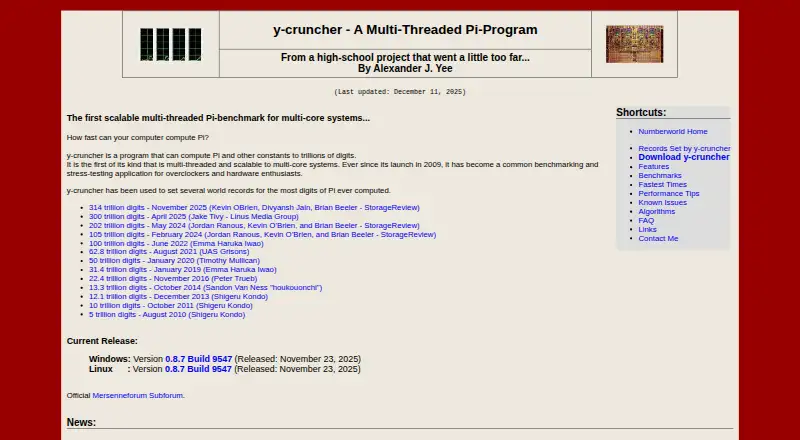
y-cruncher calculates Pi and other mathematical constants to trillions of digits, and also serves as a multithreaded benchmark and stress-testing program for overclockers and hardware enthusiasts. For most constants, it has separate algorithms for computation and verification. Its multithreading can use modern multi-core processors without significantly increasing memory usage, and it supports SIMD instruction sets including SSE, AVX, and AVX512. For computations that exceed available memory, it manages swap space and can use multiple drives for disk swapping. It can detect and correct minor errors attributed to hardware instability or software bugs. Downloads are available for Windows and Linux. The listed requirements are Windows 8 or later, 64-bit Linux, and an x86 or x64 processor. Linux users can choose a static build, which lacks TBB and NUMA binding, or a dynamic build that supports all features but is less portable. The project is on hiatus for major algorithm redesigns and rewrites, while maintenance and some processor optimizations continue. The free plan covers non-commercial and academic use; commercial-purpose licensing may be available by contacting the developer.
Who it suits
y-cruncher suits users calculating large mathematical constants and hardware enthusiasts seeking a benchmark or stress test. Commercial users should contact the developer about licensing.
What it does well
- Calculates constants to trillions of digits
- Separate computation and verification algorithms for most constants
- Supports SSE, AVX, and AVX512
- Manages swap space for large computations
- Can detect and correct minor errors
What to know first
- Static Linux build lacks TBB and NUMA binding
- Dynamic Linux build is less portable
- Commercial use requires contacting the developer
- Major algorithm redesigns and rewrites are on hiatus
Limits
The free plan is for non-commercial and academic use, including commercial technology reviews; other commercial-purpose licensing requires contacting the developer and may depend on intended use. The static Linux build lacks TBB and NUMA binding, while the dynamic build is less portable.
Plans
| Plan | Billed and limits | Price |
|---|---|---|
| Non-commercial / academic use | Non-commercial use; academic use permitted, including commercial technology reviews · commercial-purpose licensing may be available by contacting the developer | Free |
As numberworld.org lists them, read 8 Oct 2026. The maker's own page has the final word.
Getting started
- Choose a Windows or Linux download.
- For Linux, select the static or dynamic build based on its feature and portability tradeoffs.
- Check that the system meets the listed requirements: Windows 8 or later, 64-bit Linux, and an x86 or x64 processor.
- Review the license agreement; downloading the listed binaries constitutes acceptance.
- Use the free plan for non-commercial or academic use; contact the developer about commercial-purpose licensing.
y-cruncher is a Windows and Linux application for calculating Pi and other mathematical constants to trillions of digits, while also serving as a multithreaded benchmark and stress test. It is aimed at overclockers, hardware enthusiasts, and technical users who need demanding processor workloads with result checking. Its value comes from combining unusually large calculations, modern CPU acceleration, and memory-aware execution rather than from controlling hardware settings.
Overview
y-cruncher has been developed by Alexander J. Yee since 2009. Its central job is calculating mathematical constants at a scale few general-purpose tools target. The same workloads make it useful for comparing multi-core systems and exposing instability under sustained load.
For most supported constants, the program separates calculation from verification by using distinct algorithms. That is a meaningful advantage when a long run must be checked, although it is still verification for those constants rather than a general-purpose test of arbitrary computations.
Key features
Multithreading uses modern multi-core processors without significantly increasing memory usage. SIMD support for SSE, AVX, and AVX512 can accelerate suitable processor-heavy work. These features make y-cruncher a strong fit for CPU benchmarking and stress testing across multi-vendor hardware, but it does not tune a CPU or memory, control a motherboard, or overclock automatically.
Calculations larger than available physical memory can use managed swap space, with multiple drives available to improve disk-swapping throughput. That extends the size of practical jobs, though storage performance and capacity still matter. The program can detect and correct minor errors attributed to hardware instability or software bugs, a useful safeguard during long runs rather than a substitute for a stable system.
Pricing
The Non-commercial / academic use plan costs free. It permits non-commercial use and academic use, including commercial technology reviews. There is no free trial because the software is already free under this plan, and no separate paid tier with published pricing is presented.
Commercial use requires contacting the developer; commercial-use licenses may be available depending on intended usage, so a business should not assume the free terms cover deployment. Downloading the listed binaries accepts the license agreement. The license permits free mirroring and distribution for any purpose, while providing the software as is and disclaiming warranties, including implied merchantability and fitness warranties.
Platforms
y-cruncher supports Windows 8 or later and 64-bit Linux on x86 or x64 processors. Windows and Linux downloads are provided. Linux users can choose a static build or a dynamic build: the static version is more portable but lacks TBB and NUMA binding, while the dynamic version includes all features at the cost of reduced portability.
That tradeoff matters on Linux systems where NUMA-aware execution or TBB support is important. The platform coverage is otherwise straightforward, but users on unsupported operating systems or processor architectures should look elsewhere.
Who it's for
Choose y-cruncher for large constant computations, repeatable multi-core benchmarking, or stress testing where SIMD acceleration and separate verification algorithms are valuable. It is particularly well suited to overclockers and hardware enthusiasts evaluating sustained CPU behavior across different vendors.
It is a poor fit if the goal is to change clocks, tune memory, adjust motherboard controls, or automate overclocking. Commercial teams should also resolve licensing with the developer before using it for business purposes.
Pros and cons
Pros
- Exceptional calculation scale: it targets Pi and other constants at trillions of digits.
- Useful verification model: separate algorithms check most supported constants, adding confidence to long calculations.
- Efficient hardware use: multithreading and SSE, AVX, and AVX512 SIMD support suit modern multi-core processors.
- Large-job handling: managed swap space and multiple-drive swapping accommodate jobs beyond physical memory.
- Free non-commercial access: academic and other non-commercial users pay nothing.
Cons
- No tuning controls: it cannot set CPU or memory parameters, control a motherboard, or overclock automatically.
- Linux build compromise: the portable static build omits TBB and NUMA binding.
- Commercial licensing uncertainty: businesses must contact the developer for terms.
- Project direction: major algorithm redesigns and rewrites are on hiatus, although maintenance and some processor optimizations continue.
- Warranty disclaimer: the software is supplied as is without implied merchantability or fitness warranties.
Alternatives
HCI MemTest is a better choice when the priority is dedicated memory testing, with a free Windows edition and a one-time MemTest Pro option at 5.00 USD.
MemTest86 suits users wanting a broader bootable memory-testing environment across Linux, macOS, self-hosted systems, and Windows; its Free Edition has no usage restrictions, while Pro Download costs 116.00 USD once.
MemTest86+ is preferable for a free, open-source stand-alone memory tester licensed under GPLv2 for private or commercial use.
OCCT fits personal users seeking a wider testing suite, with a free Personal plan and a 4.50 EUR-per-month Supporter plan.
Prime95 is an alternative free stress-testing program for users who do not need y-cruncher's large-constant calculations.
RyzenAdj is the better match for command-line Ryzen adjustment on Linux or Windows.
ASUS GPU Tweak III is a free Windows option for GPU-focused control.
Fan Control is a free Windows choice when managing system fan behavior is the main task.
For a broader directory of hardware tools, see PC Overclocking Software.
Verdict
y-cruncher is a strong recommendation for hardware enthusiasts, overclockers, and researchers who need trillion-digit constant calculations combined with serious multi-core benchmarking, SIMD acceleration, and verification. Choose it when workload scale and computational stress matter more than configuration controls. Look elsewhere for memory-only diagnostics, GPU or fan control, automated overclocking, or a commercial license that does not require a separate conversation with the developer.
Verdict
y-cruncher combines large calculations with benchmarking and stress testing, and supports Windows and Linux. Consider the Linux build tradeoffs, the project’s hiatus on major redesigns, and licensing terms for commercial use.
Questions
How much does y-cruncher cost?
The non-commercial and academic plan is free. Pricing is on request, and commercial use requires contacting the developer.
Is y-cruncher available for free?
Yes. Its free plan permits non-commercial and academic use, including commercial technology reviews.
Which operating systems does y-cruncher support?
Downloads are listed for Windows and Linux. The requirements specify Windows 8 or later and 64-bit Linux.
Who develops y-cruncher?
The site identifies Alexander J. Yee as the developer.
What Linux builds are available?
Linux downloads include static and dynamic versions. The static version lacks TBB and NUMA binding; the dynamic version supports all features but is less portable.
Can y-cruncher be used commercially?
Commercial use requires contacting the developer. The license says commercial-use licenses may be available depending on intended usage.
Facts from y-cruncher's own pages
- Benchmarking
- The maker describes it as a multithreaded, scalable Pi benchmark used for benchmarking and stress testing by overclockers and hardware enthusiasts. · numberworld.org, 8 Oct 2026
- Commercial licensing
- Commercial use requires contacting the developer, and the license says commercial-use licenses may be available depending on intended usage. · numberworld.org, 8 Oct 2026
- Developer
- The product page identifies Alexander J. Yee as its author. · numberworld.org, 8 Oct 2026
- Distribution
- The license permits mirroring and distributing the software free of charge for any purpose. · numberworld.org, 8 Oct 2026
- Downloads
- The maker lists Windows and Linux downloads; Linux builds are available in static and dynamic versions. · numberworld.org, 7 Oct 2026
- Error handling
- The maker describes the program as semi-fault-tolerant and says it can detect and correct minor errors caused by hardware instability or software bugs. · numberworld.org, 8 Oct 2026
- Founded
- 2009 · numberworld.org, 28 Sept 2026
- Large computations
- It manages swap space for computations that need more memory than is available and can use multiple hard drives for faster disk swapping. · numberworld.org, 8 Oct 2026
- License
- Downloading the listed binaries constitutes acceptance of the license agreement. · numberworld.org, 7 Oct 2026
- Linux limitation
- The static Linux build lacks TBB and NUMA binding; the dynamic build supports all features but is described as less portable. · numberworld.org, 8 Oct 2026
- Multithreading
- Its multithreading can use modern multi-core processors without significantly increasing memory usage. · numberworld.org, 7 Oct 2026
- Performance
- It supports multithreading and SIMD vector instructions including SSE, AVX, and AVX512. · numberworld.org, 8 Oct 2026
- Platforms
- The current release page lists downloads for Windows and Linux, with static and dynamic Linux builds. · numberworld.org, 8 Oct 2026
- Purpose
- y-cruncher computes Pi and other mathematical constants to trillions of digits. · numberworld.org, 8 Oct 2026
- Requirements
- The maker lists Windows 8 or later, 64-bit Linux, and an x86 or x64 processor as system requirements. · numberworld.org, 7 Oct 2026
- Support and maintenance
- The developer says the project is on hiatus for major algorithm redesigns and rewrites, while maintenance and some processor optimizations will continue. · numberworld.org, 7 Oct 2026
- System requirements
- The listed requirements include Windows 8 or later, 64-bit Linux, and an x86 or x64 processor. · numberworld.org, 8 Oct 2026
- Vectorization
- It supports processor SIMD instruction sets including SSE, AVX, and AVX512. · numberworld.org, 7 Oct 2026
- Verification
- For most constants, the program provides separate algorithms for computation and verification. · numberworld.org, 8 Oct 2026
- Warranty
- The license provides the software as is and disclaims warranties, including implied warranties of merchantability and fitness. · numberworld.org, 8 Oct 2026
Where y-cruncher stands on Freedom251
- PC Overclocking Software#19 of 31