Freedom251 › Online whiteboards

Miro
What Miro is
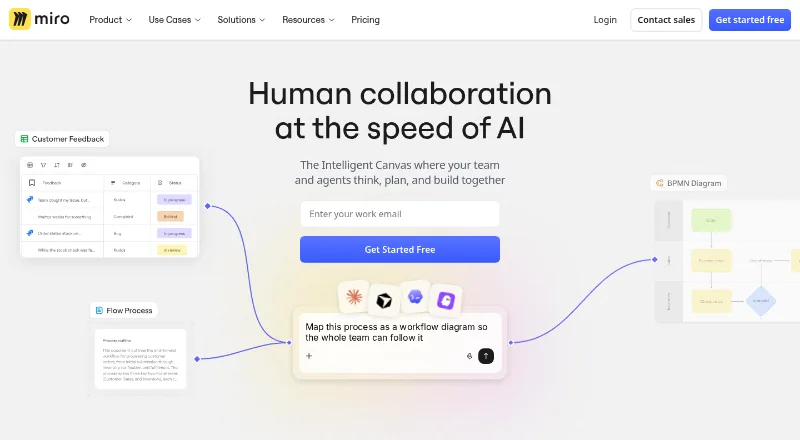
Miro is a collaborative visual workspace for teams developing strategy, designing products and services, and managing processes. Its canvas supports diagramming, wireframing, brainstorming, journey mapping, product planning, and goal setting. AI tools can turn sticky notes into diagrams, synthesize research findings, and summarize boards. Users can draw on more than 7,000 customizable templates, present boards, run live workshops with timers and voting, or record Talktrack walkthroughs for asynchronous viewing. Miro connects to more than 250 tools, including Jira, Asana, Slack, Figma, Microsoft Teams, Google Workspace, and Atlassian products; APIs and SDKs support custom applications and experiences. It is available on Android, iOS, macOS, Windows, and the web. The free plan allows unlimited boards to be created and shared, but only the three most recent stay editable. Starter costs $8 a month per member, billed yearly, and a 14-day trial is listed. Miro was founded in 2011 and is headquartered in San Francisco and Amsterdam.
Who it suits
Miro suits teams that plan products, map journeys, brainstorm, or run workshops together. The free plan may suit users who can work within a limit of three editable boards.
What it does well
- Supports diagramming, wireframing, and journey mapping.
- Offers more than 7,000 customizable templates.
- AI tools can summarize boards and synthesize findings.
- Connects to more than 250 tools.
- Live workshops include timers and voting.
What to know first
- Only the three most recent free boards remain editable.
- Starter is $8 a month per member, billed yearly.
- The 14-day trial is time-limited.
Limits
The Free plan allows unlimited boards to be created and shared, but only the three most recent remain editable. Starter costs $8 per member per month with yearly billing; it includes 25 AI credits per member per month and 500 MCP calls per day.
Plans
| Plan | Billed and limits | Price |
|---|---|---|
| Free | 3 editable boards · 7,000+ templates · Docs, Tables, Slides and Kanban · 250+ integrations · limited AI trial | Free |
| Business | billed yearly · unlimited workspaces · unlimited guests · 4,700+ diagram shapes · data tables · AI workflows and agents · 50 AI credits/member/month · 2,000 MCP calls/day · SSO | $20 a month |
| Starter | billed yearly · unlimited private boards · visitor editing · high-resolution JPG/PDF exports · unlimited spaces and blueprints · 25 AI credits/member/month · 500 MCP calls/day | $8 a month |
| Enterprise | custom pricing from 30 members · regional data hosting · SCIM · audit trails and domain control · centralized administration · sandbox · 10,000 MCP calls/day | On request |
As miro.com lists them, read 14 Oct 2026. The maker's own page has the final word.
Getting started
- Open the Miro website or use its Android, iOS, macOS, or Windows app.
- Choose the Free plan or review the paid plans.
- Use the 14-day trial if evaluating a paid plan.
- Create and share boards, or start from a customizable template.
- Connect tools such as Jira, Asana, Slack, Figma, Microsoft Teams, or Google Workspace if needed.
Miro is a shared visual workspace for planning, design work, and facilitated team sessions. It is a strong fit for teams that need one canvas for mapping ideas and running workshops, but the free plan’s three editable-board cap is a meaningful constraint.
Overview
Miro combines a visual canvas with collaboration tools for work ranging from product planning to process management. Teams can use it for brainstorming, journey mapping, wireframing, diagramming, and goal setting, then present or walk others through the work. Its scope makes it useful across functions; teams looking mainly for a narrowly focused prototyping tool may not need the broader workspace.
Founded in 2011, Miro is headquartered in San Francisco and Amsterdam. The company says more than 100 million users across 250,000 organizations use its workspace, which it positions for teams of any size.
Key features
The infinite canvas supports several stages of collaborative work, from early brainstorming to product planning and diagramming. More than 7,000 customizable templates, including options for brainstorming and Agile team events, give teams starting points for common activities. That breadth is an advantage for varied teams, though the value depends on whether a team benefits from keeping those activities in a shared visual space.
Miro’s AI tools can turn sticky notes into diagrams, synthesize research findings, and summarize boards. These functions address distinct tasks—structuring ideas, condensing research, and recapping a workspace—rather than replacing the broader planning workflow.
Presentations, live workshops with timers and voting, and recorded Talktrack walkthroughs support both synchronous and asynchronous collaboration. Guest collaboration is also supported. Miro says it connects to more than 250 tools, including Jira, Asana, Slack, Figma, Microsoft Teams, Google Workspace, and Atlassian products, which can help teams bring the workspace into an existing tool mix. APIs and SDKs let developers build custom applications and experiences.
Miro’s trust center states that the service maintains SOC 2 Type II compliance, ISO 27001 certification, and GDPR compliance. Enterprise adds enforced SSO, audit trails, domain control, SCIM provisioning, and regional data hosting options in the EU, US, Australia, and Japan.
Pricing
Miro uses a freemium model, with a free plan, paid plans starting at $8/user/mo (annual), and a 14-day trial.
- Free: free, with 7,000+ templates and 250+ integrations. Users can create and share unlimited boards, but only the three most recent remain editable. It suits occasional or exploratory use; teams with ongoing work across more boards will hit the editing cap.
- Starter: $8 a month, billed yearly, per member. It includes unlimited private boards, 25 AI credits per member per month, and 500 MCP calls per day. This is the paid entry point for individuals or teams that need more editable workspace than Free permits.
- Business: $20 a month, billed yearly, per member. It includes unlimited workspaces and guests, 50 AI credits per member per month, and 2,000 MCP calls per day. The higher price is most relevant to teams that need guest access and multiple workspaces, as well as larger AI and MCP allowances.
- Enterprise: Custom pricing, from 30 members. It includes enterprise security and governance, regional data hosting, and 10,000 MCP calls per day. It is the fit for larger organizations needing the listed controls and hosting options; a customer success program is included, while Premium support is an add-on with 24/7 support and guaranteed SLAs.
The cheaper plans give up Enterprise’s security and governance package and regional hosting. Free also has the sharpest practical restriction: sharing boards is unlimited, but editing is limited to the three most recent. The yearly billing terms on Starter and Business matter when comparing their per-member monthly prices.
Platforms
Miro supports Android, iOS, macOS, web, and Windows, as well as an API.
Who it's for
Miro suits teams that want to facilitate workshops, develop ideas visually, and carry planning across activities such as research synthesis, journey mapping, and product design. Its guest collaboration, integrations, and presentation and walkthrough options are useful when work needs input from people beyond a core team. Teams that only need a few editable boards may find Free sufficient; those with larger governance or regional hosting requirements should consider Enterprise.
Pros and cons
- Pros: A broad mix of diagramming, wireframing, planning, and workshop activities can live on one infinite canvas, supported by more than 7,000 templates.
- Pros: Live timers and voting, guest collaboration, and recorded Talktrack walkthroughs cover different ways to involve participants.
- Pros: More than 250 integrations and a developer platform with APIs and SDKs provide options for connecting Miro to existing workflows or building custom experiences.
- Cons: Free users can edit only their three most recent boards, limiting its usefulness as a lasting workspace without a paid plan.
- Cons: Starter and Business prices are per member and billed yearly, so the listed monthly rate is not a month-to-month billing term.
Alternatives
For a wider set of visual collaboration options, compare Online Whiteboard Tools, Collaborative Whiteboard Software, and AI Whiteboard Software. Teams focused on design work can also compare Design Collaboration Software and AI Wireframe Generators.
Choose Genspark Design if a free plan with 100 credits per day is a better fit; its Plus plan includes 10,000 credits per month and 50 GB AI Drive storage.
Jenova UI/UX Prototype Generator is an alternative to consider for UI/UX prototyping, with a free plan offering core features at limited usage and a Plus plan at $20 a month billed monthly for higher usage limits and specific AI model selection.
pen.dev may suit users seeking a free plan with 5 agent days per month, 25 image and SVG generations per month, and one agent at a time.
Whimsical offers a free plan capped at 50 board objects and 50 doc blocks per month, with watermarked exports and seven-day version history; consider it if those limits fit your work.
Verdict
Choose Miro if your team needs a flexible visual workspace for planning and workshops, with templates, integrations, and ways to collaborate live or asynchronously. Look elsewhere if the free plan’s editable-board cap is too restrictive or your work does not call for a broad shared canvas.
Verdict
Miro brings visual planning, workshop activities, AI tools, and integrations into a shared workspace. Check the free plan’s editable-board limit and Starter billing terms when choosing a plan.
Questions
Is there a free plan?
Yes. The Free plan is listed as free and allows unlimited board creation and sharing, with three editable boards.
How much does Starter cost?
Starter is $8 a month per member, billed yearly.
Is a free trial available?
Yes. A 14-day trial is listed.
Which platforms does Miro support?
Miro is available on Android, iOS, macOS, web, and Windows, and has an API.
What integrations does Miro offer?
Miro says it connects to 250+ tools, including Jira, Asana, Slack, Figma, Microsoft Teams, Google Workspace, and Atlassian products.
What does Enterprise include?
Enterprise includes security and governance controls, regional data hosting, and 10,000 MCP calls per day. Pricing is custom.
Facts from Miro's own pages
- AI features
- Miro offers AI diagram, table and summary generation, AI workflows, agents and MCP connections to external AI tools. · miro.com, 14 Oct 2026
- API and SDKs
- The developer platform provides REST APIs, a Web SDK, Live Embed and an MCP server for extending boards and integrations. · developers.miro.com, 14 Oct 2026
- API authentication
- REST API applications must use OAuth 2.0 authorization-code flow, while Web SDK apps use SDK authorization. · developers.miro.com, 14 Oct 2026
- Audience
- Miro says its workspace serves teams of any size and reports use by more than 100 million users in 250,000 organizations. · miro.com, 29 Sept 2026
- Collaboration
- Miro offers presentations, live workshops with timers and voting, and recorded Talktrack walkthroughs for asynchronous viewing. · miro.com, 29 Sept 2026
- Company facts
- LinkedIn lists Miro as privately held, headquartered in San Francisco, founded in 2011, with 1,001–5,000 employees and about 1,600 people across 13 hubs. · linkedin.com, 14 Oct 2026
- Desktop and mobile apps
- Miro supplies Windows and macOS desktop apps plus iOS and Android apps; it does not provide a Linux desktop app. · help.miro.com, 14 Oct 2026
- Developer documentation
- Documentation includes endpoint reference, an OpenAPI specification, tutorials, sample apps, webhooks and marketplace submission guidance. · developers.miro.com, 14 Oct 2026
- Developer platform
- Miro’s developer platform includes APIs and SDKs for building custom applications and experiences. · miro.com, 29 Sept 2026
- Diagramming
- Diagram capabilities include Mermaid, UML, AWS, BPMN and more than 4,700 shapes on Business. · miro.com, 14 Oct 2026
- Enterprise controls
- The Enterprise plan includes enforced SSO, audit trails, domain control, SCIM provisioning, and regional data hosting options in the EU, US, Australia, and Japan. · miro.com, 29 Sept 2026
- Extensibility
- Users can install marketplace apps, and Enterprise administrators can restrict or preapprove integrations. · help.miro.com, 14 Oct 2026
- Founded
- 2011 · miro.com, 23 Sept 2026
- Free plan limit
- The Free plan lets users create and share unlimited boards, but only the three most recent boards remain editable. · miro.com, 29 Sept 2026
- Funding news
- On January 5, 2022, Miro announced a $400 million Series C round, bringing reported total funding to $476 million and valuation to $17.5 billion. · miro.com, 14 Oct 2026
- Headquarters
- San Francisco and Amsterdam · miro.com, 23 Sept 2026
- Infinite canvas
- The product provides a large shared canvas for brainstorming, planning, diagrams, notes and visual workflows. · g2.com, 14 Oct 2026
- Integrations
- Miro lists more than 250 integrations, including Microsoft, Slack, Google and Adobe services. · miro.com, 14 Oct 2026
- Legal maker
- Miro’s terms identify the contracting company as RealtimeBoard Inc. doing business as Miro. · miro.com, 14 Oct 2026
- Licence
- Miro describes its service and developer tools as proprietary; third-party open-source components may be included under their own licences. · miro.com, 14 Oct 2026
- Limit: large-board performance
- Reviewers repeatedly report lag, slower loading and navigation problems on large or content-heavy boards. · trustradius.com, 14 Oct 2026
- Limit: pricing and free tier
- Independent reviews commonly describe the free tier as restrictive and pricing as expensive for larger teams or premium capabilities. · getapp.com, 14 Oct 2026
- Limit: support and billing
- Trustpilot reviewers report unexpected seat charges, difficult account administration and slow or inadequate support responses. · trustpilot.com, 14 Oct 2026
- Notable changelog
- The developer changelog records removal of legacy MCP board tools and addition of new MCP tools for creating items, boards, code widgets and reading comments. · developers.miro.com, 14 Oct 2026
Where Miro stands on Freedom251
- Online whiteboards#10 of 58
- AI Wireframe Generators#7 of 34
- Google Workspace Creative Tools#6 of 27
- Design Collaboration Software#8 of 28
- Online Whiteboard Tools#18 of 56
- Web App#12 of 32
- Browser Based#14 of 34
- Collaborative Whiteboard Software#13 of 29
- AI Whiteboard Software#14 of 27
- Flowchart Software#9 of 17
- Free Tools#19 of 31