Freedom251 › Minecraft World Editors
MCA JSON
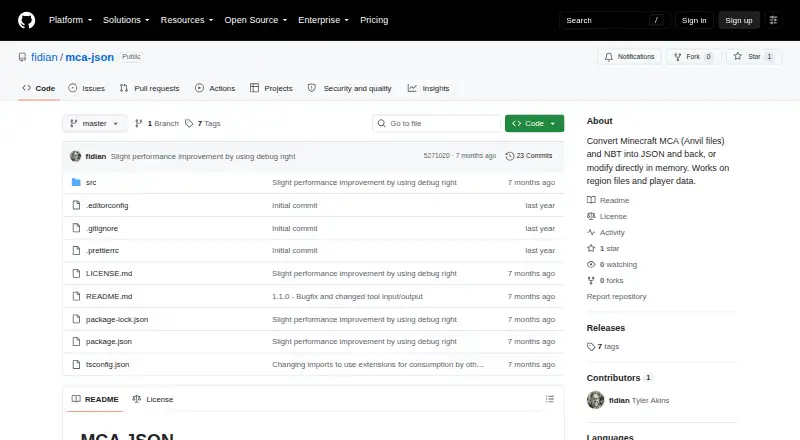
What MCA JSON is
MCA JSON is a free set of command-line tools and a JavaScript library for converting Minecraft Java Edition Anvil and NBT files to JSON, converting data back, and modifying files. Its tools can list chunks, find signs, remove chunks, and read player locations. The TypeScript library provides typed classes and methods for parsing and changing MCA, NBT, and SNBT data. Installation is documented through npm for global or project use, and Deno, Bun, pnpm, and other package managers can also be used. The library can be bundled for browser environments and is published as ES modules only; it works with Node.js 20 and newer. It reads chunks compressed with zlib, gzip, LZ4, or no compression, but saves modified chunks with zlib. The project supports Java Edition, not Bedrock Edition, which uses a different format. Chunks larger than 1 MiB stored in separate .mcc files and chunks using custom compression cannot be read, though they can still be listed and removed. A mostly untouched example region produced about 1 gigabyte of JSON; compact and condensed output options are documented.
Who it suits
MCA JSON suits developers and Minecraft Java Edition users who need command-line or library tools to inspect, convert, or modify region and data files. It may fit projects that can work within its compression and runtime limits.
What it does well
- Converts MCA and NBT data to and from JSON.
- Can list chunks, find signs, and read player locations.
- Supports zlib, gzip, LZ4, and uncompressed chunks.
- Can be bundled for browser environments.
- Free command-line tools and library.
What to know first
- Supports Minecraft Java Edition, not Bedrock.
- Requires Node.js 20 or newer for the library.
- Cannot read certain separate .mcc or custom-compressed chunks.
- Large regions can produce about 1 gigabyte of JSON.
Limits
Chunks over 1 MiB stored in separate .mcc files and chunks using custom compression cannot be read, although they can be listed and removed. The free plan is listed as free.
Plans
| Plan | Billed and limits | Price |
|---|---|---|
| MCA JSON | Open-source command-line tools and JavaScript library for MCA/Anvil and NBT files | Free |
As github.com lists them, read 9 Oct 2026. The maker's own page has the final word.
Getting started
- Open the project website on GitHub.
- Install globally or in a project with npm, or use Deno, Bun, pnpm, or another package manager.
- For Node.js use, run Node.js 20 or newer.
- Bundle the ES module library for a browser environment if needed.
Overview
MCA JSON is a command-line toolkit and TypeScript library for converting and editing Minecraft Java Edition world data. It suits developers and technically minded world owners who want to inspect or change MCA, NBT, or SNBT files; its strongest case is flexible file handling, with meaningful limits around large and custom-compressed chunks.
Key features
The command-line tools convert MCA and NBT files to JSON and back, list chunks, find signs, remove chunks, and read player locations. That range makes MCA JSON useful for targeted maintenance as well as format conversion, but it is a file-oriented toolkit rather than a general-purpose visual world editor.
The TypeScript library offers typed classes and methods for parsing and modifying MCA, NBT, and SNBT data. It can be installed globally or in a project with npm; Deno, Bun, pnpm, and other package managers can also be used. The library is published only as ES modules, can be bundled for browsers, and does not require Node-specific tooling for browser use. For Node.js, it requires version 20 or newer.
Region structure and NBT reading are described as working across versions, with reported attempts spanning Minecraft 1.2.1 through 1.21. It reads zlib, gzip, LZ4, and uncompressed chunks, but saves modified chunks with zlib. Chunks larger than 1 MiB stored in separate .mcc files and chunks using custom compression cannot be read, although they can still be listed and removed. Those constraints matter if a world includes unusually large or nonstandard chunks.
JSON output can become substantial: an example of a mostly untouched region produced about 1 gigabyte. Compact and condensed output options help manage that scale, but conversion may still be impractical where storage or memory is tight.
Pricing
MCA JSON is free, with a free plan at no cost. The plan includes open-source command-line tools and a JavaScript library for MCA/Anvil and NBT files, with no trial or paid tier described. That makes it accessible for occasional file work and development use; the main trade-offs are technical setup and the stated reading limits, not a paid-plan cap.
Platforms
MCA JSON is listed for Linux, macOS, web, and Windows. The web option reflects the library's ability to be bundled for browser environments, while command-line use depends on a compatible runtime; Node.js users need version 20 or newer. It supports Minecraft Java Edition only. Bedrock Edition uses a different format, so Bedrock world owners should choose a tool built for that edition instead.
Who it's for
Choose MCA JSON if you need scriptable conversion, typed JavaScript or TypeScript access, or direct operations such as removing chunks and reading player locations. It is a particularly good fit for developers integrating world-data handling into a project. If you want an interactive editor, work with Bedrock worlds, or depend on reading large external or custom-compressed chunks, its scope is a poor match.
Pros and cons
- Pros: A free command-line and library toolkit covers conversion, inspection, and modification across MCA, NBT, and SNBT.
- Pros: Multiple compression formats and browser bundling support give developers flexibility across file inputs and environments.
- Cons: It supports Java Edition, not Bedrock Edition, excluding Bedrock worlds.
- Cons: Oversized external chunks and custom-compressed chunks cannot be read, which can block full inspection of some regions.
- Cons: JSON can grow to about 1 gigabyte for a mostly untouched region, demanding care with storage and processing capacity.
Alternatives
For a broader directory of options, browse Minecraft World Editors. Choose Chunker if you want a free, open-source alternative; its description identifies it as an internal tool offered publicly. MCA Selector is another free option for Linux, macOS, and Windows. For Bedrock-oriented choices, consider MCBE Inventory Editor, Bedrock NBT Editor, or Bedrock Toolchest; their names indicate their Bedrock focus, unlike MCA JSON's Java-only support.
Minecraft World Trimmer is a free option for Linux, macOS, and Windows, provided as-is with no warranty. biomed is a free MIT-licensed option for Linux, macOS, and Windows. LiveNBTEditor is free MIT-licensed software for Minecraft Java 26.3, with a Windows editor required.
Verdict
MCA JSON is a strong choice for developers and world owners who want free, scriptable control over Java Edition region and NBT data. Its combination of conversion tools and a typed library is the reason to choose it; look elsewhere if you need Bedrock support, a visual editing workflow, or reliable reading of oversized or custom-compressed chunks.
Verdict
MCA JSON offers file conversion and editing tools for Minecraft Java Edition data, with a TypeScript library and several installation options. Check the Java-only support, Node.js requirement, and chunk-reading limits before relying on it for a particular world.
Questions
How much does MCA JSON cost?
The free plan is listed as free. No free trial is offered.
Which Minecraft edition does it support?
It supports Minecraft Java Edition. Bedrock Edition uses a different format.
Which file formats does it handle?
The listed supported world formats are MCA (Anvil), NBT, and SNBT.
Can it run in a browser?
The library can be bundled for browser environments and is published as ES modules only. It works with Node.js 20 and newer.
Which compression formats can it read?
It reads chunks compressed with zlib, gzip, or LZ4, as well as uncompressed chunks. Modified chunks are saved with zlib.
What can’t it read?
It cannot read chunks larger than 1 MiB stored in separate .mcc files or chunks using custom compression, though it can list and remove them.
Facts from MCA JSON's own pages
- Browser support
- The library has no Node-specific tooling requirement and can be bundled for browser environments; it is published as ES modules only. · github.com, 9 Oct 2026
- Compression
- The library reads chunks compressed with zlib, gzip, LZ4, or no compression, while modified chunks are saved with zlib. · github.com, 9 Oct 2026
- Installation
- The maker documents global or project installation with npm and says Deno, Bun, pnpm, and other package managers can also be used. · github.com, 9 Oct 2026
- JSON size
- The maker notes that an example mostly untouched region produced about 1 gigabyte of JSON and documents compact and condensed output options. · github.com, 9 Oct 2026
- Library
- The TypeScript library provides typed classes and methods for parsing and modifying MCA files, NBT files, and SNBT strings. · github.com, 9 Oct 2026
- Minecraft edition
- Only Minecraft Java Edition is supported; Bedrock Edition uses a different format. · github.com, 9 Oct 2026
- Purpose
- MCA JSON provides command-line tools and a JavaScript library for converting Minecraft Anvil and NBT files to JSON, converting back, and modifying data. · github.com, 9 Oct 2026
- Read limitation
- Chunks larger than 1 MiB stored in separate .mcc files and chunks using custom compression cannot be read, though they can still be listed and removed. · github.com, 9 Oct 2026
- Runtime
- The library works with Node.js 20 and newer. · github.com, 9 Oct 2026
- Support
- For problems with other Minecraft versions, the maker asks users to supply a test MCA file and problem description or submit a pull request. · github.com, 9 Oct 2026
- Tools
- Its command-line tools convert MCA and NBT to JSON, list chunks, find signs, remove chunks, and read player locations. · github.com, 9 Oct 2026
- Version coverage
- The maker says region structure and NBT reading work across versions and reports trying files from Minecraft 1.2.1 through 1.21. · github.com, 9 Oct 2026
Where MCA JSON stands on Freedom251
- Minecraft World Editors#6 of 35