Freedom251 › Minecraft World Editors

Bedrock Toolchest
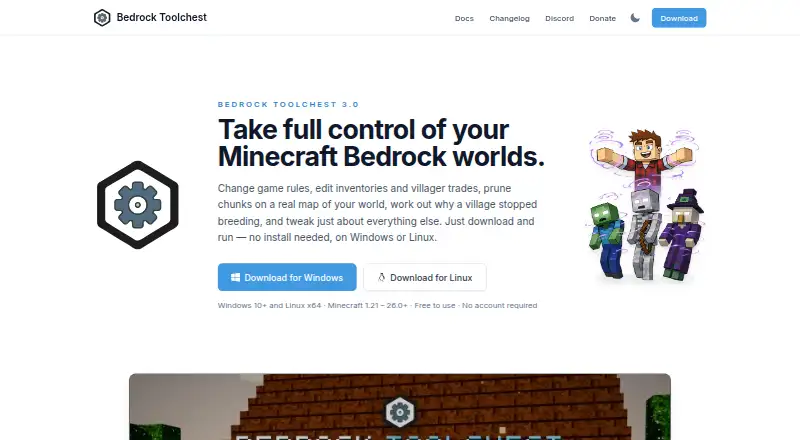
What Bedrock Toolchest is
Bedrock Toolchest is a free desktop editor for Minecraft Bedrock worlds, available for 64-bit Windows 10 or later and 64-bit x86 Linux desktops. It edits world settings, all 31 game rules, superflat layers, and experiments. Player tools cover position, health, experience, inventory, enchantments, effects, and tamed pets, with player export to a file. The World Editor shows a map and can prune chunks or edit entities, chests, signs, and villager trades. A 3D Structure Viewer imports and exports .mcstructure files. Add-on management installs, removes, reorders, and updates packs, and flags missing packs or unmet dependencies. The editor supports Bedrock worlds from version 1.21 through the current release, including extracted .mcworld worlds; Java Edition worlds are not supported. Changes are staged until saved. By default, the app makes a full backup before the first save of a session and reads back and checks saved changes. Its default backup limit is 10 GB per world, retaining five backups, and both settings can be changed. An internet connection is not required.
Who it suits
It suits Minecraft Bedrock players who want to inspect or alter worlds, players, structures, or add-ons on supported Windows or Linux desktops. It is not for Java Edition worlds or ARM machines.
What it does well
- Edits settings, players, entities, and villager trades.
- Imports and exports .mcstructure files.
- Changes are staged until saved.
- Backs up worlds before the first session save by default.
- Internet connection is not required.
What to know first
- Does not support Java Edition worlds.
- ARM machines are not supported.
- Requires 64-bit Windows 10 or later or x86 Linux.
Limits
The default backup budget is 10 GB per world, with five backups kept per world; users can change both settings.
Plans
| Plan | Billed and limits | Price |
|---|---|---|
| Free | No paywalls · no subscriptions · no account required | Free |
As bedrocktoolchest.com lists them, read 4 Oct 2026. The maker's own page has the final word.
Getting started
- Download Bedrock Toolchest from its website.
- Use a 64-bit Windows 10 or later system or a 64-bit x86 Linux desktop.
- Open a Minecraft Bedrock world folder or an extracted .mcworld world.
- Edit the world, player, structure, or add-on content you need.
- Save changes; the app backs up the world before the first save of a session by default.
Bedrock Toolchest is a free desktop editor for modifying Minecraft Bedrock save files. It suits players and world administrators who need world, player, structure, and add-on controls in one Windows or x86 Linux application. Its broad toolkit and cautious save process are compelling, while the Bedrock-only scope and lack of batch actions matter for more specialized workflows.
Overview
The editor combines configuration and save maintenance rather than focusing on a single type of edit. You can alter game settings, repair or adjust player data, inspect a mapped world, manage packs, and work with saved structures from one desktop interface. Changes remain staged until you commit them, a full backup is created before the first save in a session by default, and the application reads saved data back for verification. That sequence is a meaningful safeguard when making consequential changes, although backup storage and retention still need attention for large or frequently edited worlds.
Bedrock Toolchest works offline. Its update check transmits a version string without a machine identifier, world data, or usage counts. If you turn on previews, player heads and 3D models are fetched from minecraftrender.com, so users who want a fully disconnected setup should leave that option disabled.
Key features
World and player control
The Level Editor reaches world settings, all 31 game rules, superflat layers, and experiments. That makes it suitable for correcting configuration or testing different world rules without manually editing save data. The Player Editor covers position, health, experience, inventory, enchantments, effects, and tamed pets, and can export a player to a file. It is a practical choice for targeted recovery or administration, but it is not designed for batch operations.
The World Editor presents a map and supports chunk pruning alongside edits to entities, chests, signs, and villager trades. Map context helps when a problem is tied to a location, while pruning is useful for reducing unwanted areas; users seeking automated, large-scale processing will need another tool because batch operations are not supported.
Structures and add-ons
A 3D Structure Viewer renders saved structures and imports or exports .mcstructure files. Builders can inspect a structure spatially and move it between compatible workflows instead of dealing only with raw files. Add-on management handles installing, removing, reordering, and updating packs, and flags missing packs or unmet dependencies. Those warnings can prevent a world from loading with an incomplete pack setup, though the editor remains tied to Bedrock worlds rather than Java projects.
Backups and formats
The default backup allowance is 10 GB per world, with five backups retained per world; both settings can be changed. Bedrock world folders, extracted .mcworld worlds, and .mcstructure files are supported. The staged-save and read-back checks are reassuring for manual edits, but backup capacity should be reviewed before maintaining many large worlds.
Pricing
Bedrock Toolchest has one plan: Free — free. There are no paywalls, subscriptions, or account requirement, and there is no trial because the product is already free. That makes it suitable for anyone who needs the full published feature set without recurring cost; there are no cheaper tiers that trade away capabilities, and no paid tier to provide additional quotas or support.
Platforms
The application supports 64-bit Windows 10 or later and 64-bit x86 Linux desktops. ARM machines are not supported. It works with Minecraft Bedrock Edition worlds from version 1.21 through the current release, but not Java Edition worlds. Confirm both the edition and processor architecture before choosing it. An internet connection is optional for normal use.
Who it's for
Choose Bedrock Toolchest if you maintain Bedrock saves on a supported desktop and want one place for player corrections, rule changes, map-based edits, structure files, and pack administration. It is especially appropriate for builders and world owners who value staged changes and automatic session backups. Look elsewhere if you need Java compatibility, ARM support, or repeatable batch processing across many saves.
Pros and cons
- Pros: Broad coverage across levels, players, entities, chests, signs, trades, structures, and add-ons.
- Pros: Staged saves, default pre-save backups, and read-back verification reduce the chance of unnoticed corruption.
- Pros: Offline operation and update checks that omit machine identifiers and world data suit privacy-conscious users.
- Cons: No batch operations, limiting large-scale or repetitive editing.
- Cons: Bedrock-only support excludes Java worlds, and ARM desktops are unsupported.
- Cons: Five default backups and a 10 GB per-world budget require storage management for active worlds.
Alternatives
For a broader cross-platform, open-source world conversion and editing project, consider Chunker, which runs on Linux, macOS, the web, and Windows under the MIT license. MCA JSON is a free open-source command-line and JavaScript toolkit for MCA/Anvil and NBT files, making it a better fit for scriptable file work. Choose MCA Selector for free MIT-licensed region-file editing on Windows, macOS, Linux, or a universal JAR. MCBE Inventory Editor is another free option with web, self-hosted, and desktop availability. Minecraft World Trimmer is free MIT-licensed software focused on trimming. For browser or mobile access, Bedrock NBT Editor is free with no paid tier, sign-up, or upload quota. biomed is free MIT-licensed software, while LiveNBTEditor is a free MIT-licensed tool for Minecraft Java 26.3 with a Windows editor requirement.
Browse more options in Minecraft World Editors.
Verdict
Bedrock Toolchest is a strong free recommendation for Bedrock players on 64-bit Windows 10+ or x86 Linux who want comprehensive manual editing with staged saves and default backups. Its main reason to choose it is the breadth of world, player, structure, and add-on controls in one app. Look elsewhere for Java worlds, ARM hardware, or batch-oriented workflows.
Verdict
Bedrock Toolchest covers several kinds of Bedrock world editing, with staged changes and default backups before saving. Confirm the edition and desktop architecture match your setup.
Questions
Is Bedrock Toolchest free?
Yes. The Free plan costs nothing, with no paywalls, subscriptions, or account requirement.
Which Minecraft editions and worlds does it support?
It supports Bedrock Edition worlds from version 1.21 through the current release, including world folders, extracted .mcworld worlds, and .mcstructure files. It does not support Java Edition worlds.
Which operating systems can run it?
It supports 64-bit Windows 10 or later and 64-bit x86 Linux desktops. ARM machines are not supported.
Does it need an internet connection?
No. The app can check for updates and, when enabled, fetch player head and 3D model previews from minecraftrender.com.
How does it protect world changes?
Changes are staged until saved. By default, it takes a full backup before the first save of a session, then reads back and checks saved changes.
Where can users get help?
The maker directs users to its Discord community for help and welcomes translation contributions there.
Facts from Bedrock Toolchest's own pages
- Add-ons
- Add-on management supports installing, removing, reordering, and updating packs, and flags missing packs and unmet dependencies. · bedrocktoolchest.com, 4 Oct 2026
- Backup limits
- The default backup budget is 10 GB per world, with five backups kept per world by default; users can change the settings. · bedrocktoolchest.com, 4 Oct 2026
- Level editing
- The Level Editor can change world settings, all 31 game rules, superflat layers, and experiments. · bedrocktoolchest.com, 4 Oct 2026
- Minecraft compatibility
- It supports Bedrock Edition worlds from version 1.21 through the current release and does not support Java Edition worlds. · bedrocktoolchest.com, 4 Oct 2026
- Network and privacy
- An internet connection is not required; the app can check for updates and, when enabled, fetch player head and 3D model previews from minecraftrender.com. · bedrocktoolchest.com, 4 Oct 2026
- Player editing
- The Player Editor supports changes to player position, health, experience, inventory, enchantments, effects, and tamed pets, and can export a player to a file. · bedrocktoolchest.com, 4 Oct 2026
- Structures
- The Structure Viewer renders saved structures in 3D and supports exporting and importing .mcstructure files. · bedrocktoolchest.com, 4 Oct 2026
- Support
- The maker points users to its Discord community for help and welcomes translation contributions there. · bedrocktoolchest.com, 4 Oct 2026
- Supported systems
- The app supports 64-bit Windows 10 or later and 64-bit x86 Linux desktops; ARM machines are not supported. · bedrocktoolchest.com, 4 Oct 2026
- Update data
- The update check sends a version string and no machine identifier, world data, or counts. · bedrocktoolchest.com, 4 Oct 2026
- What it does
- Bedrock Toolchest is a desktop editor for Minecraft Bedrock worlds that lets users inspect and change settings, players, entities, villages, maps, structures, and add-ons. · bedrocktoolchest.com, 4 Oct 2026
- World editing
- The World Editor displays a map of the world and supports chunk pruning and editing entities, chests, signs, and villager trades. · bedrocktoolchest.com, 4 Oct 2026
- World protection
- Changes are staged until saved, a full backup is taken before the first save of a session by default, and saved changes are read back and checked. · bedrocktoolchest.com, 4 Oct 2026
Where Bedrock Toolchest stands on Freedom251
- Minecraft World Editors#8 of 35