Freedom251 › Minecraft World Editors
biomed
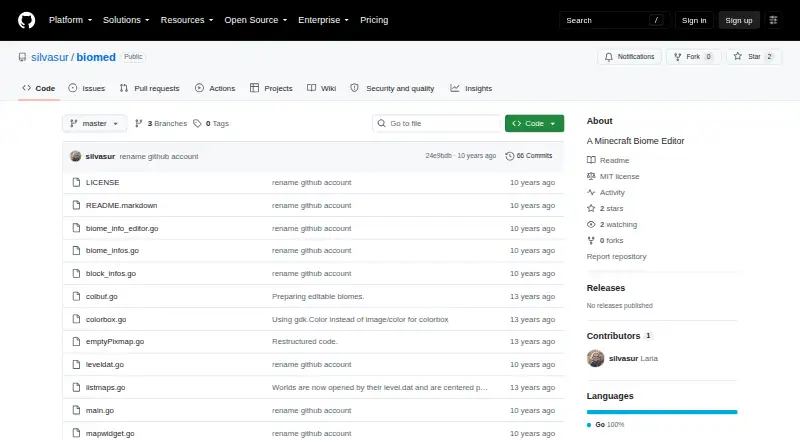
What biomed is
biomed is a free Minecraft biome editor for Java world saves. Users can select a biome and apply it to a map with Fill or Draw tools, then switch between biome and map views. Its Fix Snow/Ice tool adjusts snow and ice for warm and cold biomes. A world can be opened through the File menu or by selecting its region directory, and saved from the menu after editing. The listed capabilities focus on biome changes and include batch operations; terrain and entity editing are not included. biomed supports Minecraft world saves containing level.dat and a region directory, and runs on Linux, macOS and Windows. Precompiled downloads are listed for 64-bit Linux and 32-bit Windows, and GTK 2.x is required. The README advises backing up maps before making changes. The MIT license permits use, copying, modification, distribution, sublicensing and sale subject to its conditions, and provides the software without warranty.
Who it suits
biomed suits Minecraft Java players who want to edit biomes in saved worlds. It is also relevant to users comfortable working with a world’s region directory and GTK 2.x.
What it does well
- Free under the MIT license
- Applies biomes with Fill or Draw tools
- Includes batch operations
- Supports Linux, macOS and Windows
- Adjusts snow and ice for warm or cold biomes
What to know first
- Does not edit terrain or entities
- Requires GTK 2.x
- Precompiled downloads are listed only for 64-bit Linux and 32-bit Windows
- License provides the software without warranty
Limits
The free MIT-licensed software is limited to biome and region editing in the listed capabilities; terrain and entity editing are not included. It requires GTK 2.x.
Plans
| Plan | Billed and limits | Price |
|---|---|---|
| MIT-licensed software | Use, copy, modify, publish, distribute, sublicense, and sell, subject to the license conditions | Free |
As github.com lists them, read 29 Sept 2026. The maker's own page has the final word.
Getting started
- Open the GitHub project page.
- Choose a precompiled download for 64-bit Linux or 32-bit Windows, if applicable.
- Install or provide GTK 2.x as required by the software.
- Open a savegame through File > Open World or select its region directory.
- Edit biomes with Fill or Draw, then save through File > Save.
Verdict
biomed is a focused option for changing biomes in Minecraft Java world saves, rather than editing terrain or entities. Back up a map before editing, as the README advises.
Questions
How much does biomed cost?
The listed plan is free. It is offered under the MIT license, subject to its conditions.
Which Minecraft edition and world format does it support?
It supports Minecraft Java saves containing level.dat and a region directory.
Which platforms does biomed support?
Linux, macOS, and Windows. Precompiled downloads are listed for 64-bit Linux and 32-bit Windows.
Can it edit terrain or entities?
The listed capabilities include region editing, but not terrain or entity editing.
What does the MIT license allow?
It permits use, copying, modification, publishing, distribution, sublicensing, and sale under its stated conditions. It provides the software as is and disclaims warranty.
How do I save edits?
Open the world through File > Open World or select the region directory, then save changes through File > Save. The README advises backing up maps before editing.
Facts from biomed's own pages
- Backup caution
- The README advises users to back up their maps before editing. · github.com, 29 Sept 2026
- Biome editing
- It lets users select a biome and use Fill or Draw tools on the map. · github.com, 29 Sept 2026
- Downloads and requirements
- Precompiled downloads are listed for 64-bit Linux and 32-bit Windows, and the software requires GTK 2.x. · github.com, 29 Sept 2026
- Founded
- 2013 · github.com, 28 Sept 2026
- License
- The MIT license grants permission to use, copy, modify, publish, distribute, sublicense, and sell the software, subject to its stated conditions. · raw.githubusercontent.com, 29 Sept 2026
- Maker profile
- The GitHub profile identifies the maker as Laria (silvasur) and lists Hamburg as the location. · github.com, 29 Sept 2026
- Map views
- Users can switch between a biome view and a map view. · github.com, 29 Sept 2026
- Platforms
- The README says biomed works on Linux and Windows and should work on Mac OS X, though the author says Mac compatibility is untested. · github.com, 29 Sept 2026
- Purpose
- biomed is a Minecraft biome editor. · github.com, 29 Sept 2026
- Snow and ice
- Its Fix Snow/Ice tool melts snow and ice for warm biomes and adds them for cold biomes. · github.com, 29 Sept 2026
- Warranty
- The license provides the software “as is” and disclaims warranty. · raw.githubusercontent.com, 29 Sept 2026
- World files
- Users can open a savegame through File > Open World or manually select the map's region directory, then save changes with File > Save. · github.com, 29 Sept 2026
Where biomed stands on Freedom251
- Minecraft World Editors#5 of 35