Freedom251 › Minecraft World Editors
LiveNBTEditor
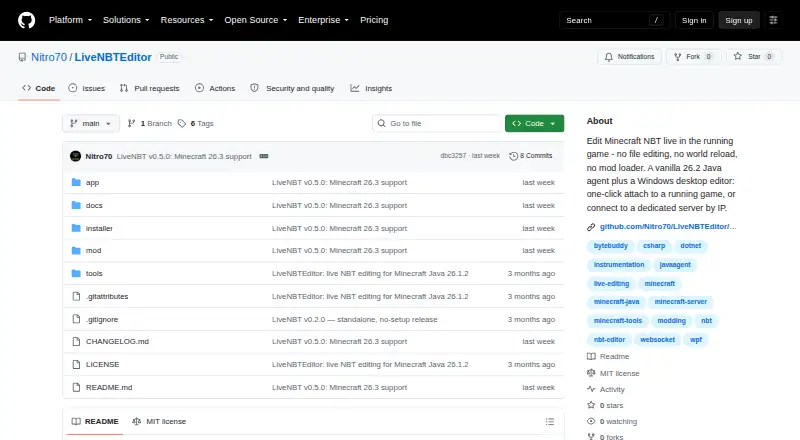
What LiveNBTEditor is
LiveNBTEditor lets users change Minecraft NBT data while a game is running, without editing files, reloading a world, or installing a mod loader. Its Java agent runs a WebSocket server, and a Windows desktop editor connects to it. Changes are checked against the NBT type and applied on the next game tick; invalid values are rejected. The editor can modify player data and world settings such as gamerules, time, weather, spawn, world border, and difficulty. It supports all 41 player inventory slots, with searchable item and enchantment pickers based on the bundled Minecraft 26.3 registry. Other tools include live watches, deep search, SNBT editing, clipboard support, keyboard shortcuts, and undo and redo. SNBT copy and paste can round-trip with NBT Studio. The project supports Minecraft Java 26.3 only and warns that live edits can corrupt data, recommending backups. LiveNBT is MIT-licensed and free. The agent binds to loopback by default and requires a per-install token, but its WebSocket connection is unencrypted.
Who it suits
The maker describes LiveNBT as intended for editing your own single-player game or a server you control.
What it does well
- Edits are validated against the NBT type
- Changes apply on the next game tick
- Includes player and world-setting editing
- Supports all 41 inventory slots
- Works with vanilla Minecraft without a mod loader
What to know first
- Minecraft Java 26.3 is the only supported version
- The editor requires Windows
- The WebSocket connection is unencrypted
- Live editing can corrupt data
Limits
The free plan is for Minecraft Java 26.3, requires a Windows editor, and does not support other game versions. The editor itself runs on Windows, although the agent can run where Minecraft runs.
Plans
| Plan | Billed and limits | Price |
|---|---|---|
| LiveNBT | MIT-licensed software · Minecraft Java 26.3 only · Windows editor required | Free |
As github.com lists them, read 8 Oct 2026. The maker's own page has the final word.
Getting started
- Open the LiveNBTEditor GitHub project page.
- Choose the standalone Windows app or Windows installer for the editor.
- For a dedicated server, use the Java agent JAR release.
- Run the agent where Minecraft runs and connect with the Windows editor.
- Use it with Minecraft Java 26.3; back up important worlds before editing.
Verdict
LiveNBTEditor offers live NBT editing with validation, inventory tools, and world-setting controls. It is limited to Minecraft Java 26.3, and the maker advises caution because edits can corrupt data and the connection is unencrypted.
Questions
How much does LiveNBTEditor cost?
It is free, with a listed plan price of $0.
Which Minecraft version does it support?
The project specifies Minecraft Java 26.3 and says other versions are unsupported.
Which platforms can run it?
The editor runs on Windows. The Java agent can run where Minecraft runs, including Linux dedicated servers.
Does it require Fabric, Forge, or another mod loader?
No. The project says the agent works with vanilla Minecraft without a mod loader.
Is LiveNBTEditor open source?
The repository uses the MIT License.
Can I connect to it remotely?
The agent binds to loopback by default and requires a per-install token. Because the WebSocket connection is unencrypted, the maker advises LAN-only use and recommends a firewall or SSH tunnel for remote connections.
Facts from LiveNBTEditor's own pages
- Compatibility limit
- The README specifies Minecraft Java 26.3 and says other versions are unsupported. · github.com, 7 Oct 2026
- Components
- The product pairs a Java agent that runs a WebSocket server with a Windows desktop editor. · github.com, 8 Oct 2026
- Connection security
- The agent binds to loopback by default and requires a per-install token; the project advises using a firewall or SSH tunnel for remote connections because the WebSocket connection is unencrypted. · github.com, 8 Oct 2026
- Download
- The v0.5.0 release offers a standalone Windows app, a Windows installer, and a Java agent JAR for dedicated servers; the executables are unsigned and may prompt a SmartScreen warning. · github.com, 8 Oct 2026
- Editor features
- The editor includes live watches, deep search, undo and redo, SNBT editing, and inventory editing. · github.com, 7 Oct 2026
- Editor tools
- Features include live watches, deep search, SNBT editing and clipboard support, keyboard shortcuts, and undo and redo. · github.com, 8 Oct 2026
- Input validation
- The project says edits are checked against the real NBT type and invalid values are rejected before being written to the save. · github.com, 8 Oct 2026
- Integration
- SNBT copy and paste can round-trip with NBT Studio. · github.com, 7 Oct 2026
- Integrations
- SNBT copy and paste round-trips with NBT Studio, and the agent works with vanilla Minecraft without Fabric, Forge, or another mod loader. · github.com, 8 Oct 2026
- Intended users
- The project describes itself as a tool for editing your own single-player game or a server you control and recommends backing up important worlds. · github.com, 8 Oct 2026
- Inventory
- It can edit a player's 41 inventory slots and provides searchable item and enchantment pickers from the bundled Minecraft 26.3 registry. · github.com, 7 Oct 2026
- Inventory editing
- It supports editing all 41 player inventory slots and includes searchable item and enchantment pickers backed by the Minecraft 26.3 registry. · github.com, 8 Oct 2026
- License
- The repository identifies the software as MIT licensed. · github.com, 8 Oct 2026
- Live editing
- Edits are validated against the NBT type and applied on the next game tick. · github.com, 7 Oct 2026
- Platforms
- The editor is a Windows desktop app; its Java agent can run on Linux dedicated servers. · github.com, 7 Oct 2026
- Player and world editing
- The editor can change player data and world settings such as gamerules, time, weather, spawn, world border, and difficulty. · github.com, 8 Oct 2026
- Purpose
- LiveNBT edits Minecraft NBT in a running game, with changes applied on the next tick. · github.com, 8 Oct 2026
- Security
- The agent binds to loopback by default and requires a per-install token; the maker advises LAN-only use because the WebSocket connection is unencrypted. · github.com, 7 Oct 2026
- Support and risk
- The README warns that live NBT editing can corrupt data and recommends backing up important worlds. · github.com, 7 Oct 2026
- Supported environments
- The editor runs on Windows, while the Java agent can run where Minecraft runs, including Linux dedicated servers. · github.com, 8 Oct 2026
- Supported game version
- The project supports Minecraft Java 26.3 and states that other versions are unsupported. · github.com, 8 Oct 2026
Where LiveNBTEditor stands on Freedom251
- Minecraft World Editors#9 of 35