Freedom251 › PC Migration Software

ManageEngine OS Deployer
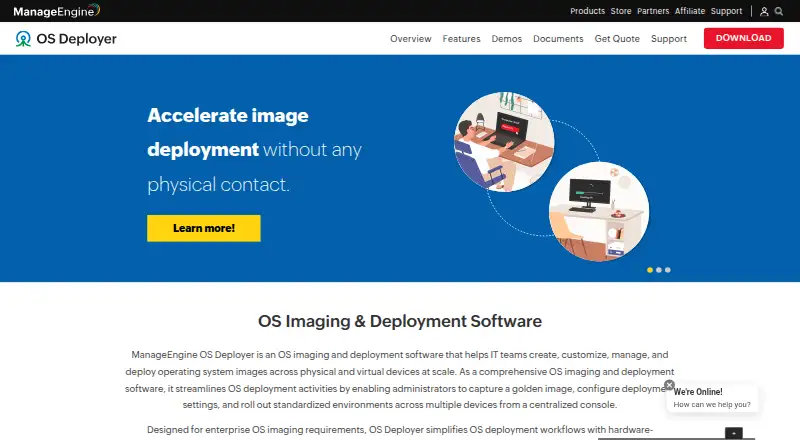
What ManageEngine OS Deployer is
ManageEngine OS Deployer is a Windows operating-system deployment tool for workstations and servers. It supports network and media deployment, including bare-metal, multicast, and unattended deployment, and it includes driver injection. The product is available on web and Windows platforms. The free plan covers four workstations and one server. Professional costs $645.00 per year and lists 100 workstations with one technician. Enterprise costs $745.00 per year and lists the same workstation and technician allowance. Both paid plans are annual subscriptions that include support cost. A 30-day trial is listed. ManageEngine was founded in 1996 and is headquartered in Pleasanton, California, United States. The stated operating-system support is Windows, with deployment capacities set out by plan.
Who it suits
It suits teams deploying Windows operating systems to workstations and servers. The listed plans cover a free allowance or 100 workstations with one technician on either paid tier.
What it does well
- Supports bare-metal deployment
- Offers multicast and unattended deployment
- Includes driver injection
- Free plan covers four workstations and one server
What to know first
- Listed operating-system support is Windows
- Paid plans list one technician
Limits
The free plan covers 4 workstations and 1 server. Professional and Enterprise each list 100 workstations and 1 technician.
Plans
| Plan | Billed and limits | Price |
|---|---|---|
| Free | billed annually · 4 workstations · 1 server | Free |
| Professional | Annual subscription price for 100 workstations including support cost, single technician · 100 workstations · 1 technician | $645 a year |
| Enterprise | Annual subscription price for 100 workstations including support cost, single technician · 100 workstations · 1 technician | $745 a year |
As manageengine.com lists them, read 20 Sept 2026. The maker's own page has the final word.
Getting started
- Visit the ManageEngine OS Deployer website.
- Choose the free plan, Professional, Enterprise, or the 30-day trial.
- Use the product on web or Windows.
ManageEngine OS Deployer is a Windows deployment platform for installing operating systems across workstations and servers. It fits administrators handling repeatable provisioning, especially when bare-metal, network or media rollout, and automation matter. Its value depends on matching the plan’s machine and technician allowances to the size of the environment.
Overview
OS Deployer concentrates on Windows rather than presenting a broad, multi-operating-system toolset. Bare-metal deployment makes it applicable to machines receiving a fresh operating-system installation, while support for both network and media methods gives teams a choice between connected rollout and installation media.
That focus is useful for organizations standardizing Windows equipment, but it narrows the audience. Teams responsible for Linux or macOS estates will need a different platform or a complementary product, since Windows is the stated operating-system scope.
Key features
Network and media deployment cover two practical delivery paths. Multicast deployment is suited to sending an image across a network to multiple systems, potentially making a larger simultaneous rollout more manageable than treating every workstation individually.
Unattended deployment is important for repeat jobs because installations can proceed without an administrator guiding every screen. Driver injection addresses driver setup during deployment, reducing a separate preparation step when hardware needs the appropriate drivers. Together with bare-metal installation, these capabilities make the product more relevant to provisioning and re-provisioning than to simple one-off software installation.
Pricing
The Free plan costs nothing, billed annually, and allows 4 workstations plus 1 server. It is a reasonable way to handle a very small estate or a narrowly scoped pilot, but four workstations is a hard ceiling for regular deployment work in a growing organization.
Professional costs $645 a year. The annual subscription price covers 100 workstations and 1 technician, and includes support cost. This is the clearest fit for a small or mid-sized Windows team with one administrator and a fleet that stays within 100 workstations.
Enterprise costs $745 a year, also covering 100 workstations and 1 technician with support included. The higher annual price means buyers should confirm that Enterprise’s allowance is the appropriate choice for their needs; the published workstation and technician counts are the same as Professional. A 30-day trial provides time to assess the deployment workflow before committing. Renewal is an annual subscription for the paid tiers, so ongoing budgeting matters.
Platforms
OS Deployer is offered for web and Windows, while its operating-system deployment support is Windows. That combination suits teams administering Windows machines through a browser-oriented interface, but it does not make the deployment target cross-platform.
Who it's for
This is a strong candidate for Windows-focused IT departments, managed service teams, and administrators who need repeatable bare-metal provisioning with unattended operation, multicast, and driver injection. The Free tier can serve a tiny installation footprint; Professional is more appropriate when a single technician manages up to 100 workstations.
Look elsewhere if your fleet spans multiple operating systems, if four free workstations are insufficient and the paid allowance does not fit, or if more than one technician must be covered within the stated plan limits.
Pros and cons
- Cons: Windows-only operating-system support limits mixed-platform use; the Free plan stops at 4 workstations and 1 server; both paid plans publish 100 workstations and 1 technician, which may constrain larger or multi-admin teams; Enterprise costs more than Professional while the stated allowances are the same.
Alternatives
For broader migration tasks, compare PC Migration Software and OS Deployment Software lists. IObit Uninstaller is a Windows freemium option centered on batch and leftover cleanup, so choose it for application removal rather than operating-system rollout.
EaseUS Todo PCTrans is better suited to transferring accounts, programs, and data; its Free plan allows 2 GB, 5 programs, and account transfer. Endstate offers self-hosted Windows deployment with a free, no-limit, unlimited-machine tier, making it worth considering when that model fits your operation.
ForensiT Transwiz is a free Windows profile-transfer utility, while ForensiT User Profile Wizard targets profile migration, including a free personal edition and a paid corporate edition. MigrationMerlin, NiloShift, and PC Migration Pro are other Windows migration choices; select among them when transferring users or data is the priority rather than deploying a Windows image.
Verdict
Choose ManageEngine OS Deployer when you need structured Windows provisioning with bare-metal, network or media delivery, multicast, unattended installation, and driver injection. Its main reason to look elsewhere is fit: Windows-only scope and tightly defined workstation and technician allowances can leave mixed-platform fleets or larger, multi-administrator operations needing another solution.
Verdict
OS Deployer is focused on Windows deployment, with network and media methods and several deployment modes. Compare the plan allowances and annual prices against the number of workstations and technicians needed.
Questions
Is there a free plan?
Yes. It costs 0.00 USD and covers 4 workstations and 1 server.
How much do the paid plans cost?
Professional costs $645 a year and Enterprise costs $745 a year. Each lists 100 workstations and 1 technician, with support cost included in the annual subscription price.
Is a trial available?
A 30-day trial is listed.
Which platforms are listed?
The product is available on web and Windows.
Which operating system does it support for deployment?
The listed operating-system support is Windows.
Who makes OS Deployer?
ManageEngine was founded in 1996 and is headquartered in Pleasanton, California, United States.
Facts from ManageEngine OS Deployer's own pages
- Founded
- 1996 · manageengine.com, 23 Sept 2026
- Headquarters
- Pleasanton, California, United States · manageengine.com, 23 Sept 2026
Where ManageEngine OS Deployer stands on Freedom251
- PC Migration Software#11 of 26
- OS Imaging & Deployment Software#11 of 24
- OS Deployment Software#17 of 29