Freedom251 › PC Migration Software
NiloShift
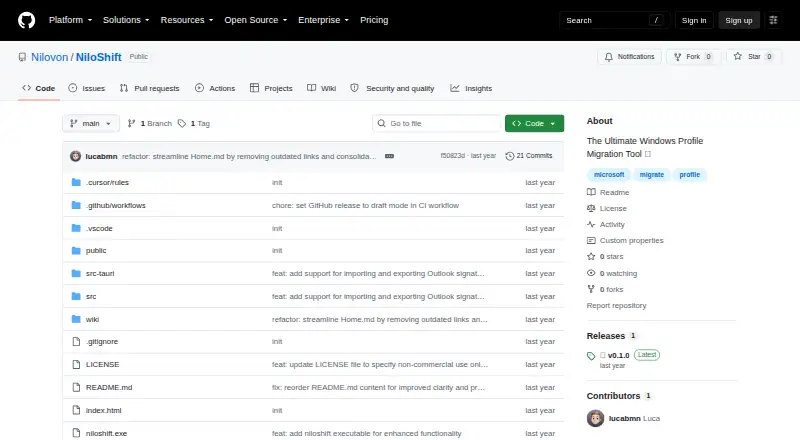
What NiloShift is
NiloShift is a Windows desktop application for moving user profiles between computers and backing up selected user data. It can export files from Desktop, Documents, Pictures and Downloads, along with browser profiles from Google Chrome, Microsoft Edge and Mozilla Firefox. Browser exports can include bookmarks, passwords and browsing history; Outlook exports can include signatures and templates. The project says it processes data locally and saves exports as password-protected, AES-256-GCM-encrypted .nilo packages. During import, users can select items to restore, have the package contents detected automatically and choose the destination Windows user profile. NiloShift supports user profile migration and selective transfer, but not application or settings migration. It is for Windows 10 version 1903 or later and requires at least 4 GB of RAM, 500 MB of free storage plus room for the data, and administrator rights for full functionality. The release page offers an MSI installer and a portable executable. The Non-commercial plan costs nothing under the MIT License for non-commercial use; commercial licensing is available by contacting [email protected]. The project lists incremental backups, cloud storage options, multi-monitor settings migration and game-save backups as future work.
Who it suits
NiloShift suits Windows users who need to move a user profile or selected files, browser data and Outlook signatures or templates to another computer. It is intended for non-commercial use under its free plan; commercial users can contact the maker about licensing.
What it does well
- Exports common folders and supported browser profiles.
- Includes bookmarks, passwords and browsing history in browser exports.
- Offers selective restoration and target profile selection.
- Project says exports are encrypted and processed locally.
- Available as an MSI installer or portable executable.
What to know first
- Runs on Windows only.
- Does not migrate applications or settings.
- Full functionality requires administrator rights.
- Commercial licensing requires contacting the maker.
Limits
The free plan is licensed for non-commercial use. NiloShift supports user profile migration and selective transfer, but not application or settings migration.
Plans
| Plan | Billed and limits | Price |
|---|---|---|
| Non-commercial | MIT License for non-commercial use | Free |
| Commercial license | Contact [email protected] for licensing | On request |
As github.com lists them, read 8 Oct 2026. The maker's own page has the final word.
Getting started
- Check that the PC runs Windows 10 version 1903 or later and meets the listed storage and memory requirements.
- Get the MSI installer or portable executable from the GitHub release page.
- Use administrator rights for full functionality.
- Export the selected files and supported profile data into a .nilo package.
- Import the package, choose what to restore and select the target Windows user profile.
Verdict
Choose NiloShift if you need to transfer a Windows user profile and selected files or supported browser and Outlook data. Its free plan is for non-commercial use, and it does not migrate applications or settings.
Questions
What does NiloShift cost?
The Non-commercial plan is free under the MIT License for non-commercial use. Commercial licensing is available by contacting [email protected].
Which data can it export?
It exports Desktop, Documents, Pictures and Downloads, supported Chrome, Edge and Firefox browser profiles, and Outlook signatures and templates.
Does NiloShift migrate applications or settings?
No. It supports user profile migration and selective transfer, but application migration and settings migration are not supported.
Which Windows requirements apply?
The README lists Windows 10 version 1903 or later, 4 GB minimum RAM and 500 MB free storage plus space for data. Administrator rights are required for full functionality.
How can I get help?
The maker directs users to GitHub Issues, the documentation and [email protected].
Facts from NiloShift's own pages
- Browser support
- It supports exporting browser profiles from Google Chrome, Microsoft Edge, and Mozilla Firefox, including bookmarks, passwords, and browsing history. · github.com, 8 Oct 2026
- Downloads
- The release page lists an MSI installer and a portable executable. · github.com, 8 Oct 2026
- Email data
- It can export Outlook signatures and templates. · github.com, 8 Oct 2026
- Encryption
- The project says it uses AES-256-GCM encryption and password protection for exported packages. · github.com, 8 Oct 2026
- Files
- It exports Desktop files, Documents, Pictures, and Downloads. · github.com, 8 Oct 2026
- Headquarters
- Germany · github.com, 28 Sept 2026
- Local processing
- The project says data is processed locally and never uploaded, and that exports are saved as encrypted .nilo packages. · github.com, 8 Oct 2026
- Planned features
- The release notes list incremental backups, cloud storage integration options, multi-monitor settings migration, and game-save backups as future work. · github.com, 8 Oct 2026
- Purpose
- NiloShift is a desktop application for migrating Windows user profiles between computers and backing up user data. · github.com, 8 Oct 2026
- Requirements
- The README lists Windows 10 version 1903 or later, 4 GB minimum RAM, 500 MB free storage plus space for data, and administrator rights for full functionality. · github.com, 8 Oct 2026
- Restore controls
- Import supports selective restoration, automatic package-content detection, and choosing a target Windows user profile. · github.com, 8 Oct 2026
- Support
- The maker directs users to GitHub Issues, documentation, and [email protected] for help. · github.com, 8 Oct 2026
Where NiloShift stands on Freedom251
- PC Migration Software#6 of 26