Freedom251 › PC Migration Software
PC Migration Pro
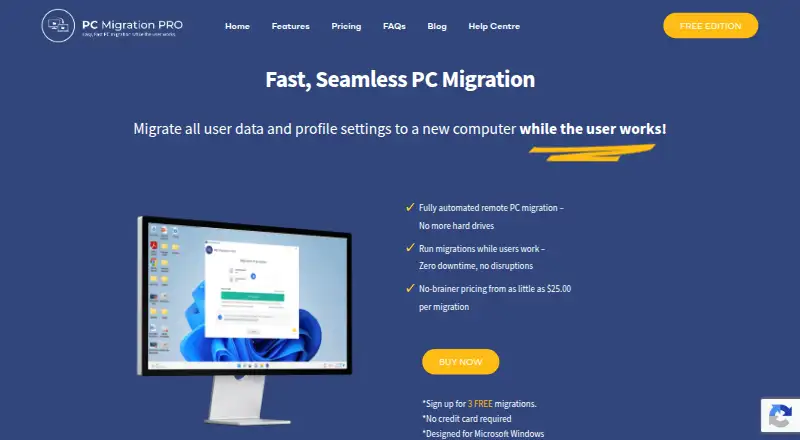
What PC Migration Pro is
PC Migration Pro helps IT technicians move a user's data and profile settings to a new Windows computer while the user continues working. The old and new devices connect with a unique link code, and the transfer runs over a network. Technicians can start and monitor migrations remotely from the new computer. The tool moves data, profile settings, and cloud drive locations; it can also relocate Desktop and Documents shortcuts. Its FAQ lists OneDrive and other volumes, email and profile settings, browser favorites, extensions, and history among migratable data. Transfers are described as speed-optimized and use smart network-route discovery. An update migration can transfer files added or changed since the initial move. Applications themselves are not migrated, so applications such as Office and the internet browser should be installed on the new computer before migration if their settings are to be applied. The free edition covers three computers and includes all features. Paid prices are $25.00 per migration for 1–20 migrations, $22.50 for 21–50, and $19.95 for 51 or more.
Who it suits
PC Migration Pro is for IT technicians moving user data and settings between Windows computers, including when they need to monitor a transfer remotely. It suits migrations where applications can be installed separately on the new computer.
What it does well
- Moves data, profile settings, and cloud drive locations
- Supports remote migration monitoring
- Transfers run device to device over a network
- Update migration carries over added or changed files
What to know first
- Does not migrate applications
- Designed for Microsoft Windows
- Applications should be installed on the new computer first
Limits
The free edition covers three computers. Applications are not migrated, and the new computer should already have applications installed for their settings to be applied.
Plans
| Plan | Billed and limits | Price |
|---|---|---|
| Free Edition | 3 computers · includes all features | Free |
| 51+ migrations | $19.95 per migration · 51+ migrations | $19.95, paid once |
| 21–50 migrations | $22.50 per migration · 21–50 migrations | $22.50, paid once |
| 1–20 migrations | $25.00 per migration · 1–20 migrations | $25, paid once |
As pcmigrationpro.com lists them, read 8 Oct 2026. The maker's own page has the final word.
Getting started
- Visit pcmigrationpro.com.
- Install applications such as Office and the browser on the new computer before migration.
- Link the old and new computers using the unique link code.
- Run the migration over the network; a technician can start and monitor it from the new device.
- Choose the free edition for up to three computers or a paid migration tier by volume.
Verdict
PC Migration Pro focuses on transferring user data and settings, with remote monitoring and update migrations available. It does not move applications, so plan to install those on the destination computer separately.
Questions
Is PC Migration Pro free?
Yes. The Free Edition costs nothing and covers three computers with all features.
How much do paid migrations cost?
The listed rates are $25.00 per migration for 1–20 migrations, $22.50 for 21–50, and $19.95 for 51 or more.
Which platform does it support?
PC Migration Pro is designed for Microsoft Windows.
Does it move applications?
No. Applications are not migrated. The guide says to install them on the new computer before migration so settings can be applied.
What data can it migrate?
It can transfer data, profile settings, cloud drive locations, and relocated Desktop and Documents shortcuts. The FAQ also lists OneDrive and other volumes, email and profile settings, and browser favorites, extensions, and history.
Can resellers white-label it?
Yes. White labeling with a partner's logo and product name is available for OEMs, system integrators, MSPs, and large resellers.
Facts from PC Migration Pro's own pages
- Browser and cloud data
- The FAQ lists OneDrive and other volumes, email and profile settings, browser favorites, extensions, and history among migratable data. · pcmigrationpro.com, 8 Oct 2026
- Data transfer
- It transfers data, profile settings, and cloud drive locations between devices. · pcmigrationpro.com, 8 Oct 2026
- Device linking
- The old and new computers are linked using a unique link code. · pcmigrationpro.com, 8 Oct 2026
- Network migration
- The product supports device-to-device migration over a network. · pcmigrationpro.com, 8 Oct 2026
- Preparation requirement
- The getting-started guide says applications, including Office and the internet browser, should be installed on the new computer before migration so settings can be applied. · help.pcmigrationpro.com, 8 Oct 2026
- Purpose
- PC Migration Pro lets IT technicians migrate a user's data and profile settings to a new computer while the user continues working. · pcmigrationpro.com, 8 Oct 2026
- Remote monitoring
- Technicians can remotely run and monitor migrations from the new device. · pcmigrationpro.com, 8 Oct 2026
- Reseller discount
- The pricing page lists reseller prices at 20% below the corresponding per-migration prices. · pcmigrationpro.com, 8 Oct 2026
- Shortcuts
- It can relocate Desktop and Documents shortcuts to new locations. · pcmigrationpro.com, 8 Oct 2026
- Transfer optimization
- The feature list says file transfers are optimized for speed and use smart network-route discovery. · pcmigrationpro.com, 8 Oct 2026
- Update migration
- An update migration can transfer files that are new or changed since the initial migration. · pcmigrationpro.com, 8 Oct 2026
- White labeling
- The product can be white labeled with a partner's logo and product name for OEMs, system integrators, MSPs, and large resellers. · pcmigrationpro.com, 8 Oct 2026
- Windows support
- The product is designed for Microsoft Windows. · pcmigrationpro.com, 8 Oct 2026
Where PC Migration Pro stands on Freedom251
- PC Migration Software#7 of 26