Freedom251 › PC Migration Software

Super Grate
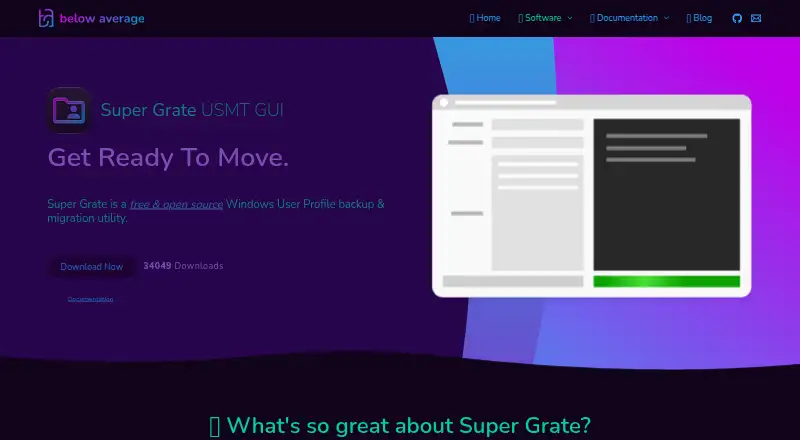
What Super Grate is
Super Grate is a free Windows utility for backing up and moving user profiles, with a graphical interface for Microsoft’s User State Migration Tool (USMT). It can run on a non-domain PC or work remotely with computers joined to an Active Directory domain. For remote tasks, administrators can choose computers using hostname, description, or organizational-unit filters. Profiles can be saved to a shared backup store and restored to another computer, with an option to set a different destination username. The maker says the transfer can include files, media, contacts, emails, Windows settings, program data, and internet settings. Super Grate can run from a network share with shared configuration and logging, or from an external drive or thumb drive. Installation is unnecessary: run the downloaded executable. The product lists compatibility from Windows 7 through Windows 11 and is published under the GPL-3.0 license. Remote work requires the target computer to be online and the operator to have administrator access; it relies on WMI, which may fail if disabled or corrupted.
Who it suits
It suits administrators and support teams moving or backing up Windows profiles locally or across an Active Directory domain. Its portable setup may also suit people who need to run the utility from removable storage.
What it does well
- Free to download and use.
- Runs locally or remotely on supported PCs.
- Restores profiles with an optional destination username.
- Supports shared network configuration and logging.
- No installation is required.
What to know first
- Remote tasks require an online PC and administrator access.
- Remote operation relies on WMI, which may be disabled or corrupted.
- Windows only.
Limits
The product is free to download and use. Remote operation relies on WMI, and the remote PC must be online while the operator has administrator access; remote work may fail if WMI is corrupted or disabled.
Plans
| Plan | Billed and limits | Price |
|---|---|---|
| Super Grate | Free to download and use · Windows user profile backup and migration utility | Free |
As belowaverage.org lists them, read 9 Oct 2026. The maker's own page has the final word.
Getting started
- Open the Super Grate website.
- Download the executable and run it; installation is unnecessary.
- For remote work, use a domain-joined computer and select target PCs through Active Directory filters.
- Back up profiles to the backup store, then restore them to a destination computer if needed.
- Optionally set a different destination username when restoring a profile.
Verdict
Super Grate combines profile backup and migration with local and domain-based remote operation. Check WMI availability and administrator access before relying on remote tasks.
Questions
How much does Super Grate cost?
The Super Grate plan is free, billed free to download and use.
Which computers does it support?
The product lists Windows compatibility from Windows 7 through Windows 11.
Can it migrate profiles remotely?
Yes. It can back up and migrate profiles over a network on computers joined to an Active Directory domain.
What does it include in a profile transfer?
The maker says it accounts for files, media, contacts, emails, Windows settings, program data, and internet settings.
Does Super Grate need to be installed?
No. The quick start guide says to run the downloaded executable, and installation is unnecessary.
Who makes Super Grate?
The product page footer identifies Good Enough Technologies LLC as the maker.
Facts from Super Grate's own pages
- Active Directory
- Computer selection can search Active Directory by hostname, description, or organizational unit. · belowaverage.org, 9 Oct 2026
- License
- The public GitHub repository lists the GPL-3.0 license. · github.com, 8 Oct 2026
- Local use
- The project README says it can run USMT remotely on domain joined PCs or locally on non joined PCs. · github.com, 8 Oct 2026
- Maker
- The product page footer identifies Good Enough Technologies LLC; the pages reviewed do not state its headquarters or founding year. · belowaverage.org, 9 Oct 2026
- Migration engine
- It provides a graphical interface for Microsoft's User State Migration Tool (USMT). · github.com, 9 Oct 2026
- No installation required
- The quick start guide says to run the downloaded executable and that installation is unnecessary. · belowaverage.org, 8 Oct 2026
- Operational requirement
- Remote operations rely on WMI, and the documentation says the remote PC must be online and the operator must be an administrator. · belowaverage.org, 8 Oct 2026
- Portable and non-disruptive
- The maker says it can run from an external drive or thumb drive and migrate or back up profiles without users noticing. · belowaverage.org, 9 Oct 2026
- Portable setup
- The maker says Super Grate can be installed on an external hard drive or thumb drive. · belowaverage.org, 8 Oct 2026
- Profile contents
- The maker says it accounts for files, media, contacts, emails, Windows settings, program data, and internet settings. · belowaverage.org, 9 Oct 2026
- Profile data
- The maker says it accounts for files, media, contacts, emails, Windows settings, program data, and internet settings. · belowaverage.org, 8 Oct 2026
- Profile restore
- Users can restore profiles from the backup store to a destination computer and optionally set a different destination username. · belowaverage.org, 9 Oct 2026
- Purpose
- Super Grate is a free, open source Windows user profile backup and migration utility. · belowaverage.org, 9 Oct 2026
- Remote migration
- It can perform profile backups and migrations over a network for computers joined to an Active Directory domain. · belowaverage.org, 8 Oct 2026
- Remote operation
- It can perform profile backups and migrations over a network for computers joined to an Active Directory domain. · belowaverage.org, 9 Oct 2026
- Requirements and limits
- The documentation says remote operation relies on WMI and may fail if WMI is corrupted or disabled on the remote PC. · belowaverage.org, 9 Oct 2026
- Security
- The documentation's sample configuration sets the security protocol to TLS 1.2 by default. · belowaverage.org, 8 Oct 2026
- Security and compliance
- The maker's privacy policy says it logs and timestamps IP addresses contacting its systems; the policy does not state a Super Grate-specific compliance certification. · belowaverage.org, 9 Oct 2026
- Setup
- The quick start guide says to run the downloaded executable and that installation is not necessary. · belowaverage.org, 9 Oct 2026
- Shared configuration
- A network share can host Super Grate, its settings, and its backup store for shared use. · belowaverage.org, 9 Oct 2026
- Support
- The maker invites support questions by email at [email protected]. · belowaverage.org, 9 Oct 2026
- Windows compatibility
- The product page lists compatibility from Windows 7 through Windows 11. · belowaverage.org, 8 Oct 2026
- Windows support
- The maker lists compatibility from Windows 7 through Windows 11. · belowaverage.org, 9 Oct 2026
Where Super Grate stands on Freedom251
- PC Migration Software#9 of 26