Freedom251 › PC Migration Software
PickMeApp
What PickMeApp is
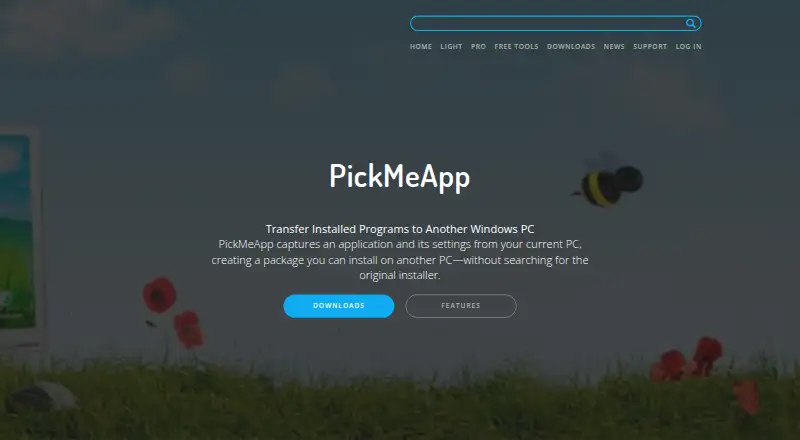
PickMeApp captures applications and their settings from a Windows PC into packages for installation on another PC. PickMeApp Pro covers application discovery, installation, upgrades, removal, capture, and transfer. The Installer handles standard MSI, EXE, and PAD packages alongside proprietary TAP and TAD formats, and can create personal collections from a list of 20,000 software titles. PickMeApp can work offline using local repositories of custom software; Pro also offers command-line automation. Pro supports Windows XP and above and manages 32-bit and 64-bit programs on 32-bit or 64-bit Windows computers. The maker reports successful capture and transfer of more than 15,000 software products and versions. Relocator moves installed applications between drives on the same computer, though some moves require a restart and another run. For transfers to another PC, the software must support the destination operating system. Relocator and Installer are free with no licenses, expiration, or adware. PickMeApp Light costs $10 a year, and PickMeApp Pro costs $30, paid once.
Who it suits
PickMeApp suits Windows users who need to capture applications and settings for transfer or relocation. Pro is aimed at users who also want application management and command-line automation.
What it does well
- Captures applications and settings for transfer
- Installer supports MSI, EXE, PAD, TAP, and TAD
- Can work offline with local software repositories
- Free Installer and Relocator have no expiration
What to know first
- Transfers depend on destination operating-system compatibility
- Some same-computer relocations require a restart and another run
- Light costs $10 a year
- Pro costs $30, paid once
Limits
The free Relocator and Installer plans have no expiration or license count and contain no adware. Light costs $10 a year; Pro costs 30.00 USD once.
Plans
| Plan | Billed and limits | Price |
|---|---|---|
| PickMeApp Relocator | Free · no licenses · no expiration · no adware | Free |
| PickMeApp Installer | Free · no licenses · no expiration · no adware | Free |
| PickMeApp Light | Unlimited annual usage license · Capture and transfer installed programs · portable | $10 a year |
| PickMeApp Pro | Capture and transfer · package manager · updater · uninstaller · command line | $30, paid once |
As pickmeapp.com lists them, read 7 Oct 2026. The maker's own page has the final word.
Getting started
- Visit https://pickmeapp.com/.
- Choose the free Relocator or Installer plan, or select Light or Pro.
- Use PickMeApp on a Windows PC to capture applications and settings into packages.
- Transfer the packages using storage and install them on a compatible destination PC.
- For offline work, use a local repository of custom software.
Verdict
PickMeApp offers distinct tools for transferring packages between PCs and relocating applications between drives on one computer. Check destination OS compatibility before transferring, and note the listed prices for Light and Pro.
Questions
Is PickMeApp free?
Yes. Relocator and Installer are free, with no license count or expiration and no adware.
What does PickMeApp cost?
Light costs $10 a year. Pro costs 30.00 USD once.
Which platforms does PickMeApp support?
PickMeApp is for Windows. Pro supports Windows XP and later, including 32-bit and 64-bit programs on 32-bit or 64-bit Windows computers.
Can PickMeApp work offline?
Yes. It supports offline work with local repositories of custom software.
Can every captured program be transferred to another PC?
Transferred software must support the destination computer’s operating system.
What package formats does Installer support?
Installer supports MSI, EXE, and PAD packages, plus PickMeApp’s TAP and TAD formats.
Facts from PickMeApp's own pages
- Automation
- PickMeApp Pro offers command-line commands to automate its functionality. · pickmeapp.com, 7 Oct 2026
- Collections
- PickMeApp Installer can create personal application collections from a list of 20,000 software titles. · pickmeapp.com, 7 Oct 2026
- Lifecycle management
- PickMeApp Pro manages application discovery, installation, upgrades, removal, capture, and transfer. · pickmeapp.com, 7 Oct 2026
- Offline use
- PickMeApp supports working completely offline with local repositories of custom software. · pickmeapp.com, 7 Oct 2026
- Package formats
- PickMeApp Installer supports standard MSI, EXE, and PAD packages and proprietary TAP and TAD formats. · pickmeapp.com, 7 Oct 2026
- Personal information
- The privacy policy says T-App Ltd will not sell, rent, trade, or otherwise transfer personal information to third parties without explicit permission, except when required by applicable law or competent authorities. · pickmeapp.com, 7 Oct 2026
- Privacy
- The privacy policy says the software may track application names and actions, including success or failure status, to investigate malfunctions and improve the tool. · pickmeapp.com, 7 Oct 2026
- Product
- PickMeApp captures applications and their settings from a Windows PC into packages that can be installed on another PC. · pickmeapp.com, 7 Oct 2026
- Relocation limit
- PickMeApp Relocator moves installed applications between drives on the same computer; in some cases, a restart and another run are required to complete relocation. · pickmeapp.com, 7 Oct 2026
- Support
- The product page says online support is provided through a support form inside the PickMeApp application. · pickmeapp.com, 7 Oct 2026
- Transfer compatibility
- The maker notes that transferred software must support the destination operating system. · pickmeapp.com, 7 Oct 2026
- Transfer support
- The maker says PickMeApp has successfully captured and transferred more than 15,000 software products and versions. · pickmeapp.com, 7 Oct 2026
- Windows support
- PickMeApp Pro supports Windows XP and above and manages 32-bit and 64-bit programs on 32-bit or 64-bit Windows computers. · pickmeapp.com, 7 Oct 2026
Where PickMeApp stands on Freedom251
- PC Migration Software#8 of 26