IObit Uninstaller
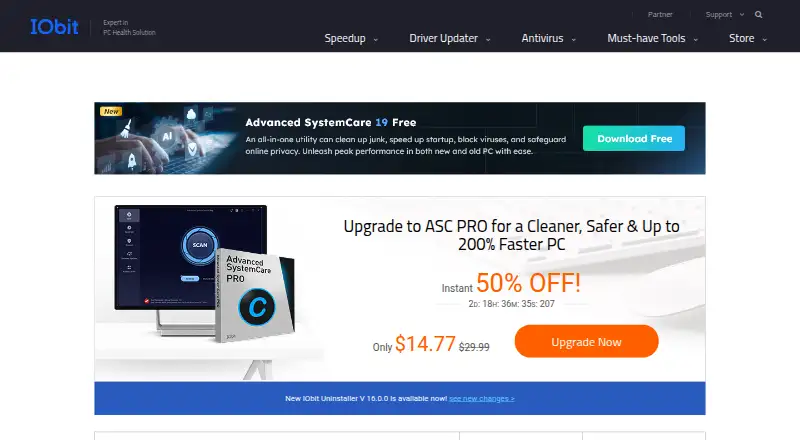
What IObit Uninstaller is
IObit Uninstaller is a Windows utility for removing programs and cleaning up files and traces left behind. The free version includes batch uninstall, Windows app removal, drag-and-drop uninstall and automatic leftover cleanup. It can also remove unwanted pre-installed Windows apps and system components, and detect and manage trusted, ad-injecting and malicious browser plugins. Forced uninstall creates a system restore point before removal. The free version is listed for Windows 11, 10, 8, 7, Vista and XP. Pro automatically removes leftover files, folders and registry traces. Pro is listed at $14.77 per year for one PC and $16.77 per year for three PCs; both plans include a 60-day money-back guarantee. The three-PC plan includes sharing with family members, and dedicated technical support for all PCs is listed for that plan. Pro includes premium technical support. The latest release adds support for 39 languages. IObit Uninstaller is listed for Windows only.
Who it suits
IObit Uninstaller suits Windows users who want to remove programs in batches and clean up after uninstallations. The three-PC Pro plan may suit households that want to share it with family members.
What it does well
- Free version supports batch uninstall.
- Automatic leftover cleanup is included in the free tier.
- Forced uninstall creates a system restore point.
- Pro plans include a 60-day money-back guarantee.
- Three-PC plan includes family sharing.
What to know first
- Listed platform support is Windows only.
- Pro plans require annual payment.
- Three-PC plan costs $16.77 per year.
Limits
The free plan includes batch uninstall, Windows app removal, drag-and-drop uninstall, and automatic leftover cleanup. Automatic removal of leftover files, folders, and registry traces is listed for Pro.
Plans
| Plan | Billed and limits | Price |
|---|---|---|
| Free | Batch uninstall · Windows app removal · Drag-and-drop uninstall · Automatic leftover cleanup | Free |
| Pro — 1 PC + 2 PCs Free | 1 PC plus 2 PCs free | Free |
| Pro — 3 PCs | billed annually · 3 PCs | $16.77 a year |
| 1 PC Pro | billed annually at $14.77 | $14.77 a year |
| 3 PCs Pro | billed annually at $16.77 | $16.77 a year |
As iobit.com lists them, read 28 Sept 2026. The maker's own page has the final word.
Getting started
- Visit the IObit Uninstaller website.
- Choose the free version or a Pro plan for one or three PCs.
- Install it on a supported Windows PC.
- Use batch uninstall, Windows app removal, or drag-and-drop uninstall to remove programs.
IObit Uninstaller is Windows software for removing programs, built-in apps and browser plugins. It is a good fit for people clearing several unwanted items at once, particularly those who want to begin with a free option. The free tier handles batch removal and automatic leftover cleanup; Pro’s clearest reason to pay is automatic removal of leftover files, folders and registry traces.
Overview
The free version combines batch uninstall, Windows app removal, drag-and-drop uninstall and automatic leftover cleanup. Forced uninstall and install monitoring are also supported. That is a useful package for routine cleanup without a subscription, especially when several programs need to go. Its scope is focused, however: this is an uninstaller, not an all-purpose PC maintenance suite.
IObit Uninstaller can remove unwanted pre-installed Windows apps and system components, as well as detect and manage browser plugins categorized as trusted, ad-injecting or malicious. Forced uninstall creates a system restore point before removal, a sensible safeguard when software resists a normal uninstall. Pro adds automatic removal of leftover files, folders and registry traces, which is the clearest upgrade for people who want that cleanup handled automatically.
Key features
- Batch uninstall: Remove multiple programs together, reducing repetitive work when clearing a group of unwanted apps.
- Leftover cleanup: Automatic leftover cleanup is included in the free tier. Pro specifically adds automatic removal of leftover files, folders and registry traces.
- Forced uninstall: This offers another route for software that will not uninstall normally, and creates a restore point before removal.
- Windows app and component removal: The tool can remove unwanted pre-installed Windows apps and system components, extending its use beyond third-party programs.
- Browser plugin management: It detects and manages plugins identified as trusted, ad-injecting or malicious, useful for reviewing browser add-ons alongside installed software.
- Install monitoring: This is supported, complementing the removal features for users who want to monitor installations.
Pricing
The free plan costs nothing and includes batch uninstall, Windows app removal, drag-and-drop uninstall and automatic leftover cleanup. It is the sensible starting point for occasional cleanup; Pro is worth considering when automatic removal of leftover files, folders and registry traces matters enough to justify an annual fee.
- Free: free for Windows PCs, with the core removal features above.
- 1 PC Pro: $14.77 a year, billed annually at $14.77, for one PC. It includes a 60-day money-back guarantee and premium technical support.
- 3 PCs Pro: $16.77 a year, billed annually at $16.77, for three PCs. It includes family sharing, a 60-day money-back guarantee and dedicated support for all PCs.
The 3-PC plan costs only $2 more per year than the 1-PC plan, so it makes more sense for a household with multiple PCs than buying one seat for a single machine. The 1-PC plan remains the lower-cost paid choice for one user. Both paid plans include Pro’s automatic leftover removal; the free option is the better fit if its cleanup features are sufficient.
Platforms
IObit Uninstaller is for Windows. The free version supports Windows 11, 10, 8, 7, Vista and XP, making its stated compatibility broad across older Windows releases as well as current ones. It is not a cross-platform choice.
Who it's for
Choose IObit Uninstaller if you want to remove batches of programs, clean out Windows apps or browser plugins, and start without paying. Pro is a more compelling fit for people who want automatic removal of leftover files, folders and registry traces, or who need coverage for several PCs and family members. Look elsewhere if you need an uninstaller for a non-Windows system or a broader maintenance tool.
Pros and cons
- Pro: The free tier includes batch uninstall, Windows app removal, drag-and-drop uninstall and automatic leftover cleanup, so routine cleanup does not require a paid plan.
- Pro: Forced uninstall creates a restore point before removal, adding a recovery safeguard for stubborn software.
- Pro: The 3-PC plan includes family sharing and dedicated support for all PCs, while costing $2 more per year than the 1-PC plan.
- Con: Pro is an annual expense for a narrowly focused utility, so it is harder to justify if the free tier already covers your needs.
- Con: The product is Windows-only, ruling it out for anyone who needs software removal on another platform.
Alternatives
If your goal is moving data or accounts rather than uninstalling programs, compare EaseUS Todo PCTrans, whose free plan covers 2 GB of data, five programs and account transfer. For a free Windows option focused on profile migration, consider ForensiT User Profile Wizard. IObit PCtransfer is another free Windows migration option.
For a free Windows migration utility, ForensiT Transwiz is also an option. If you need deployment across workstations and servers, ManageEngine OS Deployer has a free tier for four workstations and one server. Endstate offers a free self-hosted Windows option.
MigrationMerlin and NiloShift are other Windows migration options. For more uninstaller choices, see Software Uninstaller Tools. The PC Migration Software list is more relevant if transferring to another PC is the job. Other related categories include Disk Defragmentation Software, Start Menu Customization Software, Software Update Tools and AI Image Enhancers.
Verdict
IObit Uninstaller is a solid choice for Windows users who want batch removal and automatic leftover cleanup without paying, with forced uninstall and built-in app and plugin management adding practical reach. Pro makes the most sense for users who want automatic removal of leftover files, folders and registry traces, particularly across three PCs. Choose another tool if you need non-Windows support or your main task is PC migration rather than uninstalling.
Verdict
The free version covers batch removal and automatic leftover cleanup, while Pro adds automatic removal of leftover files, folders and registry traces. Check the Windows version support and PC limit before choosing a plan.
Questions
Is IObit Uninstaller free?
Yes. The free version is listed as free and includes batch uninstall, Windows app removal, drag-and-drop uninstall, and automatic leftover cleanup.
What does Pro cost?
The one-PC Pro plan costs $14.77 per year, and the three-PC Pro plan costs $16.77 per year. Both include a 60-day money-back guarantee.
Which operating systems does it support?
The free version is listed for Windows 11, 10, 8, 7, Vista, and XP.
What does forced uninstall do?
Forced uninstall creates a system restore point before removal.
Can it remove browser plugins and pre-installed Windows apps?
It can uninstall unwanted pre-installed Windows apps and system components, and it detects and manages trusted, ad-injecting, and malicious browser plugins.
Does the three-PC plan include family sharing?
Yes. The three-PC plan includes sharing with family members.
Facts from IObit Uninstaller's own pages
- Batch Uninstall
- The product can remove multiple apps at once. · iobit.com, 28 Sept 2026
- Browser Extensions
- It detects and manages trusted, ad-injecting, and malicious browser plugins. · iobit.com, 28 Sept 2026
- Company Experience
- IObit claims decades of experience in cleaning and uninstalling programs. · iobit.com, 28 Sept 2026
- Family Sharing
- The 3-PC plan includes sharing with family members. · iobit.com, 28 Sept 2026
- Forced Uninstall
- Pro can force-uninstall more than 4,000 stubborn apps. · iobit.com, 28 Sept 2026
- Founded
- 2004 · iobit.com, 28 Sept 2026
- Free Limits
- The free tier includes batch uninstall, Windows app removal, drag-and-drop uninstall, and auto leftover cleanup. · iobit.com, 28 Sept 2026
- Free plan
- Yes · iobit.com, 23 Sept 2026
- Free Tier
- A free version is available for Windows PCs. · iobit.com, 28 Sept 2026
- Headquarters
- San Francisco, California, USA · iobit.com, 28 Sept 2026
- Install Monitoring
- Pro records installation changes for complete removal during uninstall. · iobit.com, 28 Sept 2026
- Language Support
- The latest release adds support for 39 languages. · iobit.com, 28 Sept 2026
- Leftover Cleanup
- Pro automatically removes leftover files, folders, and registry traces. · iobit.com, 28 Sept 2026
- Leftover scan
- Yes · iobit.com, 23 Sept 2026
- Paid Pricing
- Pro is listed at $14.77 per year for 1 PC and $16.77 per year for 3 PCs. · iobit.com, 28 Sept 2026
- Platform Support
- The listed free version supports Windows 11, 10, 8, 7, Vista, and XP. · iobit.com, 28 Sept 2026
- Refund Policy
- Paid plans include a 60-day money-back guarantee. · iobit.com, 28 Sept 2026
- Technical Support
- Pro includes premium technical support, and the 3-PC plan lists dedicated support for all PCs. · iobit.com, 28 Sept 2026
- System Restore
- Forced uninstall creates a system restore point before removal. · iobit.com, 28 Sept 2026
- User Base
- IObit says millions of users worldwide rely on its products daily. · iobit.com, 28 Sept 2026
- Windows Apps
- The product can uninstall unwanted pre-installed Windows apps and system components. · iobit.com, 28 Sept 2026
Where IObit Uninstaller stands on Freedom251
- Uninstallers#1 of 35
- Uninstaller apps#2 of 36
- Software Uninstaller Tools#13 of 35
- PC optimisers#45 of 104
- Driver updaters#23 of 37