
HiBit Uninstaller
What HiBit Uninstaller is
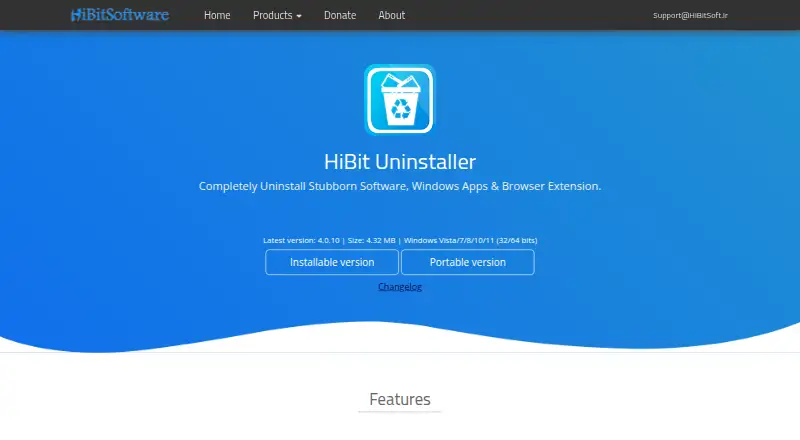
HiBit Uninstaller is a free Windows utility for removing stubborn software, Windows apps and browser extensions. It offers regular and forced uninstall, batch removal and a scan for leftover files. Install monitoring can track installations, and the maker provides both installable and portable downloads. The page lists version 4.0.10 at 4.32 MB and automatic updating to the latest version.
Its additional tools can shred sensitive files, fix registry problems, remove junk files, delete invalid shortcuts and find empty folders. It can also manage programs and services that start with Windows, as well as Windows system restore points. The listed plan is free and supports Windows Vista, 7, 8, 10 and 11 in 32- and 64-bit versions; Windows 11 support is also listed separately. The maker lists [email protected] for support.
Who it suits
It suits Windows users who want to remove persistent software and clean up related leftovers. Its portable version may suit users who prefer not to use the installable download.
What it does well
- Offers forced and batch uninstall.
- Scans for leftover files.
- Includes install monitoring and a portable version.
- Can manage Windows startup items and services.
What to know first
- Available on Windows only.
- Listed version is 4.0.10.
Plans
| Plan | Billed and limits | Price |
|---|---|---|
| HiBit Uninstaller | Price not stated · Windows Vista/7/8/10/11 (32/64 bits) · installable and portable versions | Free |
As hibitsoft.ir lists them, read 2 Oct 2026. The maker's own page has the final word.
Getting started
- Open the HiBit Uninstaller website.
- Choose the installable or portable version.
- Use it on a supported Windows version: Vista, 7, 8, 10 or 11, 32- or 64-bit.
- Start removing programs or use the listed cleanup and Windows management tools.
HiBit Uninstaller is a free Windows utility for removing stubborn software, Windows apps and browser extensions. It suits Windows users who want forced or batch removal together with leftover scanning and system-maintenance tools. Its wide toolkit costs nothing, but Mac users need another option.
Overview
HiBit combines conventional uninstalling with forced removal, batch operations and scans for remnants. That makes it useful when a program will not uninstall normally, leaves files behind or must be removed alongside several others. Install monitoring adds a way to track software changes from installation onward. Users who only want a minimal uninstaller may find the broader maintenance set unnecessary.
The listed release is version 4.0.10 and occupies 4.32 MB. The maker provides both an installable build and a portable version, so it can fit a normal desktop setup or a toolkit kept on removable storage. Automatic updating is included among its features.
Key features
Removal and leftover handling
Forced Uninstall is aimed at stubborn software that resists ordinary removal. Leftover scanning is intended to clear remaining traces after a program is removed, which matters when you want a cleaner system rather than simply deleting an entry from an applications list. Batch uninstall reduces repetitive work when clearing multiple programs.
HiBit also handles Windows apps and browser extensions, giving it broader coverage than a utility limited to traditional desktop installers. Install monitoring can record installation activity, helping users identify what a new program adds before deciding to remove it.
Cleanup utilities
The extra tools include secure shredding for sensitive files, registry-problem fixing, junk-file removal, invalid-shortcut deletion and empty-folder finding. They make HiBit a practical single utility for several maintenance jobs, although readers seeking only software removal may prefer a narrower interface and workflow.
Windows controls
HiBit manages programs and services that launch with Windows and can manage system restore points. Those controls are useful for users troubleshooting startup behavior or organizing restore-point maintenance, extending the app beyond uninstalling.
Pricing
HiBit Uninstaller has one free plan at free. It includes the Windows application with installable and portable versions; the plan covers Windows Vista, 7, 8, 10 and 11 on 32- or 64-bit systems. There are no paid tiers or stated seat limits, quotas, trial period or renewal terms. For a household or technician who needs these functions without a subscription, the unrestricted free pricing is straightforward.
Platforms
HiBit Uninstaller is for Windows. The stated plan supports Windows Vista through Windows 11, in both 32-bit and 64-bit editions, and the platform information specifically includes Windows 11. There is no macOS version, so Apple users should look elsewhere.
Who it's for
Choose HiBit if you regularly remove software that ordinary uninstallers cannot handle, need to clear several applications in one pass, or want leftover scanning alongside Windows cleanup and startup controls. The portable build also suits users who maintain a troubleshooting toolkit. It is less suitable when you need macOS support or want only a basic, focused uninstaller without registry, file and startup utilities.
Pros and cons
- Pro: Forced uninstall addresses software that resists standard removal.
- Pro: Leftover scanning, batch uninstall, Windows-app removal and browser-extension removal cover common cleanup cases.
- Pro: File shredding, junk and shortcut cleanup, registry tools, startup controls and restore-point management add useful Windows maintenance functions.
- Pro: Free pricing and both installable and portable editions lower deployment friction.
- Con: Windows-only support excludes macOS users.
- Con: Its many maintenance features may be unnecessary for readers who want a simple uninstaller.
Alternatives
For a broader directory of removal utilities, see Software Uninstaller Tools.
IObit Uninstaller is a Windows freemium alternative whose free edition includes batch uninstall, Windows-app removal, drag-and-drop uninstall and automatic leftover cleanup; choose it if those specific workflows appeal.
Absolute Uninstaller is a free Windows utility covering Windows 2000 through 11 on 32- and 64-bit systems, suitable when you want a straightforward freeware option.
AppCleaner is the free macOS choice, with supported macOS versions varying by download.
Argente Uninstall Manager offers a free one-PC-forever tier and paid Windows tiers for additional licensing needs.
Bulk Crap Uninstaller is free for private and commercial use under Apache 2.0, with version 6 supporting Windows 10 or newer.
Geek Uninstaller provides a free personal-use edition and a paid Pro option; pick it when that licensing model suits you.
InstallerClean is a free Windows 10 version 1607-or-later, 64-bit utility requiring administrator privileges.
Jharu is a free option for both macOS and Windows.
Verdict
HiBit Uninstaller is a strong fit for Windows users who want one free tool for stubborn removals, batch cleanup, leftovers and broader system maintenance. Its main reason to choose it is the combination of forced uninstall and Windows-focused utilities in installable or portable form. Look elsewhere if you use macOS or prefer a narrowly focused uninstaller with fewer ancillary controls.
Verdict
HiBit Uninstaller combines software removal with several cleanup and Windows management tools. It is a free Windows option, with both installable and portable versions listed.
Questions
How much does HiBit Uninstaller cost?
The listed plan costs nothing.
Which Windows versions does it support?
The plan lists Windows Vista, 7, 8, 10 and 11 in 32- and 64-bit versions. Windows 11 is also listed separately as a supported platform.
Is there a portable version?
Yes. The maker offers installable and portable versions.
Can it remove stubborn programs and leftovers?
Yes. Forced Uninstall is listed for stubborn software, and the utility can scan for leftover files.
Who made HiBit Uninstaller?
The About page identifies Mohammed Raee as the programmer. It says he created the site in 2017 to share programs for free.
How can I contact support?
The listed support address is [email protected].
Facts from HiBit Uninstaller's own pages
- Batch uninstall
- It can remove multiple programs at once. · hibitsoft.ir, 2 Oct 2026
- Cleanup tools
- Features include shredding sensitive files, fixing registry problems, removing junk files, deleting invalid shortcuts, and finding empty folders. · hibitsoft.ir, 2 Oct 2026
- Download formats
- The maker offers installable and portable versions. · hibitsoft.ir, 2 Oct 2026
- Forced removal
- Forced Uninstall removes stubborn software. · hibitsoft.ir, 2 Oct 2026
- Forced uninstall
- Yes · hibitsoft.ir, 23 Sept 2026
- Free plan
- Yes · hibitsoft.ir, 23 Sept 2026
- Install monitoring
- It can monitor program installations. · hibitsoft.ir, 2 Oct 2026
- Leftovers
- It can fully uninstall programs without leftovers. · hibitsoft.ir, 2 Oct 2026
- Leftover scan
- Yes · hibitsoft.ir, 23 Sept 2026
- Maker
- The About page identifies Mohammed Raee as the programmer and says he created the site in 2017 to share programs for free. · hibitsoft.ir, 2 Oct 2026
- Portable version
- Yes · hibitsoft.ir, 23 Sept 2026
- Purpose
- HiBit Uninstaller removes stubborn software, Windows apps, and browser extensions. · hibitsoft.ir, 2 Oct 2026
- Support
- The maker lists [email protected] as a contact address. · hibitsoft.ir, 2 Oct 2026
- Updates
- The listed features include automatic updating to the latest version. · hibitsoft.ir, 2 Oct 2026
- Version and size
- The page lists version 4.0.10 at 4.32 MB. · hibitsoft.ir, 2 Oct 2026
- Windows management
- It can manage programs and services that start with Windows and manage Windows system restore points. · hibitsoft.ir, 2 Oct 2026
Where HiBit Uninstaller stands on Freedom251
- Uninstallers#6 of 35
- Uninstaller apps#8 of 36
- Software Uninstaller Tools#10 of 35