Freedom251 › Mobile Device Management

ManageEngine Mobile Device Manager Plus
Visit ManageEngine Mobile Device Manager Plus Alternatives Pricing
What ManageEngine Mobile Device Manager Plus is
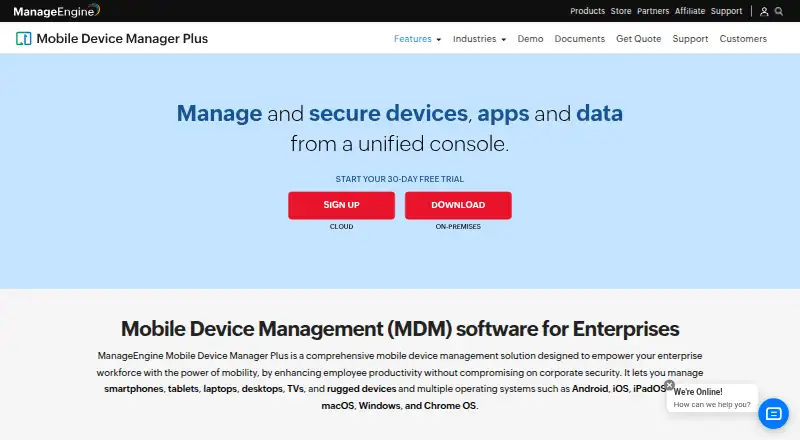
ManageEngine Mobile Device Manager Plus gives enterprise IT teams a console for managing devices, apps, and data. It covers smartphones, tablets, laptops, desktops, TVs, and rugged devices running Android, iOS, iPadOS, tvOS, macOS, Windows, or Chrome OS. Administrators can enroll devices, configure Wi-Fi and VPN policies, distribute store or in-house apps, use Kiosk Mode, review app inventory, and separate work and personal profiles. Security features include remote lock and wipe, detection of rooted or jailbroken devices, role-based permissions, data loss prevention, and controls for device and app access. Managed email access supports Office 365 and Azure; administrators can also distribute documents, update them remotely, and restrict third-party backups. Cloud and on-premises editions are available, with integrations including ServiceDesk Plus, ServiceNow, Zendesk, Jira, directory services, and REST APIs. The Free edition is limited to 25 devices. Cloud Standard starts at $1.28 a month, and a 30-day trial is offered. On-premises versions past end of support no longer receive technical support, security updates, or other updates and enhancements.
Who it suits
It suits enterprise IT teams managing corporate-owned and employee-owned devices, apps, and data. The Free edition may fit teams managing up to 25 devices; larger deployments can consider the listed paid editions.
What it does well
- Manages phones, computers, TVs, and rugged devices.
- Supports Kiosk Mode and managed app distribution.
- Includes remote lock and wipe controls.
- Offers Cloud and on-premises editions.
- A 30-day trial is available.
What to know first
- The Free edition is limited to 25 devices.
- On-premises versions past end of support receive no updates.
- On-premises editions have separate annual prices.
Limits
The Free edition covers up to 25 devices. On-premises versions past end of support no longer receive technical support, security updates, or other updates and enhancements.
Plans
| Plan | Billed and limits | Price |
|---|---|---|
| Free edition | Fully featured Professional edition · up to 25 devices | Free |
| Professional Edition (Cloud) | per month · App, asset, enrollment, email, integration, kiosk, profile and remote troubleshooting | $119 a month |
| Standard Edition (on-premises) | 50 devices/year · Basic mobile device management · on-premises Windows server | $495 a year |
| Standard Edition (Cloud) | per month · App, asset, audit/report, content, enrollment, email, integration, kiosk, profile, remote troubleshooting, rugged-device and security management | $64 a month |
| Professional Edition (on-premises) | 50 devices/year · Enterprise fleet management features · on-premises Windows server | $895 a year |
As manageengine.com lists them, read 14 Oct 2026. The maker's own page has the final word.
Getting started
- Visit the ManageEngine Mobile Device Manager Plus website.
- Choose the Cloud or On-premises edition.
- Start with the Free edition or select a paid plan; a 30-day trial is listed.
- Enroll devices using a supported method, such as self enrollment, invitation, bulk enrollment, or QR code.
- Configure device profiles, policies, and app distribution from the console.
Overview
ManageEngine Mobile Device Manager Plus is an enterprise tool for administering and securing a mixed fleet of devices, apps, and work data. It is best suited to IT teams that need enrollment and policy controls across employee- and company-owned equipment. Its strongest case is broad management coverage with a choice of cloud or self-managed deployment; the 25-device free cap and on-premises support lifecycle deserve close attention.
Key features
Enrollment and device policies
The product covers smartphones, tablets, laptops, desktops, TVs, and rugged devices running Android, iOS, iPadOS, tvOS, macOS, Windows, or Chrome OS. Enrollment ranges from self-service, invitations, and bulk setup to QR codes or EMM tokens and platform-specific methods such as Android Zero Touch, Apple Automated Device Enrollment, Windows Autopilot, and Chrome manual enrollment. That range can accommodate varied fleets and rollouts, while profiles for Wi-Fi, VPN, and other settings give administrators a way to standardize device configuration.
Apps, content, and security
Admins can distribute store and in-house apps, review app inventory, separate work and personal profiles, and use Kiosk Mode to dedicate devices to a controlled purpose. Remote lock and wipe, rooted or jailbroken-device detection, role-based permissions, data loss prevention, and device- and app-access controls add safeguards for managed equipment. Managed email access works with Office 365 and Azure; documents can be distributed and updated remotely, with third-party backups restricted.
Cloud and On-premises editions are available, alongside integrations including ServiceDesk Plus, ServiceNow, Zendesk, Jira, Active Directory, Entra ID, Google Workspace, Zoho Directory, Zoho Creator, and REST APIs. On-premises gives the organization deployment responsibility as well as control: the vendor recommends HTTPS, current builds, strong passwords, two-factor authentication, and appropriate administrator roles. Once an on-premises version reaches end of support, it no longer receives technical help, security updates, or other updates and enhancements.
Pricing
The Free edition costs nothing and is described as a fully featured Professional edition for up to 25 devices. That makes it a useful way to cover a small fleet, but the device ceiling rules it out for larger deployments. A 30-day trial is also offered.
- Standard edition (Cloud): $1.28 a month, billed starting at; annual billing can save up to 20%. It includes mobile device management, app distribution, configuration and restriction management, Kiosk Mode, geotracking, and remote commands. This is the lower-cost paid option for teams that need core controls.
- Professional edition (Cloud): $2.38 a month, billed starting at; annual billing can save up to 20%. It adds content management, custom configurations, app and OS update policies, conditional access, remote control, and geofencing. Choose it when those higher-level controls matter; otherwise Standard covers the stated core feature set.
- Standard edition (On-premises): $9.90 a year, billed starting at, with the same stated core features as Cloud Standard. It suits organizations choosing self-managed deployment, provided they can maintain the server and manage its security and support lifecycle.
- Professional edition (On-premises): $17.90 a year, billed starting at, adding the Professional features to On-premises Standard. It is the self-managed choice for teams needing content and advanced access, update, or location controls.
Paid prices are stated as starting rates, so they are not a guaranteed total for every deployment. The free tier's device cap and the on-premises edition's end-of-support consequences are the clearest limits to factor into a decision.
Platforms
Supported platforms are Android, iOS, iPadOS, macOS, Windows, Chrome OS, and tvOS. The product also offers web, API, and self-hosted platform options.
Who it's for
This is a strong fit for enterprise IT teams managing a varied corporate-owned and employee-owned fleet, especially when app administration, enrollment, and security policy need to sit together. Teams that want a limited free deployment can start with up to 25 devices. Organizations unwilling to maintain an on-premises server or track its support status should favor Cloud; teams needing only basic controls may not need the Professional feature tier.
Pros and cons
- Pro: Broad device and operating-system coverage, with numerous enrollment paths, helps accommodate mixed fleets and different deployment workflows.
- Pro: App distribution, kiosk controls, content handling, and security measures combine management tasks that otherwise span several parts of a device program.
- Pro: Cloud and On-premises editions let organizations choose between vendor-hosted and self-managed deployment.
- Con: The Free edition stops at 25 devices, limiting its usefulness as a lasting solution for larger teams.
- Con: On-premises customers must keep the server current and secure; an unsupported version loses security updates and technical support.
- Con: The published paid rates are starting prices, so the entry rates alone do not establish the final cost of a particular rollout.
Alternatives
For a broader category comparison, browse Mobile Device Management Software. IT Automation Software and Mac Management Software are also useful lists when the buying need is wider IT automation or specifically Mac administration.
- ManageEngine Patch Manager Plus is the more relevant alternative when patch management is the priority; its free edition covers up to 20 workstations and five servers.
- CFEngine is another freemium option for teams seeking configuration management across Linux, macOS, and Windows environments.
- OPSI offers a free Community plan with unlimited devices and core features, making it worth considering for a self-managed alternative.
- Rundeck is an alternative to consider for small teams looking for a free community automation option.
- Action1 offers a free plan for up to 200 endpoints, a fit to consider when endpoint count is the main constraint.
- Foreman is a free, open-source, self-managed option to consider for Linux-oriented environments.
- PatchMon offers a free, self-hosted community edition for teams prepared to operate the server, updates, backups, and uptime themselves.
- Rudder is another option for teams seeking software whose source code can be downloaded and modified under open-source licenses.
Verdict
Choose ManageEngine Mobile Device Manager Plus if your IT team needs one system for enrolling and governing a diverse fleet, distributing apps, and applying security controls, with cloud and self-managed editions to choose from. Its breadth is the main reason to shortlist it; look elsewhere if 25 free devices are insufficient and the starting paid rates do not fit, or if your team cannot own the maintenance and lifecycle demands of On-premises deployment.
Verdict
Mobile Device Manager Plus combines device enrollment, app administration, and security controls in one console, with cloud and on-premises deployment choices. Check the Free edition's 25-device limit and the support lifecycle of any on-premises version before choosing an edition.
Questions
Is there a free plan?
Yes. The Free edition costs nothing and supports up to 25 devices.
What is the starting price for a paid plan?
Cloud Standard starts at $1.28 per month. Annual billing can save up to 20%.
Is a free trial available?
Yes, a 30-day trial is listed.
Which operating systems are supported?
The product lists Android, iOS, iPadOS, tvOS, macOS, Windows, and Chrome OS.
Can it be hosted on premises?
Yes. The vendor offers Cloud and On-premises editions.
What happens when an on-premises version reaches end of support?
It no longer receives technical support, security updates, or other updates and enhancements.
Facts from ManageEngine Mobile Device Manager Plus's own pages
- API authentication
- API examples use Zoho OAuth access tokens in Authorization headers, and the documentation provides Java, Python and cURL examples. · manageengine.com, 14 Oct 2026
- API content endpoints
- Content APIs support listing, creating, updating, deleting and associating documents or media with devices, groups and users. · manageengine.com, 14 Oct 2026
- App management
- Administrators can create an enterprise app catalog, distribute store and custom apps, silently install or remove apps, configure app settings and blocklist apps. · manageengine.com, 14 Oct 2026
- Asset management
- Inventory scans collect installed apps, restrictions, certificates and hardware details, with location and battery tracking available. · manageengine.com, 14 Oct 2026
- Browser requirements
- The datasheet lists Internet Explorer 7+, Chrome 20+, Firefox 4+ and Safari 5+ for the management console. · manageengine.com, 14 Oct 2026
- Company founding and headquarters
- Gartner lists the parent company as Zoho, founded in 2002, with head office in Del Valle, United States. · gartner.com, 14 Oct 2026
- Company identity
- ManageEngine is the enterprise IT-management division of Zoho Corporation. · linkedin.com, 14 Oct 2026
- Company size
- LinkedIn lists ManageEngine as privately held with 5,001–10,000 employees. · linkedin.com, 14 Oct 2026
- Content management
- Documents and media can be distributed over the air, securely viewed on devices and revoked through content-management controls. · manageengine.com, 14 Oct 2026
- Deployment options
- The vendor offers Cloud and On-premises editions. · manageengine.com, 29 Sept 2026
- Device enrollment
- Enrollment methods include OTA email or SMS enrollment, self-service enrollment, Apple Business Manager, Windows Autopilot, Android zero-touch and Samsung Knox. · manageengine.com, 14 Oct 2026
- Device enrollment and policies
- It supports device enrollment and lets administrators configure profiles and policies for Wi-Fi, VPN, and other parameters. · manageengine.com, 29 Sept 2026
- Documentation depth
- The help center contains installation guidance, enrollment procedures, feature documentation, API reference pages and release notes. · manageengine.com, 14 Oct 2026
- Email and containerization
- The product manages corporate email through Exchange ActiveSync and separates corporate from personal data with containerization. · download.manageengine.com, 14 Oct 2026
- Email and content
- The product supports managed email access with Office 365 and Azure and lets administrators distribute documents, update them remotely, and restrict third-party backups. · manageengine.com, 29 Sept 2026
- Founded
- 1996 · manageengine.com, 23 Sept 2026
- Headquarters
- Pleasanton, California, United States · manageengine.com, 23 Sept 2026
- Hosting
- ManageEngine offers both a cloud service and an on-premises deployment. · manageengine.com, 14 Oct 2026
- Independent product assessment
- TechRadar describes the product as supporting cloud and on-premises deployment across Android, Apple, Windows, macOS and Chrome OS, with rooting or jailbreak detection and remote wipe. · techradar.com, 14 Oct 2026
- Integrations
- Documented integrations include Apple Business Manager, Managed Google Play, Chrome Web Store, Windows Business Store, Active Directory, Entra ID, Okta, Google Workspace and Zoho Directory. · manageengine.com, 14 Oct 2026
- Intended users
- The product is presented as enterprise MDM for IT teams managing corporate-owned and employee-owned devices. · manageengine.com, 29 Sept 2026
- Kiosk mode
- Kiosk policies can restrict devices to one app or a selected group of apps and customize the home-screen layout. · manageengine.com, 14 Oct 2026
- Limit: Android client complaints
- Google Play reviews include complaints about work-profile installation failures, USB-debugging incompatibility and concerns about requested call-history or contact permissions. · play.google.com, 14 Oct 2026
- Limit: deployment reliability
- TrustRadius summaries report buggy or slow application deployment and updates, enrollment difficulties and inconsistent device-status reporting. · trustradius.com, 14 Oct 2026
Where ManageEngine Mobile Device Manager Plus stands on Freedom251
- Mobile Device Management#2 of 28
- Mobile Content Management System#2 of 23
- BYOD Management Software#3 of 26
- Mobile Device Management Software#4 of 28
- Mobile Application Management Software#4 of 22
- Enterprise Mobility Management Software#4 of 22
- IT Automation Software#19 of 77
- Mac Management Software#6 of 24