Freedom251 › Mobile Device Management

Relution
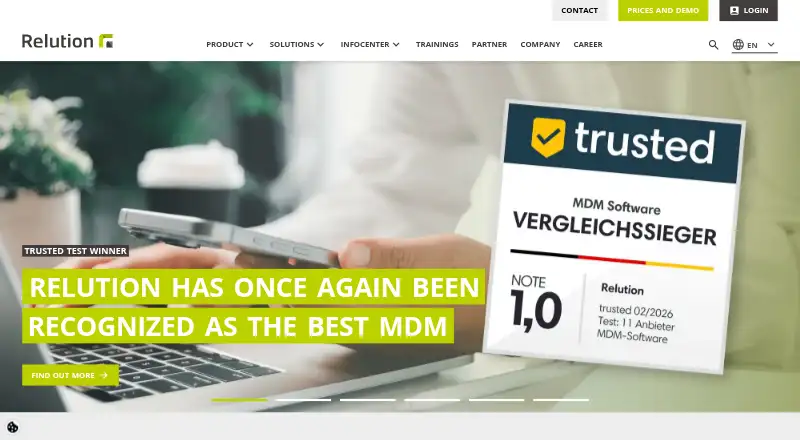
What Relution is
Relution is a Mobile Device Management and Unified Endpoint Management platform for organizations that need to manage phones, tablets, computers, laptops and interactive whiteboards. It supports Apple operating systems, Android, Windows, Linux and ChromeOS, and can run in a shared cloud or in an organization's own infrastructure. Device policies configure and secure endpoints, while app management inventories and distributes apps from public stores and native packages such as .exe, .msi, .msix, .msixbundle and .app.
Enrollment options include Apple DEP and VPP, Android Enterprise, Samsung Knox, Zero Touch and Windows Autopilot. Shared Device mode allows multiple people to use one device while restricting access to the apps and settings assigned to their group. Security controls include disk encryption, VPN integration, compliance checks, multifactor authentication, IP access rules, remote lock and remote wipe. Integrations include Active Directory, LDAP, REST API, SAML and OpenID Connect single sign-on, Apple Business Manager and Managed Google Play.
Organizations can choose cloud deployment or installation in their own infrastructure, including Linux and Docker. Relution also offers a German encrypted cloud; its maker says the company cannot access generated device data. The free option supports up to five devices for an unlimited time in Shared Cloud or On Premises deployment. The company identifies education, public administration, healthcare and enterprise as its main focus areas.
Who it suits
Relution suits organizations that manage a mix of mobile and stationary devices, particularly in education, public administration, healthcare or enterprise. It is also relevant to teams that need shared devices, centralized policies or a choice between cloud and on-premises deployment.
What it does well
- Manages Apple, Android, Windows, Linux and ChromeOS devices.
- Supports cloud or an organization's own infrastructure.
- Distributes public-store apps and native app packages.
- Shared Device mode restricts access by group.
- Security controls include remote lock and remote wipe.
- Free option covers five devices for unlimited time.
What to know first
- The free option is limited to five devices.
- Cloud and On Premises plan prices are not provided here.
- Common Criteria EAL 4+ and ISO 27001 certifications are in progress.
Limits
The free plan supports up to five devices, with Shared Cloud or On Premises deployment, for unlimited time.
Plans
| Plan | Billed and limits | Price |
|---|---|---|
| Free | unlimited time · Shared Cloud or On Premises · up to five devices | Free |
| On Premises | in your infrastructure · Linux · Docker | On request |
| Cloud | SaaS; shared server or dedicated server · multi-tenancy and user-directory integration available on dedicated server | On request |
As relution.io lists them, read 15 Oct 2026. The maker's own page has the final word.
Getting started
- Open https://relution.io/en/.
- Choose Shared Cloud or On Premises for the free option, which supports up to five devices.
- For an on-premises deployment, use the Linux or Docker option.
- Enroll devices using the relevant supported option, such as Android Enterprise, Apple DEP and VPP, or Windows Autopilot.
- Set device policies and manage apps for enrolled endpoints.
Relution is a device-management platform for organizations overseeing phones, computers and other endpoints across multiple operating systems. It is best suited to education, public administration, healthcare and enterprise teams that need centralized controls and deployment flexibility. Its five-device free tier is useful for a small deployment; larger fleets require a paid plan.
Overview
Relution brings mobile device management and unified endpoint management together, covering smartphones, tablets, laptops, computers and interactive whiteboards. Organizations can run it as a cloud service or in their own infrastructure, which gives teams a choice between shared or dedicated cloud arrangements and self-managed deployment.
Its broad operating-system coverage includes Apple platforms, Android, Windows, Linux and ChromeOS. That breadth makes Relution a stronger fit for mixed-device environments than a tool focused on one operating-system family, though organizations should weigh the administrative work of a wide fleet against their actual needs.
Compare it with Mobile Device Management Software and Unified Endpoint Management Software. Apple-focused teams can also compare Mac Management Software.
Key features
Enrollment and policy control
Relution supports automated enrollment and provisioning through Apple DEP, Android Enterprise, Samsung Knox, Zero Touch and Windows Autopilot. Central policies and compliance checks give administrators a way to apply consistent configuration and security requirements across supported endpoints. Disk encryption and VPN integration add controls relevant to organizations with stricter device-management needs.
App distribution and shared devices
The platform inventories and distributes apps from public stores and handles native packages such as .exe, .msi, .msix, .msixbundle and .app. This is useful when an organization needs to manage both store apps and packaged desktop software in one system.
Shared Device mode lets multiple people use a device while limiting access to the apps and settings for their group. Support for Apple Shared Device Mode and Windows Shared PC makes it particularly relevant to schools and other environments where devices circulate among users rather than staying assigned to one person.
Integrations, security and data control
Relution integrates with Active Directory and LDAP, offers REST API access, and supports SAML and OpenID Connect single sign-on. Apple Business Manager and Managed Google Play integrations connect it to major platform-management services.
Security measures include multi-factor authentication, IP access rules, remote lock and remote wipe, alongside central policies, encryption, VPN integration and compliance checks. Organizations can host Relution on their own infrastructure or use its German encrypted cloud. The maker says Relution itself cannot access generated device data, a distinction worth considering for organizations with data-sovereignty requirements.
Support resources include product manuals, a helpdesk ticket option, a customer hub and a technical changelog. Relution carries TeleTrusT IT Security Made in Germany and IT Security Made in EU trust marks; Common Criteria EAL 4+ and ISO 27001 certifications are in progress.
Pricing
Relution has a freemium model. The Free plan costs free and supports up to five devices indefinitely, with either Shared Cloud or On Premises deployment. That makes it a practical way to manage a very small fleet without a time-limited trial, but the device cap rules it out as a lasting option for most growing organizations.
The Cloud plan uses SaaS, with a shared-server option or a dedicated server with multi-tenancy and user-directory integration. The On Premises plan runs in the organization's infrastructure using Linux and Docker. Both paid plans have custom pricing. The free tier is the only plan with a stated device limit and price; teams managing more than five devices need a paid plan.
Platforms
Relution supports iOS, iPadOS, tvOS, watchOS, visionOS, macOS, Android, Windows 10, Windows 11, Linux and ChromeOS. Its web and API access complement endpoint management, while self-hosting is an option for organizations that prefer to operate the platform in their own environment.
Who it's for
Relution is a credible fit for organizations managing a mixed fleet, especially in education, public administration, healthcare and enterprise settings. Shared-device controls suit teams issuing equipment to multiple users, while cloud and on-premises deployment choices serve organizations with different infrastructure and data-control priorities. It is less compelling for a tiny team that needs more than five free devices but cannot justify a paid plan, or for a buyer seeking a published price before evaluating options.
Pros and cons
- Pros: Broad operating-system and endpoint coverage can consolidate management across mobile and stationary devices.
- Pros: Shared Device mode supports group-restricted access, including Apple Shared Device Mode and Windows Shared PC.
- Pros: A free tier covers up to five devices indefinitely and permits either cloud or on-premises deployment.
- Pros: Self-hosting and German encrypted cloud hosting give organizations deployment choices tied to data-control needs.
- Cons: The free tier's five-device cap is too low for many organizational fleets.
- Cons: Cloud and On Premises plans have custom pricing, so buyers cannot compare their cost from a stated rate.
Alternatives
Choose FileWave if its free Community Edition's stated allowance of up to 15 computers, 15 tablets and 15 Chrome devices better fits a small mixed fleet.
ManageEngine Mobile Device Manager Plus is worth comparing when a free allowance of up to 25 devices matters; its free edition is described as fully featured Professional edition.
Consider Miradore if its free plan's allowance of up to 50 devices after a 14-day trial better matches your scale.
SureAsset is another free option to compare.
Choose Jamf Now if a free three-device allowance or a stated $4 a month plan is a better fit.
Mosyle Manager offers a free plan with no device limit, configured for iOS/iPadOS or macOS, making it a relevant comparison for a single Apple platform family.
Consider AppTec360 Enterprise Mobility Management if its Digital Signage & Kiosk Package at €49 a month meets your needs.
Headwind MDM is another alternative to compare.
Verdict
Choose Relution if your organization needs centralized management across a mixed set of mobile and stationary devices, particularly with shared-device controls or an on-premises option. Its indefinitely free five-device tier is a useful entry point, but larger deployments must move to custom-priced plans. Look elsewhere if a larger free allowance or a clearly stated paid price is a deciding requirement.
Verdict
Choose Relution if your organization needs centralized management across mobile and stationary devices, especially with shared-device support or an on-premises deployment. The free option can cover a small deployment of up to five devices indefinitely. Organizations managing more devices need a paid plan; the listed facts do not give its price.
Questions
Is Relution free?
Yes. Its free plan supports up to five devices for an unlimited time in Shared Cloud or On Premises deployment.
Which operating systems does it support?
Relution lists iOS, iPadOS, tvOS, watchOS, visionOS, macOS, Android, Windows, Linux and ChromeOS.
Can Relution run on an organization's own infrastructure?
Yes. It can run in an organization's own infrastructure, including Linux and Docker, or in the cloud.
What integrations does it support?
Integrations include Active Directory and LDAP, REST API, SAML and OpenID Connect single sign-on, Apple Business Manager and Managed Google Play.
Who makes Relution?
Relution is the product described on the Relution website. The company is headquartered in Stuttgart, Germany, and was founded in 2021.
What do the paid plans cost?
Prices are not provided for the Cloud and On Premises plans.
Facts from Relution's own pages
- Android kiosk mode
- Android Enterprise kiosk mode restricts devices to selected applications and functions. · relution.io, 15 Oct 2026
- API security
- API calls use access tokens, follow the same permission checks as portal actions and record security-relevant actions in the audit log. · hub.relution.io, 15 Oct 2026
- App management
- Relution inventories and distributes apps from public stores and supports native app packages including .exe, .msi, .msix, .msixbundle, and .app. · relution.io, 30 Sept 2026
- Audience
- The company identifies education, public administration, healthcare, and enterprise as its main focus areas. · relution.io, 30 Sept 2026
- Certifications
- Relution carries TeleTrusT's IT Security Made in Germany and IT Security Made in EU trust marks; Common Criteria EAL 4+ and ISO 27001 certifications are described as in progress. · relution.io, 30 Sept 2026
- Company size and origin
- LinkedIn lists Relution GmbH in Stuttgart, Germany, with 11–50 employees and a 2015 founding year. · linkedin.com, 15 Oct 2026
- Content management
- Administrators can centrally distribute documents, policies and other content to managed devices. · relution.io, 15 Oct 2026
- Database support
- Relution supports PostgreSQL 14 or newer and deprecated MariaDB LTS 10.11 or newer through the end of 2027. · hub.relution.io, 15 Oct 2026
- Data sovereignty
- Relution can run in an organization's own infrastructure or a German encrypted cloud, and the maker says Relution itself cannot access generated device data. · relution.io, 30 Sept 2026
- Decon add-on
- Relution Decon is an AI-based iOS and iPadOS add-on for dynamically filtering malicious or inappropriate websites and apps. · relution.io, 15 Oct 2026
- Deployment
- Relution can be operated in the cloud or in an organization's own infrastructure. · relution.io, 30 Sept 2026
- Device management
- The platform configures and secures devices through policies and supports Apple DEP and VPP, Android Enterprise, Samsung Knox, Zero Touch, and Windows Autopilot. · relution.io, 30 Sept 2026
- Documentation depth
- The public documentation hub contains hundreds of operational topics covering device platforms, settings, installation, troubleshooting, add-ons, audit logs and API use. · hub.relution.io, 15 Oct 2026
- Enrollment
- Apple DEP, Android Zero Touch, QR-code registration, BYOD and COPE enrollment workflows are supported. · relution.io, 15 Oct 2026
- Enterprise app store
- Organizations can provide a branded app store with app requests for staff, faculty, partners or other users. · relution.io, 15 Oct 2026
- Founded
- 2021 · relution.io, 23 Sept 2026
- Free tier limit
- The free option supports up to five devices for an unlimited time, in Shared Cloud or On Premises deployment. · relution.io, 30 Sept 2026
- GetApp integrations and support
- GetApp lists GitLab, AWS CodeCommit, Jenkins, GitHub, Okta, Docker, Auth0, Angular and Microsoft Entra ID integrations, plus email, phone, knowledge-base and FAQ support. · getapp.com, 15 Oct 2026
- Google Play Agent
- The Relution Agent monitors compliance, distributes and updates apps, supports shared-device mode, QR/MFA login, push notifications and biometric login. · play.google.com, 15 Oct 2026
- Headquarters
- Stuttgart, Germany · relution.io, 23 Sept 2026
- Hosting choices
- The product is offered as a preconfigured cloud service or can run on premises in the customer’s infrastructure. · relution.io, 15 Oct 2026
- Installation stack
- Supported server operating systems are AlmaLinux or Rocky Linux 9/10 and RHEL 9+, with Docker Compose recommended; native installations use Java 21, NGINX and a supported database. · hub.relution.io, 15 Oct 2026
- Integrations
- Official integrations include Active Directory/LDAP, REST API, SAML, OpenID Connect, Apple Business Manager and Managed Google Play. · relution.io, 15 Oct 2026
- Legal entity and founder
- Crunchbase lists the legal name as M-Way Solutions GmbH and names Volker Hahn as founder. · crunchbase.com, 15 Oct 2026
Where Relution stands on Freedom251
- Mobile Device Management#4 of 28
- Mobile Content Management System#4 of 23
- BYOD Management Software#5 of 26
- Unified Endpoint Management Software#6 of 31
- Mobile Application Management Software#5 of 22
- Mobile Device Management Software#7 of 28
- Mac Management Software#9 of 24