Freedom251 › Mobile Device Management Software

Mosyle Manager
What Mosyle Manager is
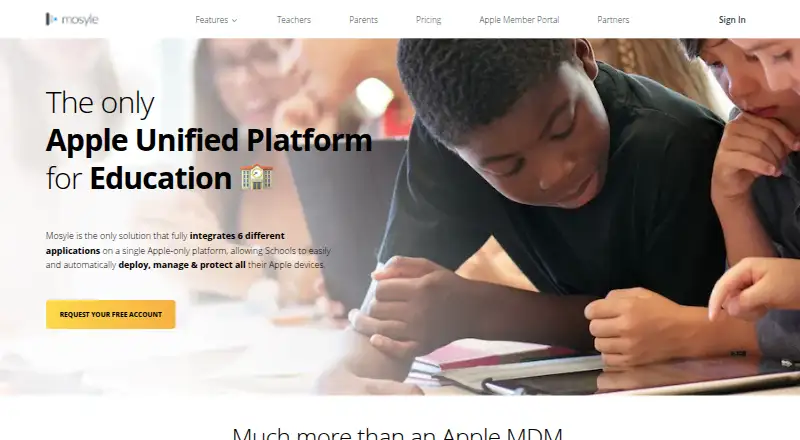
Mosyle Manager is Apple device management software with workflows designed for K-12 schools and districts. It supports macOS, iOS/iPadOS, and tvOS, including simultaneous management of Macs and iOS/iPadOS devices. Schools can use Apple Automated Device Enrollment for school-owned iPads, Shared iPad workflows, and Apple User Enrollment for BYOD while keeping school data separate from personal data. The software installs and updates App Store, custom, and enterprise apps, as well as macOS PKG and DMG packages; it also offers a macOS App Catalog. Classroom features include class feeds and history, assigned study apps and sites, App Lock, Safe Test Mode, Quick Poll, and live screens for macOS. Listed integrations include Google, Microsoft, Active Directory, and API. After account approval, a 30-day trial provides access to all features; an unsubscribed account then converts to Mosyle Manager Free. Free has no device limit but can be configured for iOS/iPadOS or macOS. Premium costs $5.50 per device per year and OneK12 costs $9 per device per year, each with a minimum of 30 licenses.
Who it suits
Mosyle Manager is for schools and districts managing Apple devices in K-12 settings. Its classroom tools and enrollment options may suit organizations handling school-owned, shared, and BYOD devices.
What it does well
- Manages macOS, iOS/iPadOS, and tvOS devices.
- Supports zero-touch deployment for school-owned iPads.
- Includes Shared iPad and BYOD enrollment workflows.
- Provides app management and classroom tools.
- Free plan has no device limit.
What to know first
- Free plan can be configured for iOS/iPadOS or macOS.
- Paid plans require at least 30 licenses.
- Premium costs $5.50 per device per year.
- OneK12 costs $9 per device per year.
Limits
The free plan has no device limit, but it can be configured for iOS/iPadOS or macOS. Premium and OneK12 each have a 30-license minimum; Premium is $5.50 per device per year and OneK12 is $9 per device per year.
Plans
| Plan | Billed and limits | Price |
|---|---|---|
| Mosyle Manager Free | $0.00 Device / Year · No device limit · choose iOS/iPadOS or macOS · MDM protocol · onboarding · parental controls · Shared iPad · SSO | Free |
| Mosyle Manager Premium | $5.50 Device / Year · Minimum 30 licenses · 3-year subscription discount · iOS/iPadOS/macOS/tvOS · classroom tools · automated workflows · macOS App Catalog · screen sharing | $5.50 a year |
| Mosyle OneK12 | $9.00 Device / Year · Minimum of 30 licenses · Discount available for 4-year subscriptions | $9 a year |
| Mosyle Manager OneK12 | $9.00 Device / Year · Minimum 30 licenses · 4-year subscription discount · Premium features · Mosyle Auth 2 · web filtering/security · CDN app hosting · endpoint security | $9 a year |
As school.mosyle.com lists them, read 15 Oct 2026. The maker's own page has the final word.
Getting started
- Visit the Mosyle Manager website.
- Create an account and wait for account approval.
- Use the 30-day trial to access all features.
- Enroll Apple devices using a supported enrollment method.
- After the trial, continue with Mosyle Manager Free or choose a paid plan.
Mosyle Manager is an Apple-focused management suite shaped for K–12 schools and districts. It is most useful when administrators need enrollment, software control, shared-device handling, and classroom supervision in one service. Schools with very small fleets should weigh the paid tiers’ 30-device minimum and the free tier’s single-platform setup before committing.
Overview
Mosyle manages macOS, iOS/iPadOS, and tvOS through Apple’s management frameworks, with simultaneous Mac and iPad administration supported. That combination suits mixed Apple estates better than an iPad-only tool. The product’s school orientation is material: its management model includes student sharing, BYOD separation, and teaching controls rather than stopping at inventory and configuration.
Key features
Enrollment and ownership models
Apple Automated Device Enrollment enables zero-touch provisioning for school-owned iPads, reducing manual preparation before distribution. Shared iPad support is designed for devices passed between students. For personally owned hardware, Apple User Enrollment keeps school information distinct from personal data, a useful boundary for BYOD programs.
Software distribution
Administrators can deploy and update App Store software, custom applications, and enterprise apps. On Macs, Mosyle also handles PKG and DMG packages, while its macOS App Catalog gives users a controlled way to obtain approved software. Kiosk mode is available when a device must remain focused on a restricted purpose.
Classroom controls
Class feeds and history provide a record of classroom activity, and teachers can assign study apps and websites by class. App Lock and Safe Test Mode can constrain devices during lessons or assessments; Quick Poll supports in-class responses. Live screens for macOS add visibility into Mac activity. These tools make Mosyle more compelling for instructional use than a purely administrative MDM.
Connections and protection
Integrations listed for the service include Google, Microsoft, Active Directory, and an API. Mosyle Auth 2 supports Google Workspace, Microsoft 365, AD FS, LDAP Active Directory, and on-premises Active Directory. Mosyle states GDPR compliance and SOC 2 Type II certification since 2020. Customer data is stored in Azure in the United States, encrypted at rest, and protected in transit with TLS.
Pricing
| Plan | Price and terms | What it means |
|---|---|---|
| Mosyle Manager Free | free, billed $0.00 Device / Year | No device limit, but configuration is restricted to either iOS/iPadOS or macOS. |
| Mosyle Manager Premium | $5.50 a year, billed $5.50 Device / Year; minimum 30 licenses; discount for 3-year subscriptions | The paid entry point for schools needing broader management without the OneK12 tier. |
| Mosyle OneK12 | $9 a year, billed $9.00 Device / Year; minimum 30 licenses; discount for 4-year subscriptions | A higher-priced school tier for organizations that need its additional package of capabilities. |
New customers receive 30 days with all Mosyle Manager features after account approval. If they do not subscribe, the account changes to Mosyle Manager Free. The free tier can accommodate a large device count, but choosing only one platform configuration limits mixed Mac-and-iPad deployments. Premium and OneK12 are better suited to established schools or districts that can meet 30 licenses; the longer subscription discounts favor buyers willing to make a multi-year commitment.
Platforms
Management covers iOS/iPadOS, macOS, and tvOS, with web and API access also supported. Enrollment methods include Apple Automated Device Enrollment, Apple Device Enrollment, Apple User Enrollment, and Shared iPad. This is an Apple-centered platform rather than a cross-vendor fleet manager.
Who it's for
Mosyle is aimed at K–12 schools and districts running Apple hardware, especially those combining institution-owned iPads, shared carts, Macs, and BYOD. It is a strong fit when classroom restrictions, app assignments, and student-facing workflows matter alongside technical administration. A small organization managing both Macs and iPads may find the free plan’s platform choice too restrictive, while any buyer below 30 paid devices cannot use the paid tiers on their stated terms.
Pros and cons
Pros
- School-specific operations: Shared iPad, BYOD data separation, class feeds, testing controls, and live Mac screens address real classroom scenarios.
- Broad Apple coverage: Macs, iPads, and Apple TVs can be administered together, with zero-touch enrollment for school-owned iPads.
- Flexible app delivery: App Store, custom, enterprise, PKG, and DMG distribution plus a Mac catalog cover varied school software.
- Defined security posture: GDPR compliance, SOC 2 Type II certification, encryption at rest, and TLS in transit provide clear safeguards.
Cons
- Free-tier platform trade-off: The no-cost plan has no device cap but must be configured for iOS/iPadOS or macOS, not both.
- Paid minimum: Premium and OneK12 both require at least 30 licenses, which can exclude small deployments.
- Apple-only management: Schools needing Android, Windows, or Linux administration will need another product.
Alternatives
FileWave is the broader choice when Android, Windows, Linux, or self-hosting matter; its Community Edition is free for up to 15 computers, 15 tablets, and 15 Chrome devices.
Relution suits organizations wanting cross-platform coverage and a free plan for up to five devices with either shared cloud or on-premises deployment.
ManageEngine Mobile Device Manager Plus is worth considering for a fully featured free edition capped at 25 devices and broader platform support.
Miradore offers a 50-device free allowance after a 14-day trial and supports multiple operating systems.
SureAsset is a free alternative centered on asset lifecycle, license tracking, and API automation.
Jamf Now fits smaller Apple deployments needing no paid device minimum; its free tier covers three devices and the paid plan bills monthly.
AppTec360 Enterprise Mobility Management is an option when Android and kiosk-focused packages are priorities.
Headwind MDM is a cross-platform alternative with a $19.00 USD per-device annual cloud plan and volume discounts.
For broader category browsing, see Mobile Device Management Software and Mac Management Software.
Verdict
Choose Mosyle Manager if your school runs Apple devices and needs classroom-aware controls alongside enrollment and app administration. Its strongest advantage is the tight fit between Apple fleet management and K–12 workflows. Look elsewhere if you need non-Apple endpoints, fewer than 30 paid devices, or simultaneous Mac-and-iPad configuration on the free plan.
Verdict
Mosyle Manager combines Apple device enrollment, app management, and classroom features for school environments. Check the free plan's platform configuration and the paid plans' minimum license counts against your needs.
Questions
Is Mosyle Manager free?
Yes. Mosyle Manager Free is listed as free, with no limit on the number of devices. It can be configured for iOS/iPadOS or macOS.
How long is the trial?
After account approval, the trial provides 30 days of access to all Mosyle Manager features. An unsubscribed account then converts to Mosyle Manager Free.
What do the paid plans cost?
Premium is $5.50 per device per year, and OneK12 is $9 per device per year. Both require at least 30 licenses.
Which Apple platforms does it manage?
Mosyle Manager supports iOS/iPadOS, macOS, and tvOS.
What integrations are listed?
The pricing page lists Google, Microsoft, Active Directory, and API. Mosyle Auth 2 supports Google Workspace, Microsoft 365, AD FS, LDAP Active Directory, and on-premises Active Directory.
Who makes Mosyle Manager?
Mosyle Corporation makes Mosyle Manager and lists a mailing address in Winter Park, Florida, USA.
Facts from Mosyle Manager's own pages
- API documentation
- Administrators report that API guidance appears only after enabling the feature and is sparse enough to require trial and error. · reddit.com, 15 Oct 2026
- App deployment
- Administrators can distribute App Store, custom, enterprise, PKG, DMG and IPA packages, while the macOS App Catalog patches non-App-Store applications. · school.mosyle.com, 15 Oct 2026
- Apple MDM
- The service supports Apple MDM protocols for macOS, iOS/iPadOS and tvOS, including automated enrollment and ongoing management. · school.mosyle.com, 15 Oct 2026
- Apple programs
- It integrates Apple School Manager, Apple Device Enrollment, User Enrollment, Shared iPad and Apps & Books. · school.mosyle.com, 15 Oct 2026
- Apple TV
- Each paid license includes one free tvOS license, with AirPlay controls and automated Apple TV configuration. · school.mosyle.com, 15 Oct 2026
- Apple Watch
- Apple Watch management is included with an iPhone license without an additional fee. · school.mosyle.com, 15 Oct 2026
- App management
- The product can install and update App Store apps, custom and enterprise apps, and macOS PKG and DMG packages, and offers an App Catalog for macOS apps. · school.mosyle.com, 2 Oct 2026
- Audience
- Mosyle describes Mosyle Manager as built for schools and districts, with K-12-focused management workflows. · school.mosyle.com, 2 Oct 2026
- Billing limits
- Paid accounts require licenses for all managed devices and at least 30 licenses at initial purchase or renewal. · school.mosyle.com, 15 Oct 2026
- Classroom management
- Class Manager provides class feeds and history, study-app and study-site controls, App Lock, Safe Test, polls, heads-up commands and live Mac screens. · school.mosyle.com, 15 Oct 2026
- Classroom tools
- Classroom features include class feeds and history, study apps and sites per class, App Lock, Safe Test Mode, Quick Poll, and live screens for macOS. · school.mosyle.com, 2 Oct 2026
- Company
- Mosyle Corporation is a privately held software company founded in 2012 and headquartered in Winter Park, Florida, with 51–200 employees listed on LinkedIn. · linkedin.com, 15 Oct 2026
- Company location
- Mosyle Corporation lists a mailing address in Winter Park, Florida, USA. · business.mosyle.com, 2 Oct 2026
- Data protection
- Mosyle says customer data is stored in the United States in Azure, encrypted at rest, and protected in transit with TLS. · school.mosyle.com, 2 Oct 2026
- Deployment
- Mosyle supports zero-touch deployment for school-owned iPads using Apple Automated Device Enrollment. · school.mosyle.com, 2 Oct 2026
- Documentation and support
- Paid customers receive onboarding, a knowledge base, technical support tickets, calls and video guidance; much help content is account-gated. · school.mosyle.com, 15 Oct 2026
- Endpoint security
- Paid security features include iOS/iPadOS and macOS compliance scanning and patching, AI malware protection, privilege management and audit reports. · school.mosyle.com, 15 Oct 2026
- Integrations
- Mosyle lists Google, Microsoft, Active Directory and API integrations, plus web-portal SSO. · school.mosyle.com, 15 Oct 2026
- Licence
- Mosyle grants a revocable, nonexclusive, nontransferable licence to proprietary hosted software and prohibits copying or reverse engineering. · business.mosyle.com, 15 Oct 2026
- Limit: documentation
- Reviewers report limited documentation, unclear DNS-filter guidance and insufficient training material. · g2.com, 15 Oct 2026
- Limit: reliability and interface
- Reviews mention occasional app-deployment glitches, slowdowns, unreliable remote control, clunky navigation and devices losing MDM connectivity. · g2.com, 15 Oct 2026
- Limit: support complaints
- Trustpilot reviewers allege broken Google Workspace synchronization, delayed responses and tickets left unresolved for long periods. · trustpilot.com, 15 Oct 2026
- macOS identity
- Mosyle Auth 2 can create macOS accounts, enable FileVault and connect login to Google Workspace, Microsoft 365, AD FS, LDAP or on-premises Active Directory. · school.mosyle.com, 15 Oct 2026
- Management
- The product supports Apple MDM features for macOS, iOS/iPadOS, and tvOS, including simultaneous management of iOS/iPadOS and macOS. · school.mosyle.com, 2 Oct 2026
Where Mosyle Manager stands on Freedom251
- Mobile Device Management Software#6 of 28
- Mobile Device Management#7 of 28
- Mac Management Software#8 of 24