Freedom251 › Patch Management Software

Action1
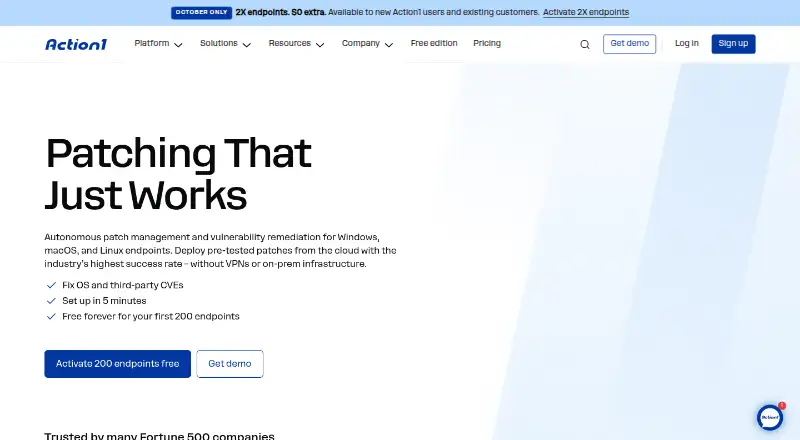
What Action1 is
Action1 is a cloud-based endpoint management product for organizations managing devices that run Windows, macOS, or Linux. Its core functions include patch management, configuration management, and remediation automation. The service brings these endpoint tasks together in a cloud deployment and is available through the web as well as on Linux, macOS, and Windows. Action1’s free plan costs nothing and covers up to 200 endpoints. Organizations managing more than 200 endpoints can use a paid subscription with quote-based pricing. The pricing note also includes a 15-day trial. Action1’s supported endpoint operating systems are Windows, macOS, and Linux. The company was founded in 2018 and is headquartered in Houston, Texas, United States. Teams can consider the free plan for endpoint groups within its stated allowance, while organizations above that size can seek a quote for paid coverage. Its listed management capabilities span keeping endpoint software patched, administering device configurations, and automating remediation across supported systems.
Who it suits
Action1 suits teams managing Windows, macOS, or Linux endpoints that need patch management, configuration management, or remediation automation. The free plan accommodates up to 200 endpoints, while organizations with larger endpoint groups can request quote-based paid subscription pricing.
What it does well
- Manages Windows, macOS, and Linux endpoints.
- Includes patch management and configuration management.
- Offers remediation automation.
- Free plan covers up to 200 endpoints.
- Cloud deployment is available.
What to know first
- Free plan is capped at 200 endpoints.
- Paid subscription pricing is quote-based above 200 endpoints.
- The pricing note specifies a 15-day trial.
Limits
The free plan covers up to 200 endpoints. For more than 200 endpoints, Action1 uses quote-based paid subscription pricing.
Plans
| Plan | Billed and limits | Price |
|---|---|---|
| Free | 200 endpoints | Free |
| Paid subscription | Quote-based pricing for more than 200 endpoints | On request |
As action1.com lists them, read 22 Sept 2026. The maker's own page has the final word.
Getting started
- Visit the Action1 website.
- Use the free plan for up to 200 endpoints, or request a quote for more than 200.
- Use Action1 through its cloud deployment.
- Manage endpoints running Windows, macOS, or Linux.
Action1 is a cloud service for teams that need centralized endpoint patching, configuration control, and automated remediation across Windows, macOS, and Linux. It suits IT groups standardizing maintenance across a mixed fleet, while its free capacity is aimed at smaller estates. The main trade-off is straightforward: once an organization exceeds the free endpoint allowance, it must move to quote-based pricing.
Overview
Founded in 2018 and headquartered in Houston, Texas, Action1 delivers its management functions through a cloud deployment. Its scope is deliberately operational rather than broad device-management marketing: patch management, configuration management, and remediation automation are the core capabilities. That combination is useful when the priority is keeping operating systems aligned and correcting drift without building an on-premises management stack.
The service is offered on Linux, macOS, web, and Windows, with endpoint support stated for Windows, macOS, and Linux. The web platform and cloud delivery favor organizations that want administrators to work from a central service rather than maintain local infrastructure. Readers seeking a self-managed deployment should look elsewhere.
Key features
Patch management
Patch management gives an IT team a focused way to keep supported endpoints updated. It is the clearest reason to shortlist Action1 for a mixed Windows, macOS, and Linux environment, particularly where inconsistent patch levels create operational risk.
Configuration management
Configuration management extends the product beyond one-time updates. Teams can use it to maintain desired settings across endpoints, making it more suitable for ongoing policy consistency than a tool concerned only with software deployment.
Remediation automation
Automated remediation is valuable when recurring endpoint problems need repeatable correction instead of manual intervention. It strengthens Action1's case for lean IT teams, although the published feature set does not establish broader service-desk, inventory, or mobile-management coverage.
Pricing
Action1 uses a freemium model and advertises a 15-day trial. The Free plan costs nothing and covers up to 200 endpoints. That is an unusually meaningful ceiling for a no-cost tier: small businesses and internal IT teams can use the patch, configuration, and remediation functions without immediately budgeting for a subscription.
The free cap is also the decisive boundary. Larger fleets should therefore expect a sales-led purchasing process and should obtain a quote before treating Action1 as a fixed-cost option. The published terms do not define per-user seats, additional quotas, or renewal conditions, so those considerations belong in the commercial discussion.
Platforms
Action1 is available on Linux, macOS, web, and Windows. Its supported endpoint operating systems are Windows, macOS, and Linux, giving it useful cross-platform reach for conventional desktops and servers running those systems. Cloud delivery reduces the need for a self-hosted control plane, but it also makes the service a poor fit for teams that require a self-managed installation.
Who it's for
Action1 is best for small and midsize IT departments that want one cloud console for patching, configuration, and automated correction across a heterogeneous endpoint fleet. The 200-endpoint free allowance also makes it practical for organizations validating a process before committing to paid software.
It is less compelling for buyers who need a self-hosted product, a device-management suite centered on mobile hardware, or transparent pricing for a large deployment. Those requirements are not addressed by the stated plans and delivery model.
Pros and cons
Pros
- Generous free capacity: the no-cost plan supports up to 200 endpoints, enough for many small organizations.
- Three complementary controls: patching, configuration management, and remediation automation cover both prevention and correction.
- Mixed-platform support: Windows, macOS, and Linux endpoints can be managed through a cloud service.
Cons
- Large-fleet pricing is opaque: more than 200 endpoints requires quote-based paid subscription pricing.
- Cloud-only deployment: teams needing self-managed infrastructure are not the target audience.
- Limited stated scope: the published capabilities do not establish broader mobile, service-desk, or application-lifecycle functions.
Alternatives
ManageEngine Patch Manager Plus is a better fit when a buyer wants a freemium patch product with a free edition limited to 20 workstations and five servers, plus a published Professional cloud monthly price of $34.50 a month.
ManageEngine Mobile Device Manager Plus makes more sense when mobile coverage matters: its free edition is a fully featured Professional edition for up to 25 devices and supports Android and iOS alongside desktop platforms.
CFEngine suits teams considering a free, GNU GPL community edition with Linux support and community support, while enterprise use has custom pricing.
OPSI is worth choosing for a freemium, self-hosted-oriented option whose Community plan supports unlimited devices, core features, and one worker process.
Rundeck is an alternative for small teams seeking a free Community edition for runbook automation, with registration required.
AWS Systems Manager State Manager is the simpler choice when a free service with no additional charge is preferred, subject to applicable limits.
Foreman fits organizations wanting free, open-source, self-managed infrastructure management.
Google Cloud VM Manager is an option for Google Cloud users: its free tier is followed by billing of $0.003 an hour per VM with an active OS Config agent, with a stated 100-VM monthly allowance per Cloud Billing account.
Verdict
Choose Action1 if you need cloud-based patching, configuration management, and remediation automation for up to 200 Windows, macOS, or Linux endpoints at no software cost. Its broad free allowance is the standout reason to select it. Look elsewhere if you require self-hosting, mobile-first management, or a predictable published price for a larger fleet.
Verdict
Teams managing up to 200 endpoints should consider Action1’s free plan for its patch, configuration, and remediation functions. Organizations managing more endpoints need quote-based paid subscription pricing; its stated endpoint support covers Windows, macOS, and Linux.
Questions
Is Action1 free?
Yes. Its Free plan costs nothing and covers up to 200 endpoints.
What does the pricing note include?
It mentions a free plan and a 15-day trial.
What does Action1 do?
Its listed functions are patch management, configuration management, and remediation automation.
Which operating systems does Action1 support?
It supports Windows, macOS, and Linux endpoints.
How is Action1 deployed?
Action1 uses a cloud deployment and is available through the web.
Who makes Action1?
Action1 is headquartered in Houston, Texas, United States, and was founded in 2018.
Facts from Action1's own pages
- Founded
- 2018 · action1.com, 23 Sept 2026
- Headquarters
- Houston, Texas, United States · action1.com, 23 Sept 2026
Where Action1 stands on Freedom251
- Patch Management Software#11 of 49
- Application Deployment Software#13 of 44
- IT Automation Software#23 of 77