
Kudu
by Kudu
What Kudu is
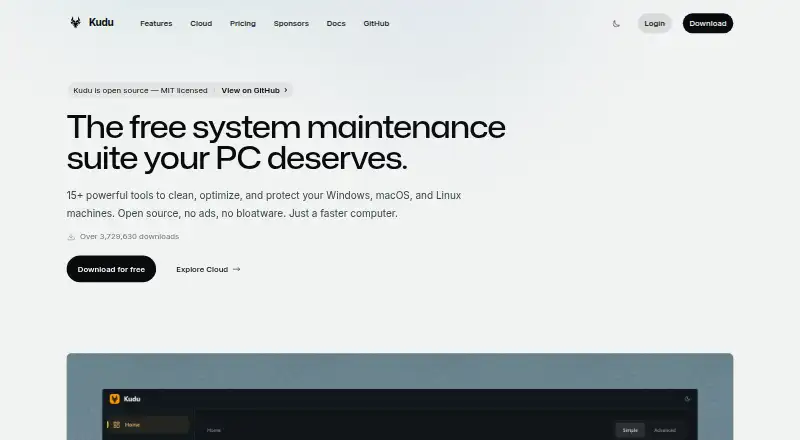
Kudu is a system maintenance suite for Windows, macOS, and Linux, with a free, open-source desktop app and a cloud service for managing device fleets. Desktop tools cover junk cleanup, performance monitoring, security and privacy, software updates, and scheduled maintenance. Cleanup Receipts record what was selected, removed, skipped, or failed, while Storage History tracks folder growth and compares snapshots. Recovery Centre lets users inspect supported recovery records and restore eligible settings. Maintenance runs locally, and the desktop app does not collect, transmit, or store personal data by default.
Kudu Cloud adds a browser dashboard for device health, telemetry, remote commands, and maintenance automation. It checks SOC 2, CIS, and NIST controls and offers hardening assessments and audit-ready reports. Connected-device telemetry excludes file paths and contents, browsing history, passwords, and personally identifiable information; sharing process names is opt-in. The desktop app is free. Cloud Basic costs $5/device/mo and Pro costs $9/device/mo; billing counts Windows machines connected within the last 30 days.
Who it suits
Kudu suits people who want local maintenance tools for Windows, macOS, or Linux, as well as teams managing device fleets through a browser dashboard. Its cloud compliance checks and reports may suit organizations tracking SOC 2, CIS, or NIST controls.
What it does well
- Free, open-source desktop app for three operating systems
- Cleanup records show selected, removed, skipped, or failed items
- Storage History compares folder snapshots over time
- Cloud dashboard includes remote commands and maintenance automation
- Telemetry excludes sensitive categories; process sharing is opt-in
What to know first
- Cloud Basic costs $5/device/mo
- Cloud Pro costs $9/device/mo
- Devices offline for 30 days pause and stop counting toward billing
Limits
The free desktop app includes core maintenance tools. Basic provides 30 days of data retention; Pro provides 90 days. Cloud billing counts Windows machines whose Kudu agent connected in the last 30 days; devices offline for 30 days or more are paused and stop counting toward billing.
Plans
| Plan | Billed and limits | Price |
|---|---|---|
| Free desktop app | Core maintenance tools · No account required · MIT-licensed open source | Free |
| Basic | $5/device/mo · Starts at 1 device · 30 days data retention · unlimited devices | $5 a month |
| Pro | $9/device/mo · Starts at 1 device · 90 days data retention · unlimited devices | $9 a month |
| Desktop app | Windows, macOS, and Linux · core maintenance tools | Free |
As usekudu.com lists them, read 20 Sept 2026. The maker's own page has the final word.
Getting started
- Visit https://usekudu.com/.
- Choose the free desktop app for Windows, macOS, or Linux.
- Use the core maintenance tools without creating an account.
- For fleet management, choose Basic at $5/device/mo or Pro at $9/device/mo.
- Connect devices to Kudu Cloud to use its browser dashboard.
Kudu is a system-maintenance suite for Windows, macOS, and Linux, with a separate cloud service for managing connected devices. It suits users who want maintenance tools without an account, as well as teams that need fleet oversight and compliance checks. Its strongest distinction is a free local app; cloud management brings per-device charges.
Overview
Kudu’s desktop app combines cleanup, performance monitoring, security and privacy tools, software updates, and scheduling. Maintenance runs locally, and the app does not collect, transmit, or store personal data by default. Kudu Cloud is a separate step up for organizations managing connected machines, adding device telemetry, remote commands, automation, and compliance checks through a browser dashboard.
This split gives individuals a useful no-cost option without requiring cloud enrollment, while teams can add centralized management. The tradeoff is that the cloud service’s per-device billing and retention tiers matter once a fleet is involved.
Key features
Junk cleanup, startup management, driver updates, scheduled maintenance, and restore-point tools cover common upkeep tasks. Cleanup Receipts record what was selected, removed, skipped, or failed, so users can review the outcome instead of treating cleanup as opaque. Storage History compares snapshots to track folder growth over time. Recovery Centre can inspect supported recovery records and restore eligible settings, a useful safeguard with a clear boundary: it is not a promise to recover every change or record.
For teams, Kudu Cloud brings device health, telemetry, remote commands, and maintenance automation into a browser dashboard. It continuously checks SOC 2, CIS, and NIST controls and provides hardening assessments and audit-ready reports, making it more relevant to organizations with compliance work than to someone maintaining a single personal computer. Alerts can be routed to Slack, email, or webhooks; PagerDuty notifications are reserved for Pro.
Kudu says connected-device telemetry excludes file paths, file contents, browsing history, passwords, and personally identifiable information; sharing process names is opt-in. Its privacy policy says data is encrypted in transit over HTTPS and API keys are stored as SHA-256 hashes. That offers useful boundaries for cloud monitoring, though privacy-conscious users should distinguish those cloud assurances from the local app’s default data practices.
Pricing
The Free desktop app costs nothing and includes core maintenance tools, requires no account, and is MIT-licensed open source. The Desktop app plan is also free and covers Windows, macOS, and Linux core maintenance tools. These free options make sense for individuals who do not need centralized fleet management; they do not include the cloud dashboard and compliance features.
Basic costs $5 a month, billed $5/device/mo, starts at 1 device, includes 30 days of data retention, and allows unlimited devices. Pro costs $9 a month, billed $9/device/mo, starts at 1 device, includes 90 days of retention, and also allows unlimited devices. Pro adds priority support and PagerDuty notifications, so it suits teams that need longer telemetry history or those escalation options. Basic is the lower-cost cloud entry point, but its shorter retention and lack of those Pro features are meaningful concessions. Custom plans offer dedicated support.
Cloud billing counts Windows machines whose Kudu agent connected in the last 30 days. Devices offline for 30 or more days are paused and stop counting toward billing, which helps avoid charges for machines that have been disconnected for a month or longer.
Platforms
The desktop app supports Windows, macOS, and Linux. Kudu also lists API and web platforms, matching its browser-based cloud management offering.
Who it's for
Kudu is a strong fit for individuals who want free, open-source routine maintenance across the major desktop operating systems, particularly if reviewable cleanup records and local-by-default operation matter. IT teams can consider it when they need device oversight, maintenance automation, and compliance reporting in one cloud service. It is less compelling for a user who only needs a basic cleaner but expects centralized controls, or for a team that does not want per-device monthly billing.
Pros and cons
- Pro: The desktop app is free, open source, account-free, and runs maintenance locally, making it accessible for personal upkeep without cloud enrollment.
- Pro: Cleanup receipts, storage snapshots, and eligible recovery tools provide more visibility and follow-up than cleanup alone.
- Pro: Cloud plans pair fleet management with SOC 2, CIS, and NIST checks, plus audit-ready reports.
- Con: Cloud management is priced per device, so the free desktop proposition does not extend to fleet oversight.
- Con: Basic retains data for 30 days versus Pro’s 90, and PagerDuty notifications require the higher tier.
- Con: Recovery is limited to supported records and eligible settings, so it should not be treated as universal rollback.
Alternatives
For broader patch-management coverage with a defined small-fleet free tier, consider ManageEngine Patch Manager Plus: its free edition covers up to 20 workstations and 5 servers, while its Professional cloud monthly plan is $34.50 per mon. SureAsset is a free alternative when the priority is asset lifecycle management, hardware and software license tracking, or API access and automation rather than Kudu’s maintenance suite.
OPSI is another freemium option for teams comparing device-management tools. Canonical Landscape may suit Linux-focused environments that need a self-hosted installation able to work offline or in air-gapped settings. Google Cloud VM Manager is worth considering for VM management billed by VM-hour after its free tier. Patch My PC offers a free Home Updater for non-commercial Windows desktop and server use, with a paid Enterprise Plus plan. PatchMon is a self-hosted community option for operators prepared to run the server, updates, backups, and uptime themselves. Qualys External Attack Surface Management offers a 30-day no-cost CSAM with EASM trial for organizations evaluating that service.
For category browsing, see Patch Management Software or PC Optimization Software.
Verdict
Choose Kudu if you want a free, open-source local maintenance suite or need a cloud layer that joins device upkeep with compliance checks. The central reason to choose it is the separation between a capable no-account desktop app and optional fleet tools; look elsewhere if per-device cloud fees, short Basic retention, or the limits of eligible recovery do not suit your needs.
Verdict
Kudu combines local system maintenance with optional fleet management and compliance tools. The desktop app is free; cloud plans add per-device costs and billing rules for recently connected Windows machines.
Questions
Is Kudu free?
Yes. The desktop app is listed as free, and its core tools require no account. Cloud Basic is listed at $5/device/mo and Pro at $9/device/mo.
Which platforms does Kudu support?
The desktop app supports Windows, macOS, and Linux. Kudu also lists API and web platforms.
Is Kudu open source?
Yes. The free desktop app is MIT-licensed open source.
What does Kudu Cloud include?
It provides a browser dashboard for device health, telemetry, remote commands, and maintenance automation. It also checks SOC 2, CIS, and NIST controls and offers hardening assessments and audit-ready reports.
Which integrations can Kudu Cloud use?
Alerts can be routed to Slack, email, or webhooks. PagerDuty notifications are listed as a Pro feature.
How does cloud billing count devices?
Billing counts Windows machines whose Kudu agent connected in the last 30 days. Devices offline for 30 days or more are paused and stop counting toward billing.
Facts from Kudu's own pages
- Cleanup records
- Cleanup Receipts show what was selected, removed, skipped, or failed after a cleanup. · usekudu.com, 4 Oct 2026
- Cloud data handling
- For connected devices, Kudu says telemetry excludes file paths, file contents, browsing history, passwords, and personally identifiable information; process name sharing is opt-in. · usekudu.com, 4 Oct 2026
- Cloud fleet management
- Kudu Cloud provides a browser dashboard for device health, telemetry, remote commands, and maintenance automation. · usekudu.com, 4 Oct 2026
- Compliance
- Kudu Cloud continuously checks SOC 2, CIS, and NIST controls and offers hardening assessments and audit-ready reports. · usekudu.com, 4 Oct 2026
- Desktop tools
- The desktop app includes system cleaning, performance monitoring, security and privacy tools, software updating, and scheduling. · usekudu.com, 4 Oct 2026
- Driver updates
- Yes · usekudu.com, 20 Sept 2026
- Free plan
- Yes · usekudu.com, 20 Sept 2026
- Headquarters
- United States and South Africa · usekudu.com, 23 Sept 2026
- Integrations
- Kudu Cloud can route alerts to Slack, email, or webhooks; PagerDuty notifications are listed as a Pro feature. · usekudu.com, 4 Oct 2026
- Junk cleanup
- Yes · usekudu.com, 20 Sept 2026
- Limits
- Cloud billing counts Windows machines whose Kudu agent connected in the last 30 days, and devices offline for 30 or more days are paused and stop counting toward billing. · usekudu.com, 4 Oct 2026
- Privacy
- The desktop app does not collect, transmit, or store personal data by default, and maintenance operations run locally on the device. · usekudu.com, 4 Oct 2026
- Product
- Kudu is a free, open-source system maintenance suite for cleaning, optimizing, and protecting Windows, macOS, and Linux machines. · usekudu.com, 4 Oct 2026
- Recovery
- Recovery Centre lets users inspect supported recovery records and restore eligible settings. · usekudu.com, 4 Oct 2026
- Restore-point tools
- Yes · usekudu.com, 20 Sept 2026
- Scheduled maintenance
- Yes · usekudu.com, 20 Sept 2026
- Security details
- The privacy policy says data is encrypted in transit via HTTPS and API keys are stored as SHA-256 hashes. · usekudu.com, 4 Oct 2026
- Startup manager
- Yes · usekudu.com, 20 Sept 2026
- Storage history
- Storage History tracks folder growth over time and compares snapshots. · usekudu.com, 4 Oct 2026
- Support
- Pro includes priority support, and custom plans offer dedicated support. · usekudu.com, 4 Oct 2026
Where Kudu stands on Freedom251
- PC optimisers#4 of 104
- PC Optimization Software#5 of 97
- Patch Management Software#7 of 49